I’m creating a game where there are many layers, but I couldn’t deactivate the buttons under the layers I open. If I open a layer that covers the button, I can still press it. I tried to ask AI and follow some video online, but nothing. Does anyone know how to fix this?
You have condition like
Either button is clicked/pressed
or
Cursor is on button
Left mouse button is clicked
Which makes button work
Add to them condition
INVERTED some layer is visible
And now buttons will work only when that layer is not visible
I mean you need to add it to event with all logic that button is for
If I try to click on the button in the game it just doesn’t work. I should add something in action? Sorry but I’m a newbie
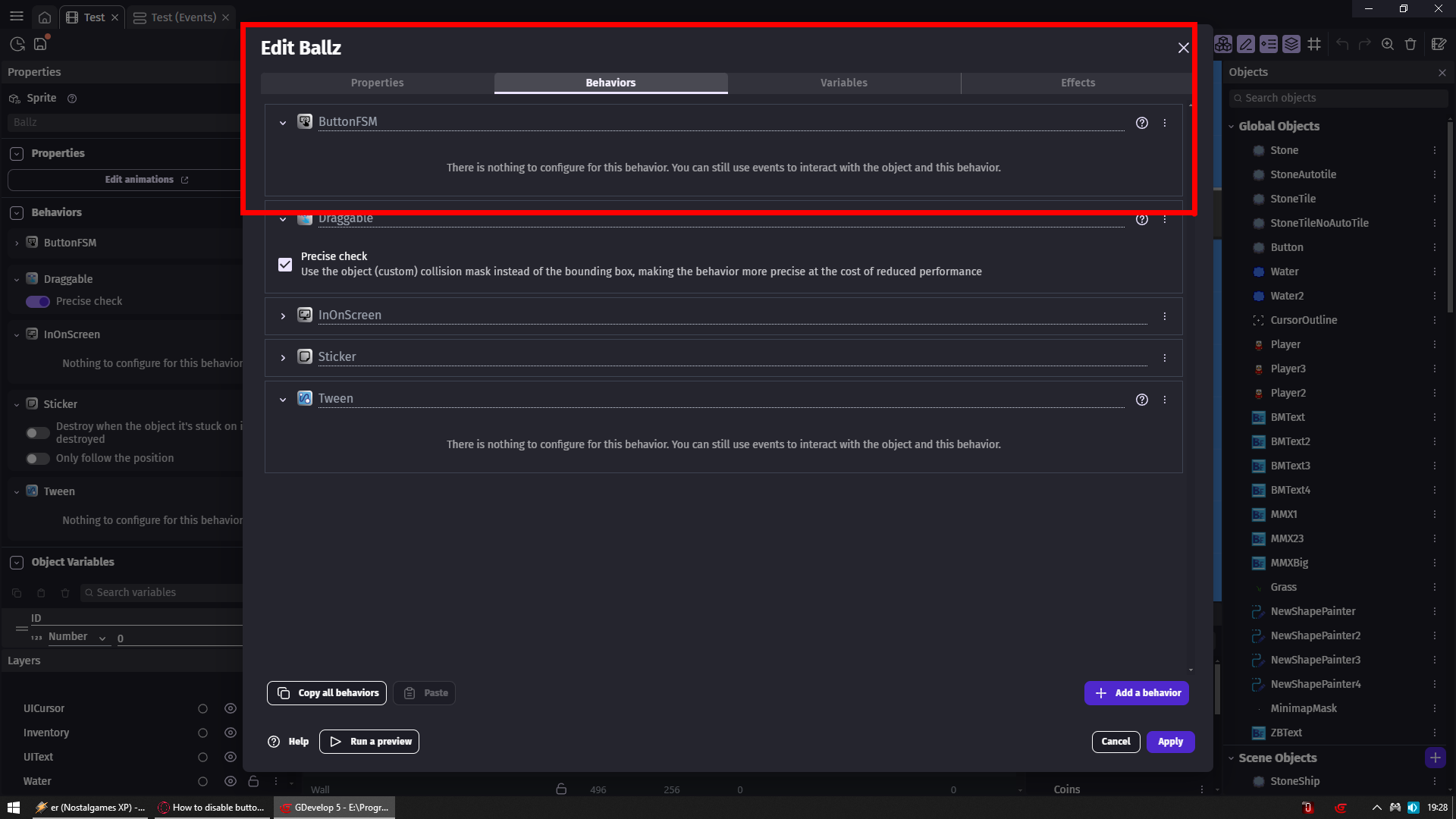
To my Ballz object (yellow ball) i added button fms behavior
That is how i have that condition is clicked there
You should also cause it is way better than using 2 conditions to handle buttons
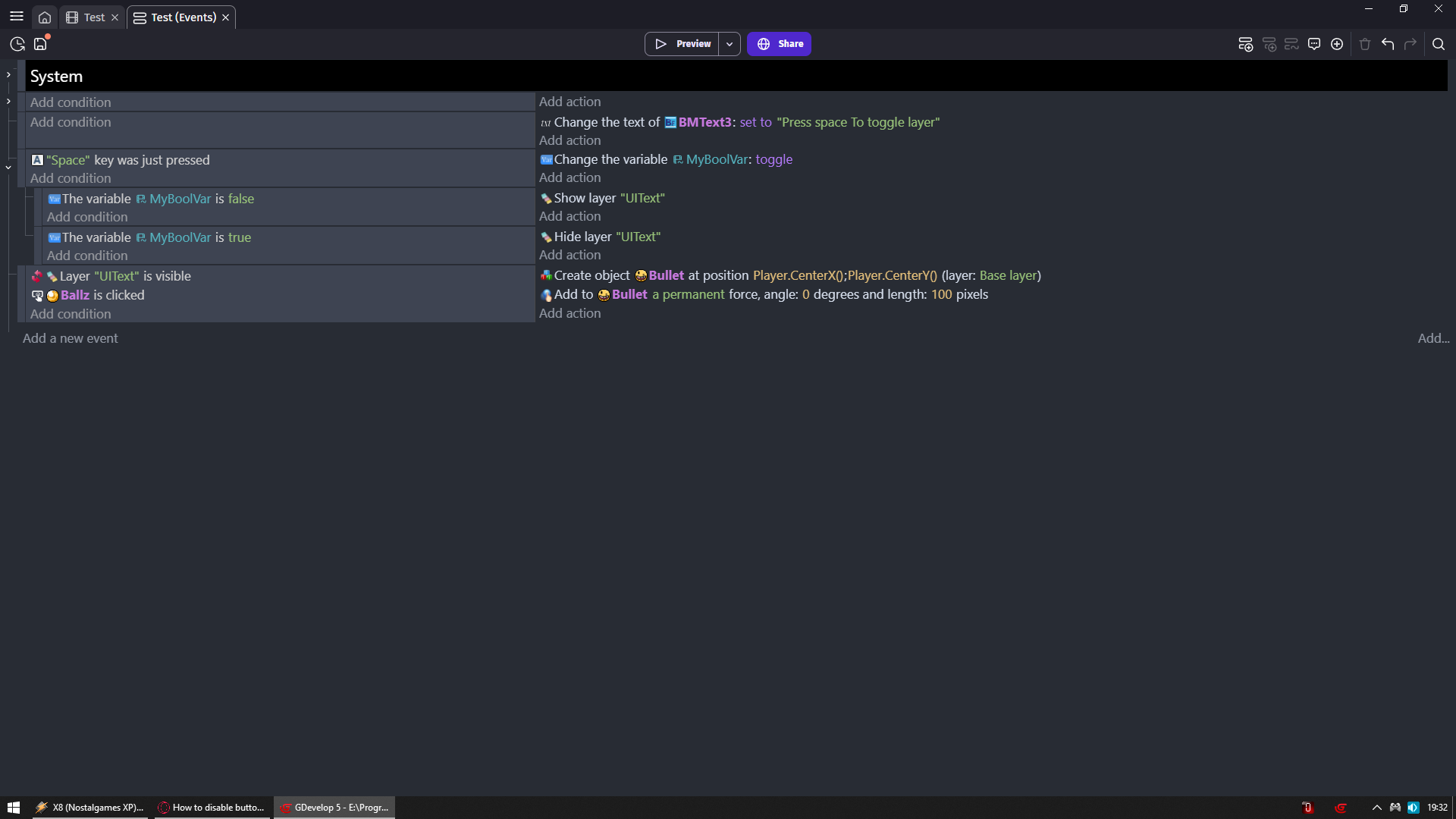
When you start game you cannot do anything
But pressing space will show/hide uitext layer
When its hidden then you can click on ball and only then you will be able to fire bullets to the right from player
If that layer is visible (so you see text on top)
Then button will not work
That is how you block functionality of button by checking if layer is visible or not
Instead of creating the button, I created a button using a sprite. Does it still work?
My ball is not even a button is just a sprite
So we now have exactly same thing
Behavior itself adds to it functionality of a button
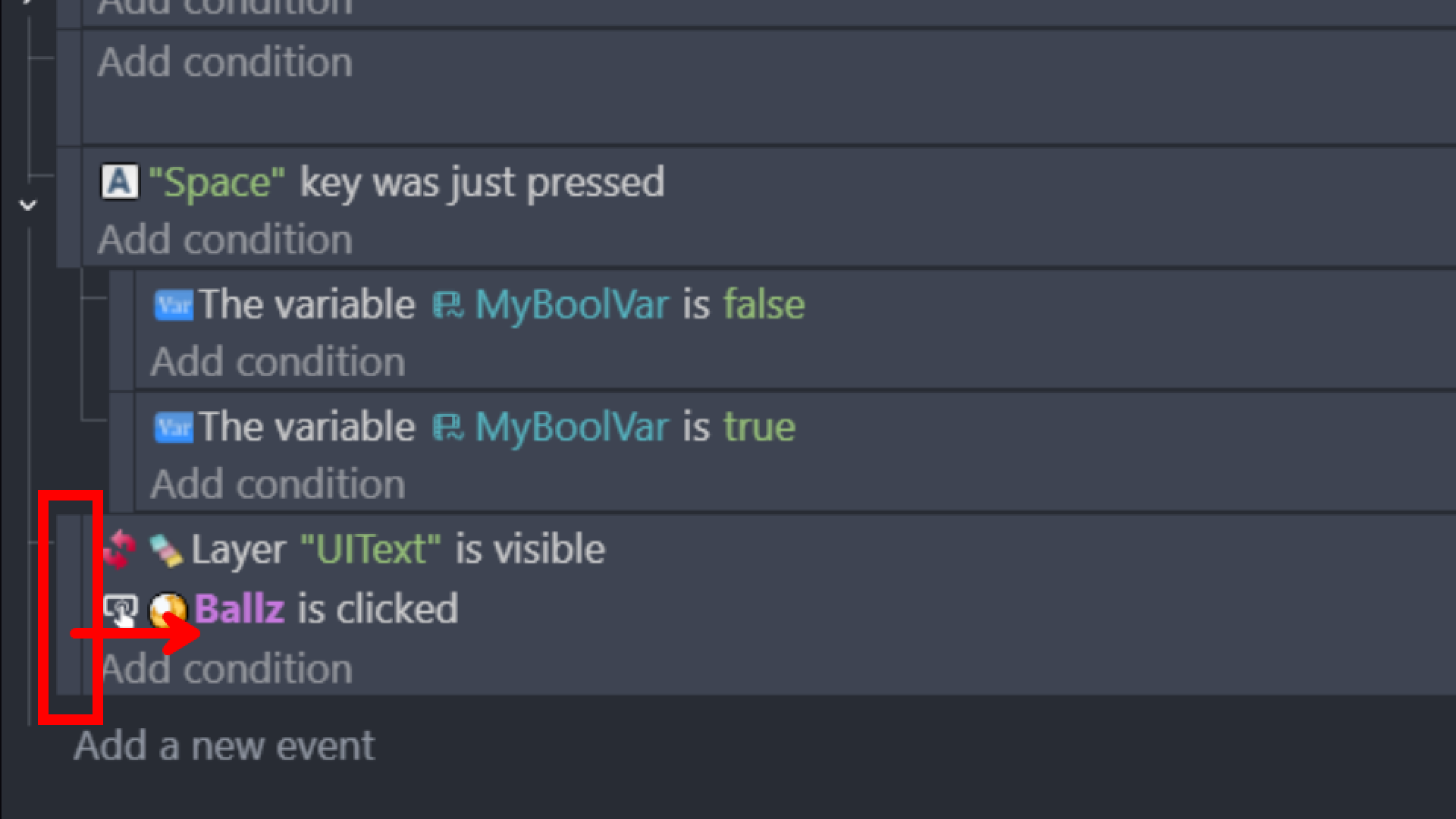
Excuse me, regarding the second photo, how did you split variable conditions and made connected them with the key part?
I made 3 events in 2nd one i put variable condition then i copied that variable condition to 3rd event and changed it from false to true
Then i grabbed 2nd event and moved it to the right and it become sub event of 1st event
Then i did the same to third event
Sub events kick in only if conditions of parent event are true
If conditions of parent event are not true then its not even checking sub events
So if i don’t press space key then game don’t even check if that variable is true or false
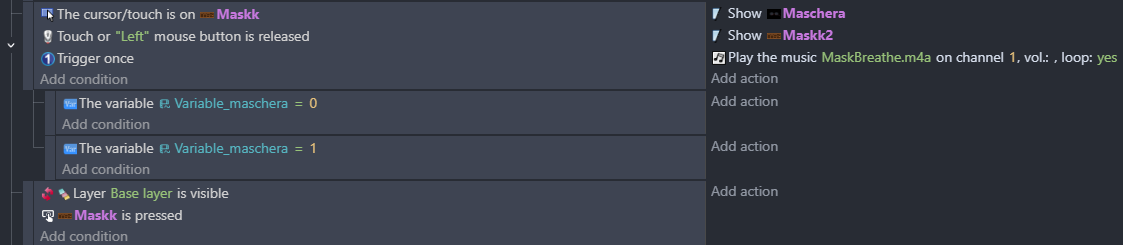
Look again at my screenshots
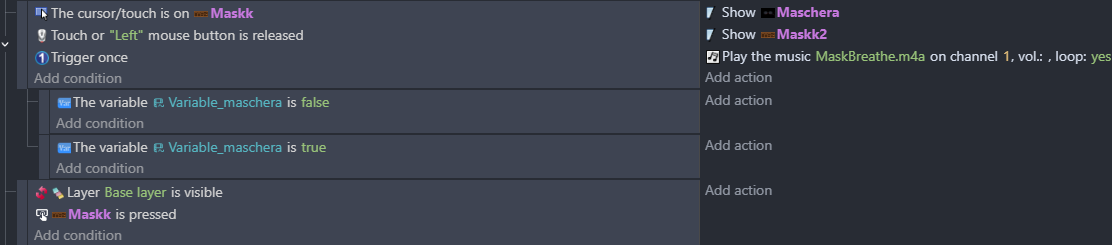
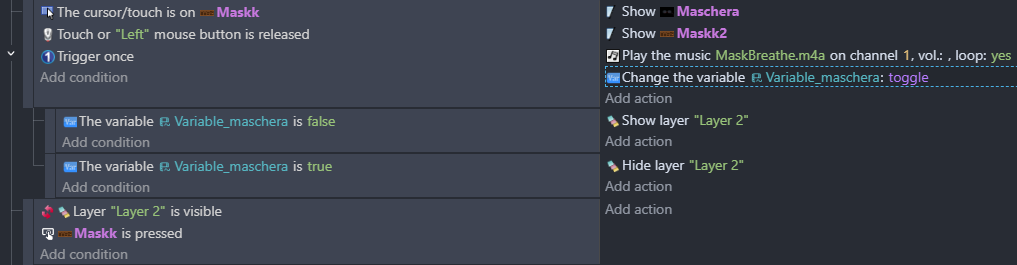
Watch this
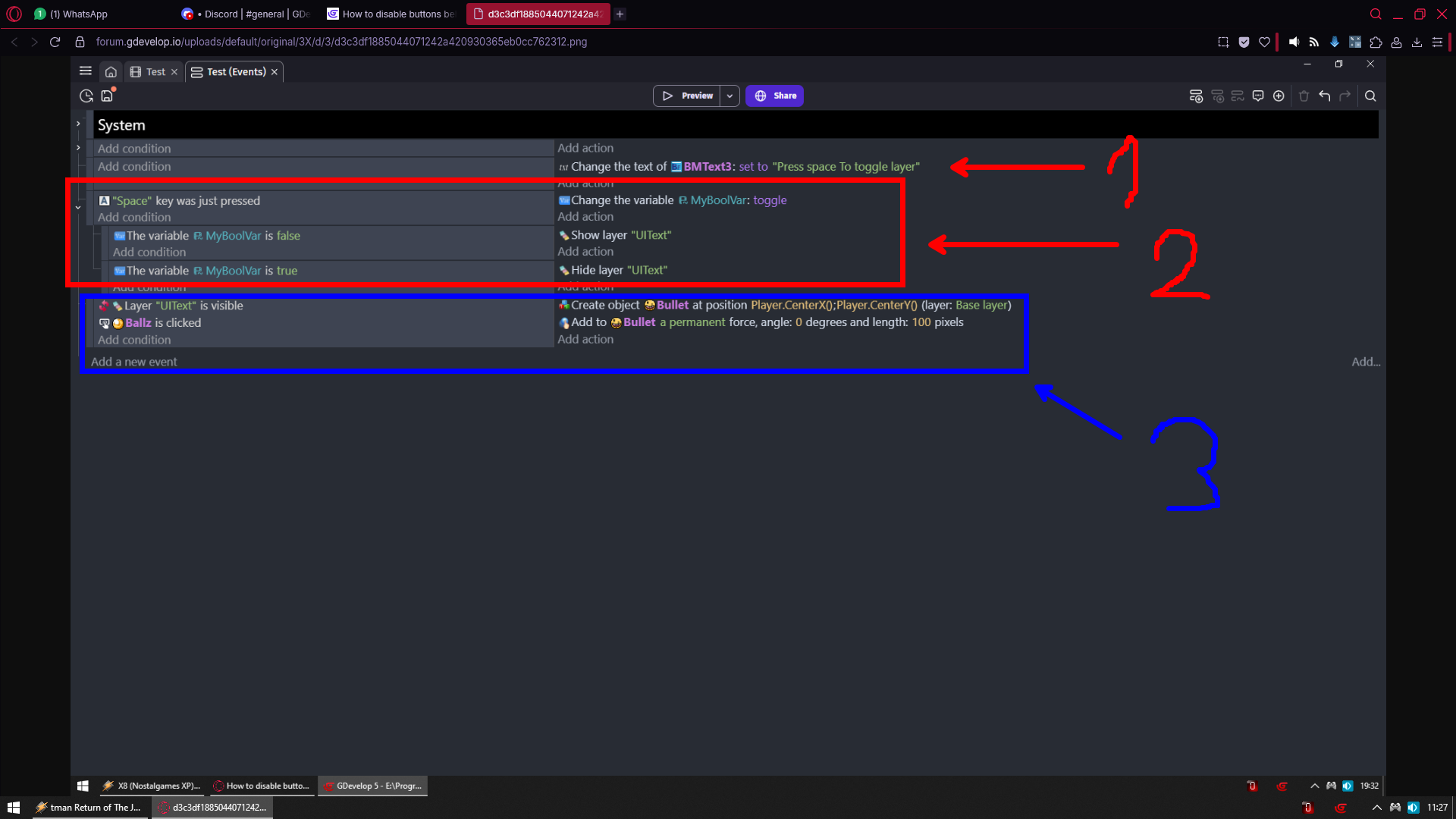
1 - is just for to change text to let any1 know what to do
So its not something you need its just for my example
2 - I press space and i toggle state of boolean variable
It works as press button
Its like
I do not ask you if light switch is on or if its off
I ask you to press it so in whatever state it is you will switch it to other state
THAT is how toggling work
And NOTHING more should be in that section
While this is still just for my example so its easy to test it so you can on the fly on/off layer
3 - THIS is only thing you actually need
Cause i check if layer is hidden so for sure no one sees it
And then if ball is clicked and if so i do something in action
I could put there play sound action
What you are doing looks to me like you don’t understand which part is for what
So try 1 more time with reading my explanation even few times and let’s see where it will get you
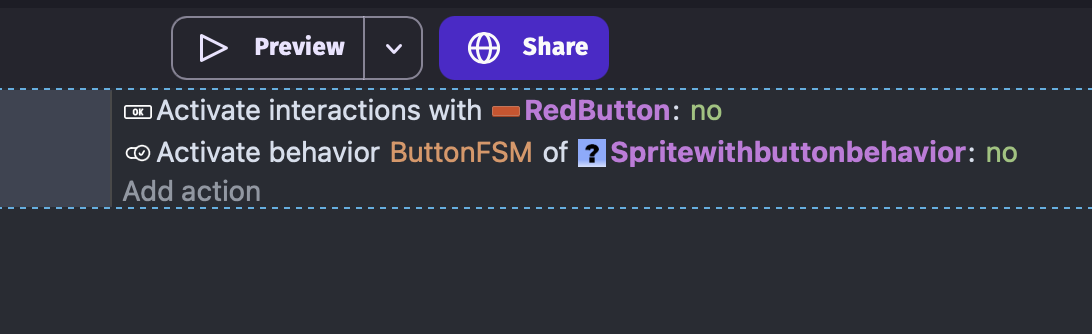
Just dropping it in here, there are “disable behaviour” and “de/activate button” events in the editor 
1 Like
Where did you find “Activate interactions” in actions? I can’t find it
1 Like

This pops up when I search “Activate Interactions”. It only appears if you have Labeled Button’s in your scene. Looking back at your past photos now, it seems that you are using the ButtonFSM extension, therefore you need to use this event:

1 Like
