Hey,
The question:
How to lock the mouse around an object and make it move freely 360 when I move the mouse but only in that distance around the object?
.
How do I do that?
I saw the mouse pointer lock extension but don’t really know how to do it or if it has to do anything with what I’m trying to achieve…
If someone know how to do that I would like it if you could explain it with events…
Waiting for any help on this, thank you…
@Silver-Streak Thank you, Take a look here

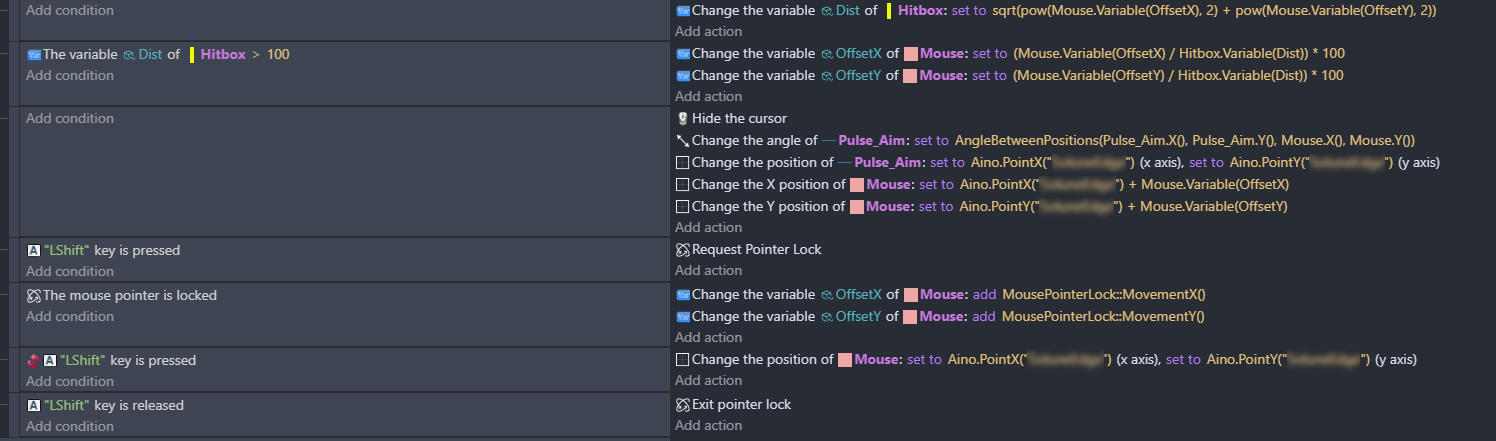
This is what I did, it works >> but still I feel like it can feel and be better…
It still follows the windows mouse cursor which I think is the issue here
I want the Pulse Aim to follow the mouse object that moves in a specific circle around the pulse aim.
Is there a way to lock the windows mouse around the pulse aim object ?
Thing is the mouse cursor can move in every corner of the screen, that can make the movement of the pulse aim a bit not consistent…
Waiting for your input on this, maybe I’m doing something wrong the code in the picture… I don’t know
Waiting for your reply
If you want the Mouse object to always be the same distance away from Pulse_Aim, then just set the distance to a number. You’re giving a formula for the distance which will allow the Mouse object to move freely between 0-250 pixels away from Pulse_Aim.
Mouse pointer lock is useful if you want to respond to mouse movement directly, such as for looking around in a first-person view, or for directly controlling the movement of an object with the mouse. This basically works by resetting the mouse cursor back to the center of the screen every tic. The cursor can still technically move, it just snaps back all the time so it never really reaches the edge of the screen. The extension gives you some expression to use for getting the X and Y motion during each frame so you can use that for something like turning the view.
It can also be helpful for preventing the pointer from going “out of bounds” when your game is windowed or letterboxed, so that might be something you would like in your game. But, it isn’t really necessary for just having an aiming reticle that moves in a circle around the player.
1 Like
@magicsofa Ok but what if I want the real windows cursor to snap to a certain object? is that possible?
I don’t think so, and I don’t see why you would want to as what you described doesn’t even require locking the mouse. . The system mouse should be controlled by the system and should only be locked using the extension, which I’m pretty sure is effectively the same cursor lock method you’ll find in any application. You may have seen this if you ever alt+tabbed back and forth and the game accidentally showed the mouse cursor when it was supposed to be hidden.
1 Like
@magicsofa hmm… I see well the idea I have on my mind to make the movement of the aim limited to only the circle around the object
why?
because when you make the fake mouse move in the direction of the x and y of the system cursor >> you’ll have a small issue
the mouse can move in every corner of the screen
so when your mouse is at a corner >> the aiming will feel a bit off because of the 90 degrees of the screen why you’re trying to recover from that, you’ll have a slow angle movement in the aiming because the system cursor is far to the right of the left >> so that’s why I’m looking for a way to make the system mouse move in a circle not freely to make the aiming very consistent and smooth.
Not sure if you understand my idea … I’m just looking for a more consistent aiming method, the current method works but feels not 100% smooth
it’s like 80% or 85 %
Hope you get what I’m looking for…
I see what you are saying. I think most gamers are accustomed to that, as long as you can see both the mouse position and the aim angle (and this allows you to position the mouse cursor to aim at something). But you could use the lock mouse extension for more direct control over the movement of the aim.
This will be a bit more complicated as you’ll have to think about how mouse movements will translate to changing the angle, but that would be the case whether you are snapping the mouse cursor itself, or using the lock method.
In other words, the physical mouse on the desk doesn’t move in a circle, so you will need some method of “mapping” those movements in a way that makes sense to players. You couldn’t simply add to the angle when the mouse is moving right, and subtract when moving left, because then the aim will spin past a certain point where it will start to feel like it is going backwards (think of keyboard aiming in old games, where pressing right or left spins you all the way around)
1 Like
@magicsofa You got exactly what I mean, do you know of a way I can do it?because I have been trying for two days so far with no luck.
Only managed to snap an object to the cursor
but not the cursor to the object that’s moving in a circle
This is exactly what I can’t find anything on in GDevelop
Do you think you could try on your end and let me know what you find if possible?
Just to chime back in here (I didn’t get notifications for some reason):
- Games that require mouse based cursors generally are played fullscreen.
- When they aren’t, it’s pretty standard for the cursor to lose traction when the mouse leaves the window.
- As far as I can find, no browser can lock a mouse to inside of it (other than hiding the cursor when it’s in the renderer). Although the pointer lock API can track the mouse when it is outside the window. It does not lock the mouse to the window itself, just keeps coordinates updating when outside the window.
The Mouse Lock extension just used this api to track mouse movement (MovementX()/Y() regardless of whether the mouse is inside the window or not. I don’t think folks that made it understood it could not lock the cursor to the window itself, or they were perhaps thinking of a fullscreen window so you could track infinite rotation in a 3D game, like a FPS.
It may also be out of date as it looks like the API updated in the past few years, but it’s worth trying with the events provided. (Enable the pointer lock and try checking how the movementX/Y expressions work, in like a text object or something).
1 Like
@Silver-Streak I did try to use the Mouse Pointer Extension with the (MovementX()/Y()) but found nothing that can lock the system mouse movement in a circle around the player…
I hope you could find something on your end, tried everything that’s possible so far…
I will ask on the discord server too, maybe someone have an idea or something regarding this…
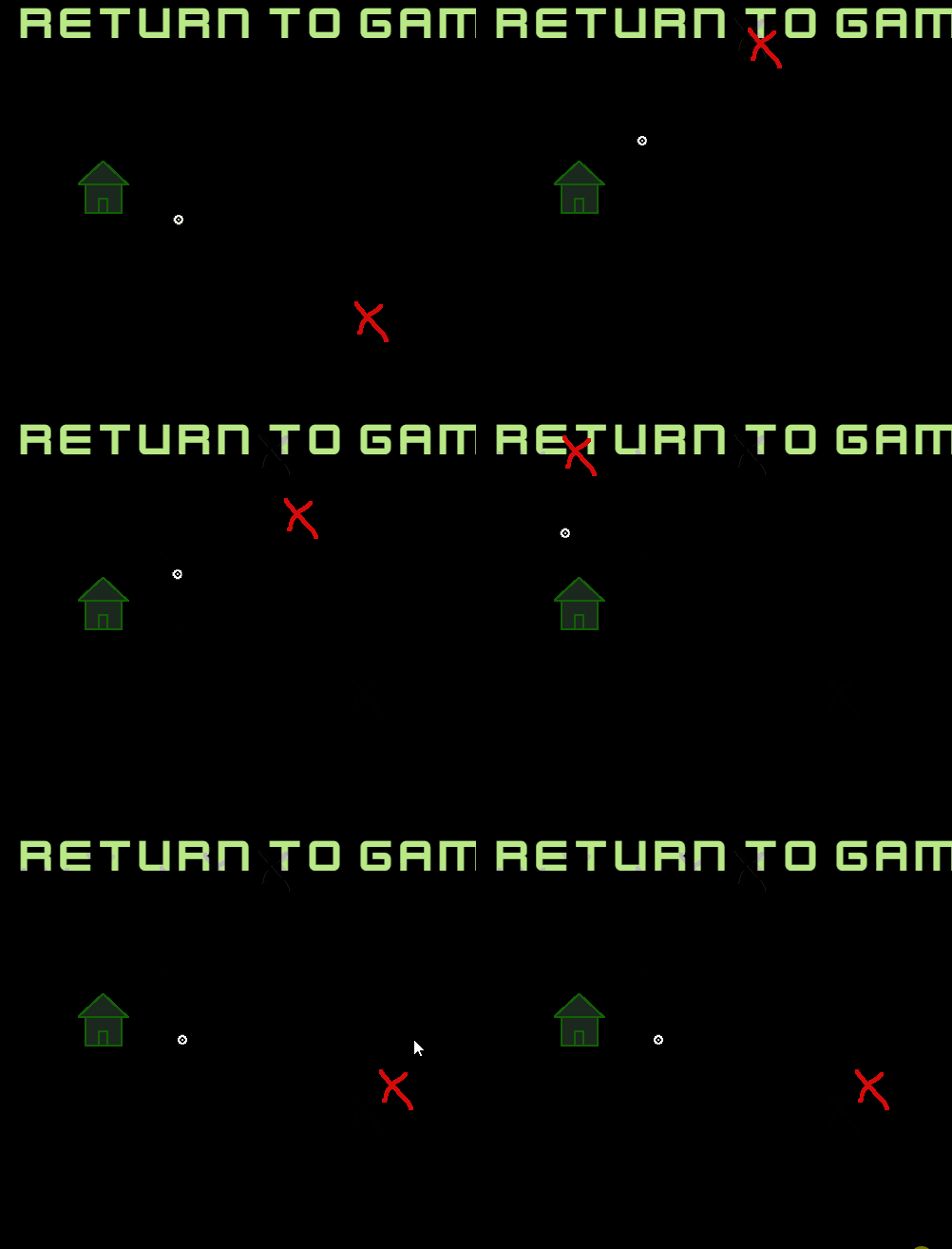
would this work for you?
i think i got put around from a thread where either silver streak or mr men did it with game pad stick movement
1 Like
@petlimpet I want to thank you for your attempt, it opened up my mind and I actually managed to create what I exactly need after around 4 days of trying with this >> This is probably the most consistent aiming method for a 2D game.
Here is the full code for this specific task for any fellow GD user who got lost just as I do, hope this helps anyone with the same issue.
This does several things
1- It creates an aiming circle around the object
2- It limits the fake mouse cursor around the object to a certain distance
3- It locks the system mouse so It always resets it’s position so even if your mouse cursor is far away, it will still get reset which results in a responsive snappy aiming that actually responds to your mouse movement. (Which was the main issue with the old system).
4- You have full control on the aiming circle size >> the more you make it >> the less responsive and slower it gets >> I found 70 - 150 is the sweet spot. >> Make it lower >> the aiming will become faster but harder for the average player.
Current Issue:
1- When you press Shift >> There is a very small snap to the OffsetX and OffsetY positions which I’m still trying to figure out how to fix it >> I might just make the aiming graphics appear a millisecond after the key is pressed, not really sure yet or maybe it’s on my end with some events reordering… still searching …
2- The Mouse pointer lock extension have an issue that I still have no clue how to fix, If you press Shift while the game is windowed >> it won’t lock the mouse
You have to enable fullscreen or even windowed mode in order for it to work >> not sure why is it like that but I will keep searching around this too.
That’s all for now… I will mark it as fixed and if anyone have any ideas around the fixes for the current 2 issues let me know, I will keep searching and if I find anything I will update here…
2 Likes
could you use lerp to fix this?
1 Like
@petlimpet
I tried lerp yeah >> while it does fix it >> It makes it a bit harder to aim because of that smoothness or delay in movement which some might be looking for but not in my case.
I guess a sneaky fix for this would be to just make the aim graphics appear a bit slow when the button is pressed like a 0.05 or something … this should fix it completely…
Also about this after some research and testing now, I figured out it works once you click in the game window which means if the player just pressed start or whatever from the menu screen, the lock will work just fine even if you start any new scene.
I guess both issues are now “Kinda” fixed