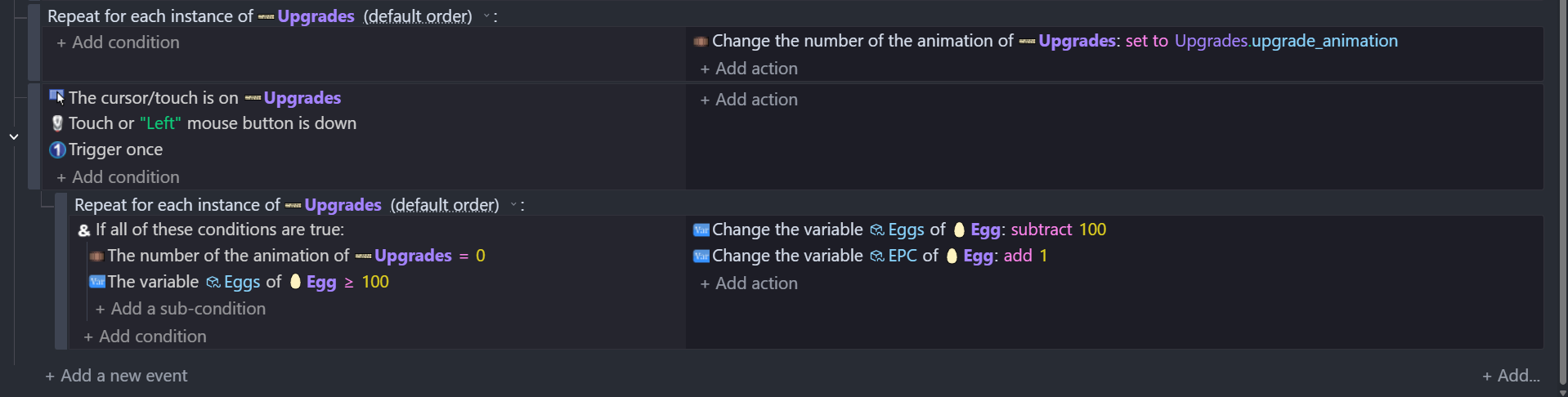
So Im making a clicker right now and i decided to make all the upgardes have 1 sprite where i can switch between animations so the instances look like different upgardes
but the problem is that both upgardes work for the same thing like i still havent coded the 2nd upgarde but i tried to mak ethe 1st one different form the 2nd but they both work for the same upgarde i tried everything!
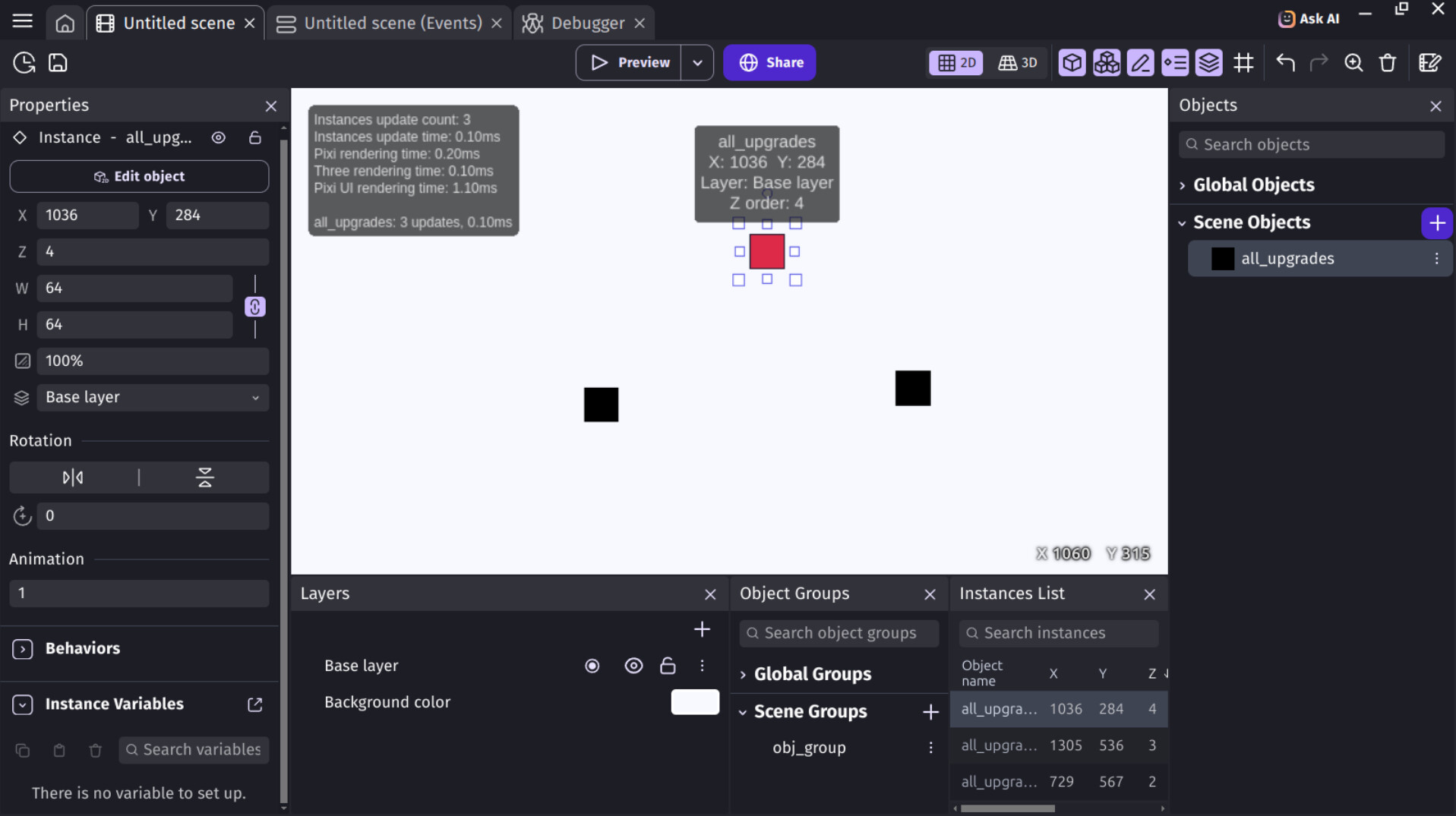
youre trying to locate your upgrades using the instance position. and set their animations at init time. don’t do that, instead, define each sprite it’s animation on the scene editor:
(left hand side, there is a place to put the instance animation)
but thats not the best, because you need to use an index.
the better way
you can define an object variable (string) to the all_upgrades sprite. then you set each instance you place on the scene, the string corresponding to the correct animation (they also can be changed in the editor).
then at init time you do a for each object to assign their sprite:
unless you only have one instance of the all_upgrade sprite. in this case why don’t you do it directly?:
if upgrades are followed in successions. its probably better to put all your upgrades in a scene array variable of strings, and keep track with an upgrade counter (number var). and fetch the next upgrade string using: upgrade_array[upgrade_number]
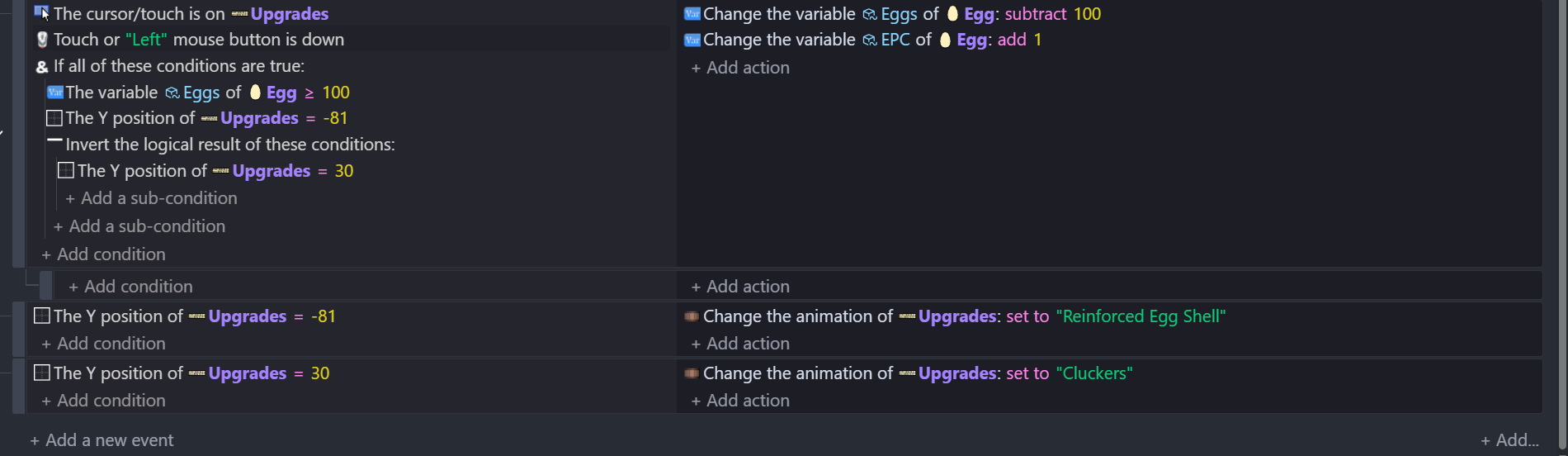
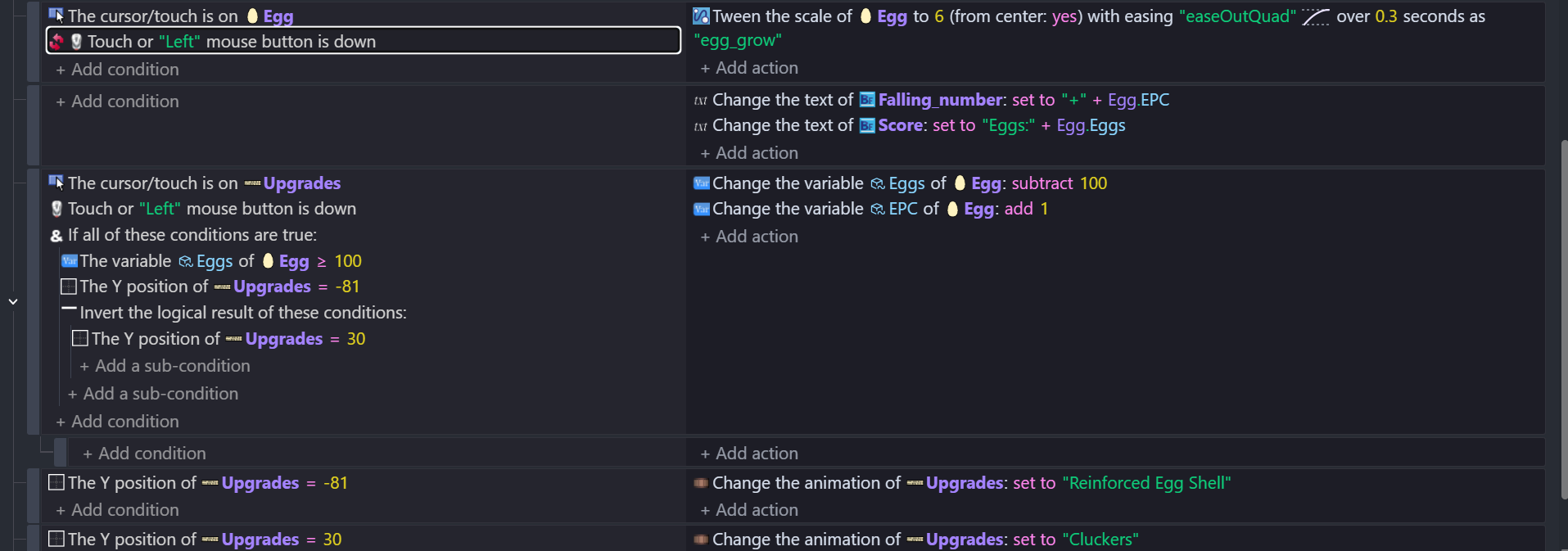
And also don’t use NOT and AND since in your case it makes no sense
Then you are checking exact position of Upgrades and then i think you try to check if its not some position
Which also feels wrong
BTW if Y pos of your object is -81 it cannot be anything else
So checking if its not 30 makes no sense
Its like you would check does player have 81 HP
And then you would check if his HP is not 30
Well it won’t be 30 cause it is 81
If you would move for whatever reason these upgrades is it one or many
Then you would need to update it in events sheet
So more sense is to check animation name
And then since i guess he won’t have duplicate upgrades so 1 animation per upgrade object then still checking animation makes more sense
And upgrades themselves can be anywhere on screen
And you now only need to check animation and if lmb is clicked and is it on upgrade
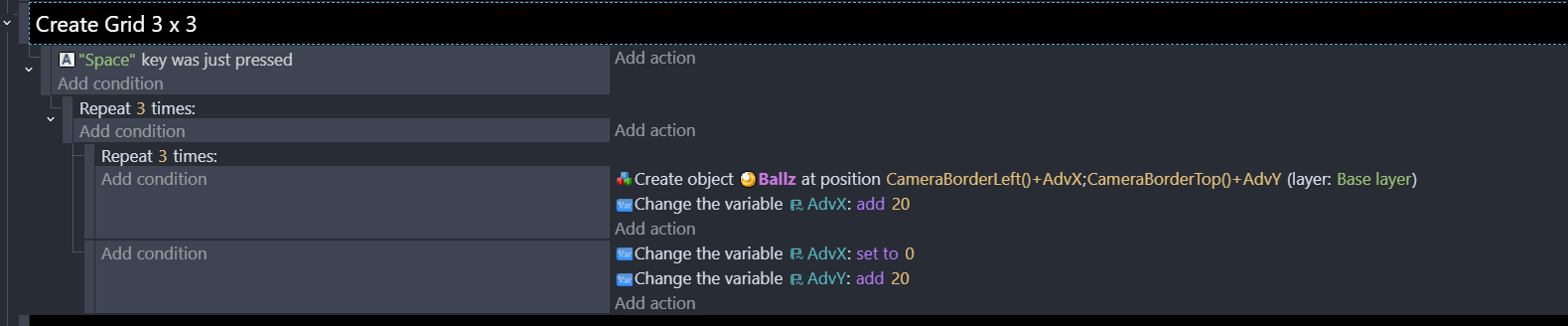
And then you can create grid out of it
Which does not even need to be grid but can be just vertical or horizontal line or rectangle instead of square
If checking the animation name still affects both, could you share the exact event rows for (1) the click/selection condition and (2) the upgrade action? The “cursor/touch is on” condition should pick the clicked instance first; then test that picked instance’s animation or per-instance variable. Without that instance context, it can look as if both upgrades are being treated alike.
ive tried without and and without reapet for each instance ive tried everything! you can still buy the same upgrade from the 2nd one as the 1st like if i press the 2nd upgrade i get the 1st one
since you did this method, i assume that you have many buttons on scene and that they are placed in the editor. i also assume that they have their upgrade_animations all set-up from the editor (different for each insteance).
(otherwise you misunderstood the solution)
i also assume that you can see in the game (at runtime) their different animation look as you play
your issue is that upgrade 2 animation still trigger upgrade 1?
When you click the second upgrade, does the click condition pick that specific instance before the price, animation, and upgrade actions run? If not, keep the click check and the upgrade action in the same event so they operate on the picked instance, then read that instance’s own upgrade variable.