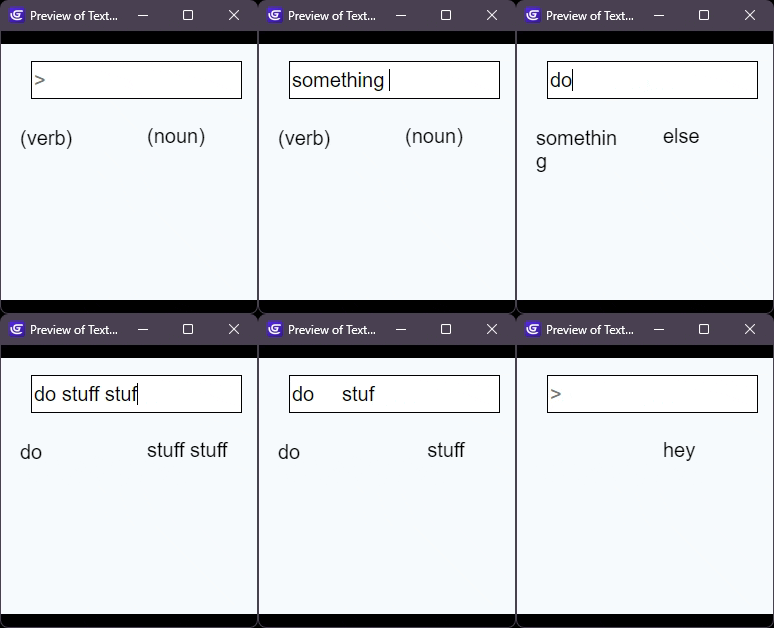
How do I separate a verb and direct object in text input from text like in IF? I think I can use the RegEx expression for this, but I have no idea how it works and the documentation [ Regular Expressions - GDevelop documentation ] isn’t great. So, how does that work? I asked duck.ai and its sounded like really complicated symbolic programming but that’s about all I understood.
To be clear, what I need is to save the first word and the second word (or better yet, first phrase and second phrase) in separate strings and then compare those strings against an array of potential words/phrases.
To clarify what you’re saying is that you want to separate a user Input to a noun (which I think you mean as Direct object) and a verb. Please correct me if I am wrong.
You can use the built-in tools to do this:
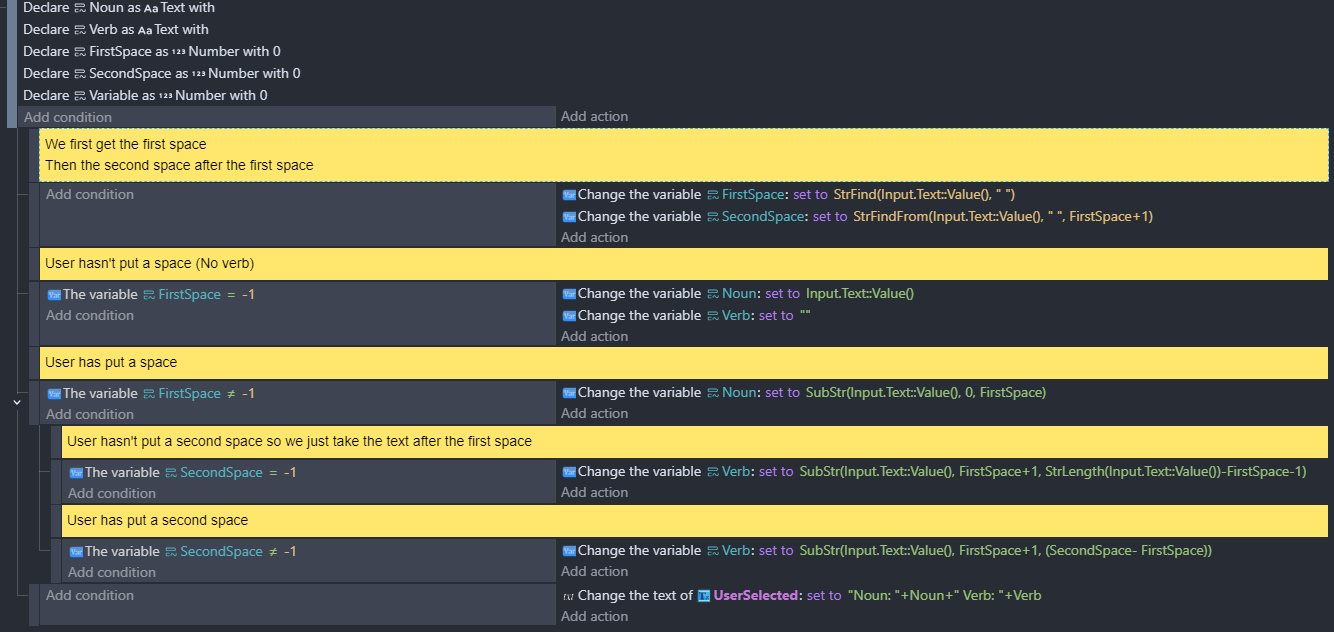
Search for the first space in the text. I.e between the noun and the verb
Search for the second space in the text. I.e after the verb
That doesn’t look all that simple, but maybe that has something to do with the lack of context - I can’t find those conditions anywhere; they don’t even seem to be specific to text input. Are you sure that uses built-in tools?
Variable conditions aren’t specific to anything. You can use them for scene/global variables (as above), or pretty much any object. Testing variables is kinda the most basic thing to do so yes it is built in…
Parsing text commands is not simple. You can see all the string functions here: Text manipulation Reference - GDevelop documentation . RegEx is notoriously difficult, but powerful. I wouldn’t touch it unless you are really more interested in advanced text processing than making a game
You could consider a different approach such as giving the player buttons or menu options to choose from instead of typing in commands, which would mean you can avoid parsing text.
It’s an adventure game, specifically, a text-based one.
Everything the player can experience is an item - the fog, the door, the view of something far off. The player can only stand at specific points in the world at any given time - I guess they might be called nodes, though more traditionally I suppose the word is “room.” For each node, what the player may experience from that point is explicitly designed, with specific items existing at each node, not shared by any other node. Which is why a view is an item of its own, though I guess nodes might be have visual links without allowing progression directly between the points. But I think it’s more fun if the player is acting under fog of war (unless of course, you know, the fog is so incredibly thick their vision is arbitrarily inhibited by a few feet of distance).
I actually want to have some sort of graphical interface with little pixel-icon sprites representing the different items around a node, as well as the player’s character, but the mode of interaction remains the same: you type in how you want to interact with whatever you want to interact with, and then you type in a flag of the thing you want to interact with: Enter door. Do we know what entering is? Okay. Do doors exist? Sure. Is there a door present? Yep. Can that door be entered? No, because that door is barred from the other side by a cave-in.
Before all that logic is triggered, though, the computer has to know what exactly the player typed, in the context of the game, which I am currently struggling to figure out.
It was your local variables that threw me off. I guess I’d never seen that done before; that’s actually really cool. From what I can understand, what you did might work, but I’m having trouble understanding your events.
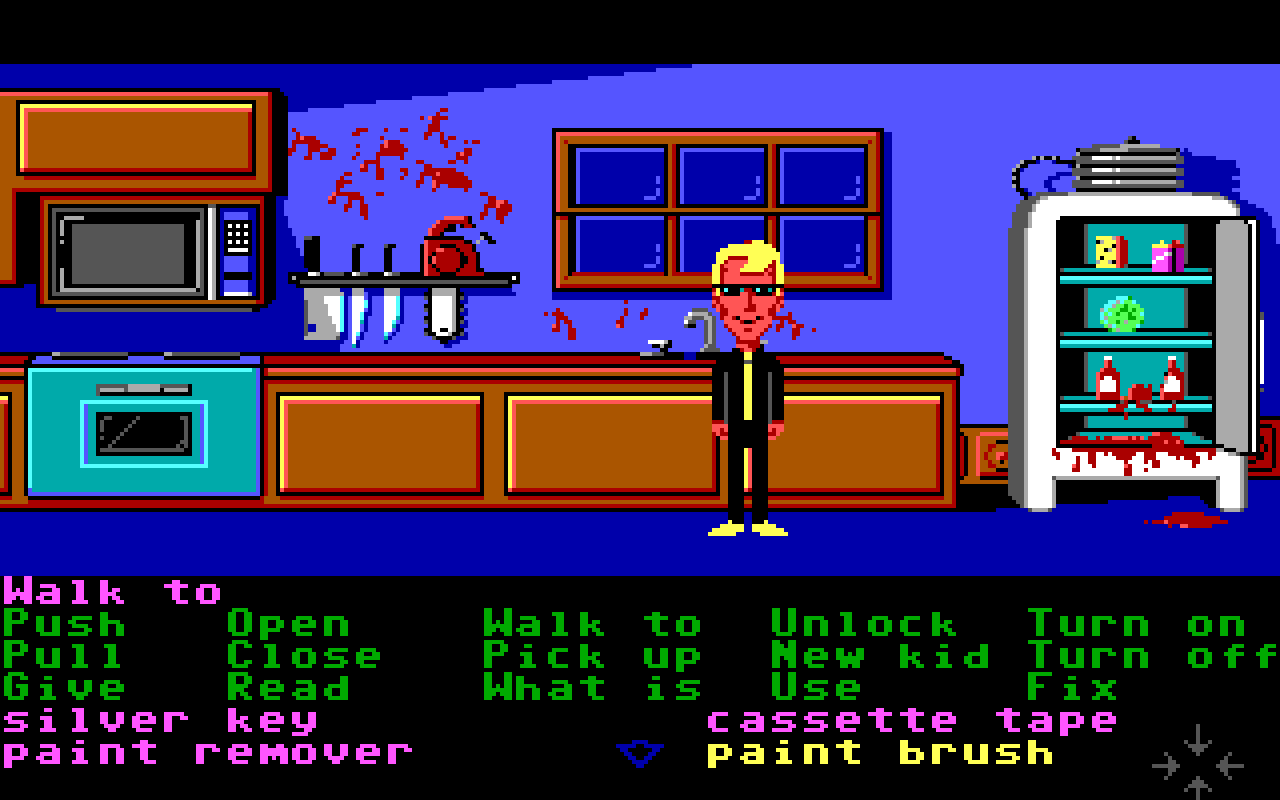
You can definetly create a classic text based game style interface. A visual interface might be easier. The classic Maniac Mansion. Used a list of actions with an inventory and multiple characters. The rooms had hot spots for things you could interact with. Or you could interact with items you were carrying.
Or you could use popup style menus that appeared when an object was touched or have the cursor change to an available action like grab or move.
You could use the array tools split action that can split words into an array. You could then check specific indexes or maybe check if a word exists in the array using array tools as well.
Would it matter if someone typed “open door” or “door open”? That strategy would allow you to ignore other words.
Maybe search the string for each word instead of breaking it apart. You might need to deal with other symbols or maybe prevent other symbols only allowing letters and space.
If it contains " open " and contains " door " the do something. Search for the verb first and then the other objects as subevents.
Extra spaces are needed before and after the words to prevent partial matches. The search string would also need spaces added before and after when being searched.
The best thing about text-based adventure games is depth of interaction. Menus would limit you by disallowing special commands like if you wanted to summon an eldritch horror (which should be allowed at any given moment, but that should require some sort of password, like “404_summonCtoodles.” I’d probably just end the game with “you died” right then and there, but it should be an option for rule of cool. A worse issue appears if you can’t use the give command because you’re limited to one verb and one noun, at which point it effectively becomes a text-based looter-shooter. Shoot door. Kick dave. Grab rocket launcher. I think I could implement a focus command though, so, like, focus + Jim, ask + robot, and Jim tells you about the robot. Or I could have “to Jim” or “with Jim” being whole phrases that would logically only appear in certain contexts. That might be risky though, considering.
Okay, wait, I think I got it actually. So, it searches forwards or backwards in a text for the first occurrence of pattern of characters in the text, like a word, and returns that word’s position in the text. And then, I guess, you could use that to determine which words are which and what purpose they serve. It feels kind of like jimmying tools around into machinery, or surgery, or something, but I think that’s basically perfect, if I can get it work. I’d probably search forwards for the verb, and then forwards for the direct object, and then backwards for an indirect object, which you could tell it was an indirect object by it being different from the direct object in position and possibly pattern (x y y would of course, usually return some very silly error messages).
Ah, you can add local variables by right-clicking on the event and going to Add → Local Variable. Or press Shift+L while the event is selected. As the name implies, these variables only exist within that event and sub-events. They are great for reducing clutter in your scene variables list, you just have to remember that they can’t be accessed outside of the event they were declared in so if you need the information later, you’ll want to use scene variable instead (or global/object variable)
As for the text parsing, it is common in adventure games to require the correct order of commands, and if you’re looking for exact matches then you don’t need all this extra hullaballoo with extra spaces:
Set text variable “command” to whatever was written in the input box
Look for " " (space) in the command text. StrFind always finds the first instance from the left. It returns -1 if not found.
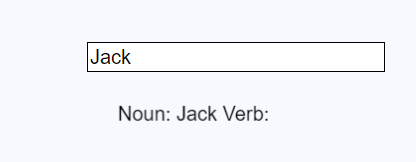
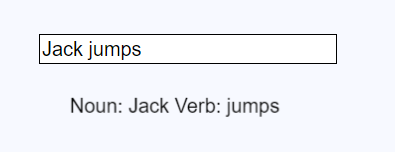
Set variable “verb” to a portion of command text, from position 0 (beginning) to position spacePosition. So if you wrote “open door”, spacePosition will be 4 and the verb text will be set to characters 0-4 in the command text (open).
Set variable “noun” to the portion with starting position spacePosition + 1, to the end of the string. So with “open door” again, spacePosition + 1 will be 5, and StrLength(command) will be 8. Therefore we get characters 5-8 (door)
The only thing we’re searching for is " ", or in other words a string that contains a single space character. This is called a delimiter. It could be any character (comma for example), but the most natural delimiter for adventure game commands is space since that’s what people normally use to separate words.
The rest of it is just blindly copying text based on the numerical position of the " ". Once you’ve separated the command into two separate strings, you can then use conditions to see if they are a valid command. Something like:
Variable verb is equal to "open" Variablenoun is equal to "door" (door logic here)
Oh, so, find the text between position 0 and the position of the first space using the SubStr function, and then use the position of the first space to find the position of later spaces using the StrFindFrom function. But for that, I’d have to do +1 to the space’s position, right? I think I could determine sentence order based at least partially on the number of spaces. I’d have to test it a bit for the more advanced commands but basic stuff following the verb - DO sentence order would be pretty easy.
The need of the plus one is because counting starts at 0. So image a text “Peter” if you do a search for t you’ll get 2 because its located at position 2 but if we need something like the length till t - which we did need in finding the verb - we need to add 1 because we pet has a length of 3 but t is located at 2.
I just realized something: text adventure commands only ever need up to 3 words. Even if there are other, supporting words, it’s rare that they’re essential. In simple commands, it’s only two words. So, I really just need to get the first word, the last word, and if there is more than one space in the text, the second word, which I can get with text manipulation.
Problems:
Supporting second words: I can use text manipulation to take the whole segment between the first and last spaces and then see if that contains any relevant words.
Registering the second and last word if there’s a typo: if their position in the text is different, it’s not the same word.
I can’t find a condition or function for this, but maybe if I find the first and last spaces and they aren’t at the same position, I could at least tell whether or not there’s two or more of them.