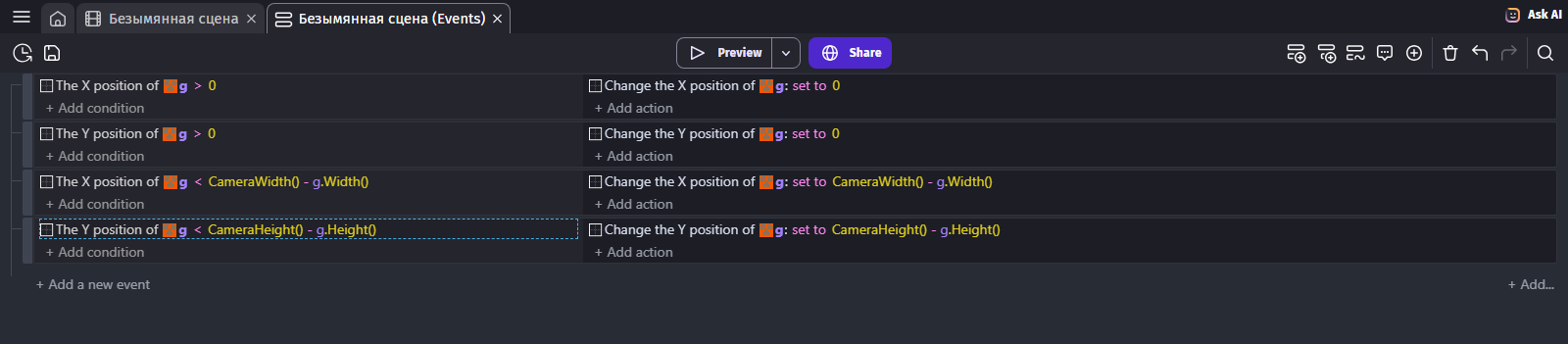
Hi everyone! I can’t for the life of me figure out how to drag an image (which is bigger than my game’s screen size) and not have it go past the screen’s edges. It’s basically a big painting which I want the user to experience in parts by dragging it around the screen. There is no way to set these boundaries in the draggable behavior itself so what else can we do?
Stopping the drag is also not an option because I need to be able to continue dragging when the painting’s edge reaches the screen’s edge.
It’s seems like such a simple idea which we’ve all seen a million times, but I’m totally lost as to how it can be done. Can anyone help?