How to use array

I have been using the engine for long but never used array variable type. Due 2 reasons:
1: How do i create an array child whilst the game in running. I don’t wanna make lots of children manually.

2: How do you save it and load it? And would you know which data is which from what i loaded or saved?

There isn’t a lot of info from i could gather, the array tutorial on YouTube just focused 1 thing which made no sense and made me more confused. If you got a example project that would be far helpful in the long run

Arrays vs Structure is for me basically:
Ordered numeric list vs unordered named list

Two major reasons to use arrays:

First, they are perfect for dynamically creating, manipulating and deleting lists of variables (or specific entries) while the game is running.
Second, you get an ordered list of values, of which you know how many variables it holds and which can utilize array tools, which allow easy sorting, summing, slicing etc of your list.

So usually you just create an array variable without children and add values to it during runtime. Whenever you want to iterate through your saved values use the „for each child“ function and do what you gotta do (eg compare values).

The only reason I see an array being less usefull than a structure is, if you want your variable to have more complex, non-numeric keys (basically names a human understands), that you can access by simply knowing the name of the variable. But whenever you are just creating a container of variables, of which you need to process all of them, arrays are the way to go (in my opinion).

To create a new entry just add a new value/variable at the end of the array via events.

You can only add values to the end (without reordering the array). That is a feature, not a restriction. That way your list stays in order.

Here is a quick (and easy to demonstrate) example of the advantage of an ordered list (array):

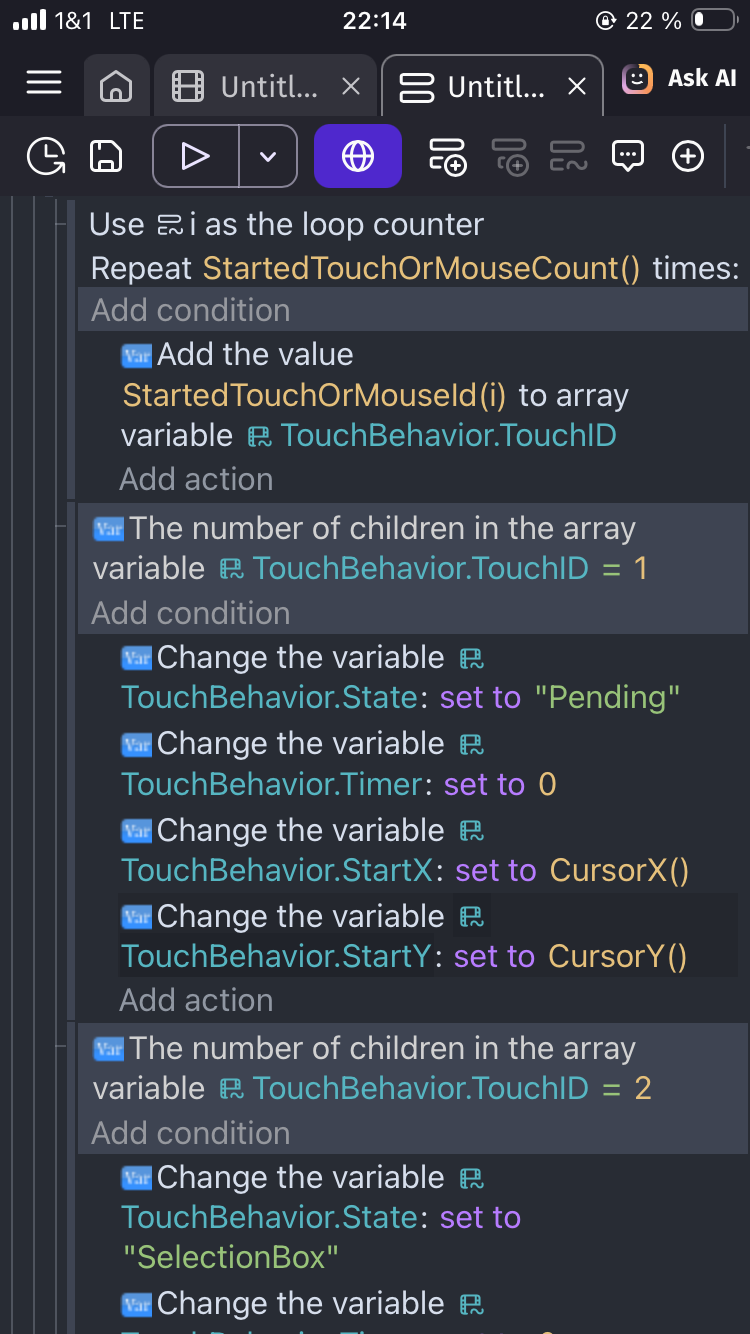
If a new touch started, I add the touch ID to my array. Whenever I want to know something about the first finger, I know I can access it with TouchID[0], for the second one TouchID[1] and the third TouchID[2]. Due to the list being ordered I always now, which variable belongs to the first, second or third finger. (The list needs to get cleaned ofc, if a finger lifts again)
The lenght of the array also tells me, how many fingers are currently down.

1 Like

Yeah naaah… See, i see and hear but it’s not processing.

I have used structure variable type so many times and it’s best! However for array it just makes no sense at all. It’s like trying to think of nothing it’s just impossible.

Are arrays not meant to be saved? If they could be saved, how would i save let’s say Water[0], how would i save that and how would i load it? It’s only variable type i can’t grasp till this day.

In terms of storage? It’s the same as with any other variable.

Maybe think of it as a structure, that is automatically named with an incrementing key. I mean you can do all the things you can do with structures with arrays too (but they are named for you as 0,1,2,3,4,…

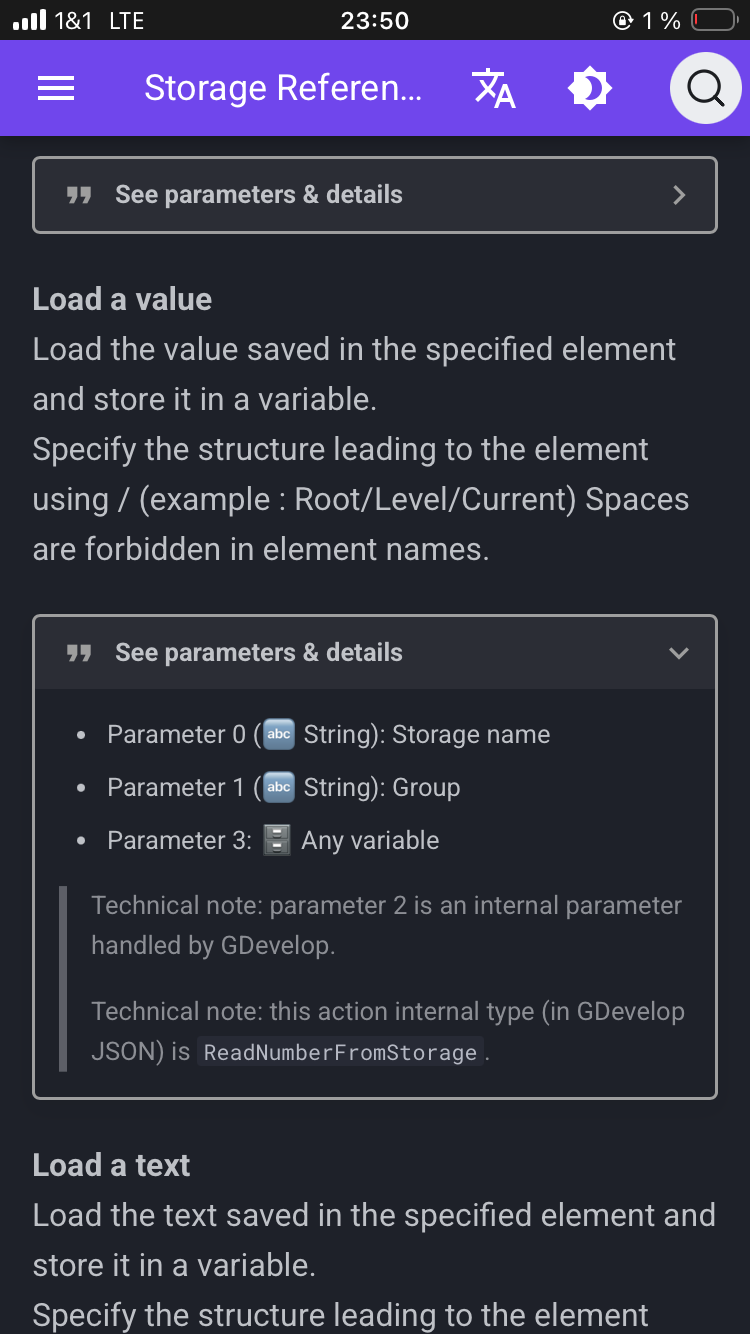
Load says „Any Variable“:

1 Like

Arrays can be very useful. You can save a list of say characters or locations or enemies. You can create an array with the names of objects and then randomly choose 1 and remove it. That way, you can create random enemies or power-ups that don’t repeat.

Arrays can be a list of numbers, strings or booleans but they can also be an array of structures. So, you could have a list of say characters with their hp, country, health, speed or any other characteristics. You could also create a lists of questions and answers for a quiz app. Then either go through the questions sequentially or randomly.

The advantages is that the same code can be used. You just change the index.

You can’t save an array directly to storage. You need to save the array as a string in the Json format. You then load the string and convert it to an array. There are examples and if someone hasn’t shared them. They will soon.

The array tools extension is extremely helpful. It allows you to sort, shuffle and do things like split the array. The split function allows you to take a string of text with the items seperated by say commas and split it into an array. It simplifies creating arrays. There’s also a search function.

Variables can be simple or complex. You can have an array of numbers or structure or structures with arrays or any other combination. The fewer levels the better though. It can get confusing.

Elements or indexes of arrays need to be the same type. Otherwise, the for each child wouldn’t know what to expect. If the first item is a number then they all need to be numbers. You can create an array of structures which contain numbers, strings or booleans but the structure children need to be identical for each item.

It’s a bit confusing because every programing language has their own syntax. Gdevelop tends to call the items in an array children just like in structures. I’m used to the terms indexes and elements.

Some functionality of arrays can be done with the new save system like saving objects or even saving the array itself.

Arrays are accessed similarly to structures using brackets. The difference being arrays use numbers while structures use strings or text.

Player[0] vs Player.Zero or Player[“0”]

An array of structures could be

Player[0].Name
Player[0].ID

You can also have multiple arrays or arrays of arrays for things like grids with columns and rows or X and Y

Grid[X][Y]
Grid[X][Y].Enabled
Grid[X][Y].Selected

Just like a structure, if you try to read an index that doesn’t exist then GD will create it. Not just that index but any missing previous indexes. So, if you try to read or even purposely create index 15 when there was only 5, GD will create the other 10. You can’t skip index numbers like structures. When in doubt, use the condition to count the children first.
2 Likes

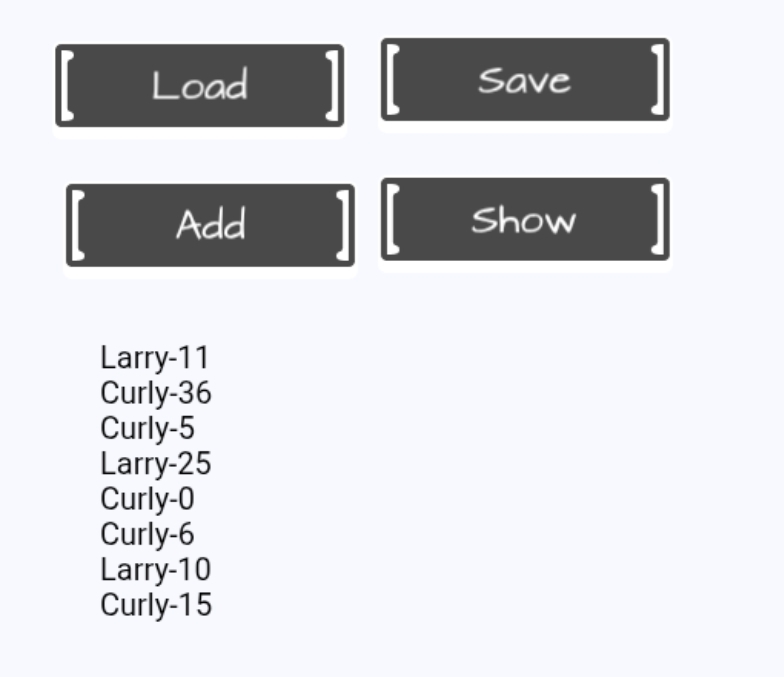
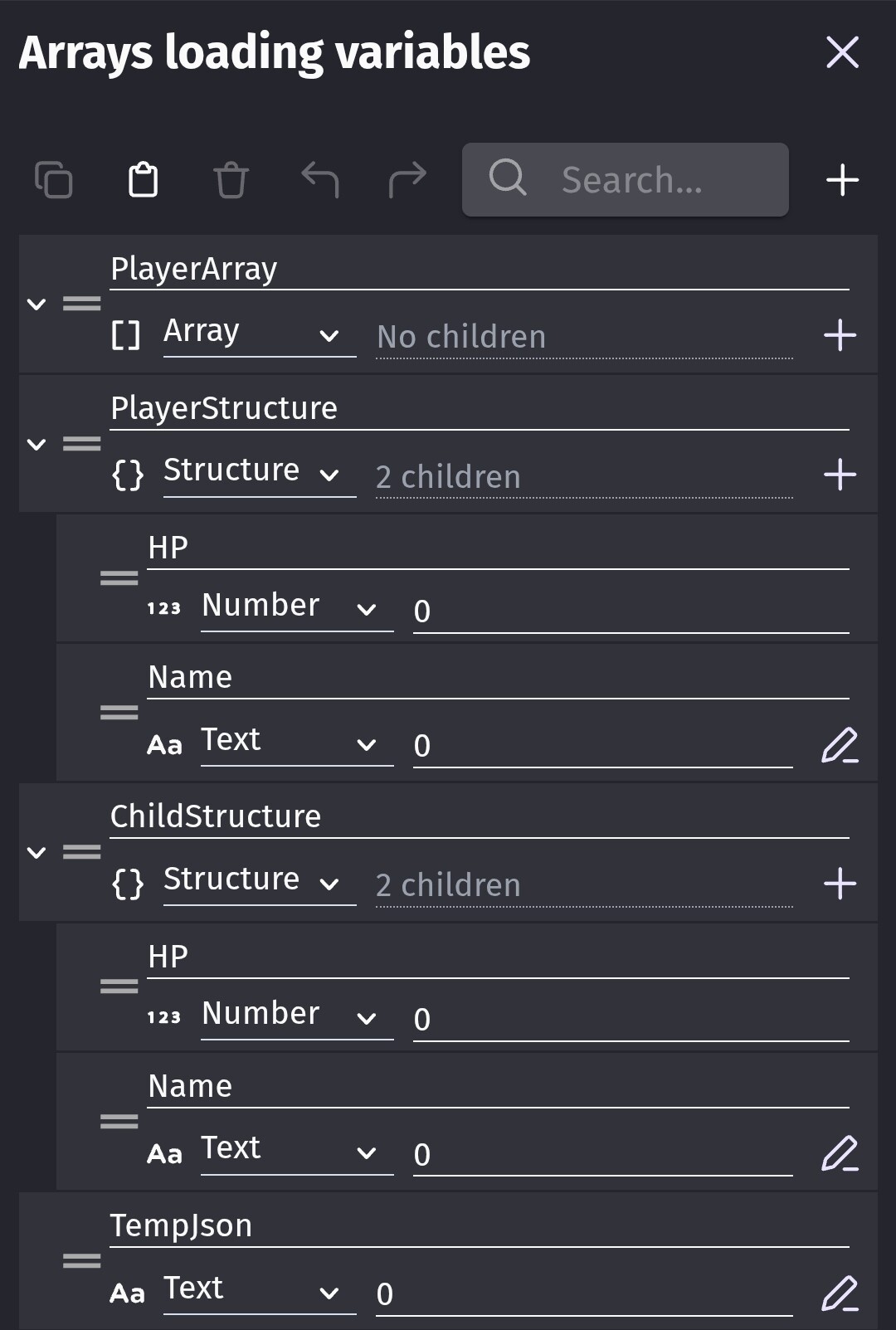
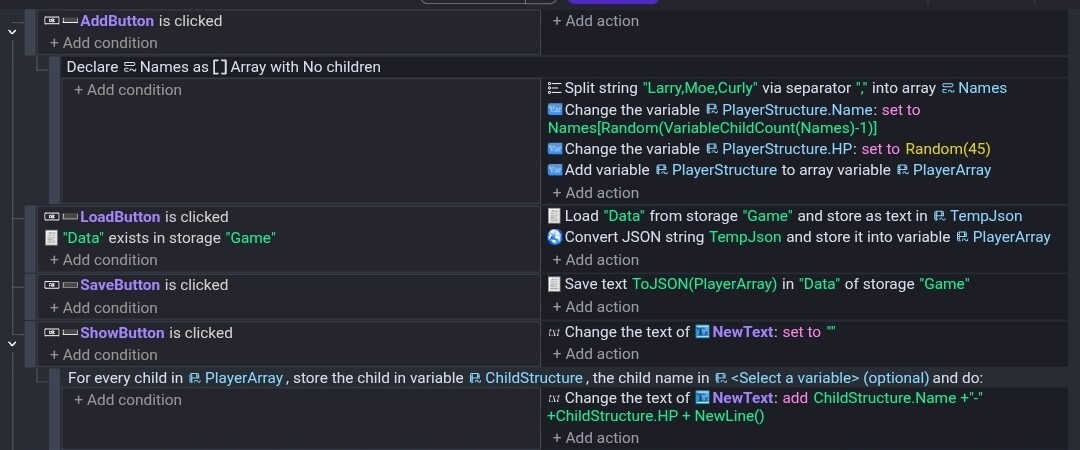
Here’s an example of loading and saving an array of structures. I used the Array Tools split function to create the Names array.

Scene

Variables

Events

I used a local variable for the Names array. It could’ve been a scene variable.

I used 4 buttons and a text object.

Array indexes start at 0. You can get the count with VariableChildCount(). The last item will always be the count minus one. So, an array of 3 items would be index numbers 0,1 and 2.

You can add numbers and text to an array with 1 action but to add a structure, it’s easier to build the structure in a variable and then add the variable to the array.

1 Like

Thanks! I was cutting up bad.

1 Like