Gdevelop 3D scale is really frustrating guys. It scale up and down on it’s own volition, based on bounding box or some weird logic.
Why dont you make it concrete on Units like a normal game engine?
This way I can import part of a level or second part of an asset directly, no need to scale manually every time.
Of course. Doesn’t make sense to edit the scale every time on import, for each object. It needs to be Unit based. 1 Unit in Blender/3DsMax/Maya or whatever is equal to 1 Unit in Gdevelop. This is how every other engine I know is dealing with this.
Scale the object manually after 1 Unit = 1 Unit. Currently the scale is intrusive and I need to fix it manually for each object, that is already correctly scaled in my 3D app, but imported with broken scale due to how Gdevelop treat scale.
I am not into 3D so i know almost nothing about it
But i think someone once told me that different 3D apps for making models
Have actually different units
Ones do it in pixels other in real world distance and then it was something else
IDK
Anyway i think you are asking for wrong thing
Instead of changing unit type
I think we should have more units type
So now when you import your model to gdevelp
You would see it as its scale is 100 or 1 or whatever
It have THAT many pixels
And its THAT much long or whatever
Or maybe let user select what type of measurment to use?
IDK i am not into 3D maybe my suggestion makes no sense
 Why I should illustrate it, is the problem really unknown???
Here:
From my app:
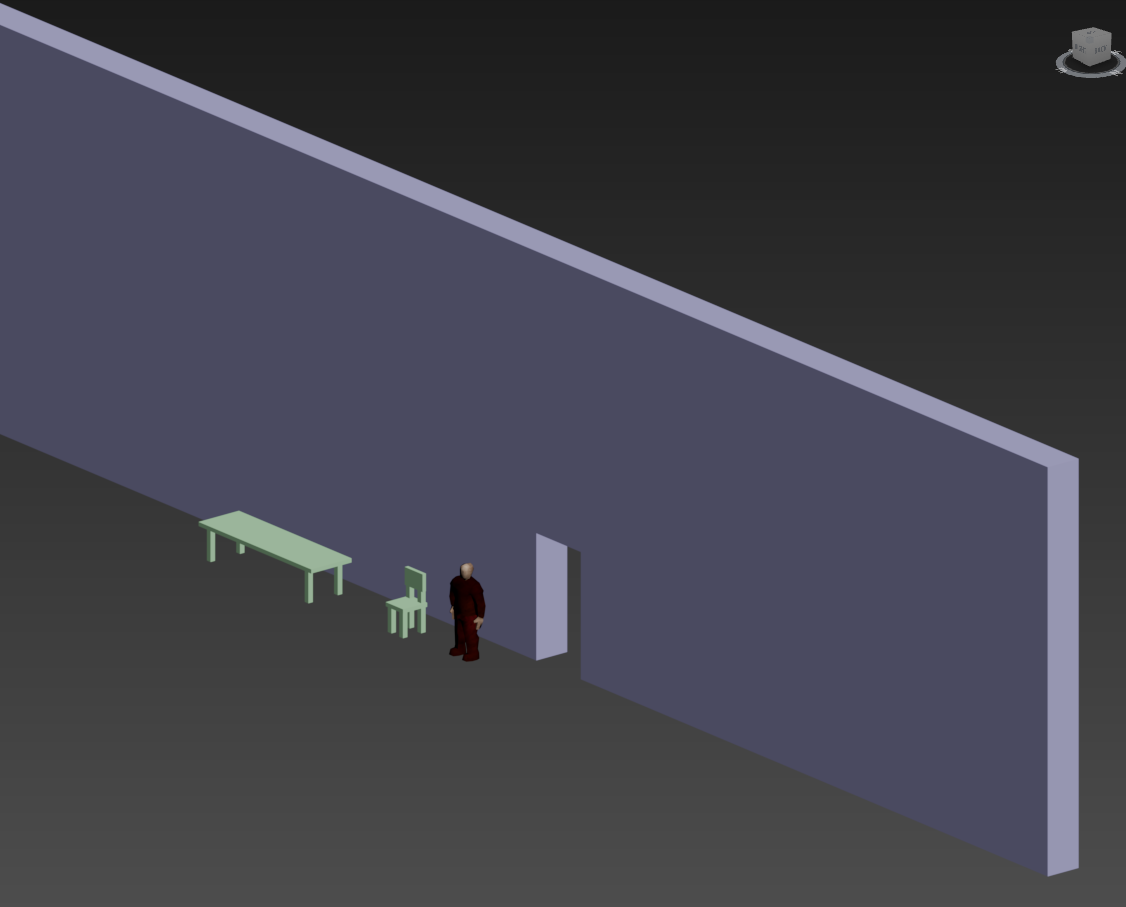
same objects, imported in Gdevelop.
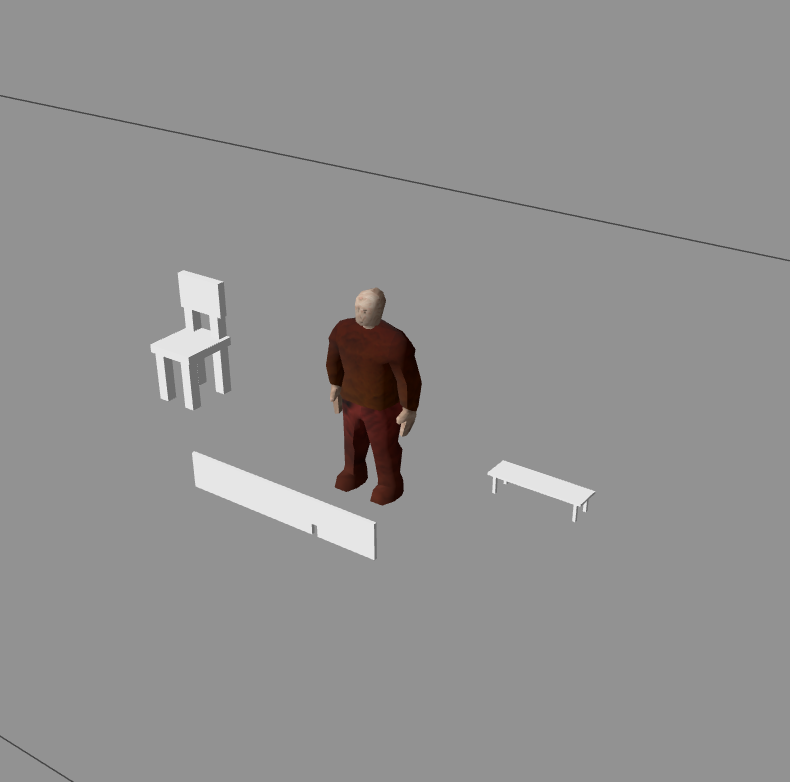
This is not workable. The engine on import is forcefully manipulating the scaling of those object to fit some wicked internal engine logic. I need manually to set the scale back on each one of them.
Doesn’t make sense.
Internal Units of inside Blender/3dsMax/Maya etc are fluid. You can set them to represents cm/inches/km or custom units etc. It’s Irrelevant. The only thing that matters is that when you start creating modular game set for instance or whatever 3d game set - you synchronize your 3D app units to represent your game engine unit 1:1.
What you import keep it’s scale ratio 1:1, as it is in the 3d app this is in your engine too. It’s just the basics
As someone who uses 3D quite a lot,(BUT not in GDevelop), I can say that yes, it would be a useful feature to have something like converting Blender units to GDevelop units and vice versa.
However, this doesn’t even happen consistently between other 3D software, like Maya to Blender, Blender to 3ds Max, to DAz etc. That’s why you often see addons being created specifically to convert the units from one software to another (like diffeomorphic for example).
If, for example, you decided to convert Blender units directly to GDevelop units, you could then lose compatibility with people exporting from 3ds Max or other software.
I’m just saying that, yes, the feature would definitely be useful, but you’d also have to take everything else into account. (more devs work) ..but i agreed on auto importing the correct world scale model units for more known software: Blender, 3dsmax, DAZ etc…would be useful.
I wouldn’t be surprised if, for example, someone creates an addon that exports from Blender to GDevelop.
EDIT: now that i’m thinking..you may want to try to export with the correct GD’s units value from Blender directly…Once you find the exact value, it should become easy.
auto importing the correct world scale model units for more known software: Blender, 3dsmax, DAZ etc…would be useful.
No need. This is the whole purpose of the glTF / .glb format that Gdevelop already use. Unlike lets say FBX or Obj, glTF is made for that exact standardisation.
The conversion happens at EXPORT with the glTF, and the vertex scale data is baked. In short, using glTF format is already that “addon”.
Anyway… currently Gdevelop scale up or down the geometry on it’s own volition. That’s absurd. Even just keeping the scale ratio of the imported object consistent is already much better, even if you have to manually synchronize your Units once somewhere in the UI.
I dunno..maybe we are saying the same thing here.
I know glTF standardizes the data inside the exported file, but that doesn’t automatically mean that the glTF unit has a 1:1 relationship with GDevelop’s world units…are you saying the same? bcs i repeat i haven’t touched GD 3D yet.
if this is the case then i agree that GDevelop should ideally preserve the imported asset’s proportions/ world-unit conversion.
That’s why i already upvoted this before.
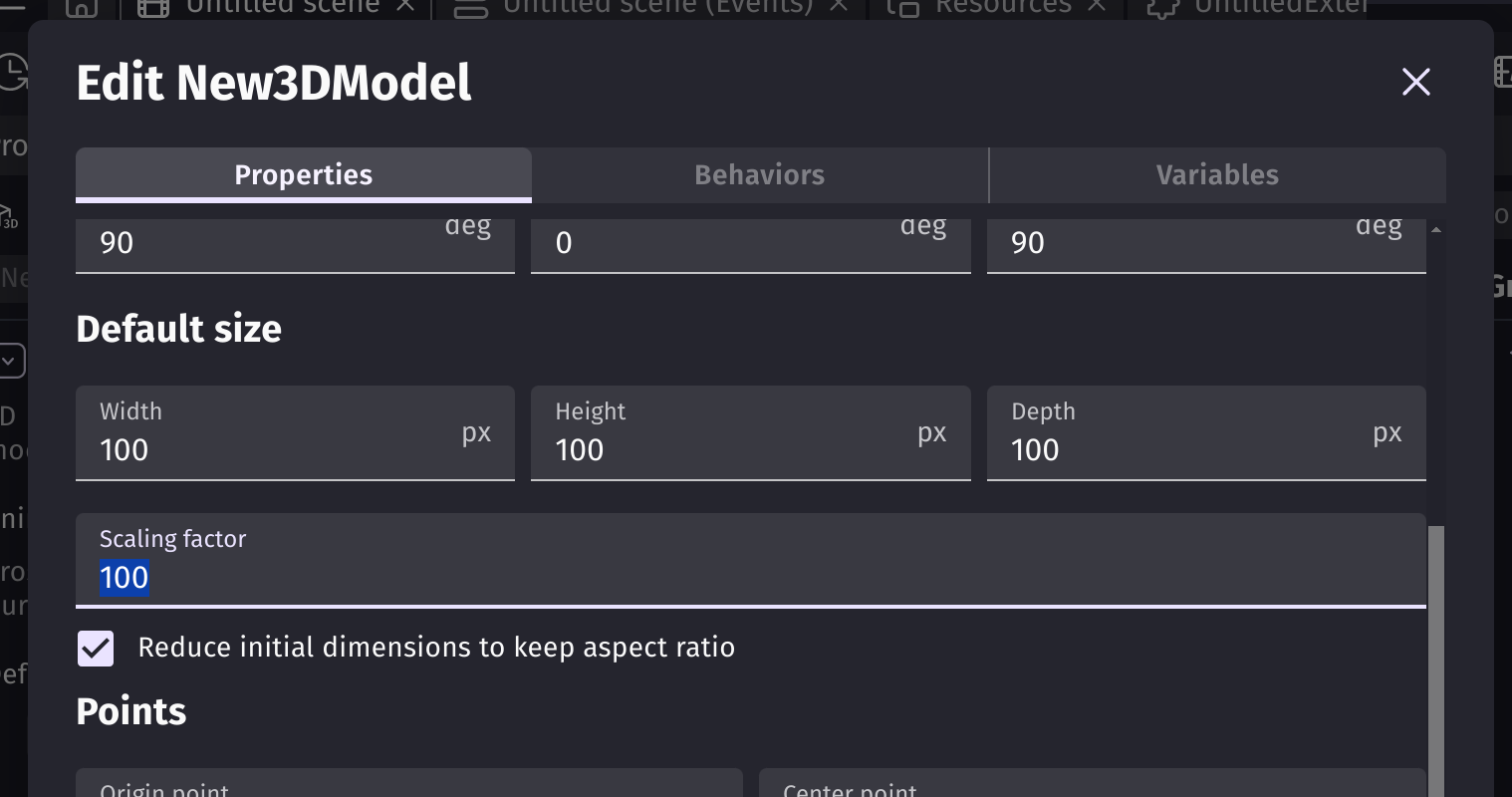
Just to make sure, do you understand that setting the same Scaling factor to all of your objects will make them the right size?
i think they do, but they argued they would have to go into each object and set the scaling factor which was a hassle to them.
Even though, theres work in making a game, and its not like youre making hundreds of objects that do nothing, right?
I never said anything like that.
From what I understood, though, he’s saying that GDevelop scales the object arbitrarily…
(that’s how I understood it). And I think he did try scaling it the way Davy suggested, but without maintaining consistency…that could be difficult to do by eye, though.
If that’s the case, it could be a problem with the app he’s using to export the objects, an offset error, or perhaps a bug. But these are just hypotheses.
this post isnt about you though…? right? you didnt create the post
they did
what’s this supposed to mean?
also they who?
the creator of this post is @LyubomirIko
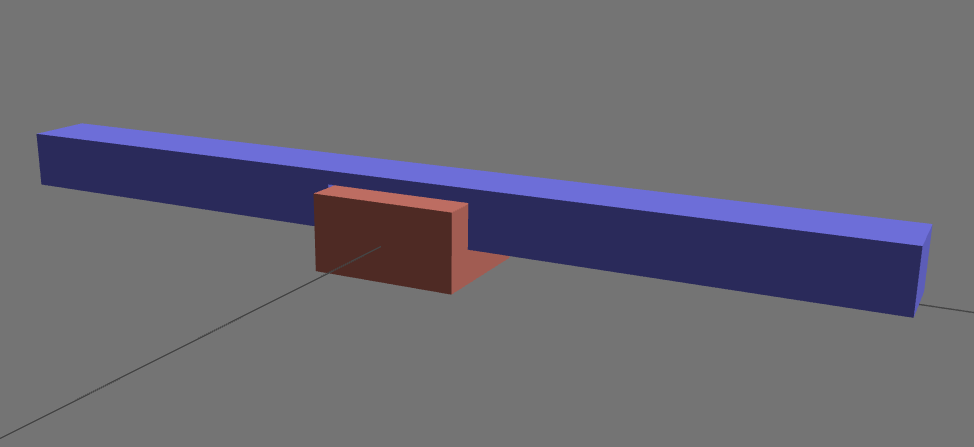
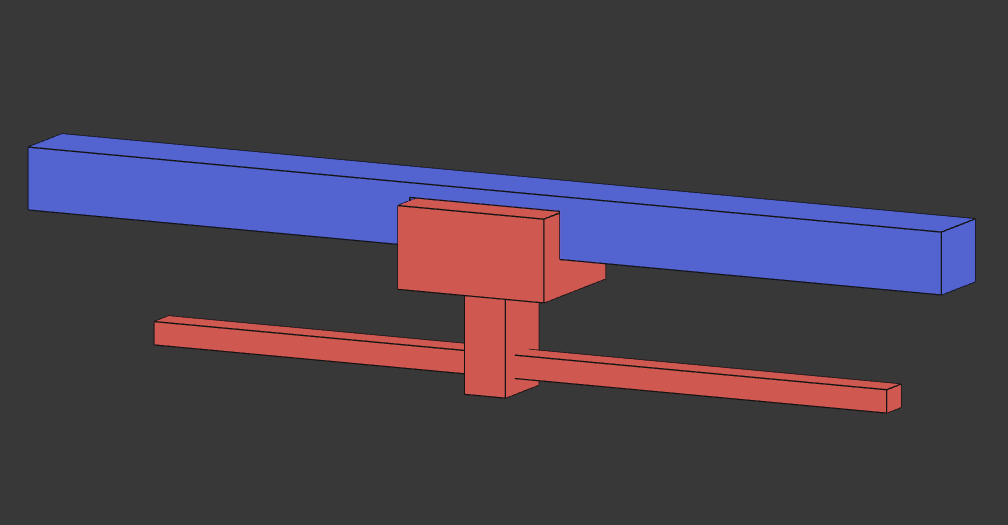
YES. But this means manually setting the scale for EACH object. And even WORST, changing the object in the 3D app and exporting/importing them, WILL BREAK the previous scale I ALREADY manually set in Gdevelop!
In my 3d app:
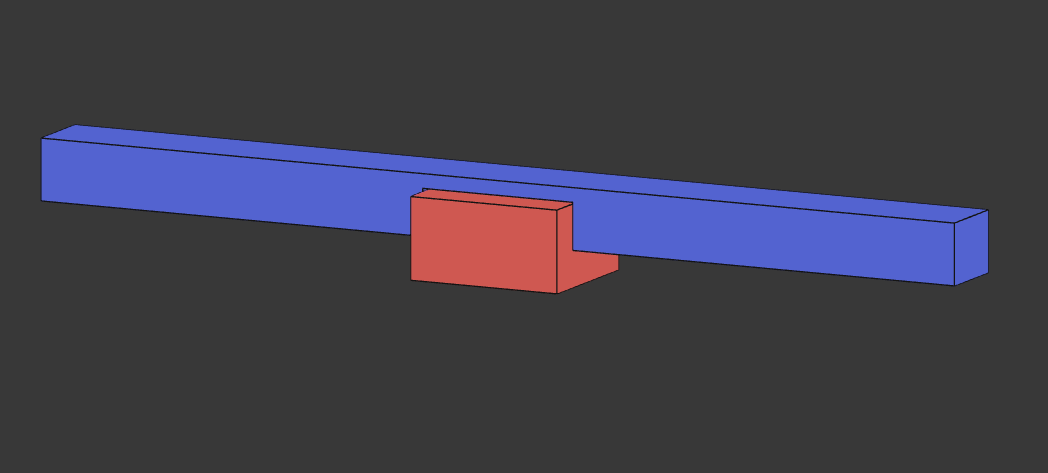
Imported. Wrong scale:
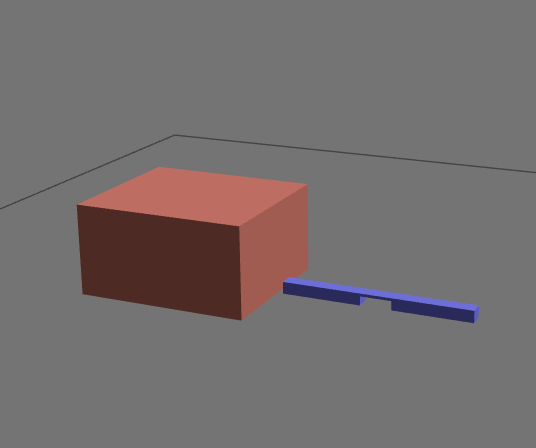
Manually fixing the scale for each object:
Changes in my 3d app:
WTF:
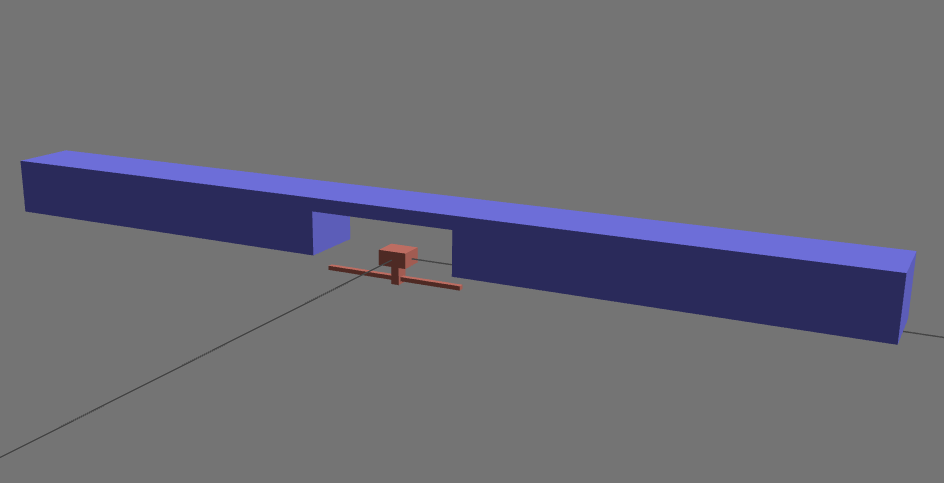
Each time dude. Those are 2 objects. Now how about 20 or 100? It’s simply bad.
Regarding this app you mentioned… is it an app that you personally created, and that exports to GLTF for GDevelop? If so, have you tried using something like Blender to go through the same steps and see if the same thing happens? At least that could help us start figuring out where the problem begins.
just a little point of reference: blenders glTF exporter does not have any export options to change the scaling of objects. This doesnt mean the behavior isnt different from the OP’s software though
The factor is edited on the fly when importing 3D assets into the engine. The engine seems to scale down all objects into a 100x100x100 GDevelop unit cube (pixels? pixels don’t make sense for 3D). Therefore, the factor is always different and must be modified manually.
I confirm it’s a pain, it always has been from the start. Glad to see others find it abnormal, because it is not normal.
I already test it in Blender and 3Ds Max. Same results.
alright now, i agree, but calm down. everything was solved (well not really) and confirmed by bouh. So, if you dont like them, you can ignore them now.