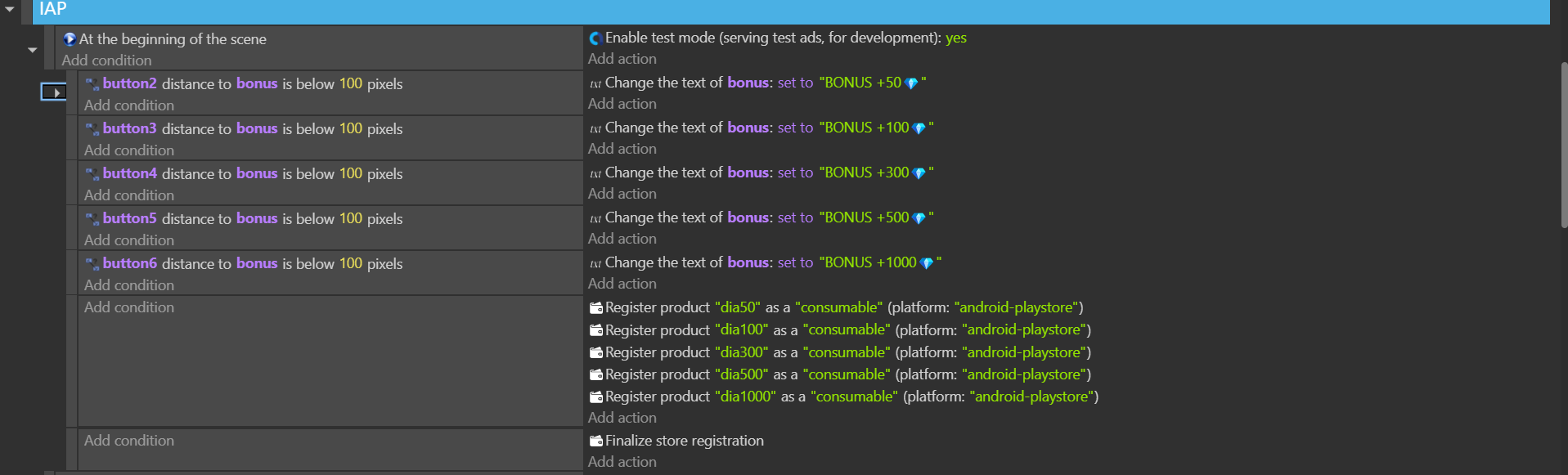
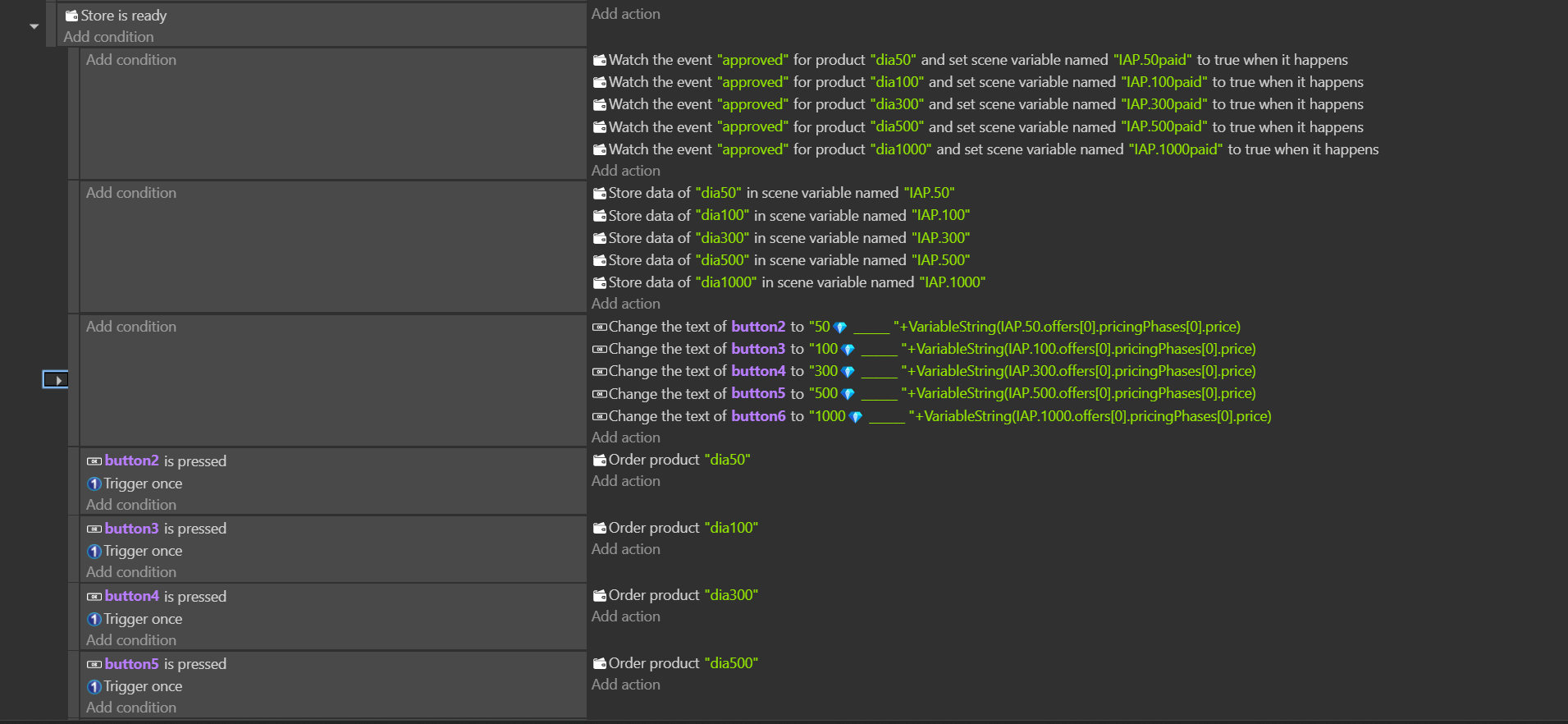
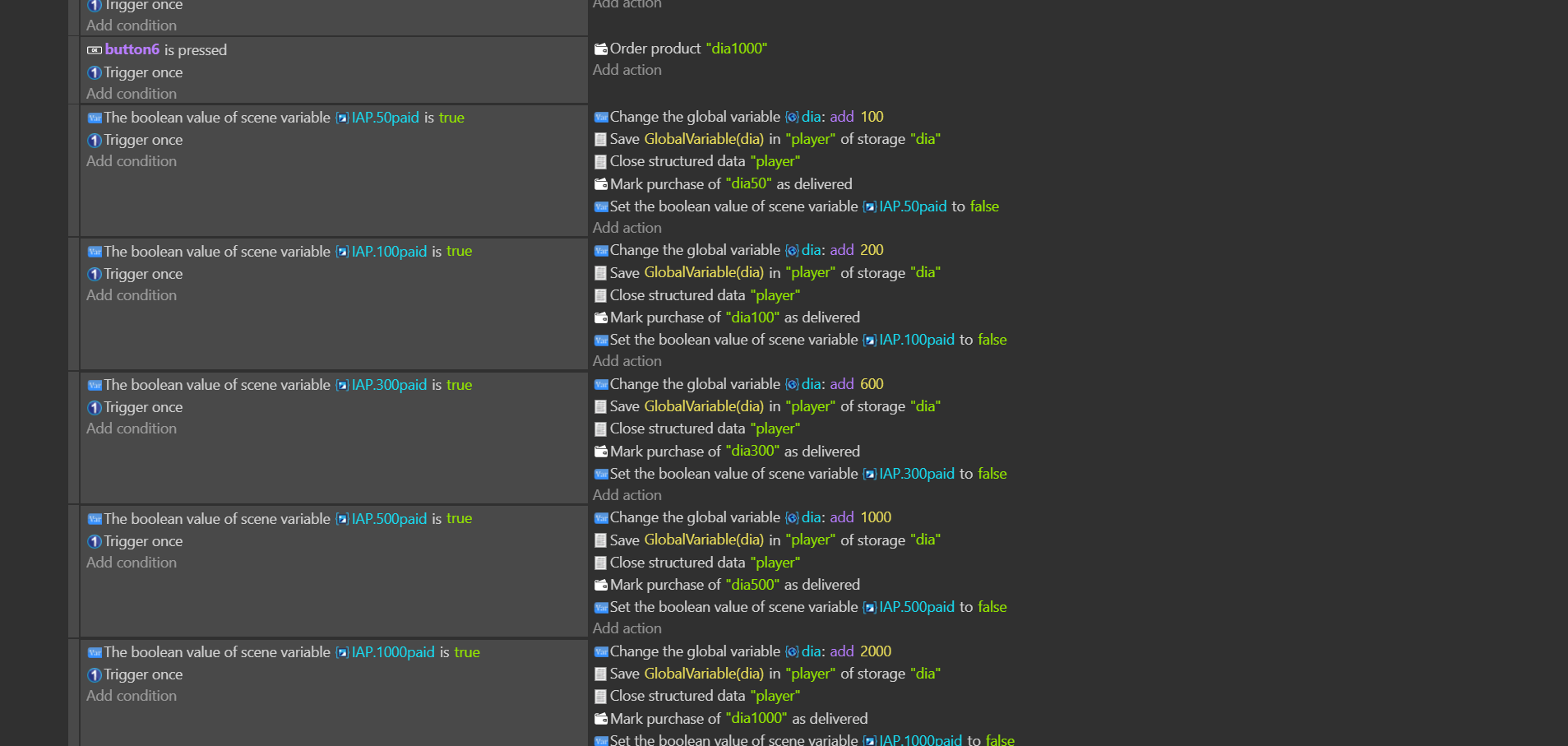
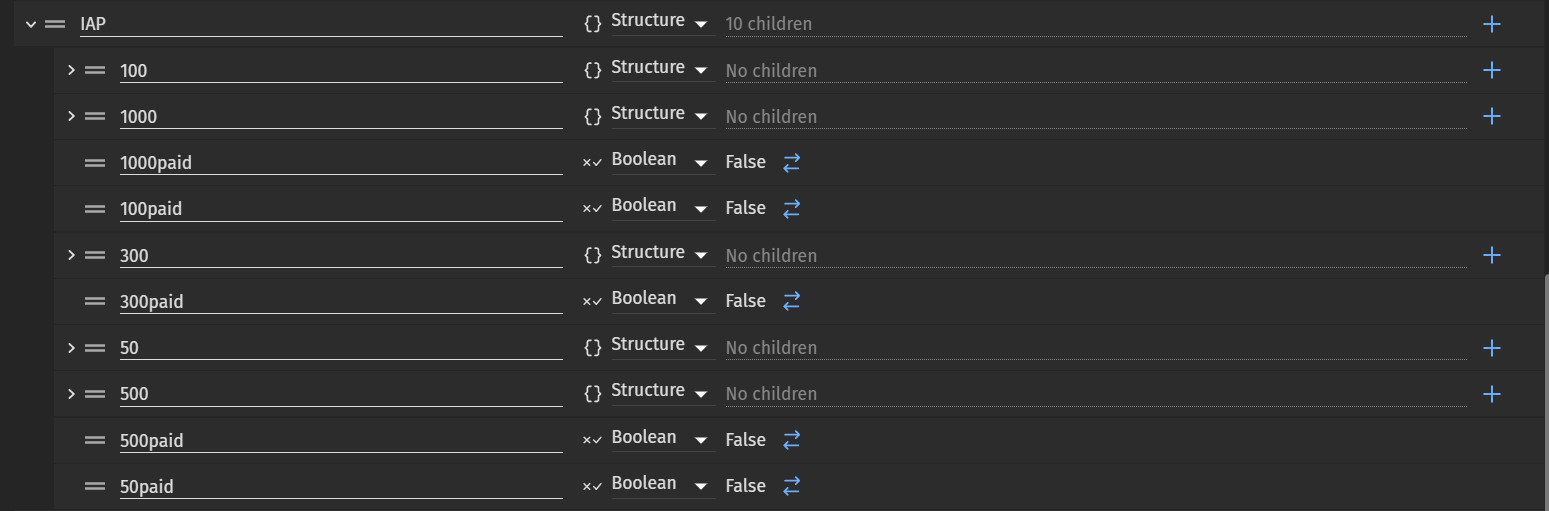
Update: I successfully updated In-app-purchase to the new version of cordova-plugin-purchase. I had GPT-01 (the new version) compare both the documentation for cordova-plugin-purchase and Google’s Billing API.
Some bugs have been fixed: previously, minimizing and reopening the app would execute transactions even though the user hadn’t pressed the buy button.
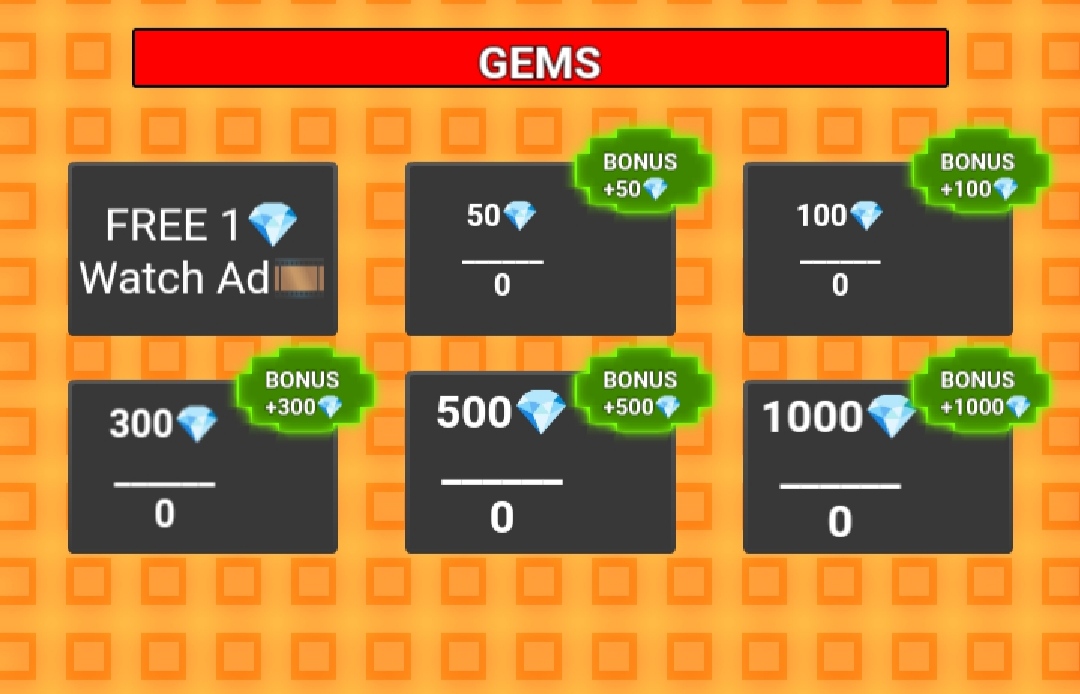
However, the core issue remains: the price is still 0, and purchases cannot be made. According to some users on GitHub, this might be related to the use of Chinese phones (mine is an OPPO), which Google restricts due to the embargo from a few years ago.
Question: has anyone experiencing these issues also been using Chinese phones?
{
  "author": "",
  "category": "Ads",
  "extensionNamespace": "",
  "fullName": "Mobile In-App Purchase (experimental)",
  "helpPath": "/extensions/in-app-purchase/setup",
  "iconUrl": "data:image/svg+xml;base64,PD94bWwgdmVyc2lvbj0iMS4wIiBlbmNvZGluZz0idXRmLTgiPz4NCjwhLS0gR2VuZXJhdG9yOi...==",
  "name": "InAppPurchase",
  "previewIconUrl": "https://resources.gdevelop-app.com/assets/Icons/Glyphster Pack/Master/SVG/Shopping and Ecommerce/Shopping and Ecommerce_wallet_money_cash.svg",
  "shortDescription": "Add products to buy directly in your game (\"In-App Purchase\"), for games published on Android or iOS.",
  "version": "0.0.9",
  "description": [
    "Manage IAP for Android/iOS.",
    "Register products, finalize store, wait for Store is ready, get products, order item, watch approved/finished events, finalize purchase.",
    "Works with cordova-plugin-purchase >=13.12.0"
  ],
  "origin": {
    "identifier": "InAppPurchase",
    "name": "gdevelop-extension-store"
  },
  "tags": [
    "purchase",
    "iap",
    "android",
    "ios",
    "monetization"
  ],
  "authorIds": [],
  "dependencies": [
    {
      "exportName": "cordova-plugin-purchase",
      "name": "Purchase plugin",
      "type": "cordova",
      "version": "13.12.0"
    }
  ],
  "eventsFunctions": [
    {
      "description": "Register a Product",
      "fullName": "Register a Product",
      "functionType": "Action",
      "name": "RegisterItem",
      "sentence": "Register product _PARAM1_ as a _PARAM2_ (platform: _PARAM3_)",
      "events": [
        {
          "type": "BuiltinCommonInstructions::JsCode",
          "inlineCode": [
            "if(!window.CdvPurchase || !window.CdvPurchase.store) return;",
            "window.CdvPurchase.store.register({",
            "    id: eventsFunctionContext.getArgument(\"id\"),",
            "    type: eventsFunctionContext.getArgument(\"type\"),",
            "    platform: eventsFunctionContext.getArgument(\"platform\")",
            "});"
          ]
        }
      ],
      "parameters": [
        { "name": "id", "type": "string" },
        { "name": "type", "type": "stringWithSelector", "supplementaryInformation": "[\"consumable\",\"non consumable\",\"paid subscription\",\"non renewing subscription\"]" },
        { "name": "platform", "type": "stringWithSelector", "supplementaryInformation": "[\"android-playstore\",\"ios-appstore\",\"braintree\",\"windows-store-transaction\",\"test\"]" }
      ]
    },
    {
      "description": "Finalize store registration",
      "fullName": "Finalize registration",
      "functionType": "Action",
      "name": "FinalizeRegistration",
      "sentence": "Finalize store registration",
      "events": [
        {
          "type": "BuiltinCommonInstructions::JsCode",
          "inlineCode": [
            "if(!window.CdvPurchase || !window.CdvPurchase.store) return;",
            "const store = window.CdvPurchase.store;",
            "",
            "// VERSIONE X Reset state variables",
            "runtimeScene.getVariables().get('IAP_STORE_READY').setBoolean(false);",
            "runtimeScene.getVariables().get('IAP_WATCHERS_REGISTERED').setBoolean(false);",
            "runtimeScene.getVariables().get('IAP_KNOWN_TRANSACTIONS').setString(JSON.stringify([]));",
            "",
            "store.initialize();",
            "store.update();",
            "store.ready(() => {",
            "  console.info('IAP store is ready!');",
            "  runtimeScene.getVariables().get('IAP_STORE_READY').setBoolean(true);",
            "  // Track known transactions at startup",
            "  const knownTransactions = store.localTransactions.map(t=>t.transactionId);",
            "  runtimeScene.getVariables().get('IAP_KNOWN_TRANSACTIONS').setString(JSON.stringify(knownTransactions));",
            "});"
          ]
        }
      ],
      "parameters": []
    },
    {
      "description": "Order a product",
      "fullName": "Order a product",
      "functionType": "Action",
      "name": "OrderItem",
      "sentence": "Order product _PARAM1_",
      "events": [
        {
          "type": "BuiltinCommonInstructions::JsCode",
          "inlineCode": [
            "if(!window.CdvPurchase || !window.CdvPurchase.store) return;",
            "const productId = eventsFunctionContext.getArgument(\"id\");",
            "const product = window.CdvPurchase.store.get(productId);",
            "if (!product) { console.warn('OrderItem: product not found:', productId); return; }",
            "const offer = product.getOffer();",
            "if (!offer) { console.warn('OrderItem: no offer for', productId); return; }",
            "offer.order().catch(err => console.error('OrderItem failed:', err));"
          ]
        }
      ],
      "parameters": [
        { "name": "id", "type": "string" }
      ]
    },
    {
      "description": "Get product data",
      "fullName": "GetProduct",
      "functionType": "Action",
      "name": "GetProduct",
      "sentence": "Store data of _PARAM1_ in scene variable named _PARAM2_",
      "events": [
        {
          "type": "BuiltinCommonInstructions::JsCode",
          "inlineCode": [
            "if(!window.CdvPurchase || !window.CdvPurchase.store) return;",
            "const id = eventsFunctionContext.getArgument(\"id\");",
            "const product = window.CdvPurchase.store.get(id);",
            "if (!product) { console.warn('GetProduct: product not found', id); return; }",
            "const varName = eventsFunctionContext.getArgument(\"variableName\");",
            "const dest = runtimeScene.getVariables().get(varName);",
            "dest.fromJSObject(product);"
          ]
        }
      ],
      "parameters": [
        { "name": "id", "type": "string" },
        { "name": "variableName", "type": "string" }
      ]
    },
    {
      "description": "Watch item event (approved or finished).",
      "fullName": "WatchItemEvent",
      "functionType": "Action",
      "name": "WatchItemEvent",
      "sentence": "Watch the event _PARAM3_ for product _PARAM1_ and set _PARAM2_ to true when it happens",
      "events": [
        {
          "type": "BuiltinCommonInstructions::JsCode",
          "inlineCode": [
            "if(!window.CdvPurchase || !window.CdvPurchase.store) return;",
            "const store = window.CdvPurchase.store;",
            "const productId = eventsFunctionContext.getArgument(\"id\");",
            "const variableName = eventsFunctionContext.getArgument(\"variableName\");",
            "const eventName = eventsFunctionContext.getArgument(\"event\");",
            "",
            "function registerWatchers() {",
            "  const knownStr = runtimeScene.getVariables().get('IAP_KNOWN_TRANSACTIONS').getAsString();",
            "  let knownTransactions = [];",
            "  try { knownTransactions = JSON.parse(knownStr); } catch(e) {}",
            "",
            "  const transactionCallback = (transaction) => {",
            "    if (knownTransactions.includes(transaction.transactionId)) return; // already handled",
            "    const isProductInTransaction = transaction.products.some(tp => tp.id === productId);",
            "    const isStateWatched = (transaction.state === eventName);",
            "    if (isProductInTransaction && isStateWatched) {",
            "      runtimeScene.getVariables().get(variableName).setBoolean(true);",
            "      knownTransactions.push(transaction.transactionId);",
            "      runtimeScene.getVariables().get('IAP_KNOWN_TRANSACTIONS').setString(JSON.stringify(knownTransactions));",
            "    }",
            "  };",
            "",
            "  if (eventName === 'approved') {",
            "    store.when().approved(transactionCallback);",
            "  } else if (eventName === 'finished') {",
            "    store.when().finished(transactionCallback);",
            "  }",
            "  runtimeScene.getVariables().get('IAP_WATCHERS_REGISTERED').setBoolean(true);",
            "}",
            "",
            "const isReady = runtimeScene.getVariables().get('IAP_STORE_READY').getAsBoolean();",
            "const watchersRegistered = runtimeScene.getVariables().get('IAP_WATCHERS_REGISTERED').getAsBoolean();",
            "if (isReady && !watchersRegistered) {",
            "  registerWatchers();",
            "} else if (!isReady) {",
            "  // If not ready yet, once ready, register watchers.",
            "  store.ready(() => {",
            "    const isStillReady = runtimeScene.getVariables().get('IAP_STORE_READY').getAsBoolean();",
            "    const watchersRegistered2 = runtimeScene.getVariables().get('IAP_WATCHERS_REGISTERED').getAsBoolean();",
            "    if (isStillReady && !watchersRegistered2) {",
            "      registerWatchers();",
            "    }",
            "  });",
            "}"
          ]
        }
      ],
      "parameters": [
        { "name": "id", "type": "string" },
        { "name": "variableName", "type": "string" },
        { "name": "event", "type": "stringWithSelector", "supplementaryInformation": "[\"finished\",\"approved\"]" }
      ]
    },
    {
      "description": "Finalize a purchase",
      "fullName": "FinalizePurchase",
      "functionType": "Action",
      "name": "FinalizePurchase",
      "sentence": "Mark purchase of _PARAM1_ as delivered",
      "events": [
        {
          "type": "BuiltinCommonInstructions::JsCode",
          "inlineCode": [
            "if(!window.CdvPurchase || !window.CdvPurchase.store) return;",
            "const productId = eventsFunctionContext.getArgument(\"id\");",
            "const transactions = window.CdvPurchase.store.localTransactions;",
            "const nonFinished = transactions.filter(t => t.state === 'approved');",
            "for (const tr of nonFinished) {",
            "  const pIds = tr.products.map(p => p.id);",
            "  if (pIds.includes(productId)) {",
            "    tr.finish().catch(err=>console.error('FinalizePurchase failed:', err));",
            "    return;",
            "  }",
            "}"
          ]
        }
      ],
      "parameters": [
        { "name": "id", "type": "string" }
      ]
    },
    {
      "description": "Check if store is ready",
      "fullName": "StoreReady",
      "functionType": "Condition",
      "name": "StoreReady",
      "sentence": "Store is ready",
      "events": [
        {
          "type": "BuiltinCommonInstructions::JsCode",
          "inlineCode": [
            "eventsFunctionContext.returnValue = runtimeScene.getVariables().get('IAP_STORE_READY').getAsBoolean();"
          ]
        }
      ],
      "parameters": []
    }
  ],
  "eventsBasedBehaviors": [],
  "eventsBasedObjects": []
}