Can anyone tell me how to create an infinite map, Vampire Survivor style?
In my game, the map is compacted into arenas, and instead of closing them off with walls, I wanted to see if it was possible to create a better visual effect by making the player believe the map is infinite.
Does anyone know how to give this infinite map effect???
so you just want the player to believe that?
it does not 100% have to be infinite?
1 Like
yes correct, the game arena is 640x480 and I would like to give an infinite map effect even if it is not
Vampire Survivors doesn’t have an infinite map (there’s fixed ends in each direction), but the image does repeat mostly endlessly. The world objects spawn at specific X/Y coordinates, but aren’t actually placed on a map image.
Two ways you could do this:
- Have a background layer that doesn’t move its camera. Have a tiled sprite on that layer. Scroll the tiled sprite’s offset based off player movement. It should endlessly repeat properly.
- Set up a 3x3 grid of sprite objects that are larger than the scene resolution, with the center sprite being the start of the scene, and the rest around it in each side/corner/etc. As your player moves in a direction, move the furthest away sprite (in the opposite direction of where your player is moving) snap infront of the furthest away sprite (in the direction where your player is moving). This should lead to endless movement. Slightly more complex event setup, but less likely having to deal with huge numbers being tracked (as it might be in the tiled sprite scrolling).
Either should be roughly the same performance.
2 Likes
If I understand correctly, the first idea is to add a background on a different layer that isn’t controlled by the camera?
I’m not very familiar with tiled surfaces… am I asking too much for a small example?
The tiles sprite can be on the same layer as the other objects. It just needs to sit behind the other objects.
Here’s a link to an older post about it. Sing out if you need more info.
1 Like
I’d like to add to what has already been rightly said above that the number of collisions that usually occur in Vampire Survivor clones is generally excessive when using the classic collision system.
So,… before you get far into development only to slow down later and go back to fix things, my suggestion is to consider using the fast collision system here.
I’m only saying this because I, too, would rather be stopped right away than get very far and then have to start over… and it has already happened to me many times.
1 Like
Thanks for the tip @RMDB
ok @MrMen so I put the background directly in the same game layer and move it according to the player’s movement, right?
In my case, it’s mobile, where the player moves using the joystick, how should I do it?
For every pixel the player moves left, increase the background x offset by 1. Similarly when moving to the right, up and down - make the offset opposite to the x/y increment of the player.
So you may need to track the player’s position in the last frame and compare it to the current position.
1 Like
Ok, so I should assign a variable to the center where the player is calculated where he moves? Can you please show me how to calculate it using this example?
Thanks for sharing the project. Here are the changes I made to get it working:
-
Gave NewSprite1 image an “edge”:
-
Added a TiledSprite (named TiledGround) using the above image.
-
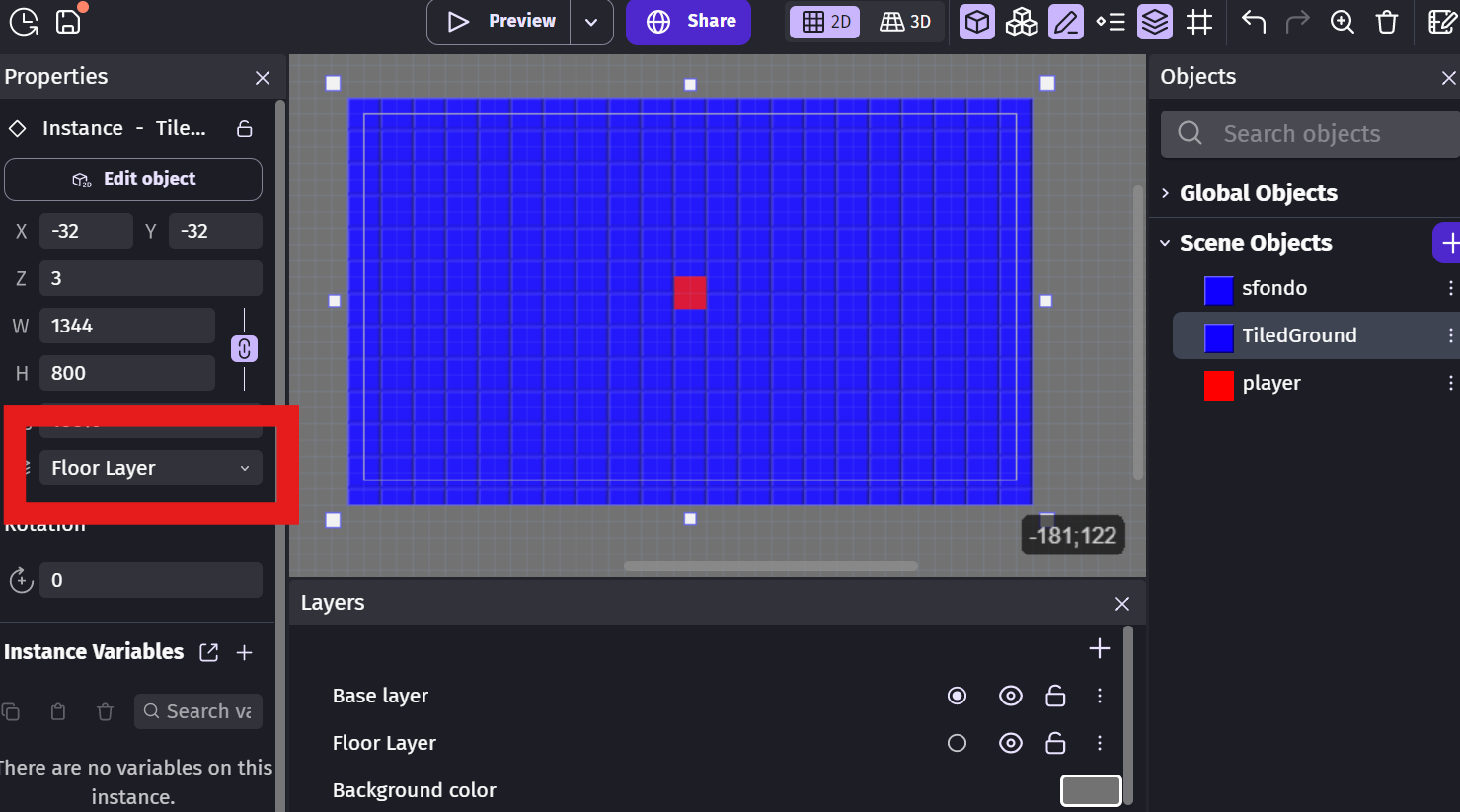
Added a new layer under the base layer and added TiledGround to it:
-
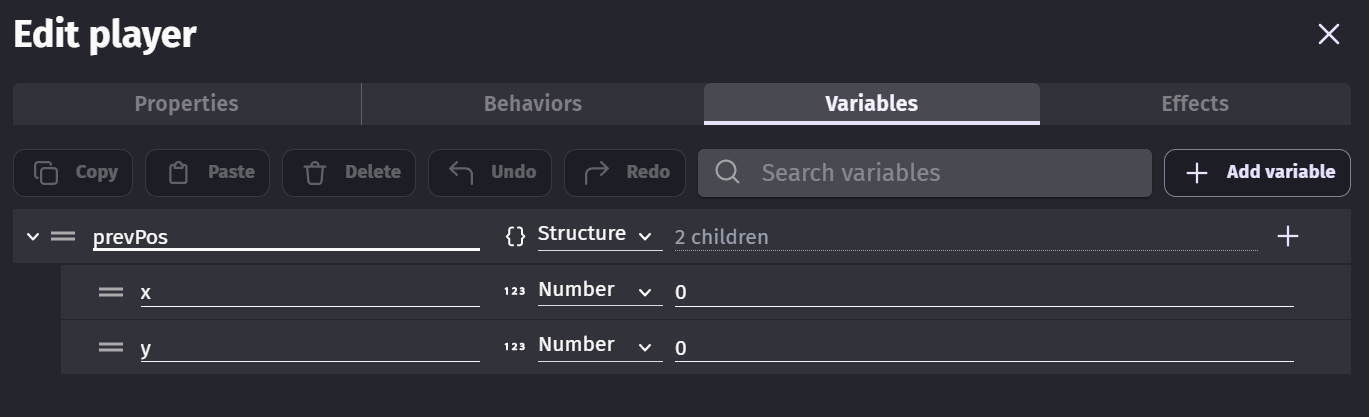
Added a structure variable to the player object to hold the previous position:
-
Used the following events:


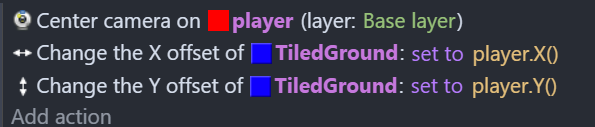
After a bit of thought, I realise you could get away without using the structure variable, and just set the offset to the player’s position; it has the same effect with less work:
1 Like
thank you so much @MrMen you were a great help
1 Like