Body
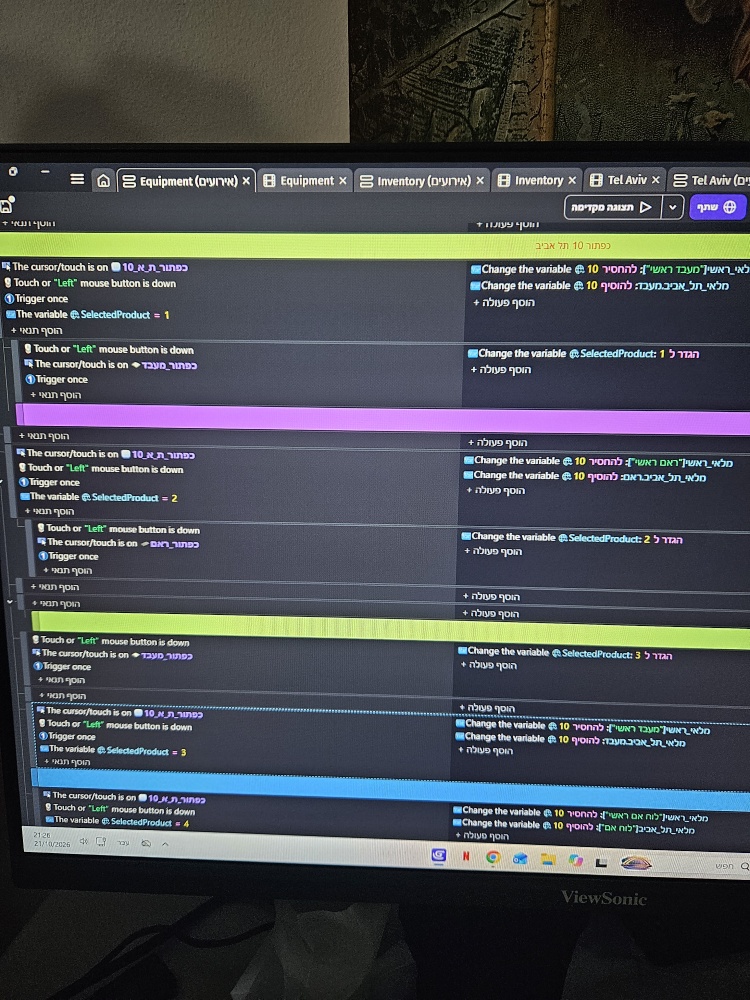
Hi everyone,I am building a multi-city inventory management system in GDevelop and ran into an issue with event execution order when updating product quantities.
How my system is setup:
I have 16 different products (CPU, RAM,)
I use a global variable SelectedProduct to keep track of which item is selected (e.g., 1 to 16 for City A, 17 to 32 for City B, etc.).
Selecting a product sets the SelectedProduct variable.
A central “+10” button is supposed to deduct 10 units from the main repository and add 10 units to the specific city’s stock for the selected product.
The Problem:
When I click the “+10” button, only the last city/event I implemented actually works and updates the inventory. The previous cities/products do not trigger or update their stock, even though they share the same structure.What I am trying to figure out:
How should I structure my Parent-Child / Sub-event logic for the “+10” action button so that it correctly checks SelectedProduct and updates the correct product stock for any city without getting overridden?
What is the best practice in GDevelop for handling 16+ products across multiple cities using a single action button? Should I stick to sub-events or switch to Structure Variables / Arrays?
Any advice or screenshot examples of how to organize these sub-events cleanly would be greatly appreciated!
Thanks!
switch to a structure for the stock, keyed by city and then product, and keep one +10 event that adds 10 to that child variable instead of a copied event per city.
use nested structures like this:
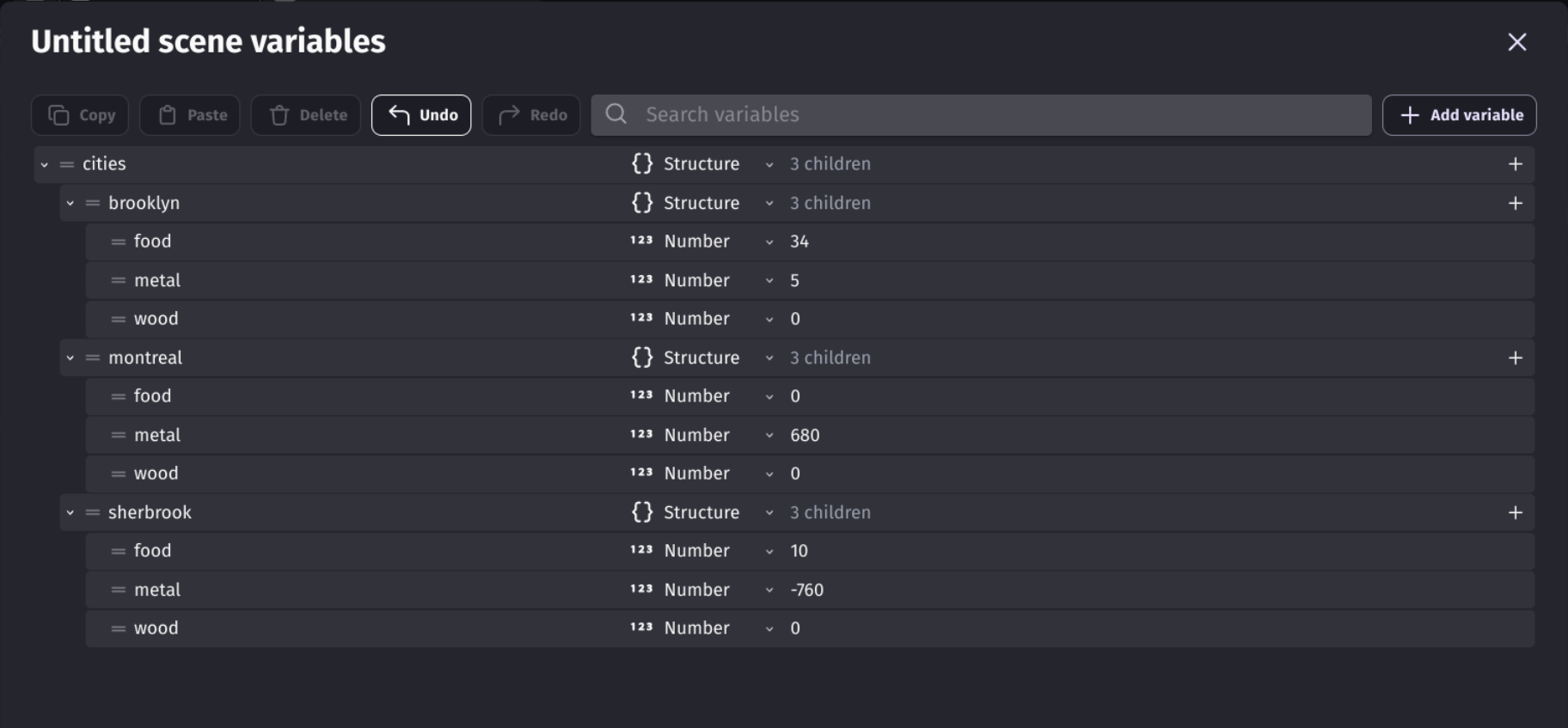
to access a resource, the syntax goes like this (where cities is the root structure):
cities.city_name["resource_name"]
or
cities["city_name"]["resource_name"]
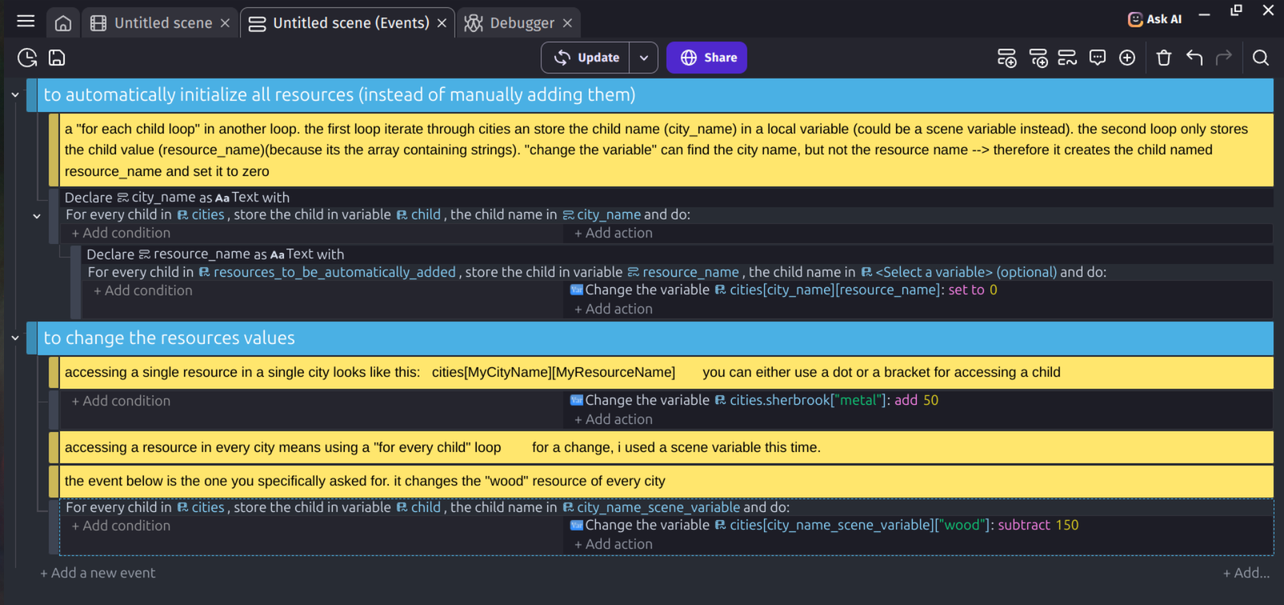
the difference between brackets and a dot: is that if the child name in the bracket is not found, it creates it. brackets are also the only way to dynamically access a child using an expression (you must use that for changing a resource in all cities). however, if you only change the value of one resource in a single city, i recommend using a dot before the city name (no quotes) as doing this makes the autocomplete display all the cities (if they were declared in the variable editor)

BONUS
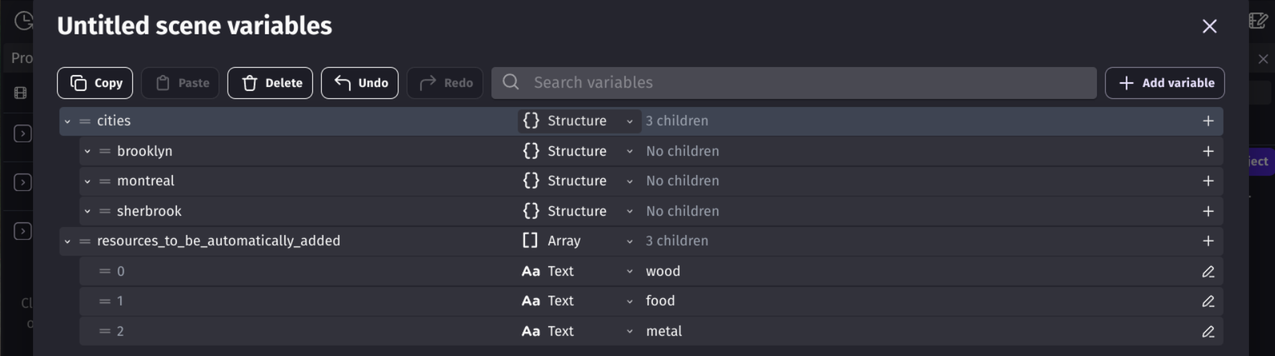
because you have a lot of cities and a lot of resources its faster to initialize the resources at runtime at the beginning of the scene, using a list of all the resources. this may not be needed at all, because accessing a resource that doesn’t exist creates it.
this way you can start with only the big structure with the cities declared, but not the resources:
to initialize:
Hi everyone, I need help fixing a problem with my inventory system in GDevelop 5.
I have buttons for selecting products, such as CPU, RAM, and separate buttons for transferring stock in quantities of 10 or 50.
The problem is that when I click the CPU button to select it, 10 CPUs are immediately removed from the inventory. I haven’t clicked the 10 or 50 transfer button yet.
I want clicking the CPU button to only select the product. The inventory should change only after I select a product and then click the transfer quantity button.
How can I set up my events and conditions correctly to prevent this from happening?
I’m also trying to use a Structure with dynamic city and product names, as suggested in this thread, but I’m having trouble getting it to work correctly.
Could someone please explain how to fix this step by step? Thank you!
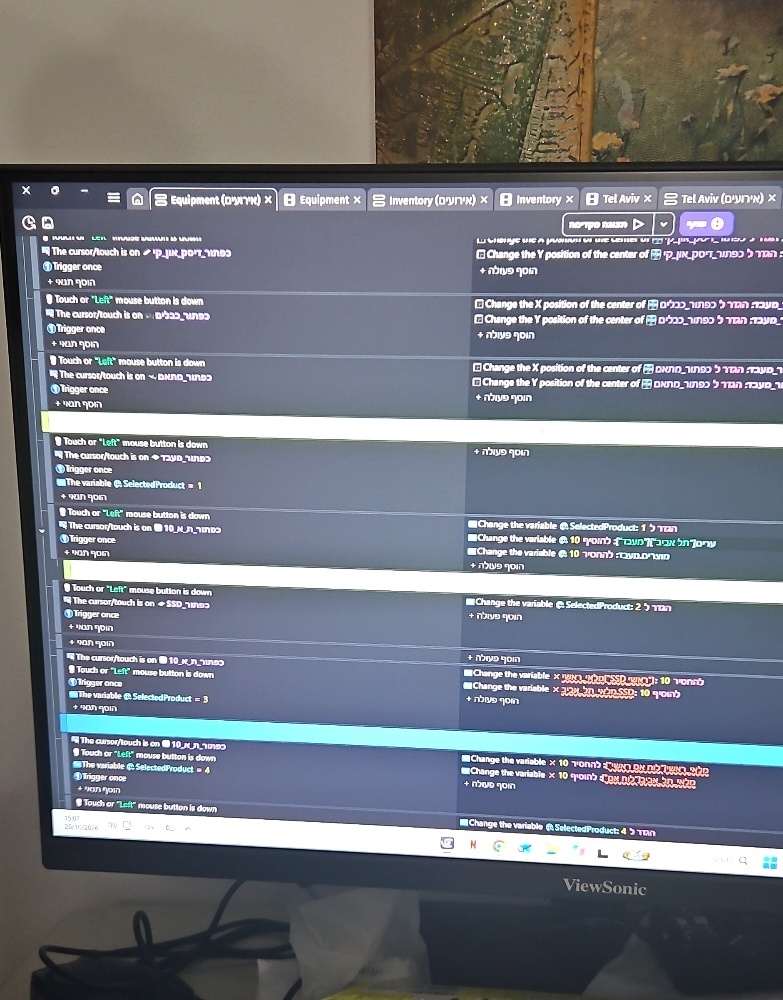
hello! i cannot see what is in your screen. please take a screenshot using windows 11’s snipping tool. ctrl+c and ctrl+v works with images too, not just text. copy the taken screenshot from the snipping tool and paste it on your post.
however, i can still help a bit though…
if the button only have the resource name on it, it should only store the selected resource in a variable, not do anything else.
if you are using a “labeled button” custom object, simply store the button label’s string inside a scene variable selected_res when a button is clicked.
when adding 15 res for example: change variable cities.city_name[selected_res] add 15
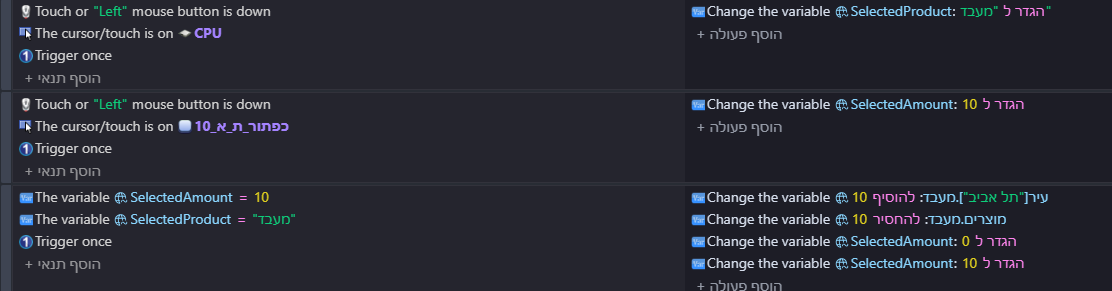

Thank you! I understand. That’s a great idea. I have 16 product buttons, so using one event for all of them would make things much easier. I’ll try using a group and objectName() to store the selected product. Thanks again for the help!