hello, im new to gdevelop and recently ive been trying to make a grand strategy game. i have finished the camera controls and the map of europe. now i am trying to make the countries, however i have no idea how to.
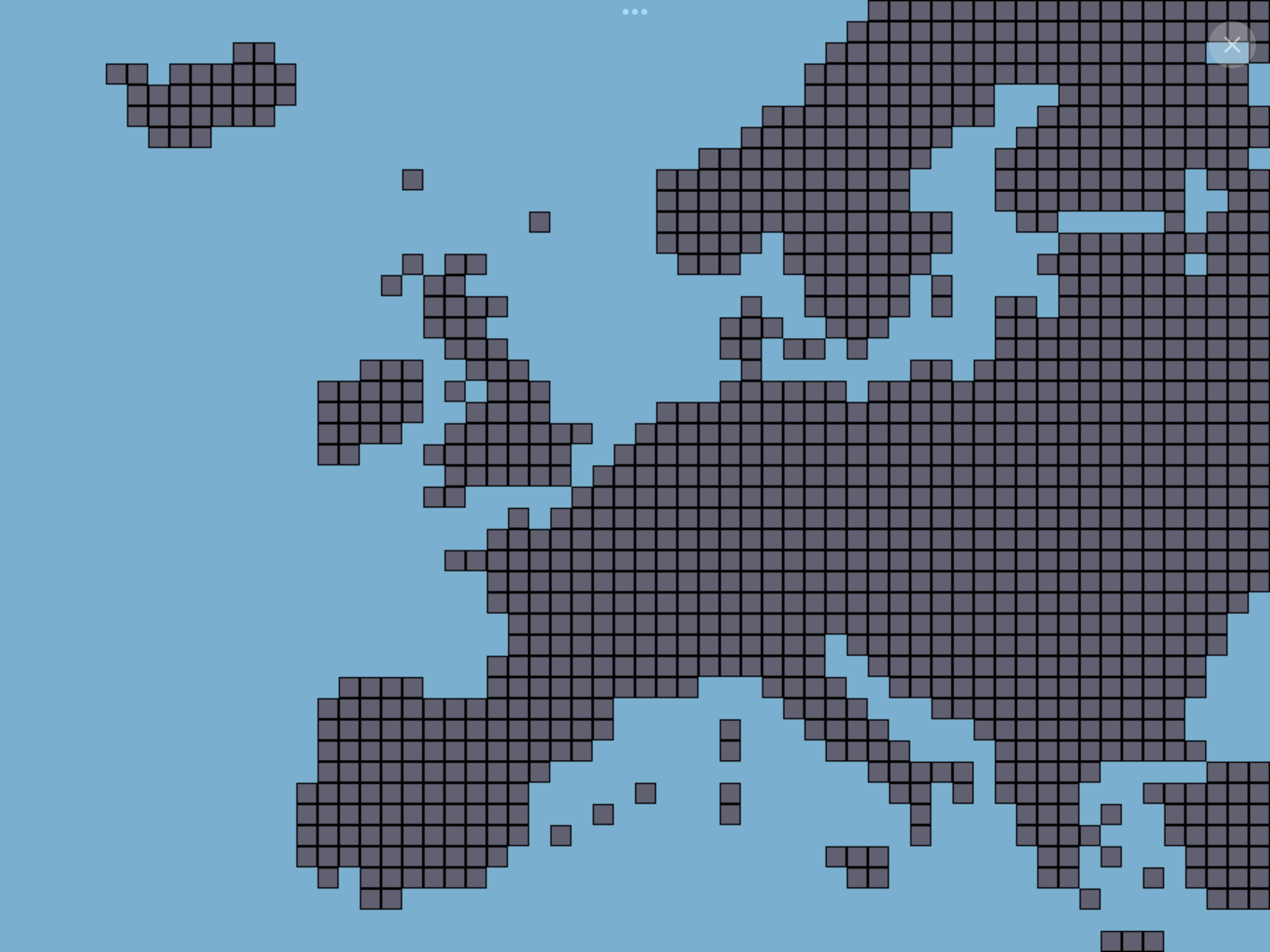
this is what i have right now.
can someone plzz help me (sorry for my bad english)
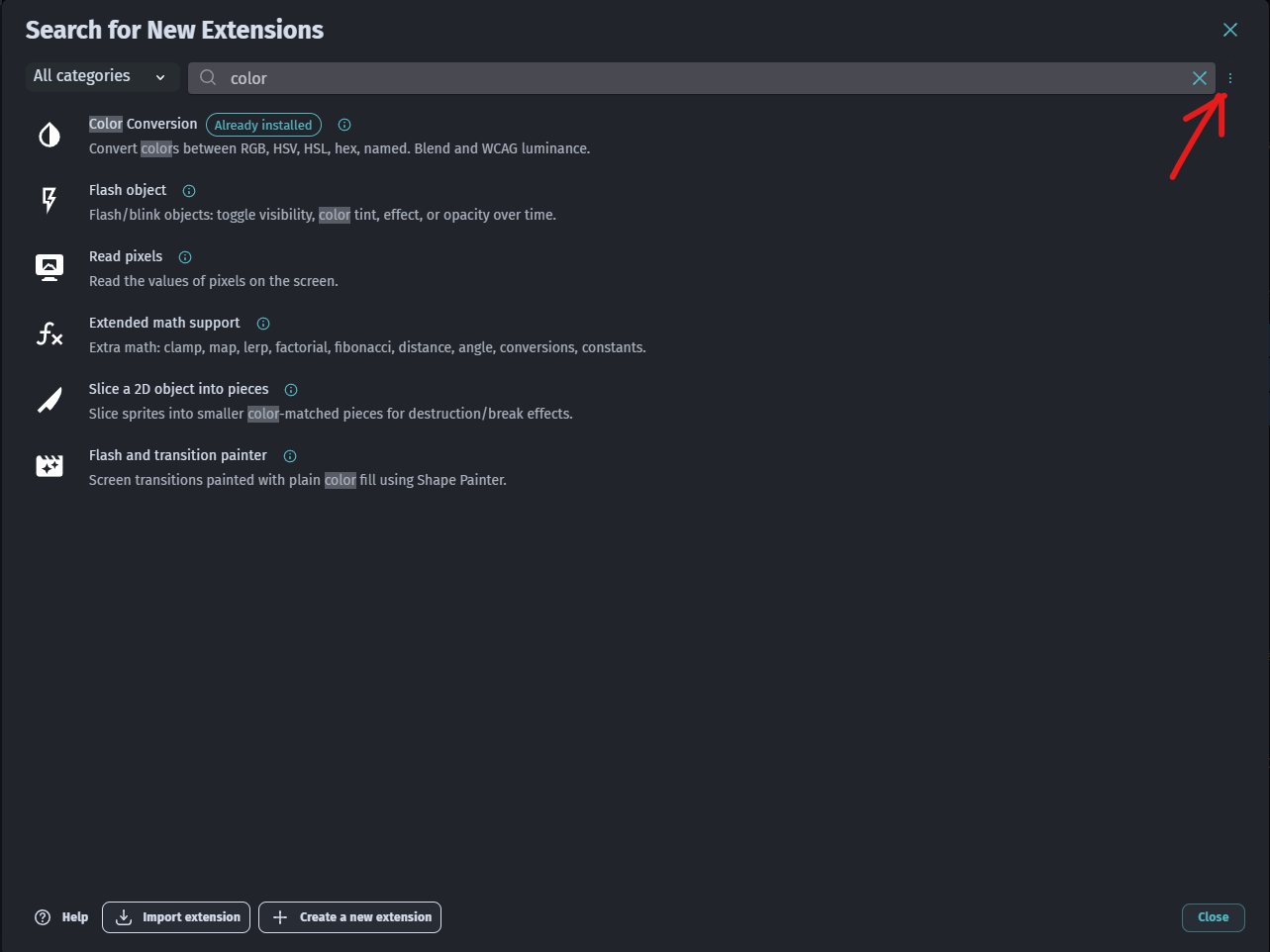
also just to be clear, i tried to find the object recolorizer ext but i havent found it
Venom
April 11, 2026, 2:33pm
3
For Object Recolorizer, you need to select Show Experimental Extensions by clicking on the 3 dots in the image because the extension is Experimental.
Once activated Experimental Extensions you’ll find it
ZeroX4
April 11, 2026, 2:41pm
5
What your objects are? Like all these squeres?
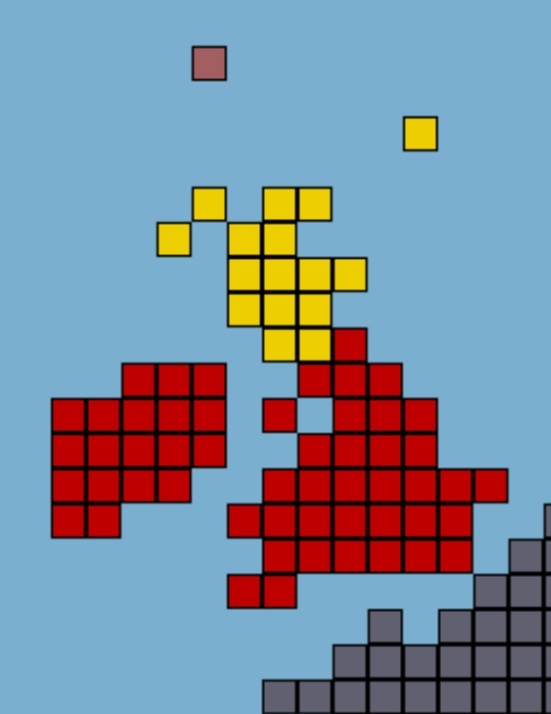
i used a tilemap, but if you’re talking about what they represent, they are supposed to be the claimable land, for reference:
ZeroX4
April 11, 2026, 5:26pm
7
I have bad news and worse news
Just kidding one is good and let’s start with it
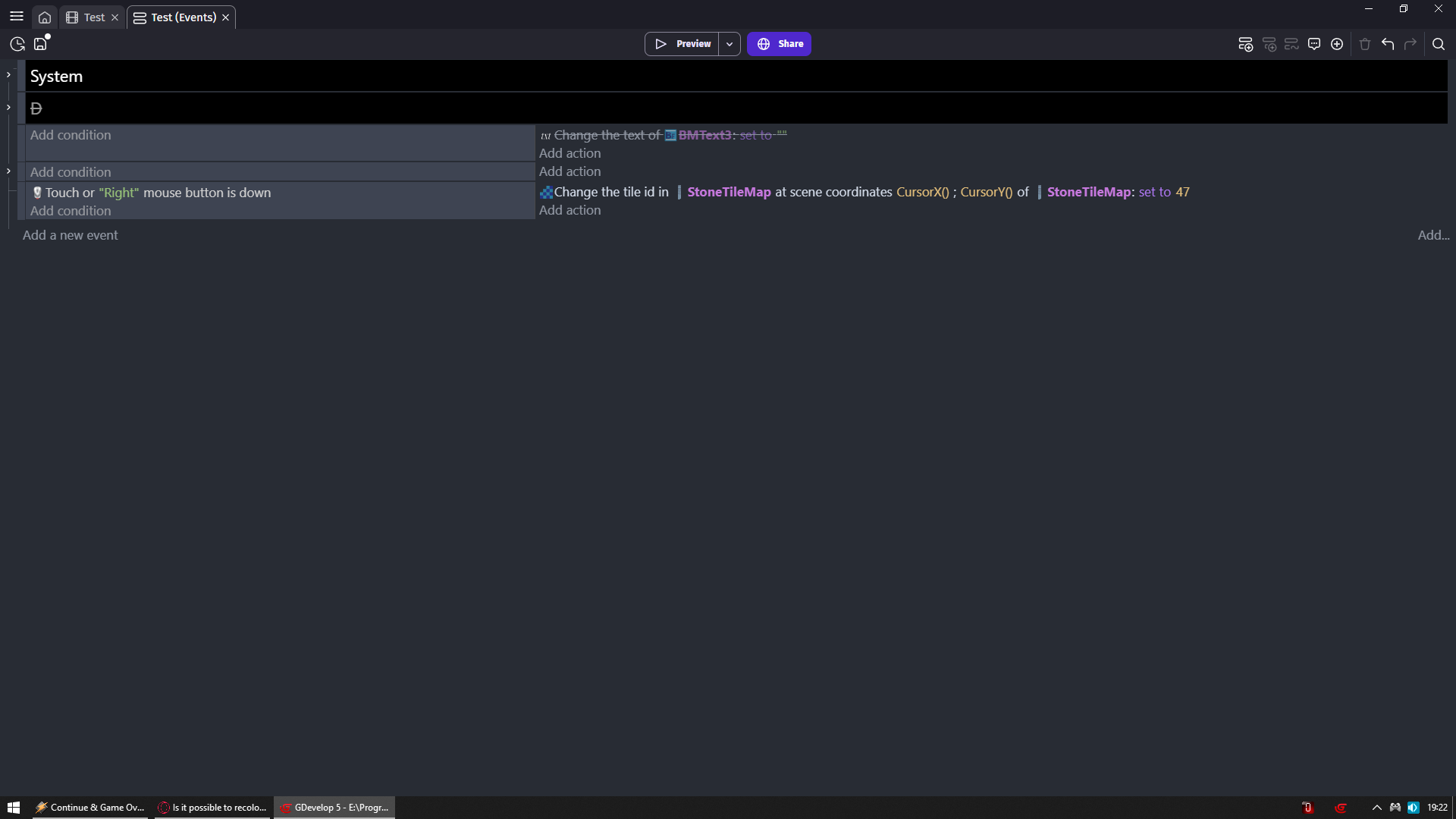
47 in my case is empty/no image tile
Now you can right click to remove tiles
And bad news are
And now via events like you do in whatever scenario in your game you can change them to different colors
Well in scene editor you need to paint them to colors you want
ohh okay, ill just make a campaign editor to make my life much more easier. (also the gray bits are unclaimed territory) thx btw
ZeroX4
April 11, 2026, 8:18pm
9
Yeah that was easy to guess
If everything would be unclaimed by default then you only need to make atlas with tiles of different colors and you are set
all the tiles depending on the scenario will be claimed by default