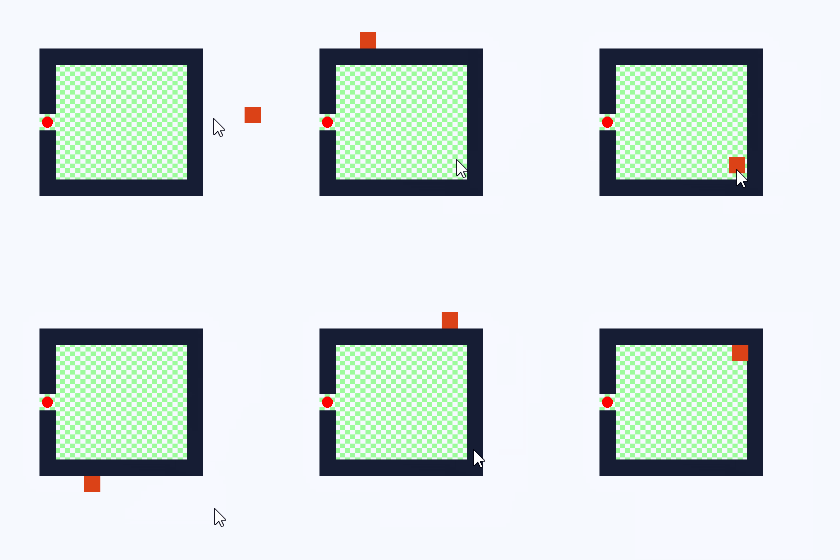
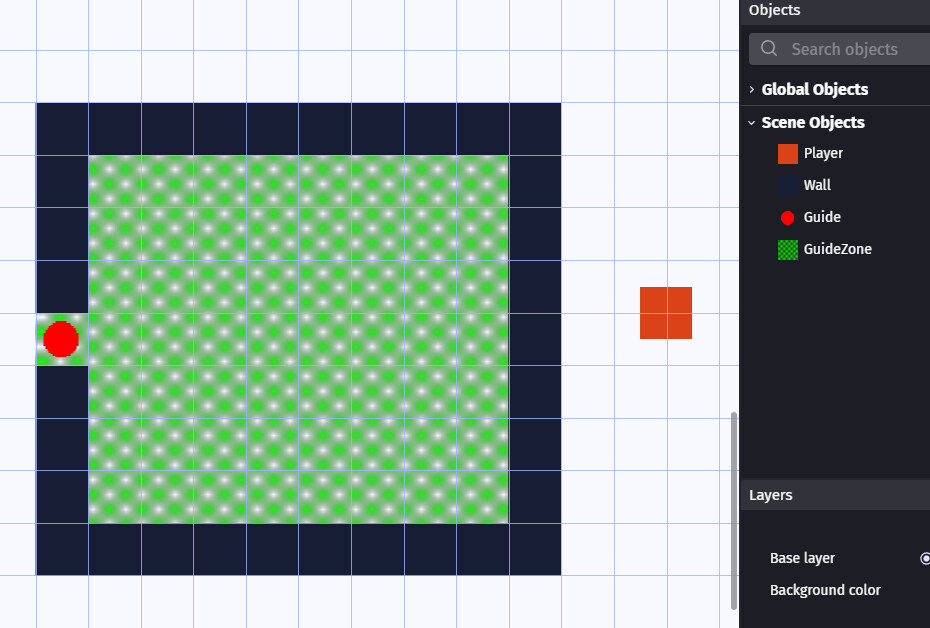
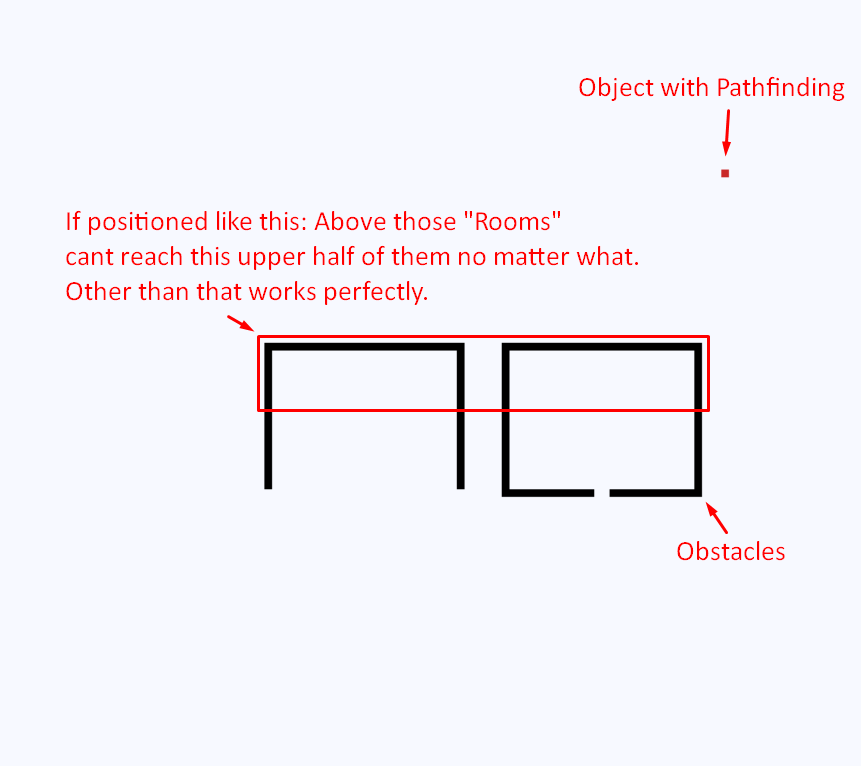
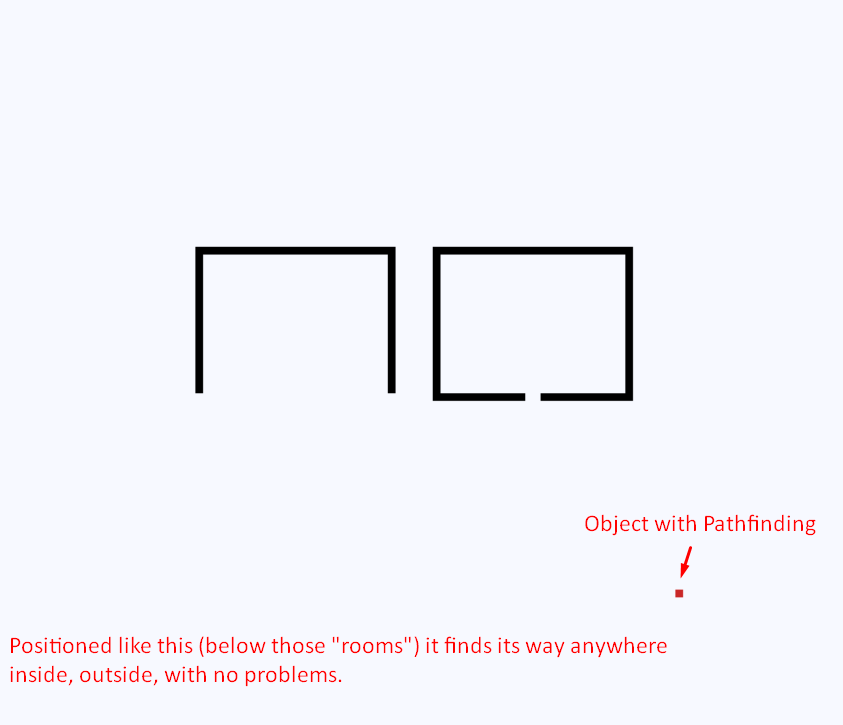
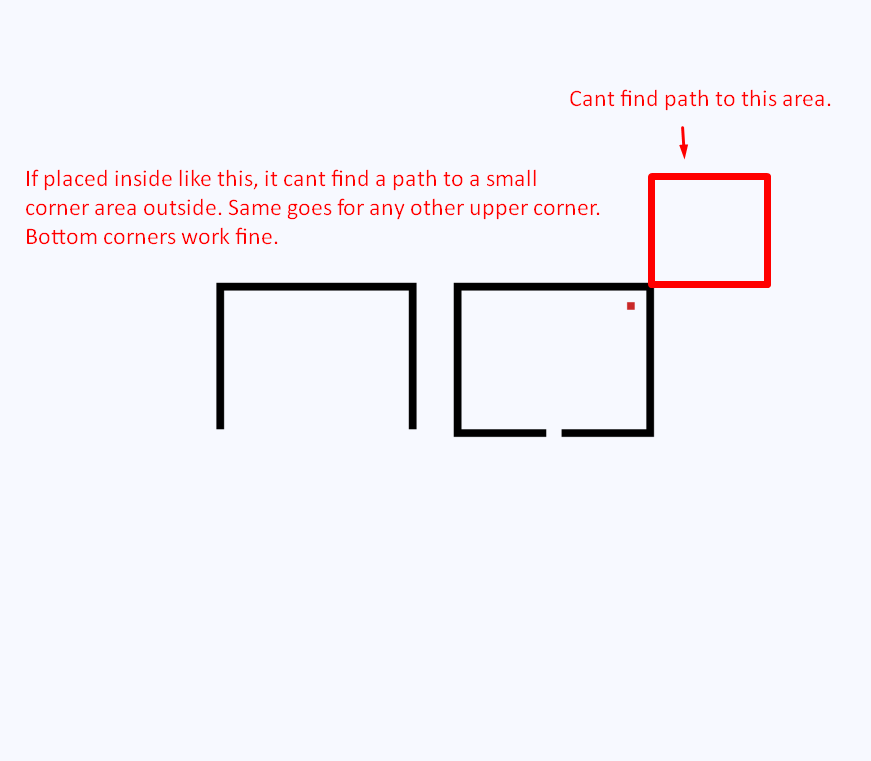
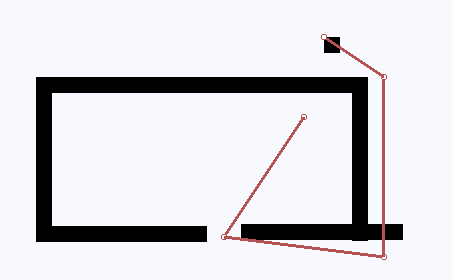
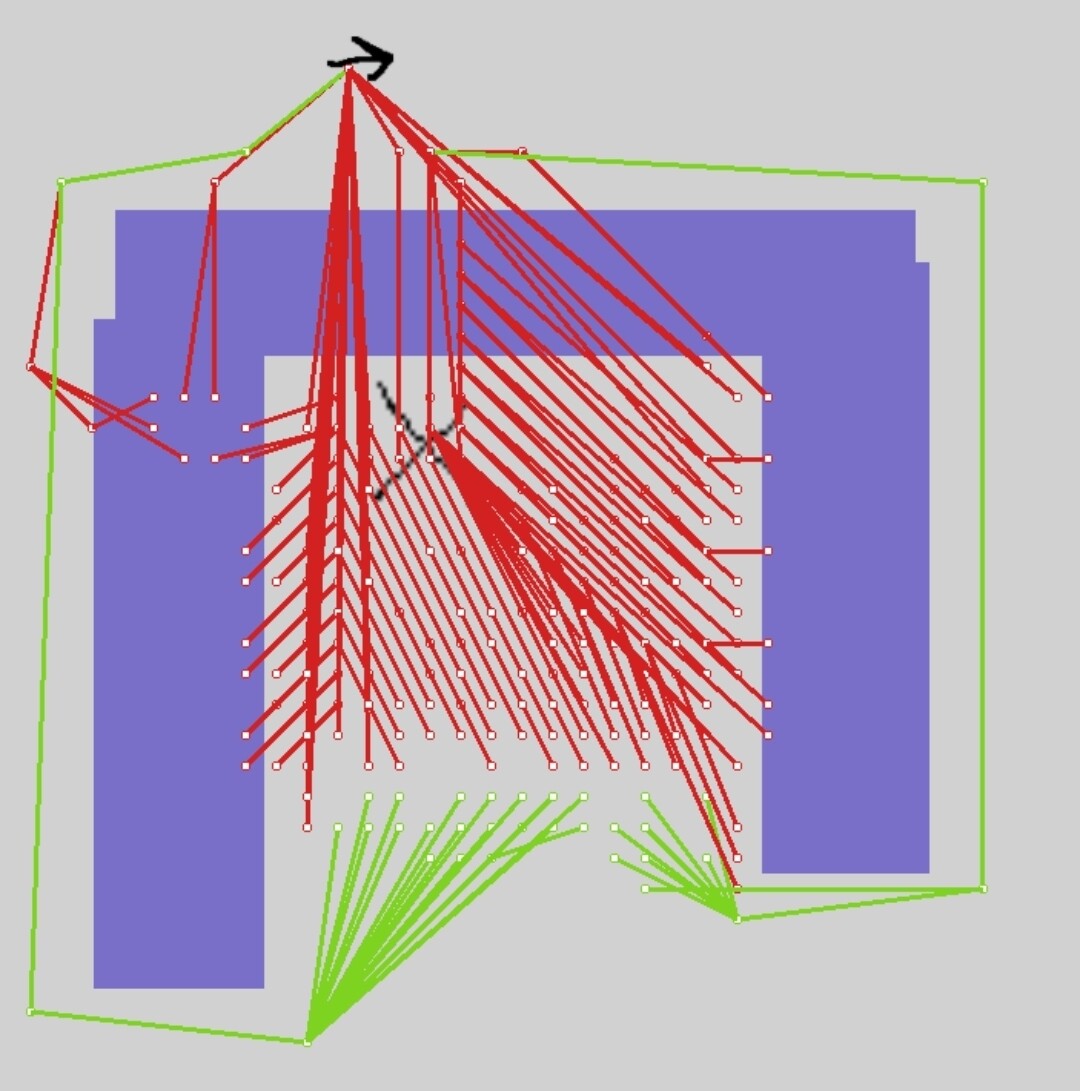
Hello, i dont remember this problem existing before, i made plenty of small demo projects with similar stuff with no problem, but now there is this strange thing. Pathfinding object simply can’t find its way in this specific scenario. It navigates through any maze without a problem, and finds very long and complex paths without errors, but for some reason this situation breaks it:
I thought so too, but in any other case it can easily calculate a path that is tens of times longer and more complex.
I was hoping that it was just me doing something wrong, but unfortunately, same thing happens in the pathfinding demo projects in the Gdevelop documentation.
I would really like to figure this out, literally everything works perfectly except for this strange scenario with a “room” or “house” into which the character must find a way while being behind it.
You can do rapid fire testing with the pathfinding draw behavior. Add a shape painter and unchecked the clear every frame.
Mouse button pressed
(or use released)
Clear shape painter
Move to CursorX() , CursorY()
Draw path
Move to objects x and y
This will use the path to draw it but then cancel the movement. You can add the dragable behavior to the pathfinder object and drag it to other positions.
Mouse button pressed
(or use released)
[Inverted] object is being dragged
Clear shape painter
Move to CursorX() , CursorY()
Draw path
Move to objects x and y
You can also add the drag behavior to the obstacles to test it.
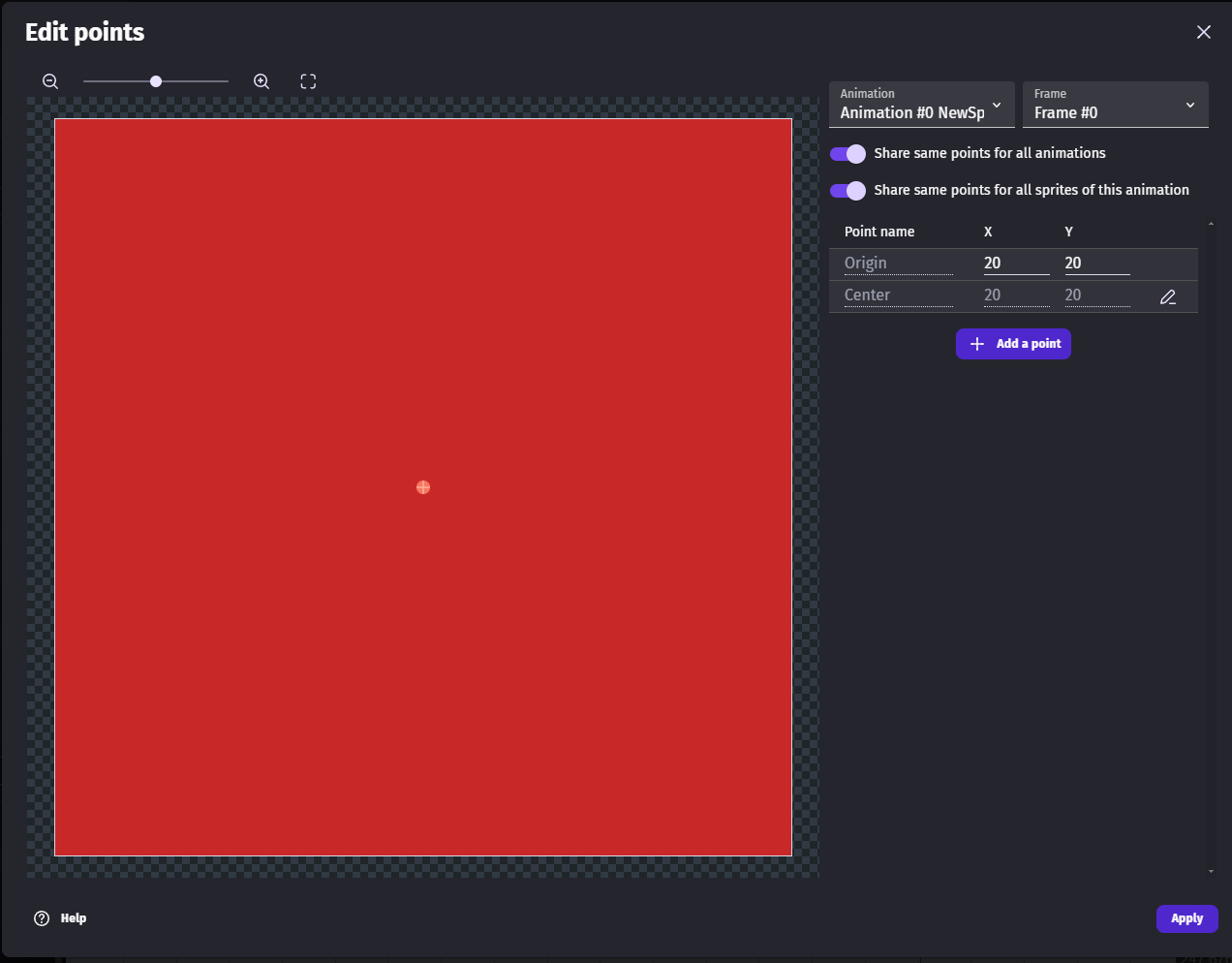
It helps if the origin and center points are in the center. The virtual grid about the size of the object. Maybe slightly larger than the object
Yeah, i use centered origin and my pathfinding object is 2px smaller than the grid/obstacle. Everything works fine, aside from this. Tried everything it seems, nothing helps.
I reproduced your issue - it’s super weird…
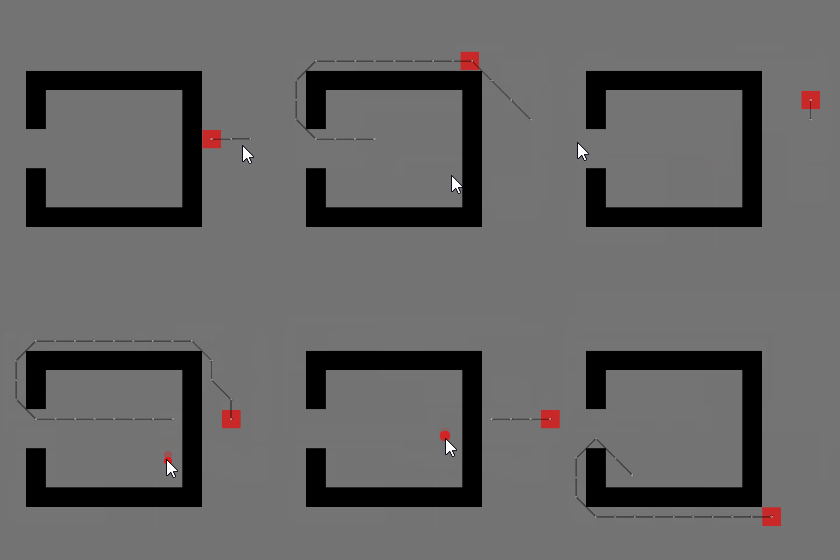
In my case (see pic) I was able to move out of the room (as the shape painter indicates), but not back in, where I just came from…
Here’s an example to illustrate this. I’m inclined to believe there’s some nuance to the algorithm here. Sometimes It can’t even find a way back to the same position it just came from. Regardless, I don’t understand the cause of the problem or any potential ways to circumvent it.
Unless they finally fixed it. Doubt it. The pathfinder uses the width and height for obstacles. So, it can’t tell if an object is rotated. It’s best not to rotate objects but either resize or use multiple objects. Just a warning. IDK if any of your objects or anyone’s else are rotated copies.
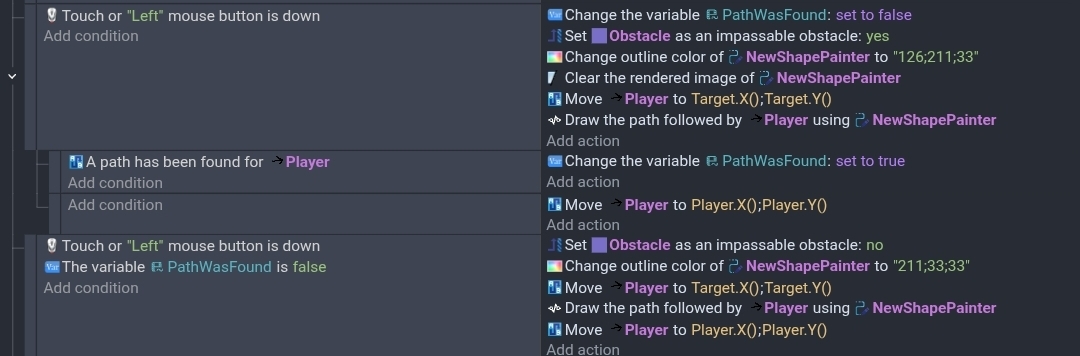
My events are a bit sloppy bc I just copied and pasted the 2nd part. The concept is if the path isn’t found, you set the objects to passable and then draw the path in red. I used a dragable target and aborted the path. You need to rest the color and passablity each time.
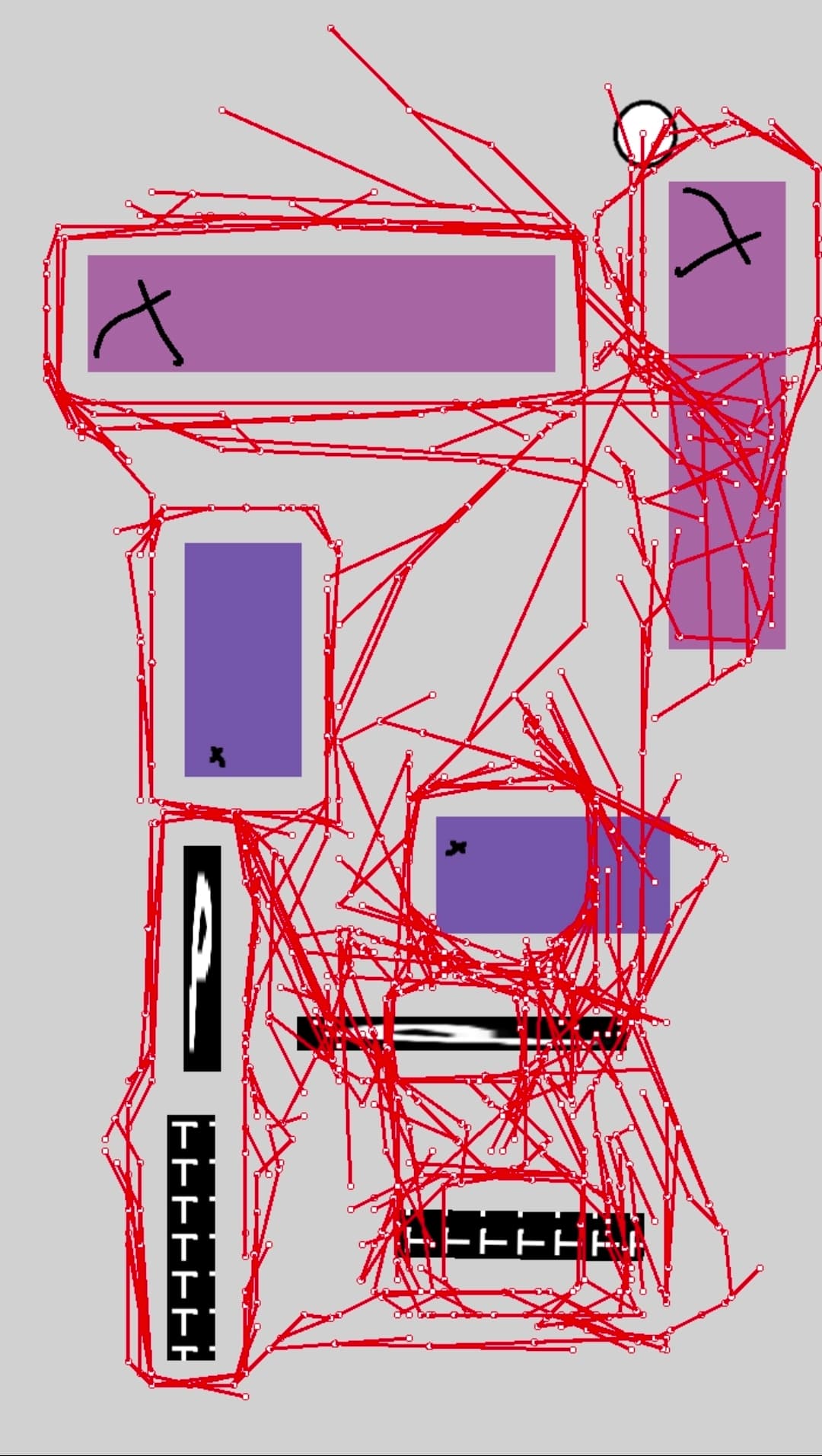
I tried removing the clear shapes so it showed multiple attempts. A lot of the failure were due to the destination but a lot were bc the pathfinder just didn’t want to enter the enclosed spot.
You could add sliders to test various settings like grid size in real-time.
I don’t know the number of nodes it will check before giving up. It would have to test more paths or nodes to get to the far side than something that was more direct.
The issue is rotating the objects will make the pathfinding ignore it.
Example only make the width or the height longer than the other else the pathfinding will ignore the object and go through it.
You can take 1 black and drag the width to 500 or 200 and make a box with using width or height whilst not rotating any of the boxes. I found this out the hard way
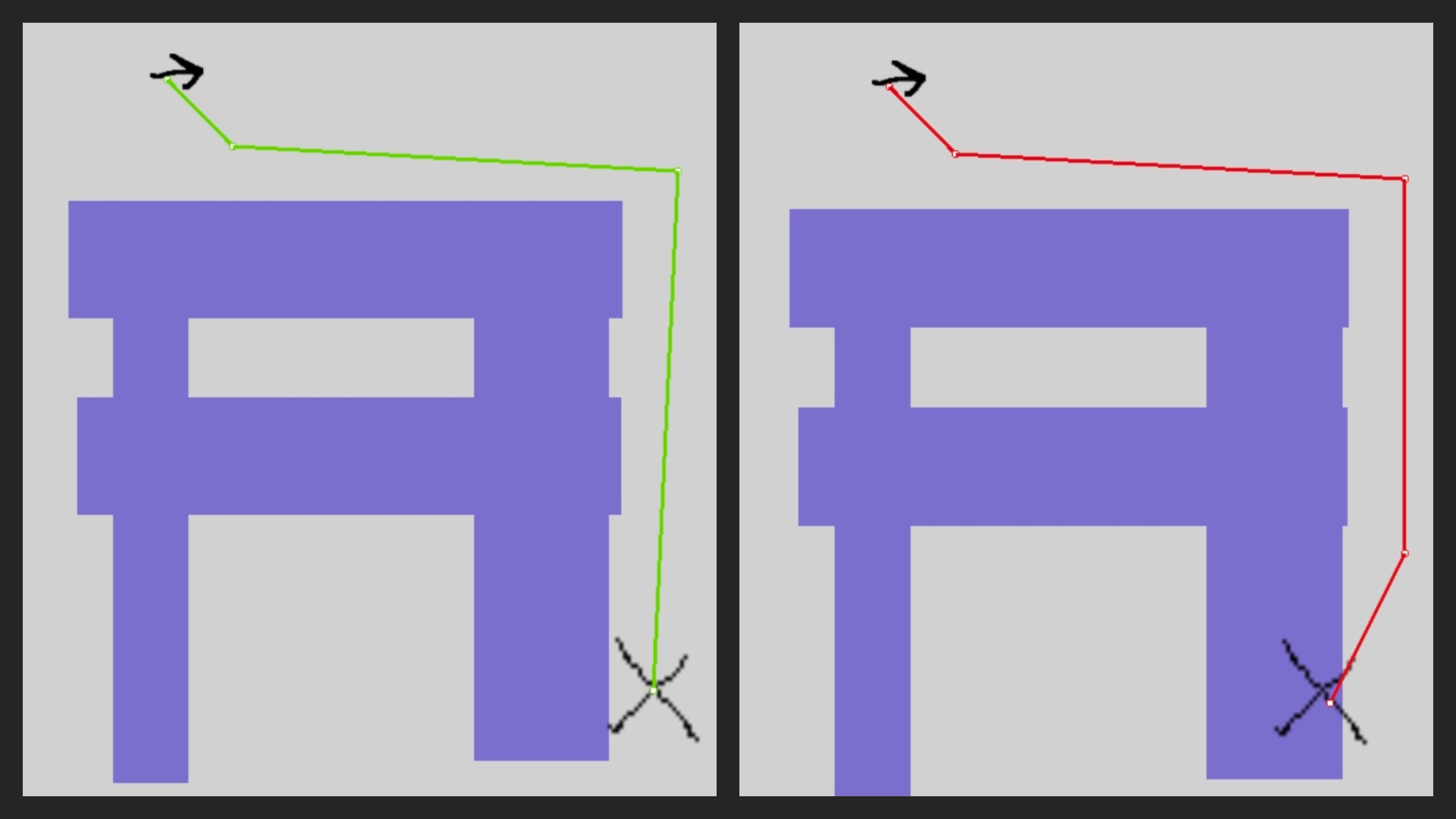
Yeah, IDK the exact way that it does it bc it doesn’t seem to just use the object height and width in an unrotated way. It also uses the center points for reference. I added an X to highlight the origin.
The objects on the right are rotated copies from the left.
I dont rotate obstacle objects. Like i said, in any other scenario pathfinding works perfectly, only this specific example of obstacle layout breaks it.
It must have something to do with how a path is searched for. IDKW it only affects 1 direction. I guess it’s just how the nodes are checked and how quickly a path is found before it gives up.
I did more testing. It’s definitely giving up the search.
I added movable walls and that helped. Although, the walled off area had to be smaller than the scene.
I then moved the walls and added a huge dragable obstacle. This also worked. I’m assuming when one node is flagged on the object that it flags the entire area the object is is. I honestly don’t know. But it works. I think it’s about reducing the possible nodes or giving it something to focus on.
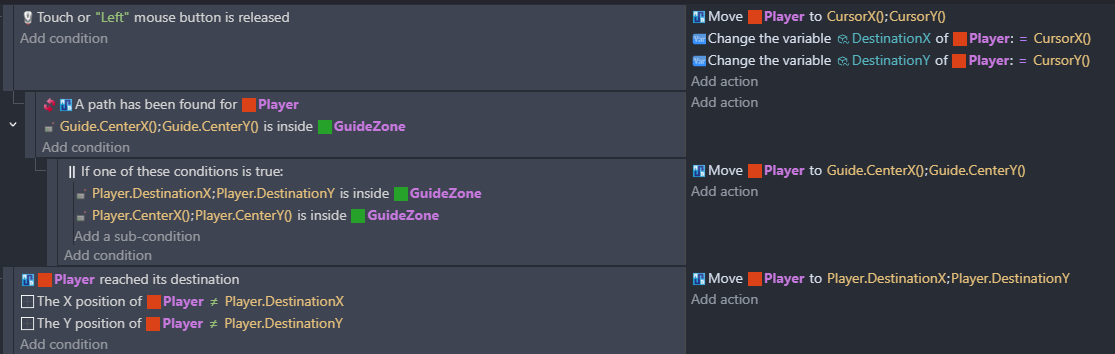
My other idea was to use doorways. When you click inside a structure, if there’s no path then move to the doorway first. Just a hidden object. Once that’s reached or within reach, you move the rest of the way.
Geniuses think alike, I guess. I just did something similar and wanted to share this solution, but you’ve already described it . Yes, it works perfectly and eliminates all the problems with moving inside and outside the “room”.
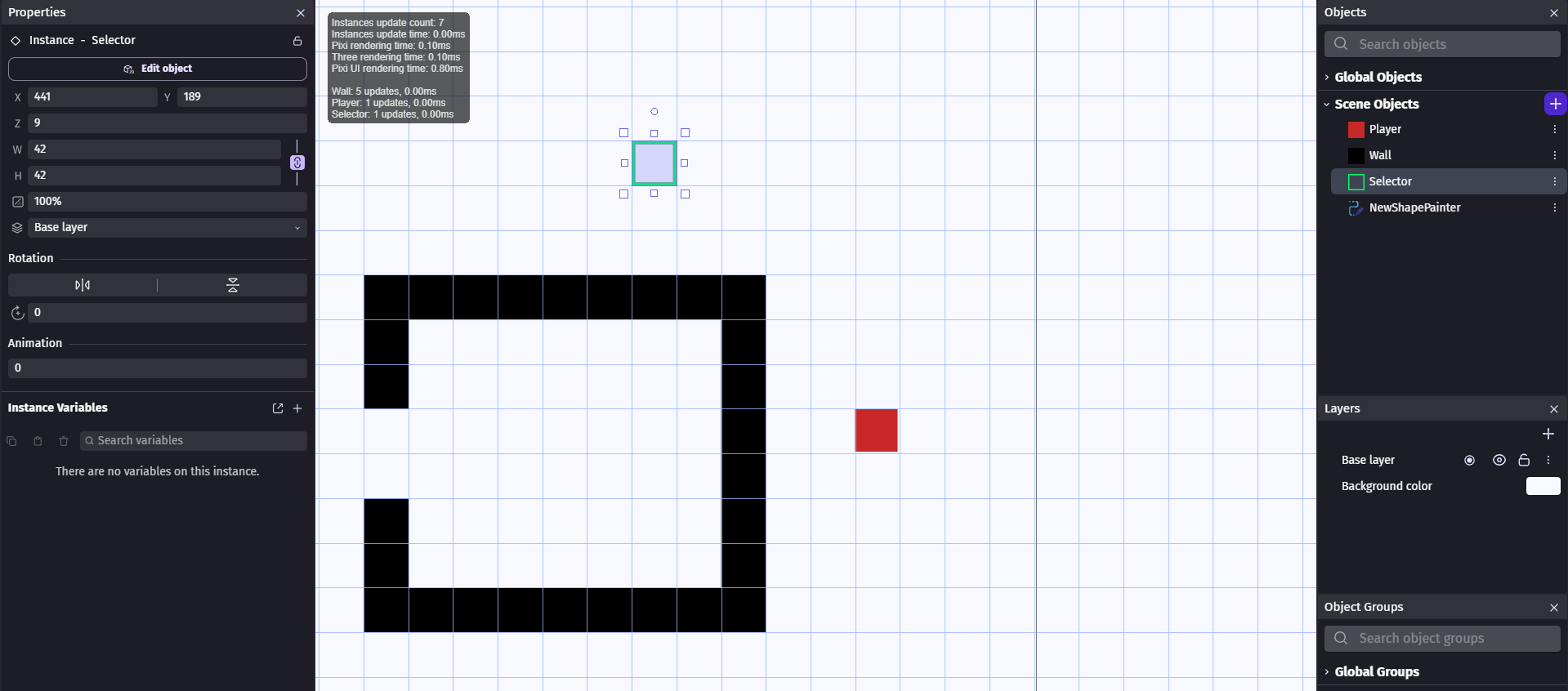





 . Yes, it works perfectly and eliminates all the problems with moving inside and outside the “room”.