Now, I want to give the player the option to view the dialogue quickly.
Example: If you click on the box while the text is still typing → Show the full text.
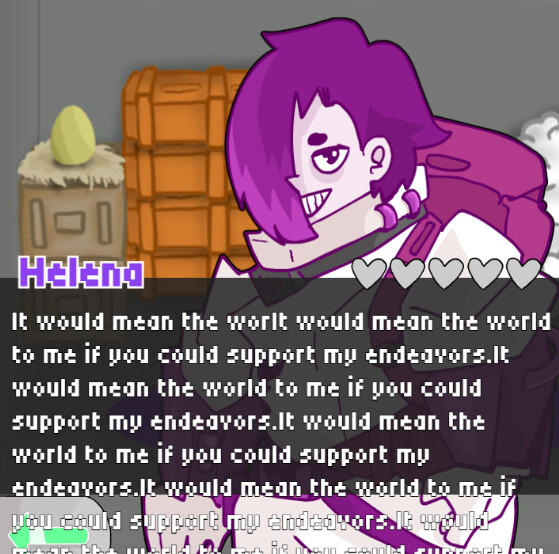
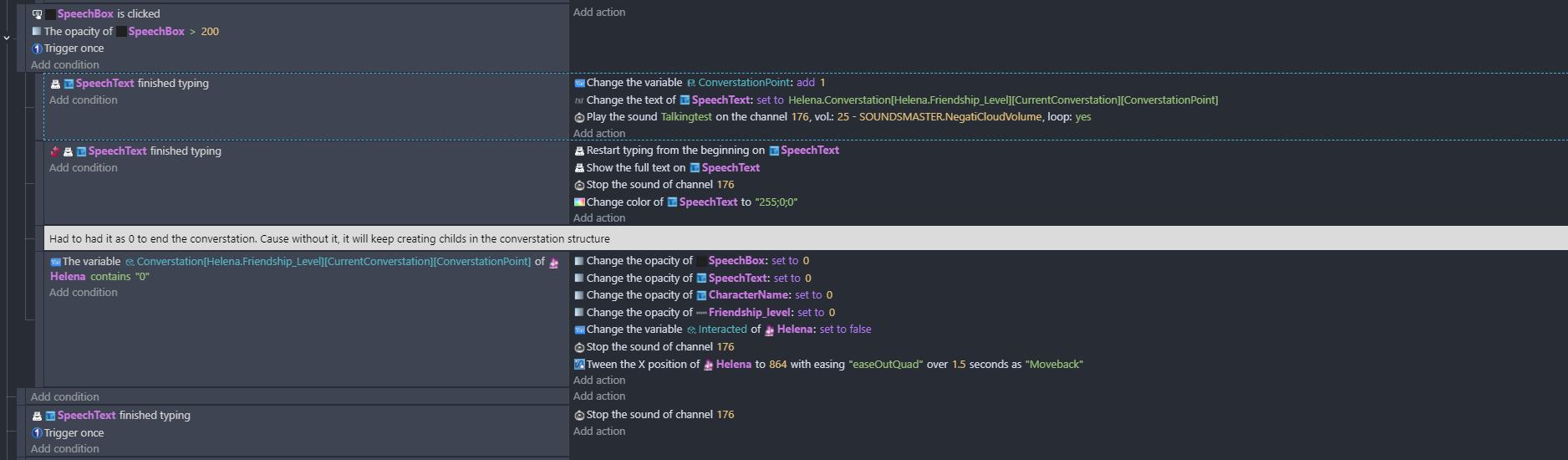
Instead, what I get is the following issue. When you tap before the text is over, the extension generates the same text and shows it immediately, once for each tap.
I don’t understand why this is happening. Technically, by the time that all of the text is visible, this action shouldn’t work again since the typing is over!! And why does it keep repeating the same text again and again?
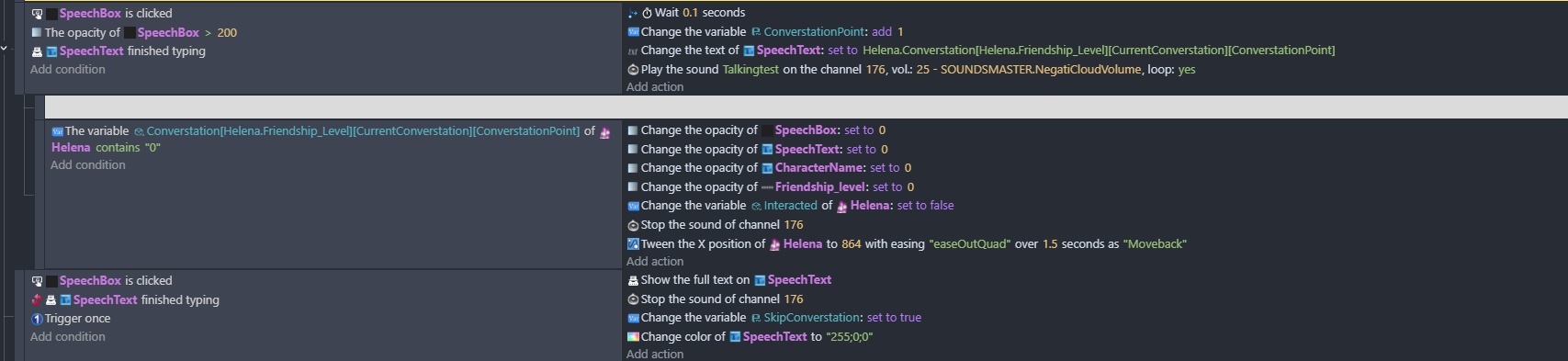
Hi DSM, what if there’s a Trigger once in the SpeechBox clicked condition? What is that SpeechBox by the way where it has a Is clicked condition? Is it from a different extension?
Hi @Digitalstickmans …as bubble said the first thing that looked suspicious was there being no trigger once on the is clicked (as there’s a wait after it) but I’m not trusting that inverted finished typing. Its yet another extension that I’ve not used but that’s where I’m pointing my finger! Have you tried using a timer there or variable instead or using NOT instead of inverting it
Yeah, I wondered about that too. But as far as I could find out in these forums a few months ago, the situation where inverting doesn’t work is when there’s more than one of an object, whether it be multiples or a group. In that situation of more than one object, Not will work but Inverting won’t.
Yes I wondered whether there might be more than one on the scene or whether inverting doesn’t work with the extension. But I think that an object timer could be used instead and if it’s greater than .5s you can move on…for those who don’t like reading stuff!
I did not add a trigger once, cause the clicked condition of buttons don’t really need it as far as I’m aware (Since it gets executed once, immediately after you click) I did try to include it now, but still the same issue.
The speech box is just a black square with the button extension. You can see behind the text in the above image.
I think the inverting action is working properly, as it executes the action. (It shows the text immediately like I want it to) The problem is, why it duplicates the text twice, thrice etc, and why it keeps doing it when the text is no longer being typed?
Some more things I tried:
Remove the wait function on the right
Add trigger once on both conditions
Use the “Invert the logical results of these conditions” condition. (Unfortunately with this, the event is not working at all)
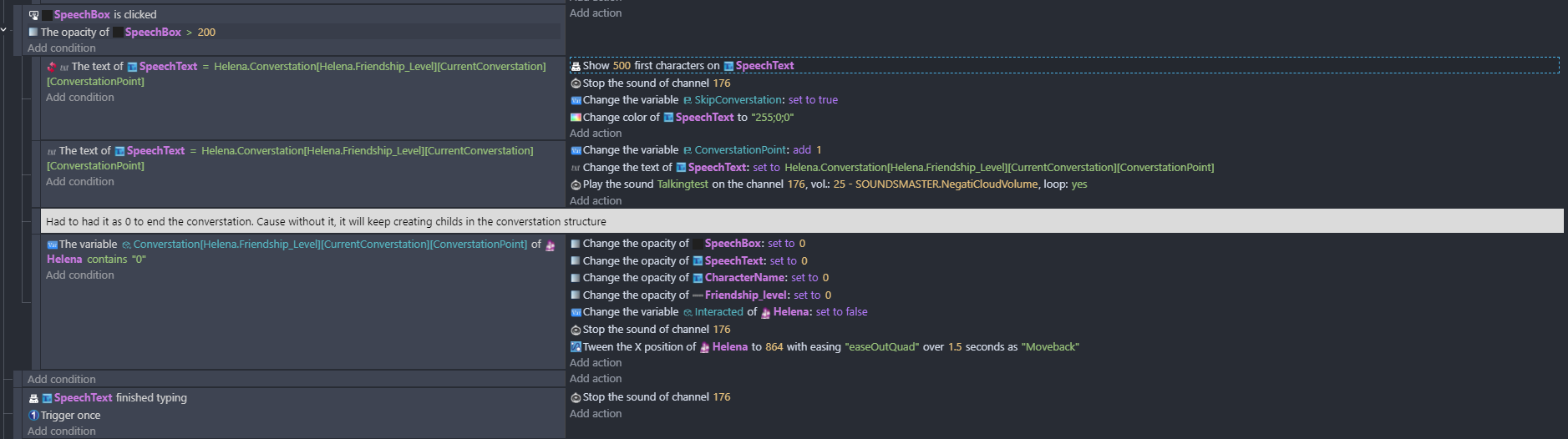
Have “SpeechBox is clicked” as the main event, and then split the typing conditions as sub-events.
Switched the order of the events (Ignore the additional stuffs, I added them for resting)
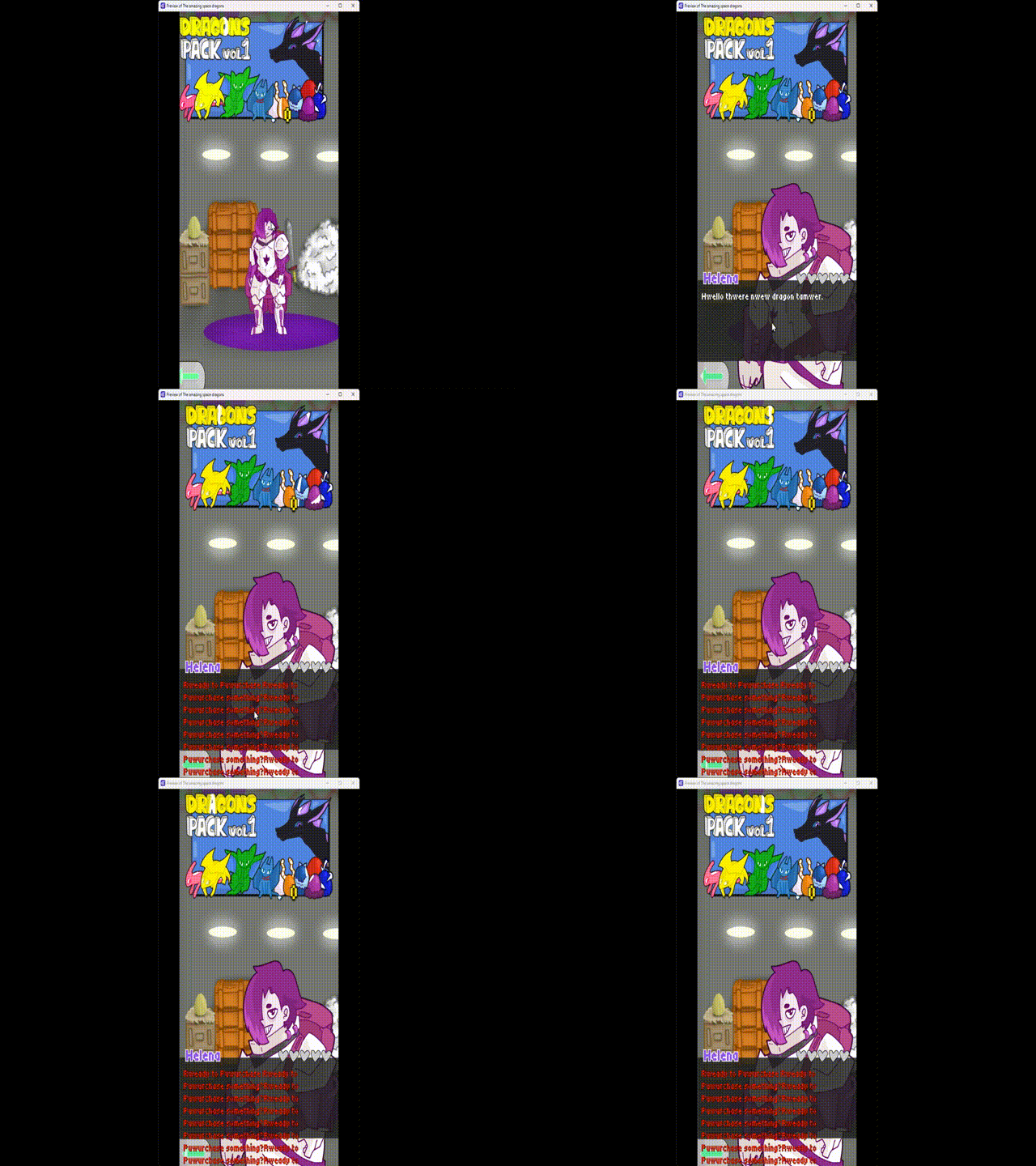
Please check out the below gif
While the text is white, I leave the auto type to finish. When it turns red, this is me clicking while the auto type is still typing, causing the problem.
Good work @Bubble!
the game looks great @Digitalstickmans - the number of sub children (is that the right phrase) in your converstation database (I now realise that I’ve been spelling it wrong all these years) made me think - wow! you must have done a lot of game development on this one!
I tried to think of ways that will allow me to add content into the game later without having to edit the code too much. This game was mostly a big learning experience, I wanted to try here the things that I want to implement on my more serious games. I learned a lot of things while working on it.
Just realised the monstrosity I wrote in my game notes. Because they are notes I type quickly without caring too much about the grammar or language. Many times I also leave notes in Greek since this is my main language.







 Because they are notes I type quickly without caring too much about the grammar or language. Many times I also leave notes in Greek since this is my main language.