Hi,
Can gdevelop make a dynamic layout?
I mean something like HTML/CSS?
For example a list view of image? or tile view of images?
Hi,
Can gdevelop make a dynamic layout?
I mean something like HTML/CSS?
For example a list view of image? or tile view of images?
GDevelop uses Pixi.js.
There’s an extension called FlexBox that is a layout tool (more usually used for website layout). In GDevelop you can use it to space objects into rows or grids. I used it once to make a simple inventory, for laying out my items in a row. You can control the spacing between items.
Objects that you want to control with FlexBox layout need to be given the FlexItem behaviour. The container for those items needs to be given the FlexContainer behaviour (it can be a sprite object, stretched to the size you need in the scene editor). You can use FlexBox to lay out sprite objects and text objects.
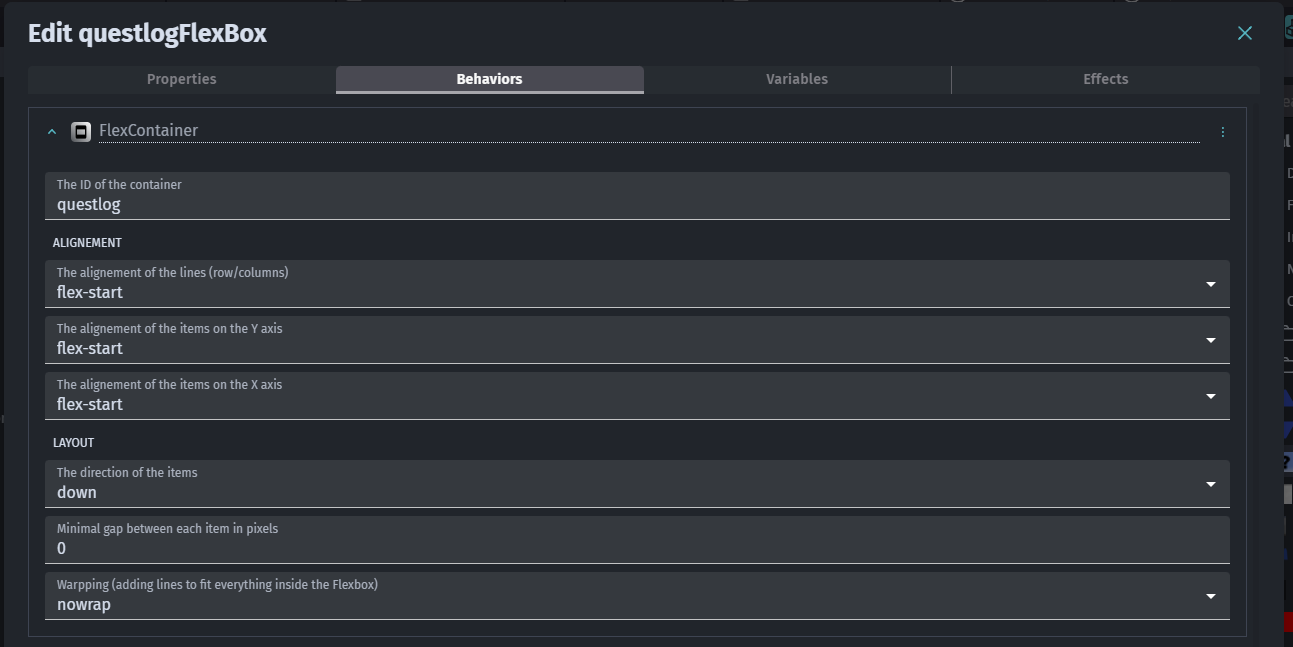
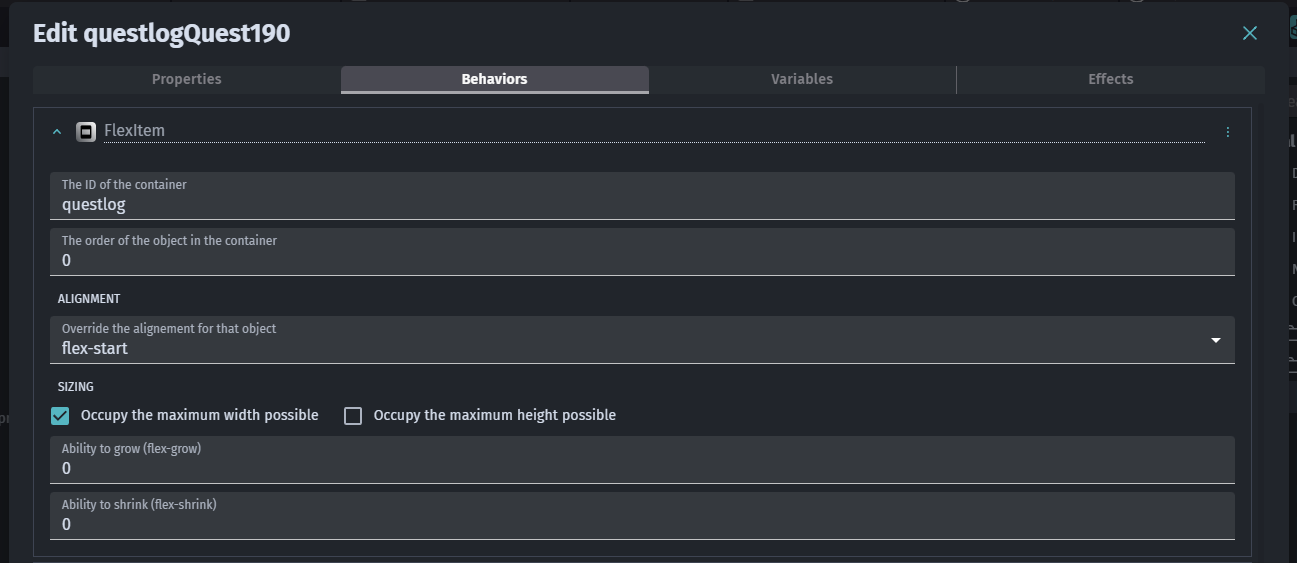
I also FlexBox to make a quest-log, and I arranged quest text objects vertically (see screenshots).
Container:
Item:
The documentation below is aimed at web designers, but it might still be helpful. Best thing to do is just experiment with FlexBox in GDevelop. You won’t need to manually enter CSS; all the settings for the containers and items are in the objects, under the Behaviours tab.
Hey everyone! I just came across this post about using FlexBox in GDevelop and it really caught my attention. I’m a web designer, so I’ve used CSS FlexBox a lot for creating clean, responsive layouts, seeing it used in GDevelop for UI and inventory systems is really interesting!
I’m curious how well FlexBox handles dynamic resizing here, like when new items are added or the game window changes size. Has anyone experimented with it for more complex layouts, like quest logs or draggable elements?
Since FlexBox plays such a big role in responsive web layouts too, I found this website design service that also focuses on flexible, user-centered design approaches, it’s interesting to see how similar layout logic applies across both web and game design.