How do I…
Make a 3D box blink for .5 seconds to indicate damage.
What is the expected result
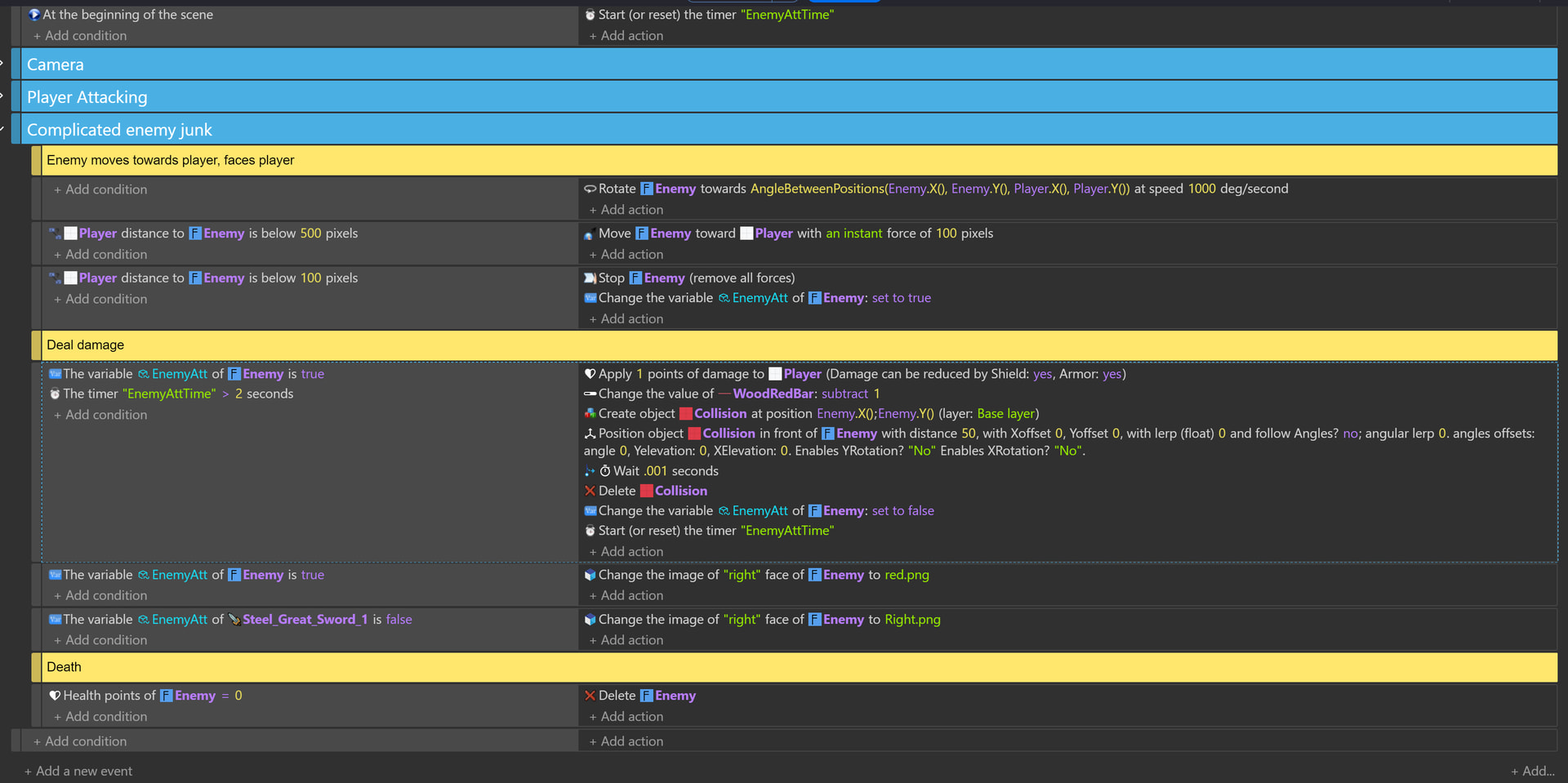
Collision box in contact with enemy. Enemy face turns red for .5 seconds. Turns back to correct face
What is the actual result
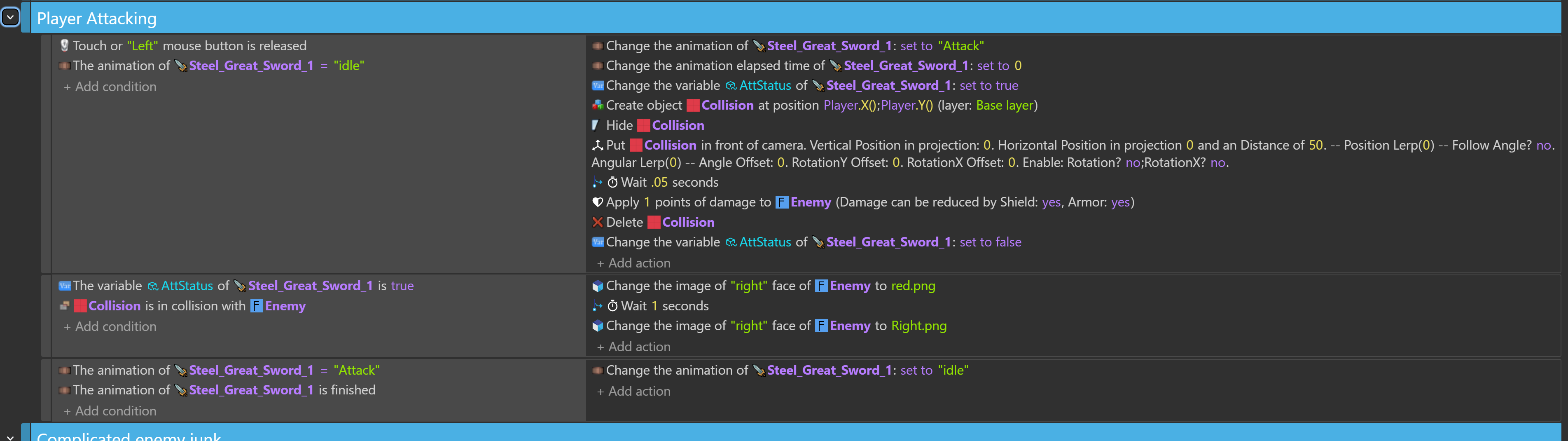
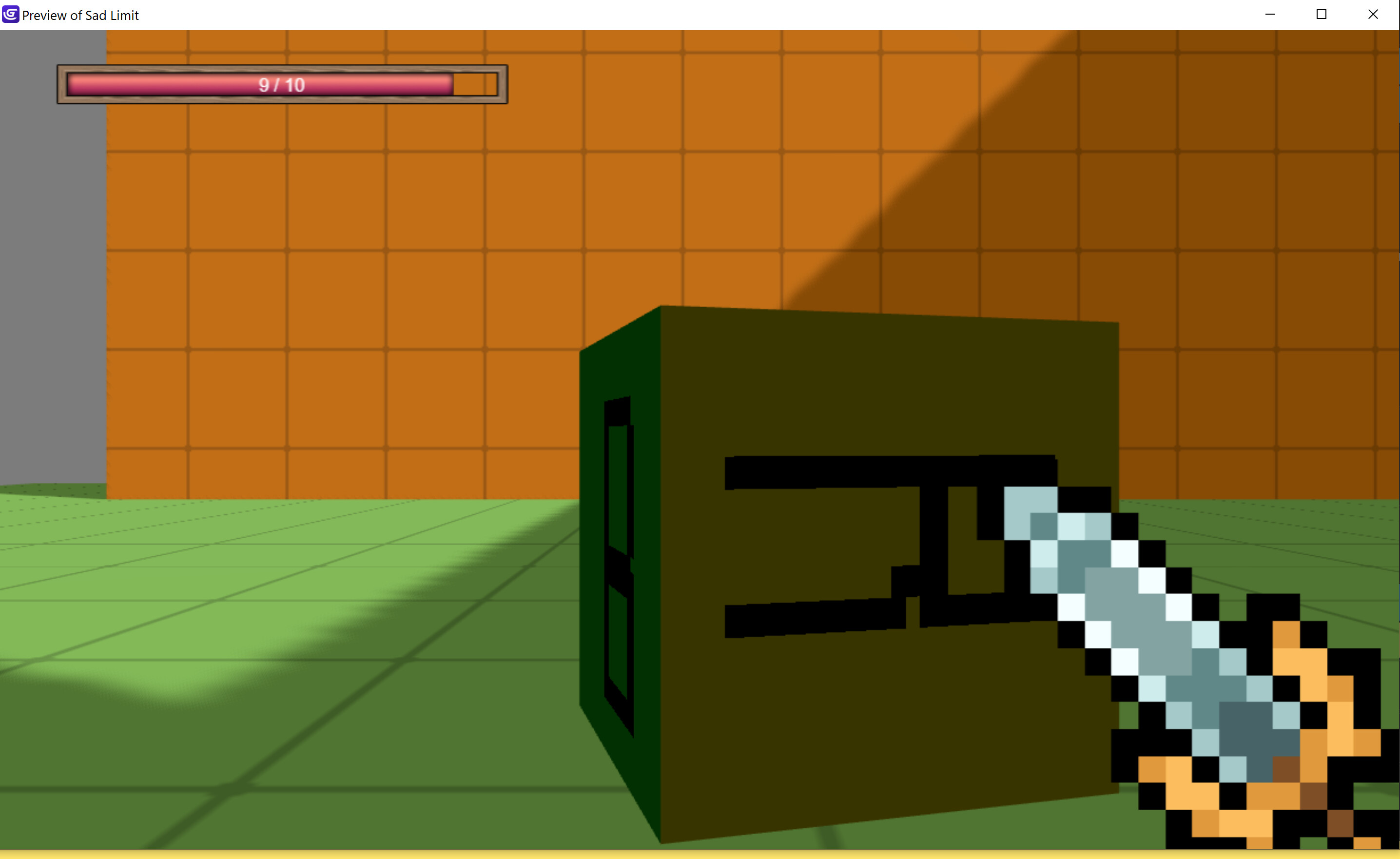
Box stays red. Also, the character seems to be able to spam the attack. Enemy has three health, only takes two hits to kill it.
Related screenshots
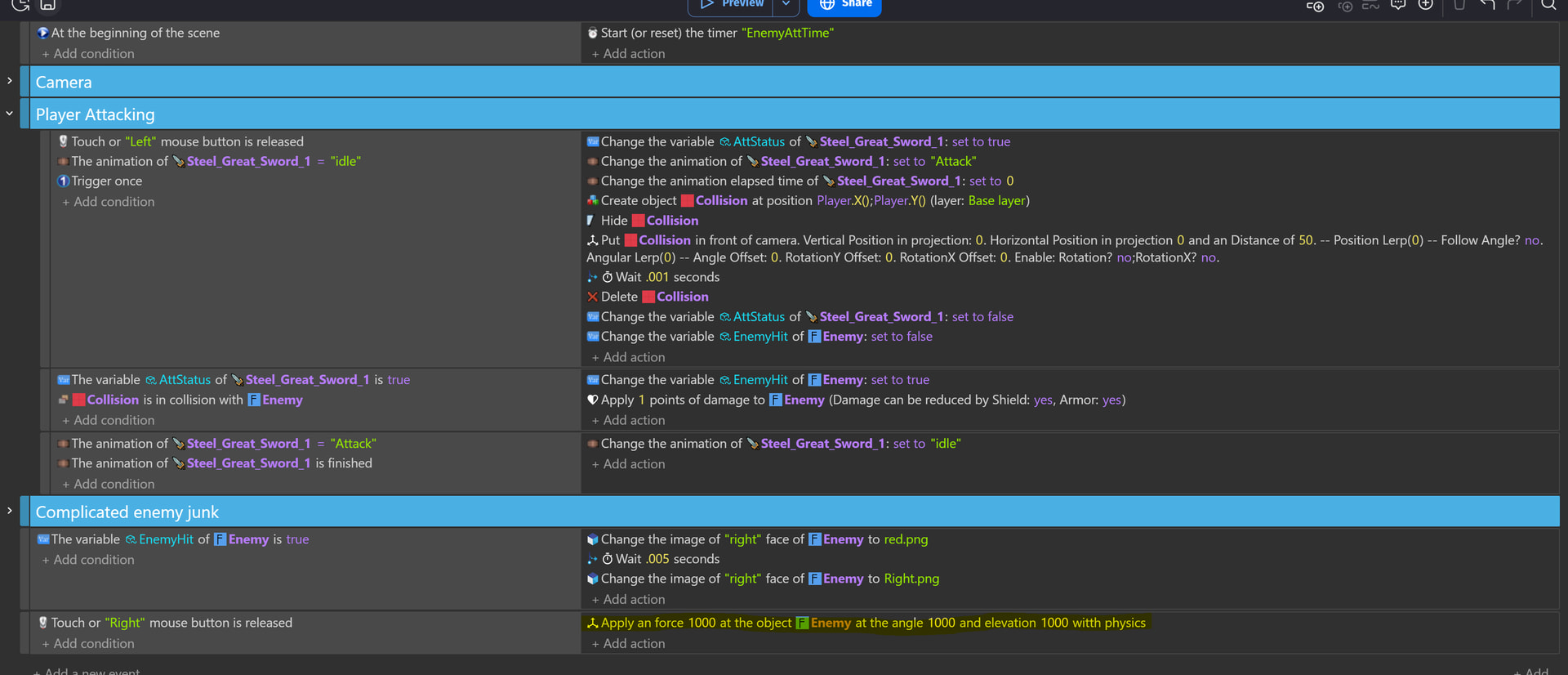
Enemy actions:
Player attacking here in case that helps:
about the fact that it attacks many times: you could try trigger once (it should’d be because you check for animation. but just in case)
Hi I don’t like using ‘wait’ in combat situations, as they’re better for cutscenes etc. i prefer using object timers and variables. I noticed that you’re restarting the timer after the short wait which will cause the re triggering of the event while the wait is in progress and the creation of multiple objects and wait actions. This might be cured with trigger once as mentioned above or moving the timer restart action above the wait
Hi everyone, thanks for the help! I have this pretty much working now. Fiddled with it, deleted a bunch, reordered things, Couldn’t tell you all of what I did but I have it here now
My last issue now is trying to apply knockback. I’ve highlighted ‘apply a force etc.’ that I have assigned to right click. Just putting it on right click for testing. I’ve tried a few different force and impulse applications but I can’t seem to find the right one?
petlimpet I am still using wait timers but I would be very interested in veering away from this and using object timers instead that sounds much cleaner. Can’t quite wrap my head around how to replace the .005 and .001 wait timers I have, any advice on that?
I don’t know if you gain anything by using timers instead of wait in this case.
If you always need this .001 and .005 delay in these scenarios then this might be the cleanest setup. Timers require more setup - you need to start, check value, reset and sometimes pause or delete.
Regarding the knockback - 1000 is an odd number for an angle. Angle is normally 0-360, so 1000 is essentially 280. But also setting a hardcoded number means the knockback always happens in the same direction, regardless from which direction the hit came.
I hadn’t actually realized how small the waits were. .001s …I think at 60fps both those waits will be done on the next frame and so you could just use an object or scene Boolean variable.
If enemy.doit true - do something and turn doit of enemy false
If event true set variable doit of enemy true
So it does it on the next frame
Object timers just work like scene timers but for each object.
If it works as it is though just leave as is
All righty I’ll see if I think I need to move away to object timers or just leave it as is. Most likely as is if it’s not going to break anything set up like this.
On the knockback, I was trying any numbers I could to get the cube to move and was then going to work on trying to get an actual direction setup such as ‘apply force away from Player’. I just changed it to try it out again. Hit right click, nothing happens
If a right click still does nothing, the force action is likely the 2D one, and a 3D box only moves when the 3D physics behavior is on that instance and set to dynamic. Use an impulse for a single hit, aimed along the direction from the player to the box, instead of a fixed angle like 1000, which just wraps around the circle. Put trigger once on the click so one press does not stack. Also check the box is not static and that linear damping is not so high the push dies on the same frame.