Hello everyone!
I’ve been using GDevelop for about 5-6 years now. I’ve already made a few games (mainly demo rooms for Escape Games and a digital Escape Game), along with plenty of other small home-made apps for my daughters’ birthdays, the school carnival, and things like that.
But this time, I’m diving into creating a real puzzle game, which will eventually be published on Android and iOS stores.
The game mechanics and structure will be very different from what I’m used to doing, so I’m turning to you to make sure my general development logic is on the right track, so I don’t have to redo everything after making significant progress =p I also have a few questions regarding specific points.
It will be a puzzle game in pixel art, made of different levels unlocked sequentially. Once unlocked, all levels will be replayable and accessible again from a level selection menu (mainly to improve high scores). To cite a few classics that share this structure and serve as my inspiration: Cut The Rope, Where’s My Water?, Pudding Monsters, etc.
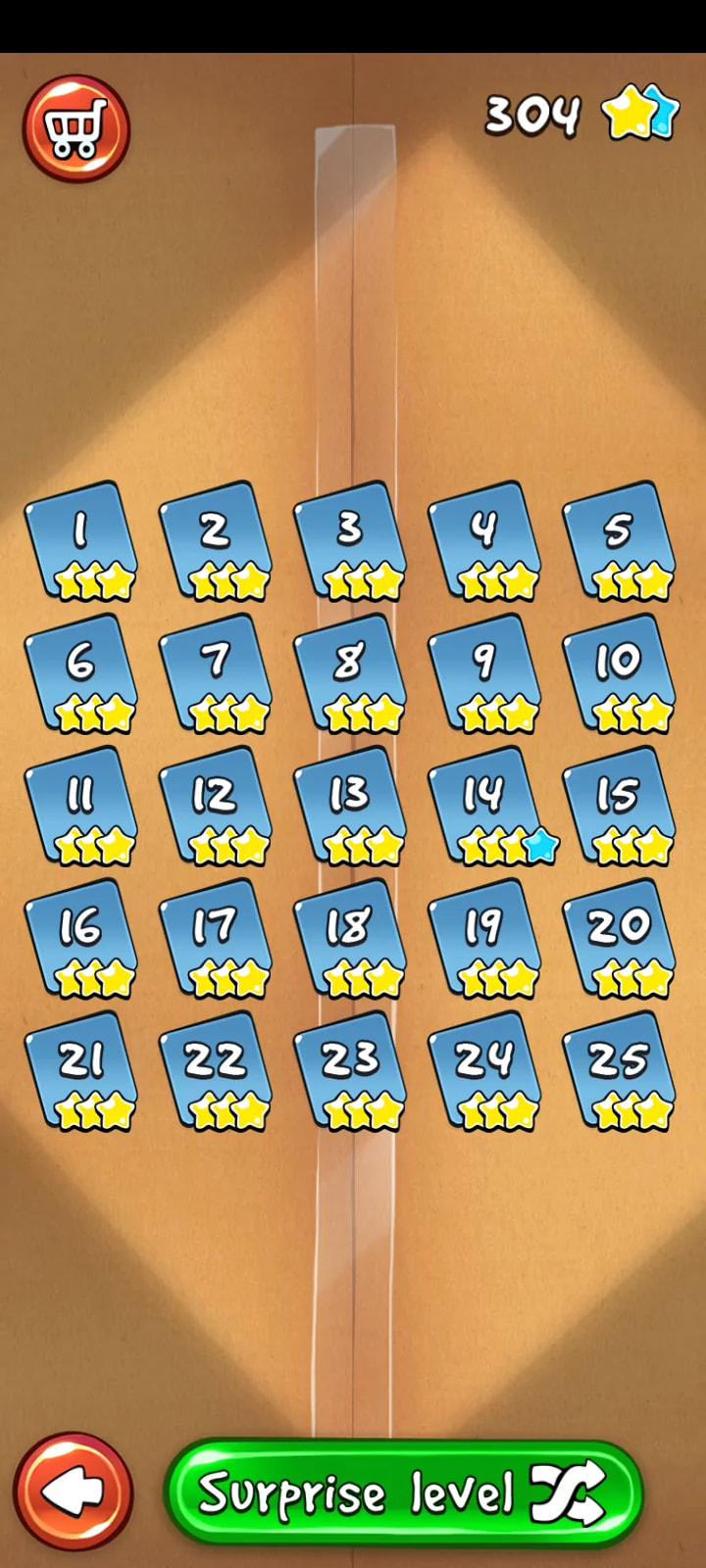
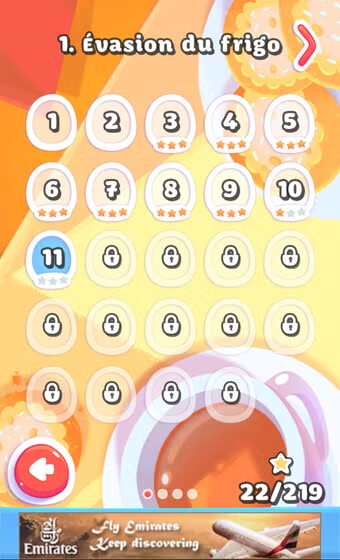
To be even more specific, the Pudding Monsters menu is exactly what I’m aiming for: from a single menu, players can access every level across all different worlds just by swiping or using the “Left” and “Right” arrows at the top of the screen.
I’ve already built a prototype with:
-
Scene 1: Developer Splash Screen
-
Scene 2: Game Splash Screen
-
Scene 3: Main Menu (Play, Options, etc.)
-
Scene 4: Level Select Menu
-
Scene 5: Game Board
The main topic I have questions about is: how should I build the levels? How do I map them? When a player selects a “level” from a “world”, I have two variables that tell me exactly what they want to launch. Is there an existing system or extension in GDevelop that handles this kind of setup? If not, has anyone already implemented something like this and could share their approach?
I plan to design the levels in Excel. Following the example prototype below, you can see that I can easily generate a text string that could then be used for mapping:
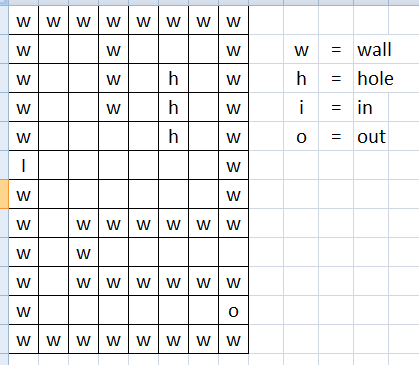
I went with an arbitrary 8 x 12 grid, which outputs a mapping “code” like this (I won’t paste the whole thing, but you get the idea =p):
w;w;w;w;w;w;w;w;w;;;w;;;;w;w;;;w;;h;;w;w;;;w;;h;;w;w;;;;;h;;w;I;;;;;;;w;w … etc … could also be without separator and with a “n” for example when there are no object to put on a tile.
In your opinion, is this the best approach?
I also have a question about external events. The character (the player controls one single character) will have its own external event, grouping its animations, movement system, audio, “equipment”, etc. Other elements (holes, walls, switches, etc.) will be placed directly in the “Game Board” scene with their respective animations, behaviors (kill player, push player, teleport player, etc.), and everything that goes with them.
Is this the right way to do it? Or should I also create external events for all these elements? More broadly, when should external events be used—for instance, for tutorials popping up at level start, end-of-level score pop-ups, or a hint system…? I’m not entirely sure at what point an event should be externalized rather than kept directly in the scene!
Finally, I have a question about save files. I’ve NEVER made one before =p How do I store player progression, scores, unlocked equipment, etc.? I’m asking from a local device perspective, but ideally, is there a account-based save system available for cross-platform progression?
Sorry for the wall of text =p If you need any further details, feel free to ask! I don’t think specific details about the core gameplay mechanics are necessary here, which is why I didn’t clutter the post any further. But if those details matter, I’m available! Thanks in advance!