How do I…
I have been trying for months to get the player character to wall slide and then wall jump after the player jumps or falls against a wall. I have refactored my FSM and remove redundant conditions. What’s happening the Wall Slide will trigger only intermittently and only when standing against the wall and then jumping while pressing the direction key away from the wall. I’d appreciate it if anyone could give some advice.
Thank you
What is the expected result
Anytime the Player falls or jumps against a ‘left_wall’ or ‘right_wall’ (especially if he’s pressing the directional key towards thew wall). The player should go into the "WallSlide’ state. Where the player slowly slides down the wall and can choose to jump off the wall in the opposite direction. Jumping from nearby wall to nearby wall to climb upwards (ala Metroid-style).
What is the actual result
The wall slide doesn’t trigger when falling against a wall, nor jumping from a distance at the wall. Instead, it only occasionally goes into Wall slide when you are right up against it and jump and press the directional key.
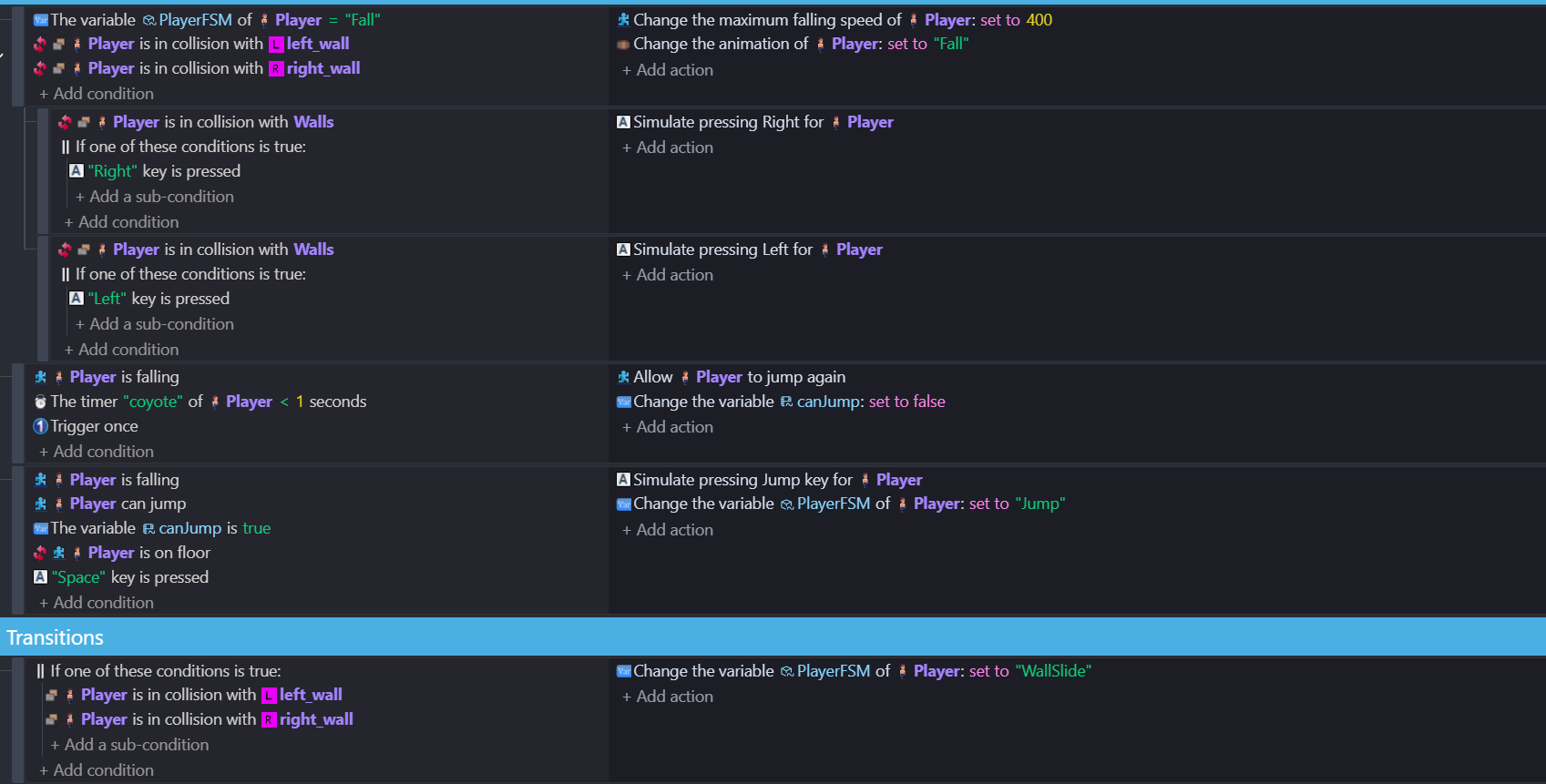
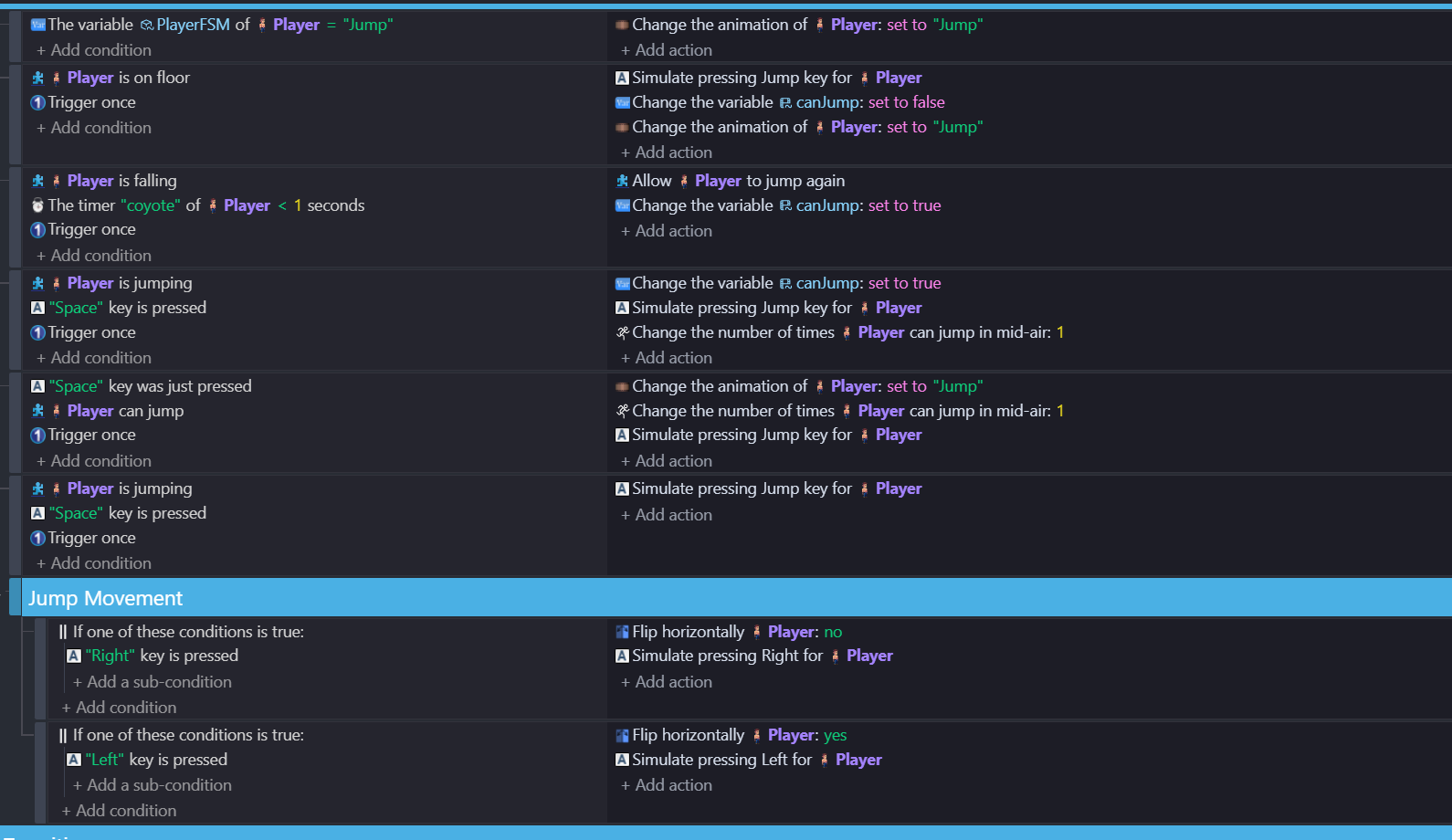
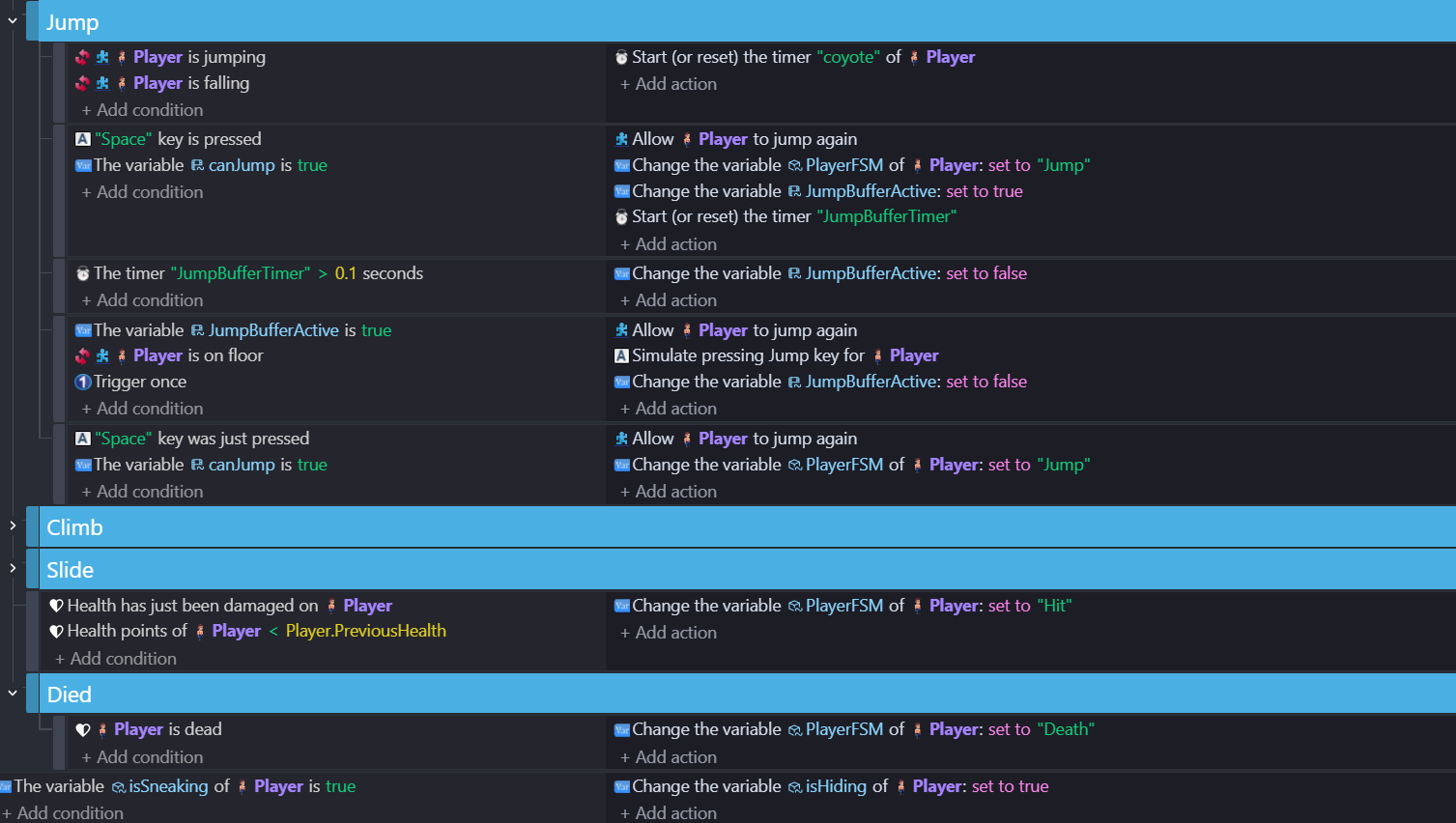
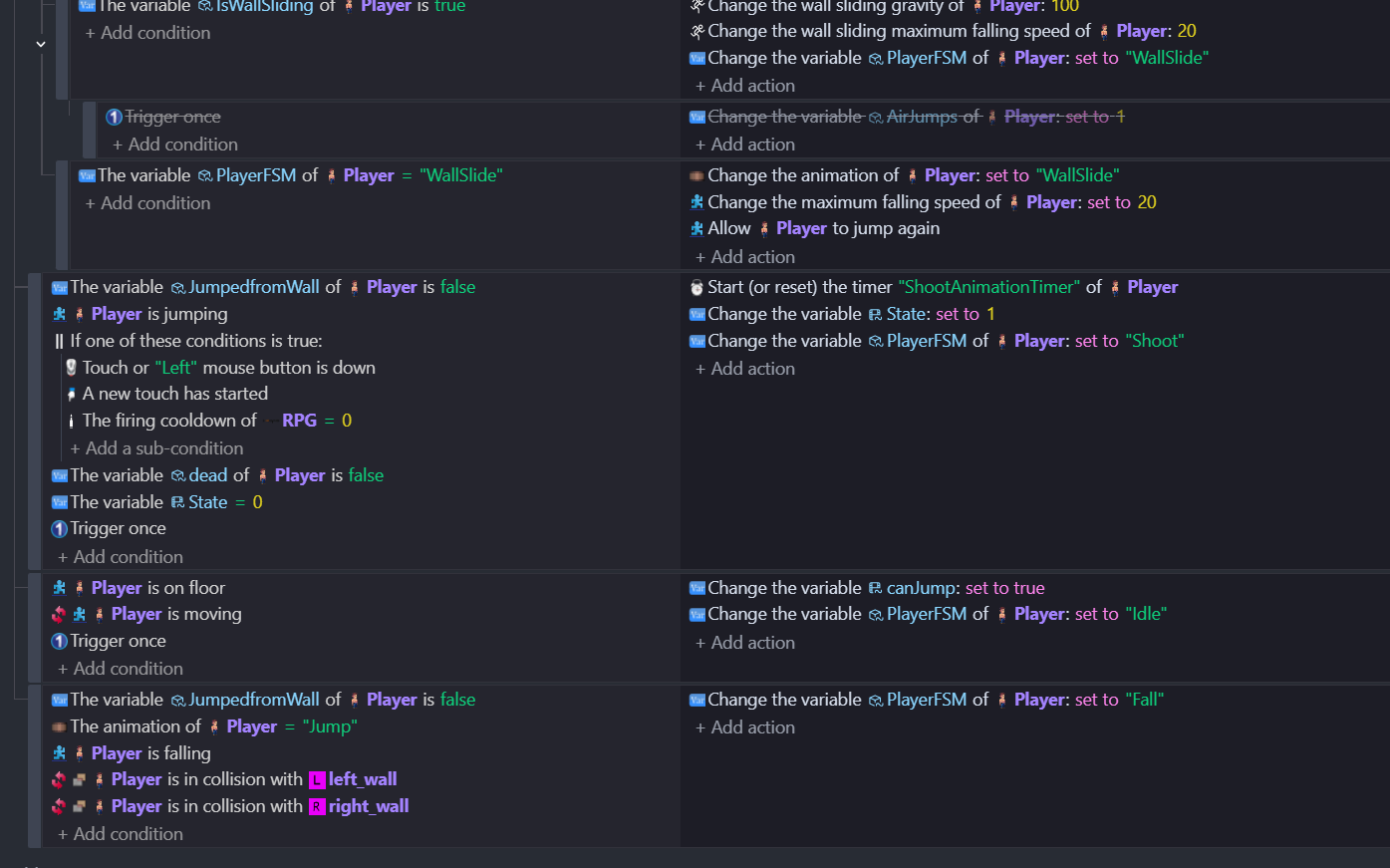
Related screenshots
Project files (optional)
I can post a video if needed or project files.
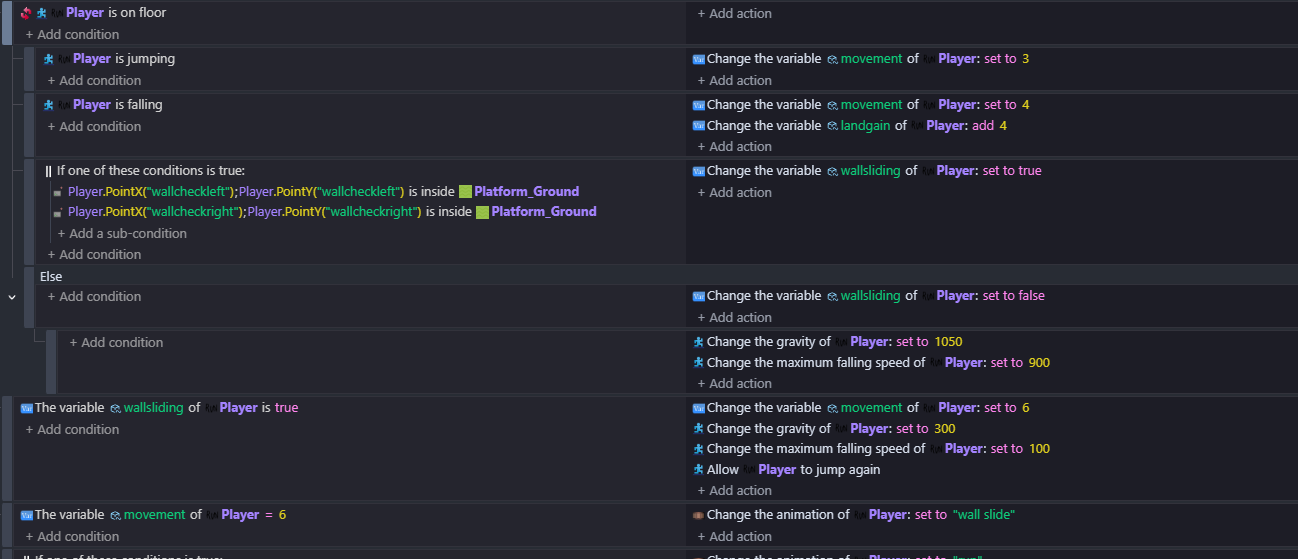
I had a quick look - the problem might be with the inverted collision conditions. This only works as intended if there’s one of the object. When referring to not being in collision with many objects you need to use ‘NOT’ instead of inverted. I’m hopeless at explaining this one and i’ve seen Keith explain this far better than I could hope to! Make sure to separate the logic properly using sub events so that it can only be in one state or the other. I usually start with is on floor - then sub events - is moving - etc. You can use ELSE now to divide things up and separate the logic flow. things can get very complicated the more states like ‘wall slide’ that you add to the platform logic and if you don’t separate things clearly using sub events …it gets messy and comes down the the order in which they are processed …one event turns it on and the the one below it turns it off again.
i’d need to actually have a go at it to do it …if i get a chance i will later!
I started having a play and thought …it’s better with two points than using collision. Have a ‘left point’ and a ‘right point’ on your character and check if point is inside object wall…then you dont need a left and right wall
I didnt use not in the end …there’s else to turn it off …i havn’t fully tested it but it seemed to function ok
the movement variable was there from a previous thing and it’s there to control the animations as there are crouch,throw and shoot animations too. I might create a template from this as its got answers from previous platform how do i’s and could be a useful link
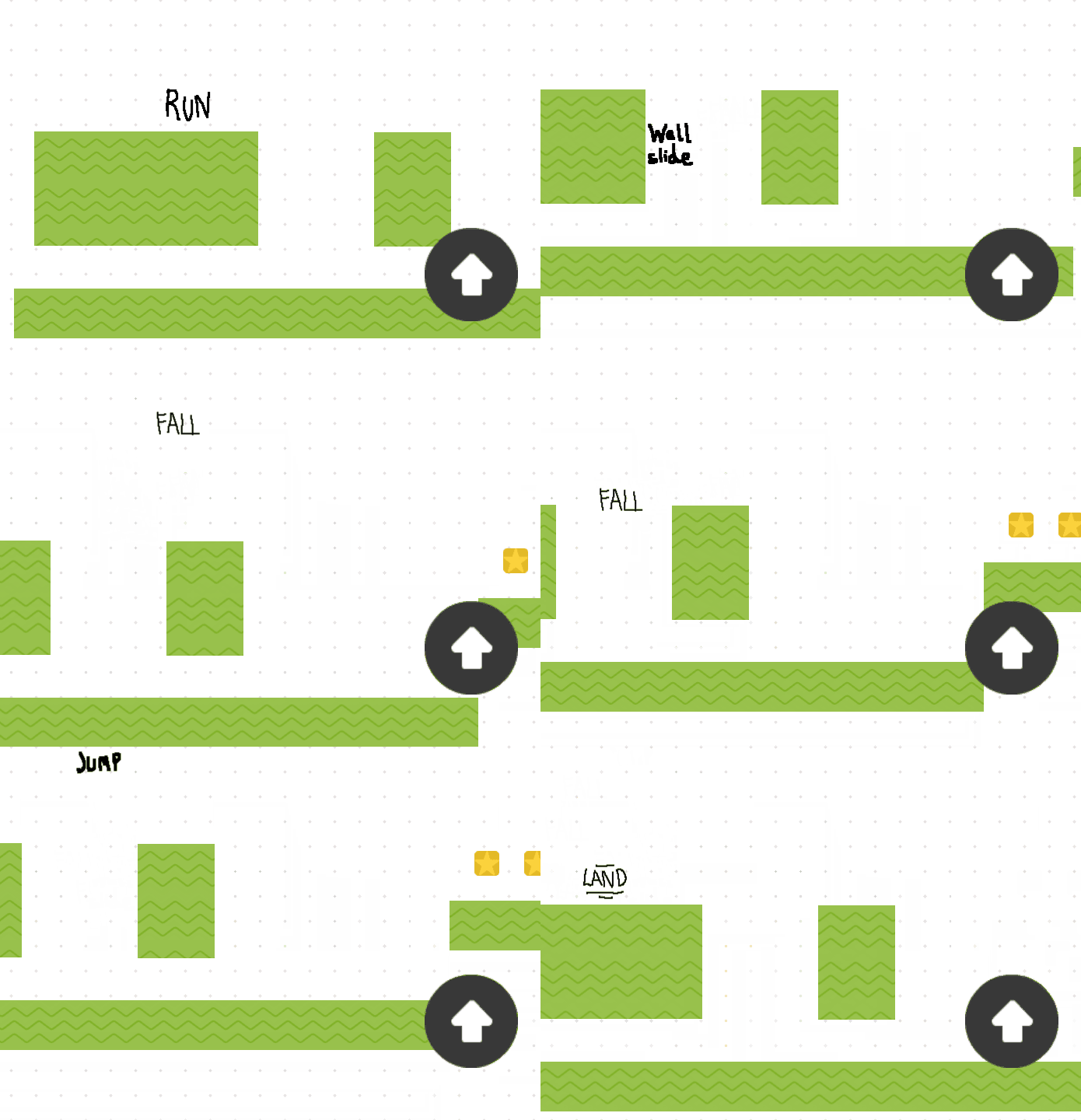
Wow petlimpet…that really worked, thank you! Adding the ‘wallcheckleft’ and ‘wallcheckright’ points for each player animation (Fall, Jump, Idle) and having the “wallsliding” variable made it so every time I landed on the wall it went into the wall slide animation, which is perfect!
It’s still a little buggy with flipping the player sprite and changing into the jump animation after being on the wall slide. But it works consistently which is a huge relief.
I was at the point where I was going to pull this feature out of the game if I didn’t get any help that was useful. So, thank you again! This has been so difficult to setup for a long time. I’ll need to remember to avoid using inverted conditions if there are multiple conditions that reference it.
My two cents - I’d love a template when/if you do decide to create one for the various animations. That’s one area that my game still needs improvement. "Run shoot’ for example doesn’t work correctly, and jumping off walls doesn’t immediately change into the jump animation (it stays in wall slide for most of the movement).
One additional minor note: The double jump for the player now is broken. He can occasionally double jump when running, or if I spam the space the player can jump infinitely upwards lol.
where have you put the two points? could they still be inside the wall for the first bit of the jump?
the ‘shoot’ problem - do you want to post that here …it might be just a case of changing the order of the events
you’re using coyote time there and i wasn’t - just allow jump again. you can just use a variable for the number of allowed air jumps but you need to be careful where things are placed…do you just need one air jump and wall slides don’t count?
for air jumps…without using coyote time …create an object variable ‘airjumps’
set airjumps to 2 when on floor or wallsliding
and use a num expression to detect when current jumpspeed=startjumpspeed

So the ‘wallcheckleft’ and ‘wallcheckright’ points for each animation I put next to the sprite on every frame.
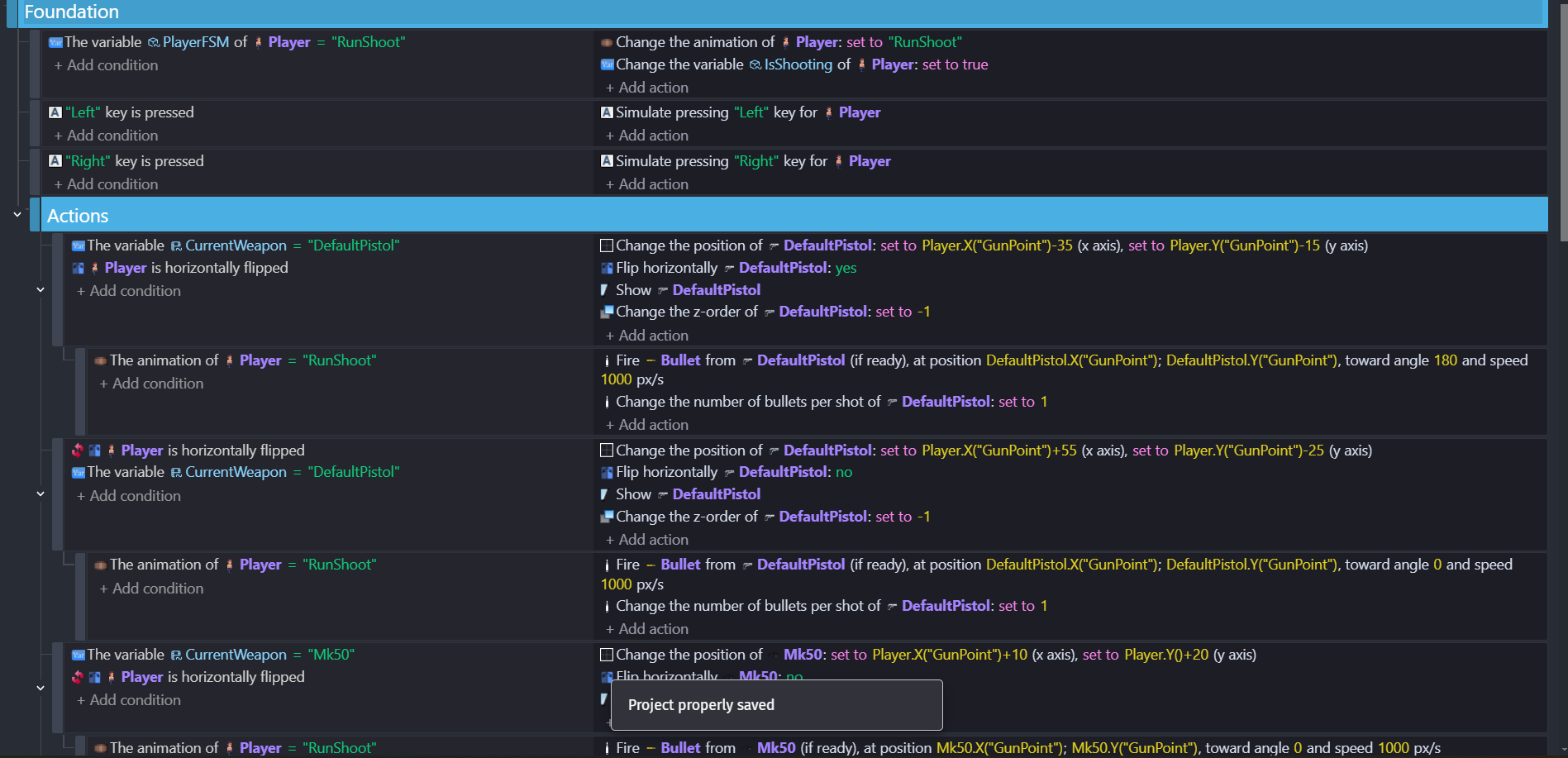
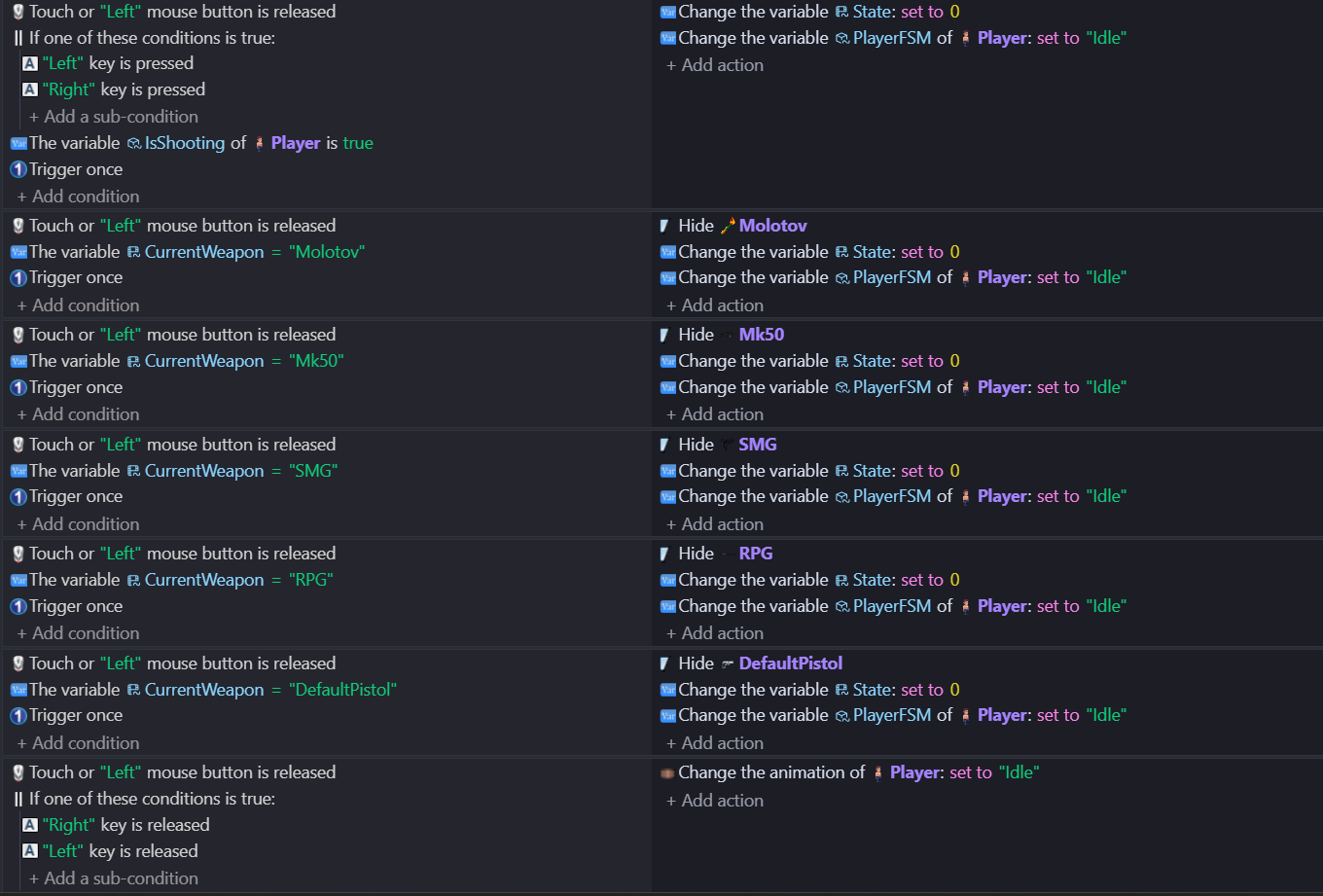
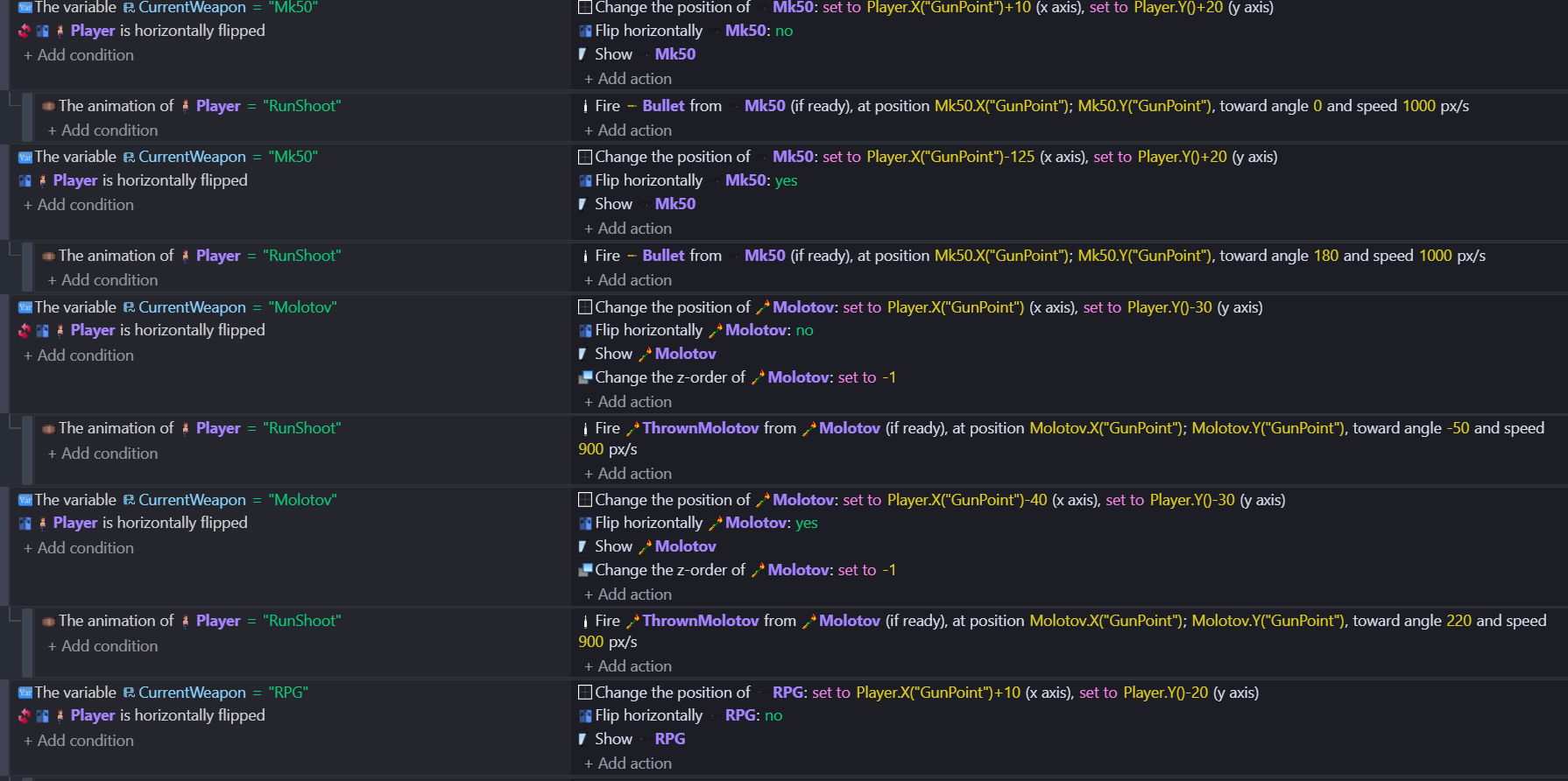
The “RunShoot’” state is very long because it includes every weapon condition. It’s also almost identical to the “StandShoot” state. Here’s what it looks like:
So I want 1 air jump and yeah wall slides don’t count as an air jump. Should I remove coyote jump?
That does make the double jump consistent. Though one issue I have with it, is the player now can triple jump. I tried reducing the ‘airjumps’ down to 1 instead of 2 as your actions referenced but that didn’t change anything. I also went and looked for any references of not being on the floor and allowing for coyote jump or ‘allow jump again’ and removed/disabled them (except for the one you referenced above).
Make that a quadruple jump.
If you can get coyote time to work with wall slide then you can use it, but you need to be able to treat wallslide as being on floor and resetting air jumps. Use a text object and set it to the number of air jumps and see what’s happening. When I tested it that number expression that I used seem to register the start of a jump ok and so I got only one air jumps.
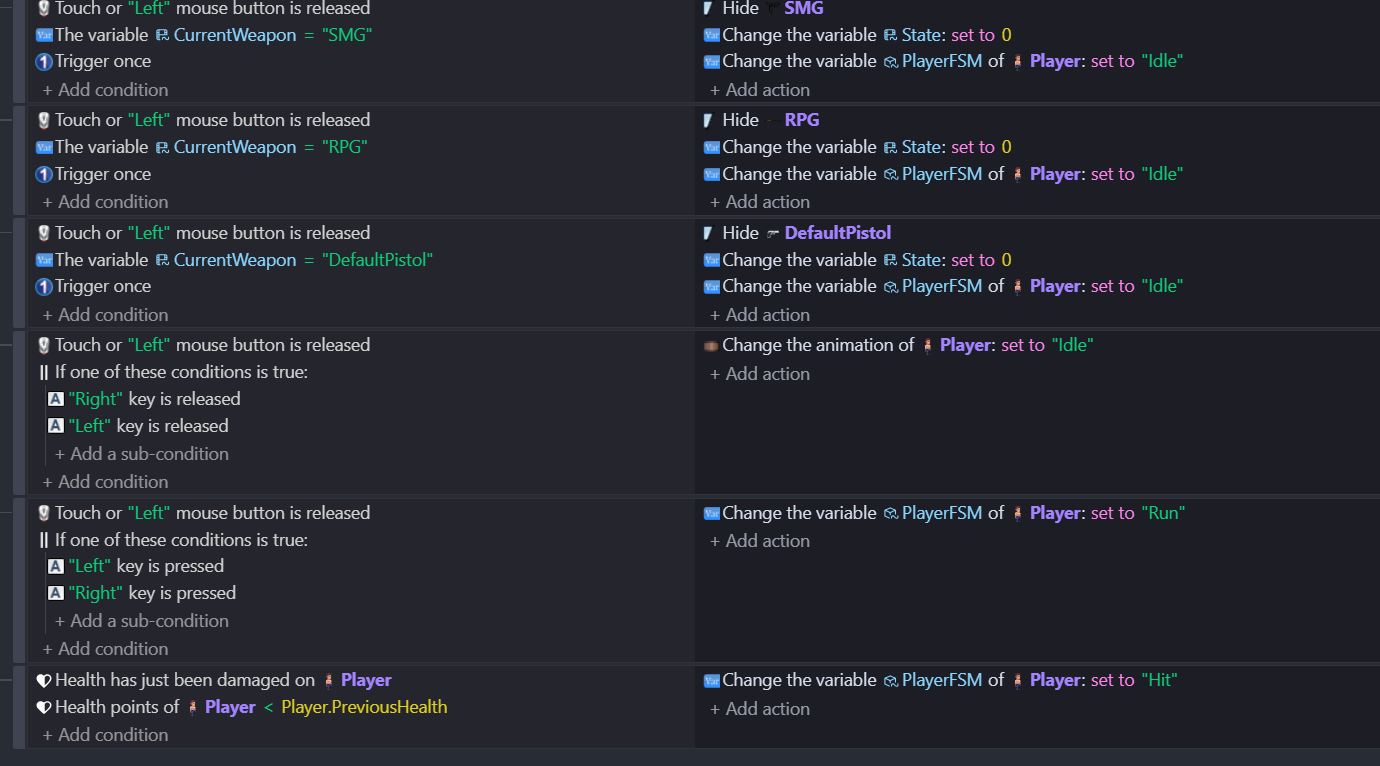
I think that you can simplify things by having one gun object with the various guns as animations. Hide when not in use. Does the FSM variable just control animations? At one point there you’re setting the animation to idle directly. Try to keep idle as the thing that happens if on floor and nothing else is happening otherwise you’ll get problems wise idle flickering on and off. One thing you can do with idle is just have it as the first event that’s processed …set animation to idle and then all the other actions override it …if there aren’t any then it plays idle.
Yes in essence it’s setting the animation. But I’ve been for the most part using the FSM variable to set the event page for that state. Which majority time works, unless the actions try to set an animation and change event page state.
I’ve basically removed the references to coyote time in my event pages. However, it’s obviously still a behavior of the Advance Jump.
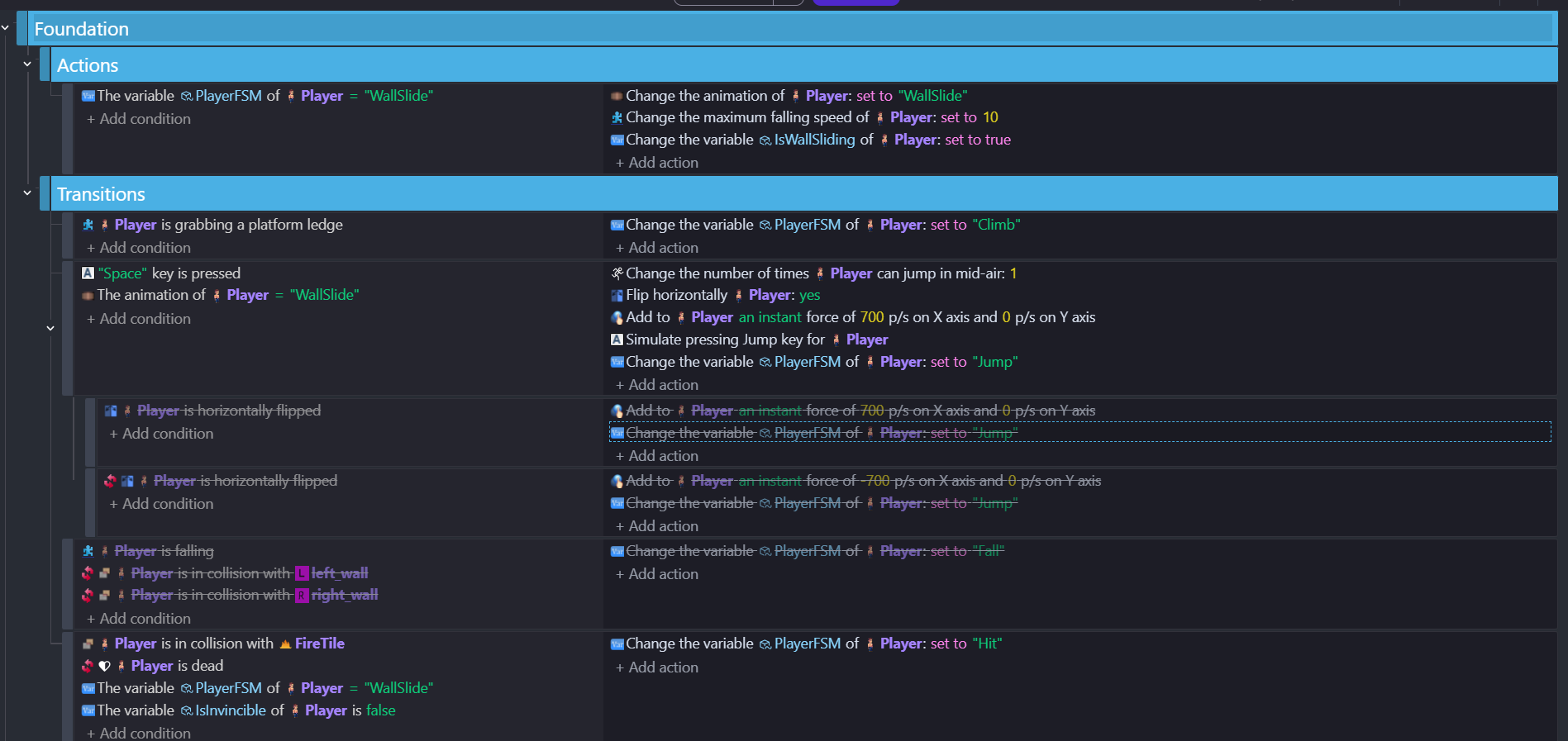
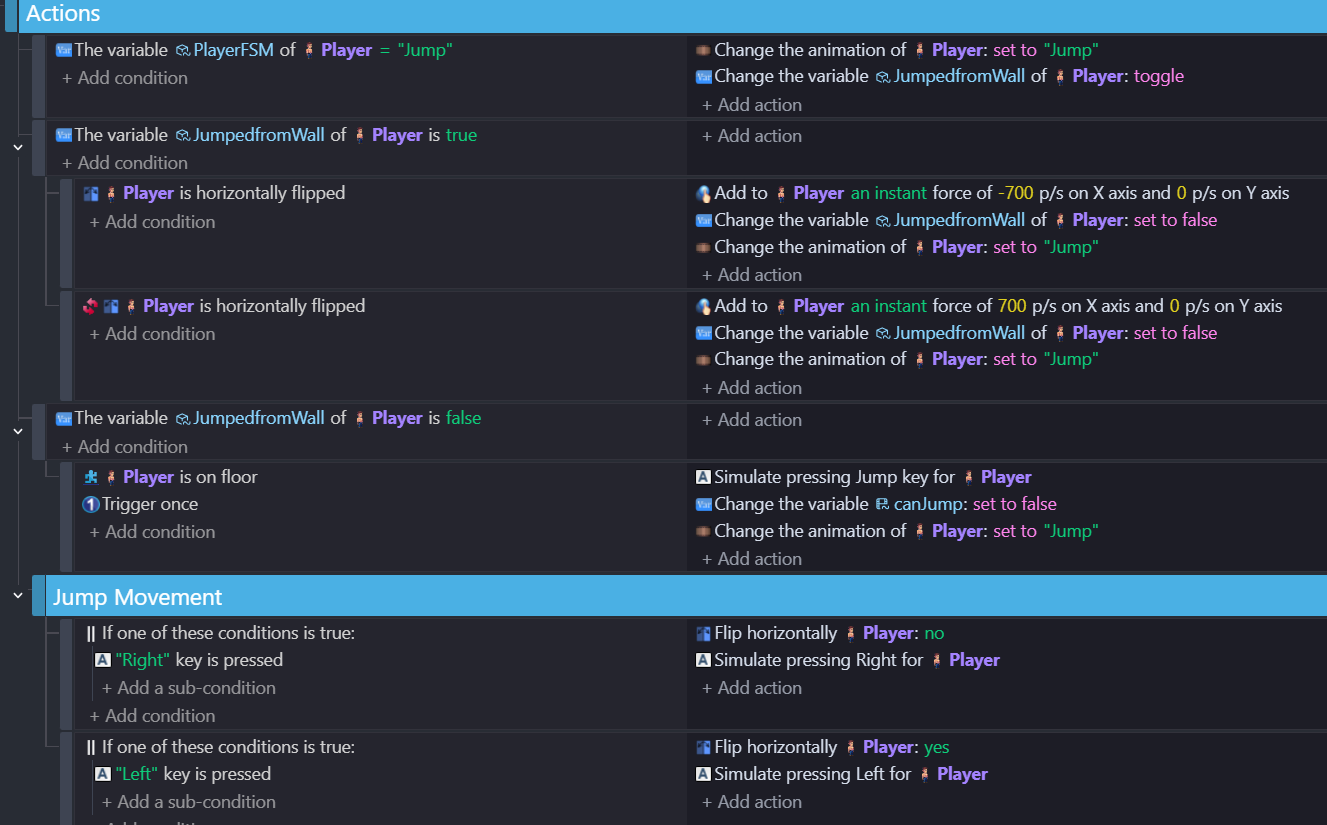
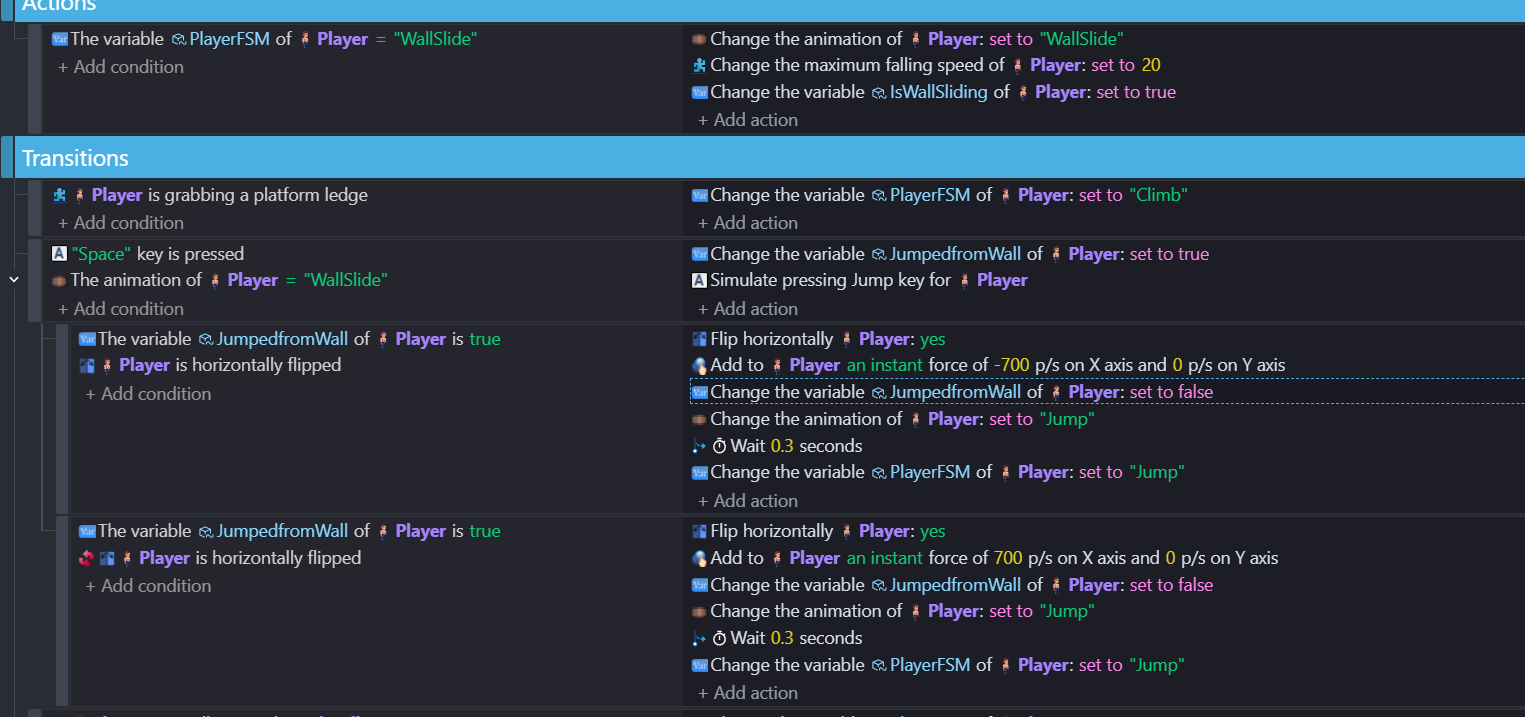
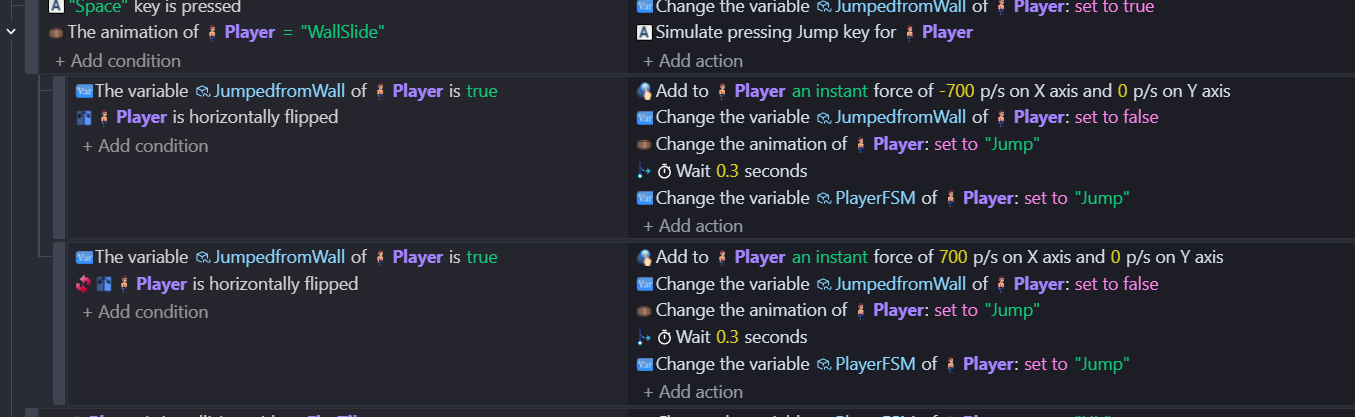
I’m also trying to get the player to push off the wall from the Wall Slide in the opposite direction. By using the action “Add to Player an instant force of -700/700 p/s on X axis and 0 p/s on Y axis” under a variable condition ‘JumpedfromWall’ but seems to be affecting all jumps even when the condition is set to false on regular jumps. Here’s a screenshot:
So I got the instant force to work, but it’s ‘janky’. Basically, in the WallSlide event when the condition is the spacebar is pressed enables the ‘JumpedfromWall’ variable. When it’s true depending on the character facing it will do either a X force of -700 or a X force of 700. I’m having to ‘wait 0.2 seconds’ after the jump animation is played to use the FSM variable to go to the ‘Jump’ state. Otherwise having it change to the ‘Jump’ state without the wait ignores the force mentioned above.
The jump looks a bit weird because he’s basically switching states while in the air. So he just drops out of the sky. But it at least now gives the force I wanted when just pressing the jump while in the ‘WallSlide’ animation against the wall.
Though for some reason when the player is on a left wall he won’t flip to the right. Even though I added the horizontal flip action to the detection of Player.PointX and Player.PointY ‘wallcheckleft’ collision condition
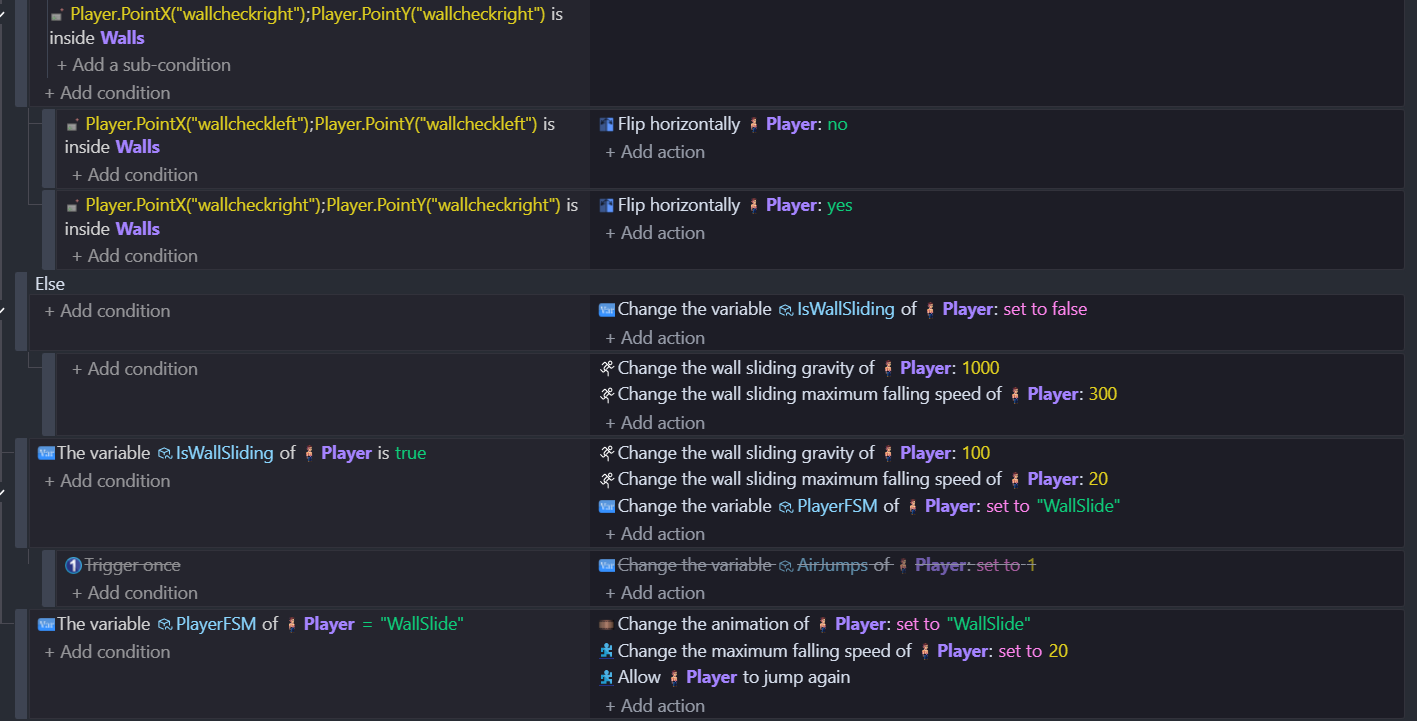
Here’s the WallSlide event sheet as described:
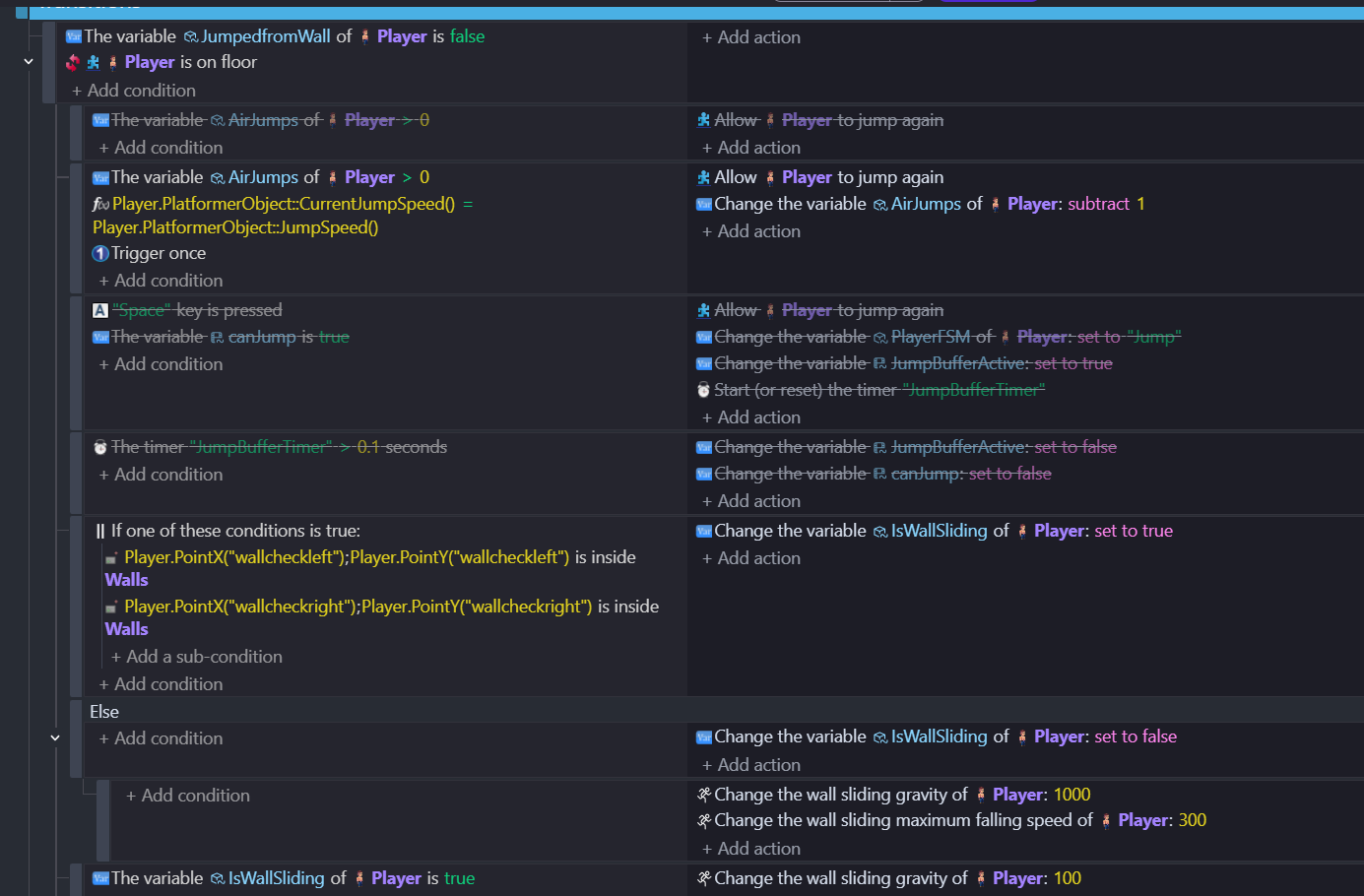
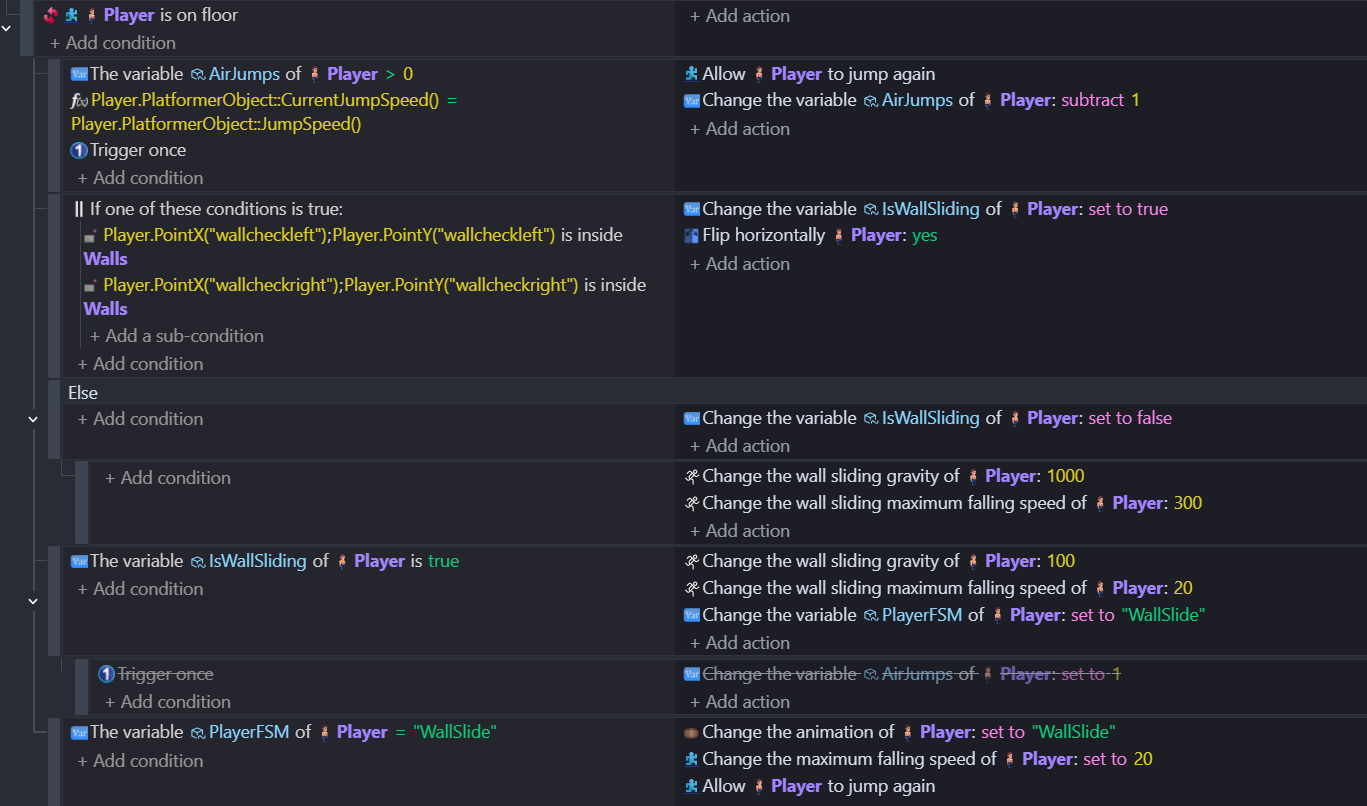
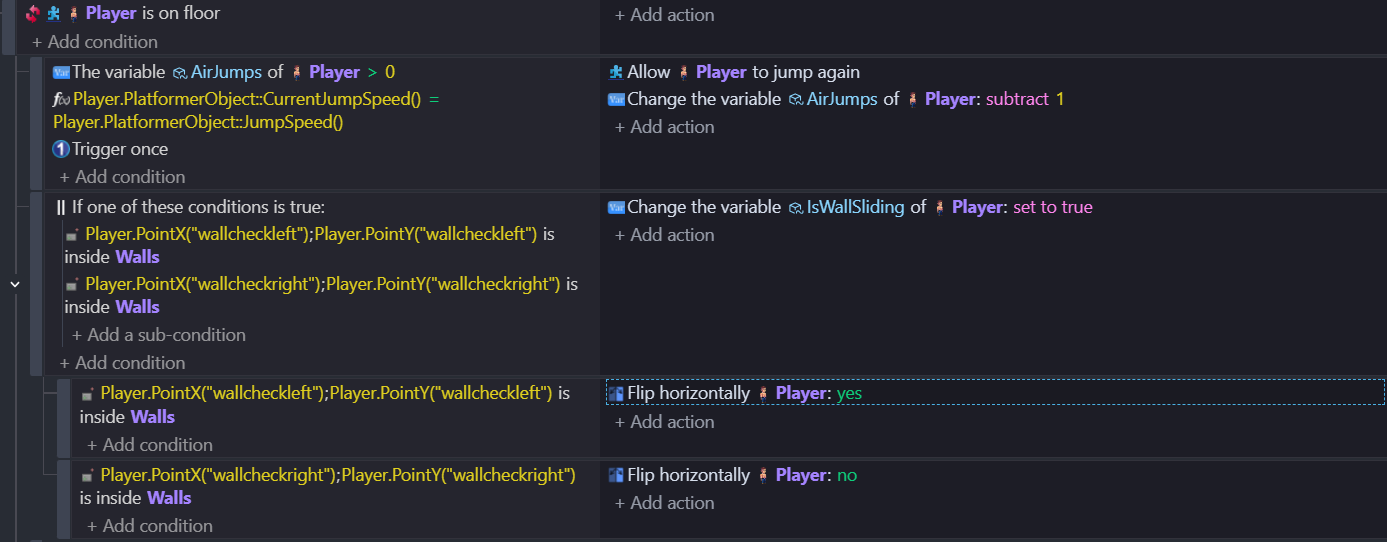
Here’s the Wall Slide condition:
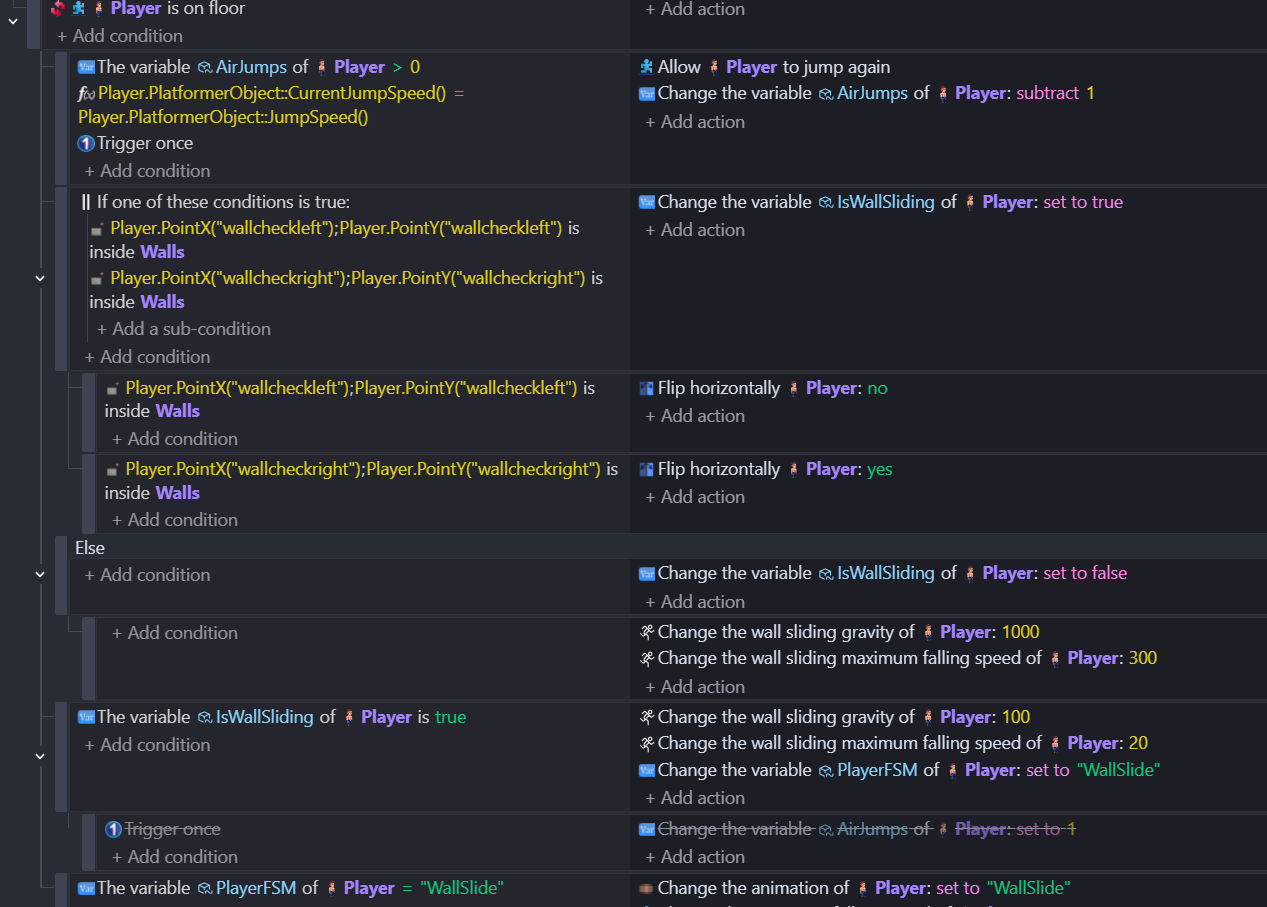
So the flipping issue…on the points left and right condition. That uses OR…so it checks if either of them are true. So have two sub events under that…if left point inside wall don’t flip and the other…if right point insde wall then flip (or use ELSE)
The wait .3s needs trigger once
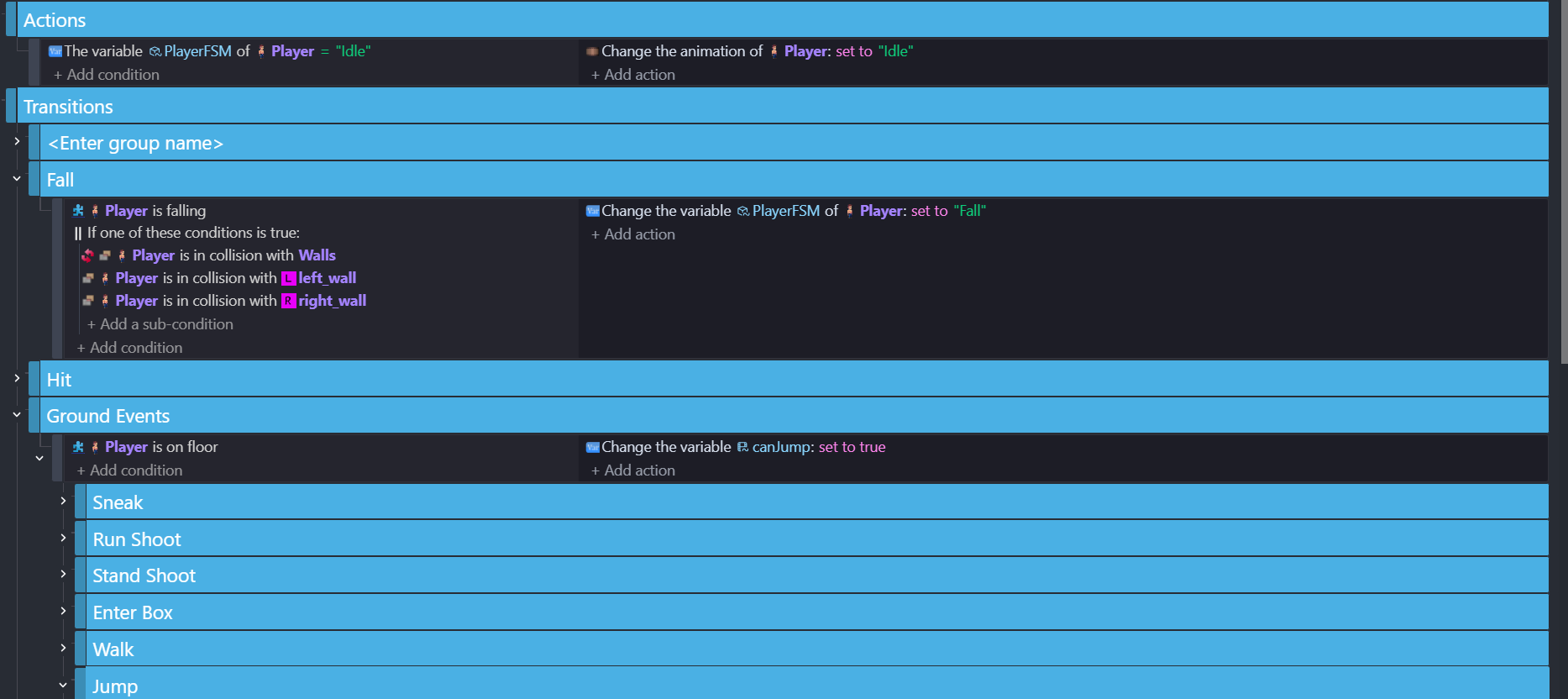
You’re confusing things by sometimes referring to the FSM variable and sometimes referring to the player animation. If you’re using a variable to set the animation you need to be consistent. First come the events to determine the state and then the events that determine what the state does to the player. Putthem in different event group
I’m having to stop here as using my iPad the text won’t scroll up and now I can’t see what I’m typing …kinda forces me to keep it short and sweet!
Thanks petlimpet, so that does make sense about flipping. But when I try to do a sub event under that. I get it to flip on the right but not the left. I went looking in my other event sheets where i set flip and didn’t find anything. Here’s what the conditions look like for falling and triggering wall slide:
Also tried doing the ‘trigger once’ for the wait but I think I need to move it out of the conditions and actions of the "JumpfromWall’ variable because triggering it once breaks the instant force.
what are the other flip actions and conditions that you’ve got? - are there flip actions in the behaviours?
yes - don’t have trigger once with instant force. try to use object timers instead of waits…it keeps things cleaner when things get complicated. the logics getting a little messy - Have the force linked to the state and possibly an object timer.
I’ve disabled/removed any conditions or actions that flip the player. Still no change. If I flip the action to flip on the left and not the right, then the left works and the right doesn’t. I even created an object variable for the Player called ‘direction’ and the same result. One will work while the other won’t. I can’t have them both flip the player sprite. Nor can I just call out the left side only, it won’t trigger but will for the right side. So something is off. 
I tried doing the object timer instead of the ‘wait’ action, but it seemed to just ignore it. When I set an object timer “WallJumpTimer” (either when the action of the spacebar was pressed, or as part of the action instance force). It just broke the wall jump where it just stayed in the ‘WallSlide’ animation after the instant force was applied.