How do I…
Properly set up Firebase for Authentication for my game in GDevelop?
What is the expected result
I’ve made a prototype for my first game. It’s quite simple, but I’m really excited about how quickly I was able to learn from following online tutorials and other documentation. I want to try publishing and monetizing it and learn from the experience.
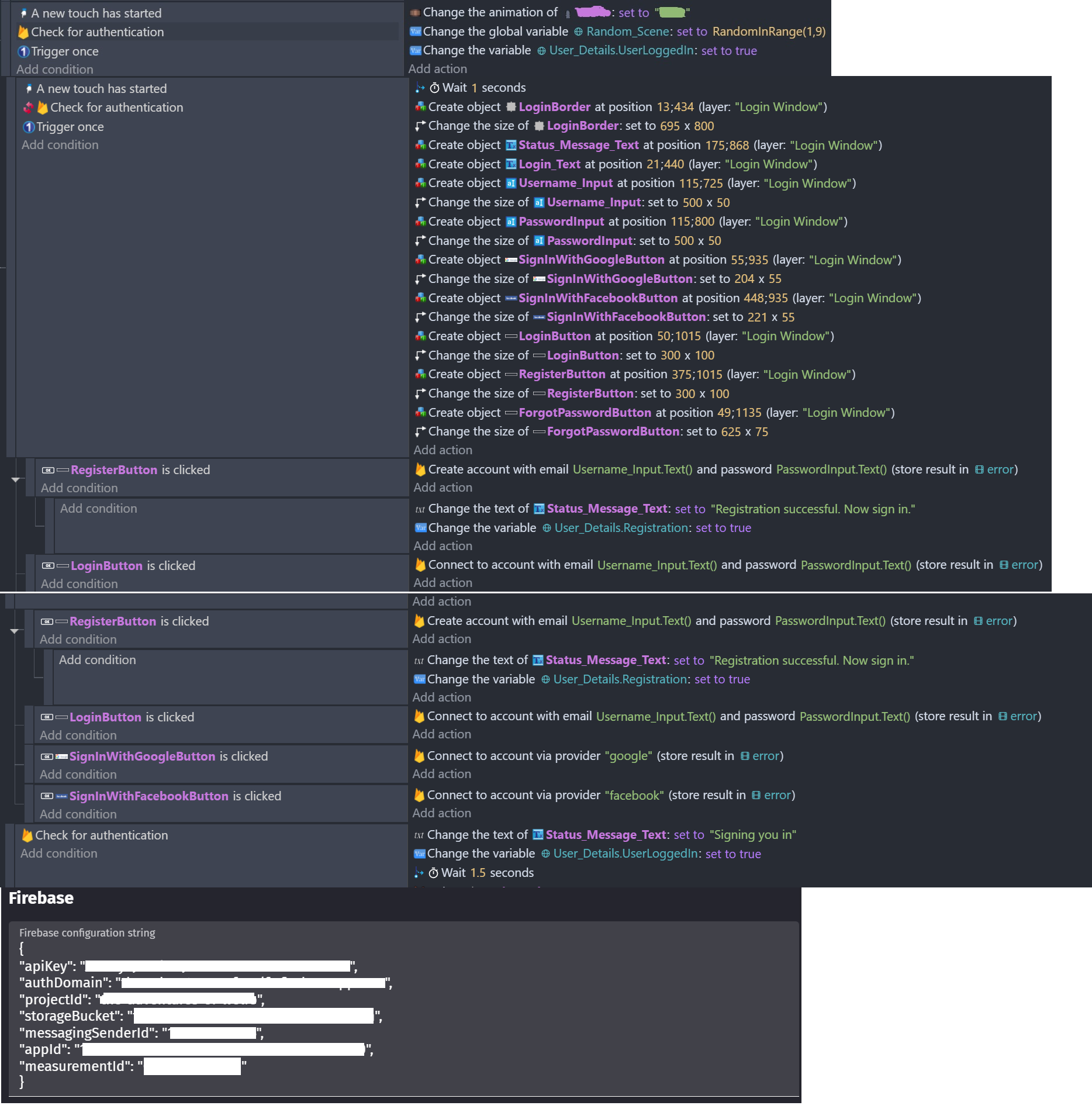
I’m trying to set up a sign-in and registration with Firebase. The user should be able to input their email and password as text, hit register and it should sign them up. They should be able to use the same text input fields to log in subsequently. They should also have the option to sign in with Facebook or Google. There is also some text that should change based on the status of this process. Once authenticated, the login objects should get deleted and the player should be able to begin the game by tap/clicking anywhere.
What is the actual result
Nothing seems to be happening. Text is written into the input fields, I press register, the text disappears, the status message does not change, I input the same email / password and hit login, the text disappears, status message does not change. The login objects don’t get deleted. I don’t see anything in my firebase console either. I also tried adding a test email/password user account and sign in didn’t work with that either.
Related screenshots
edit: register and login buttons do not actually appear twice, that’s my screenshot error… also there are actions I didn’t show here for random scene variable that just changes the scene depending on #
I also went ahead with the Facebook and Google keys as requested during the process. I started basic with just the simple sign in or register actions which wasn’t working, then I tried adding all these extra variables and started confusing myself. I’ve found most of the materials online around this topic to be not straightforward or fully comprehensive enough.
Hoping you could help!
It looks like there’s tons of documentation on setting up Firebase with Unity… should I just go try making it there instead?
I’m not an expert, but why you put “a new touch has started” condition ?*
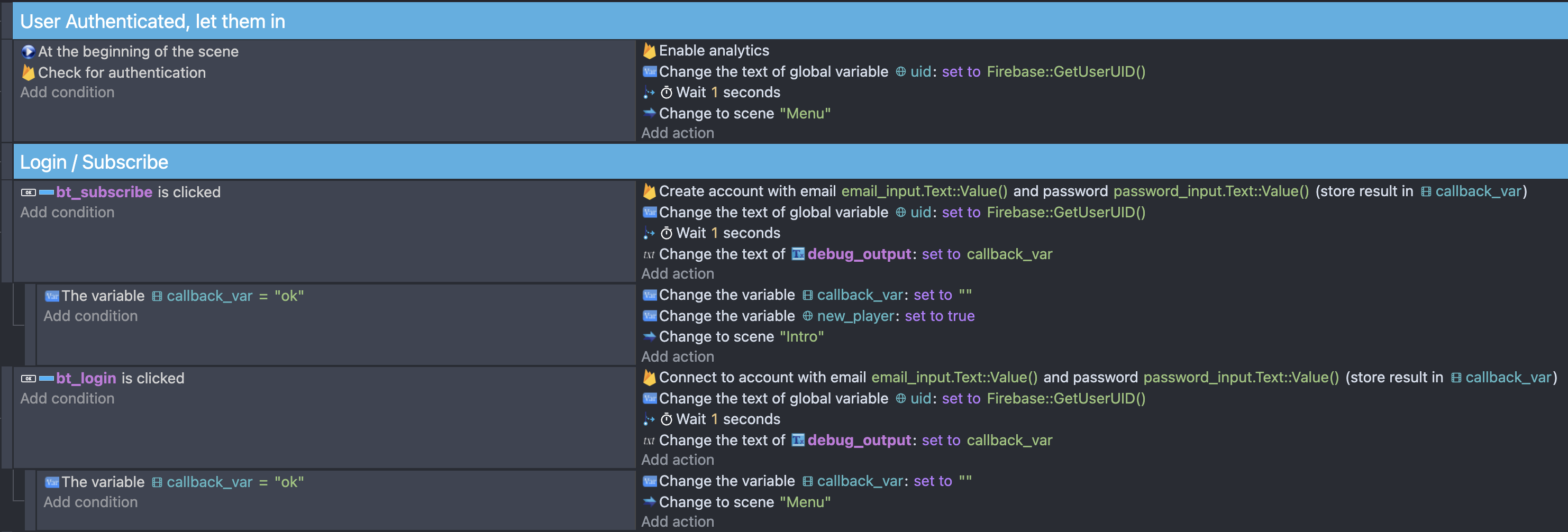
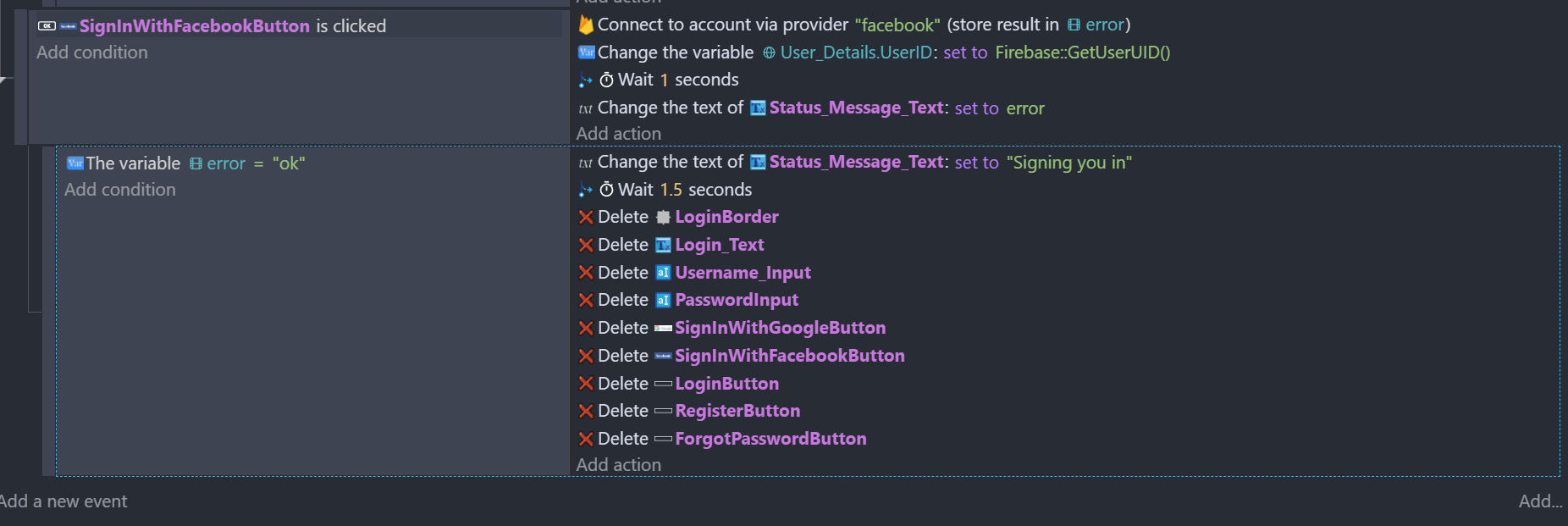
For me this works :
1 Like
Thank you so much for your help Pixalion! I’m trying this out to see if it works for me.
I just wanted to confirm if “ok” is your default text for “callback_var” and so if there is no error and this default text is shown, then you’re changing the scene. or is it that “ok” actually is like a callback status which signals the registration worked or something and it’s good to go?
*also re: touch to start, it’s for mobile. I have “press anywhere to begin” on the homescreen which should either auto log you in or pop up the log in window.
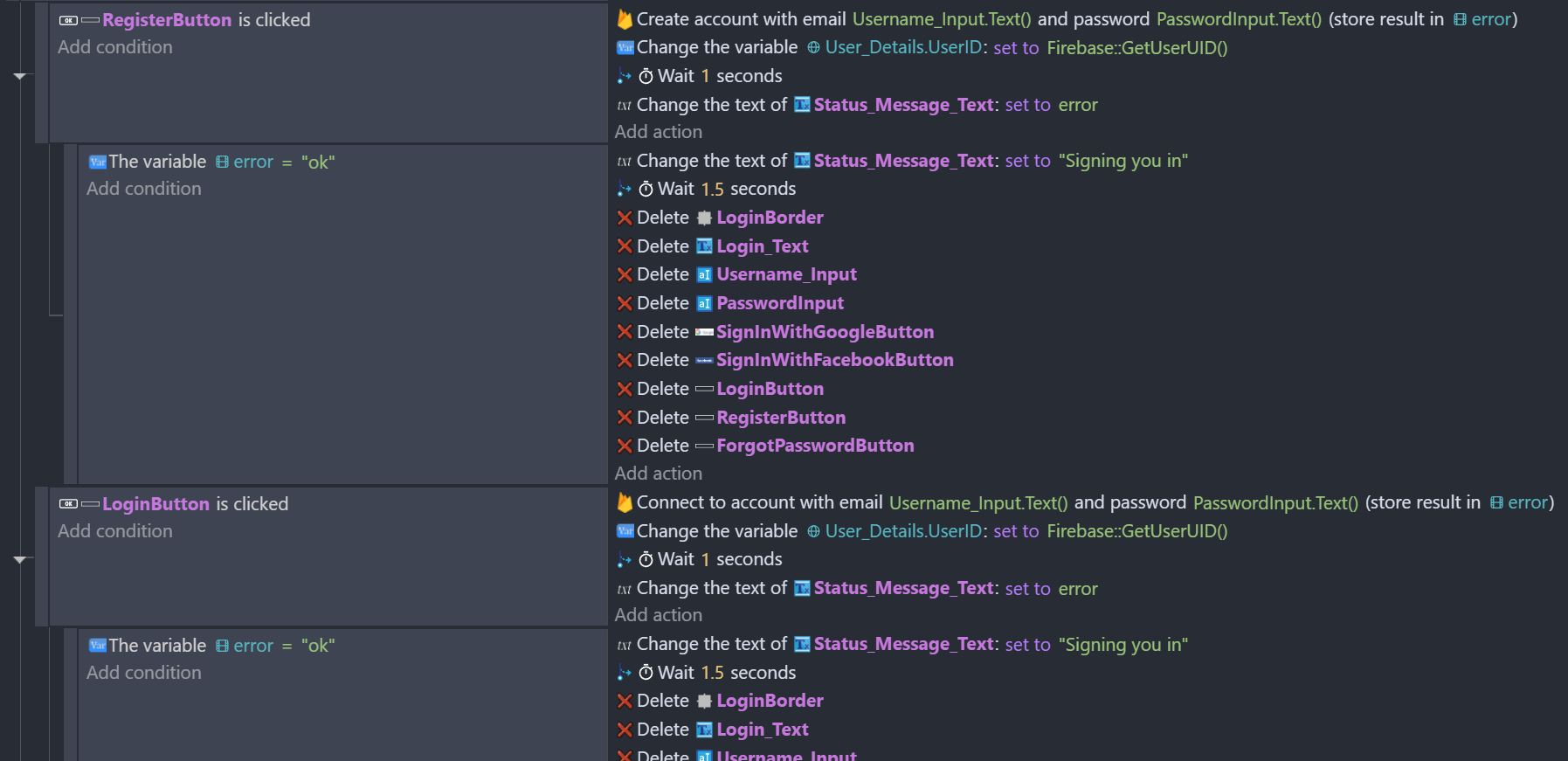
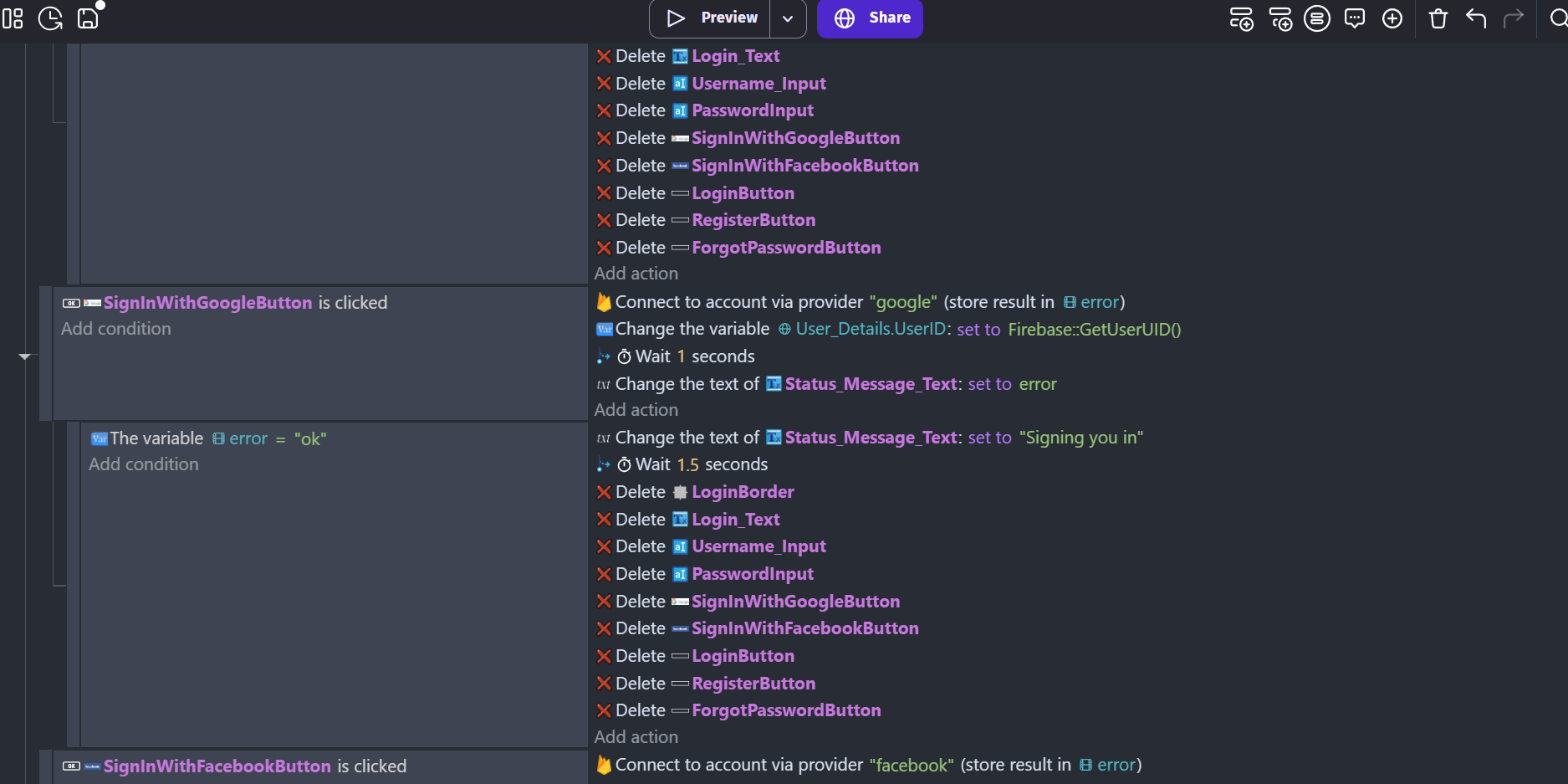
Update I tried this out on mine. the default text I have as Status_Message_Text says please sign in/up to join. i set it to change with the scene variable error. it didn’t work with either “ok” or my default text message. the objects aren’t deleting and the text isn’t changing.
I did also try this and nothing either
My callback_var is the returned text from Firebase either “ok” if it works or an error message (multiple type can happen). So i check if the process went well and then switch scene.
I’m not handling the errors so far but i should with a text message.
I think you should put Username_input.Text::Value() … try that (same for password). If it does work there is somethin weird, and maybe happening earlier in your code.
Thanks, Pixalion, I really appreciate your input! 
I tried this “Username_input.Text::Value()” and nothing changed. I had the username input as email, and password input as password. tried as text. no change.
I don’t think it’s connecting to Firebase? Aside from setting up the firebase configuration string and enabling the sign in methods… am I missing something else I needed to do to get this running? Have you found any good tutorials or documentation on any of this?
In the meantime, i’ll try setting up a more basic project and see if I can try making it work with something more simple for now…
Update: Paxalion, you were correct in questioning my new touch action. I tried something without that, similar to what you showed and now it’s working. Thank you so much!