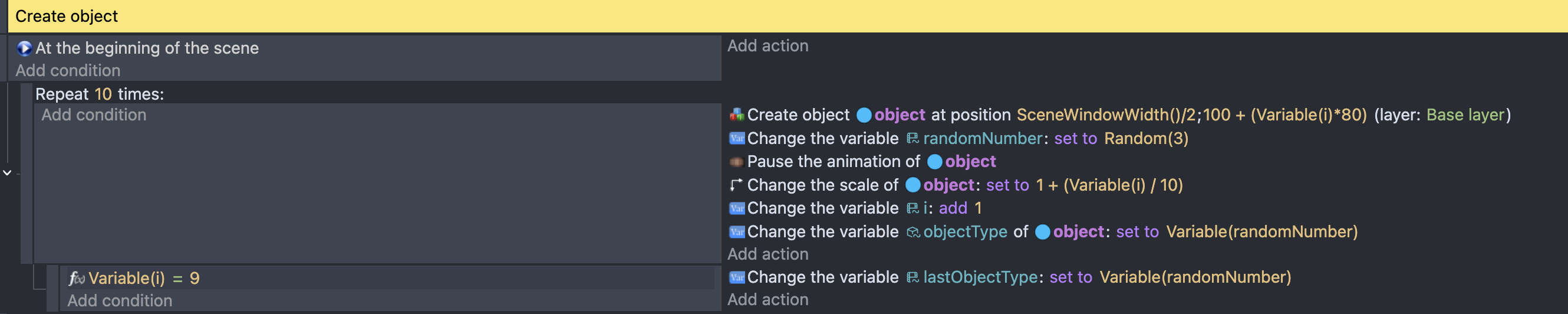
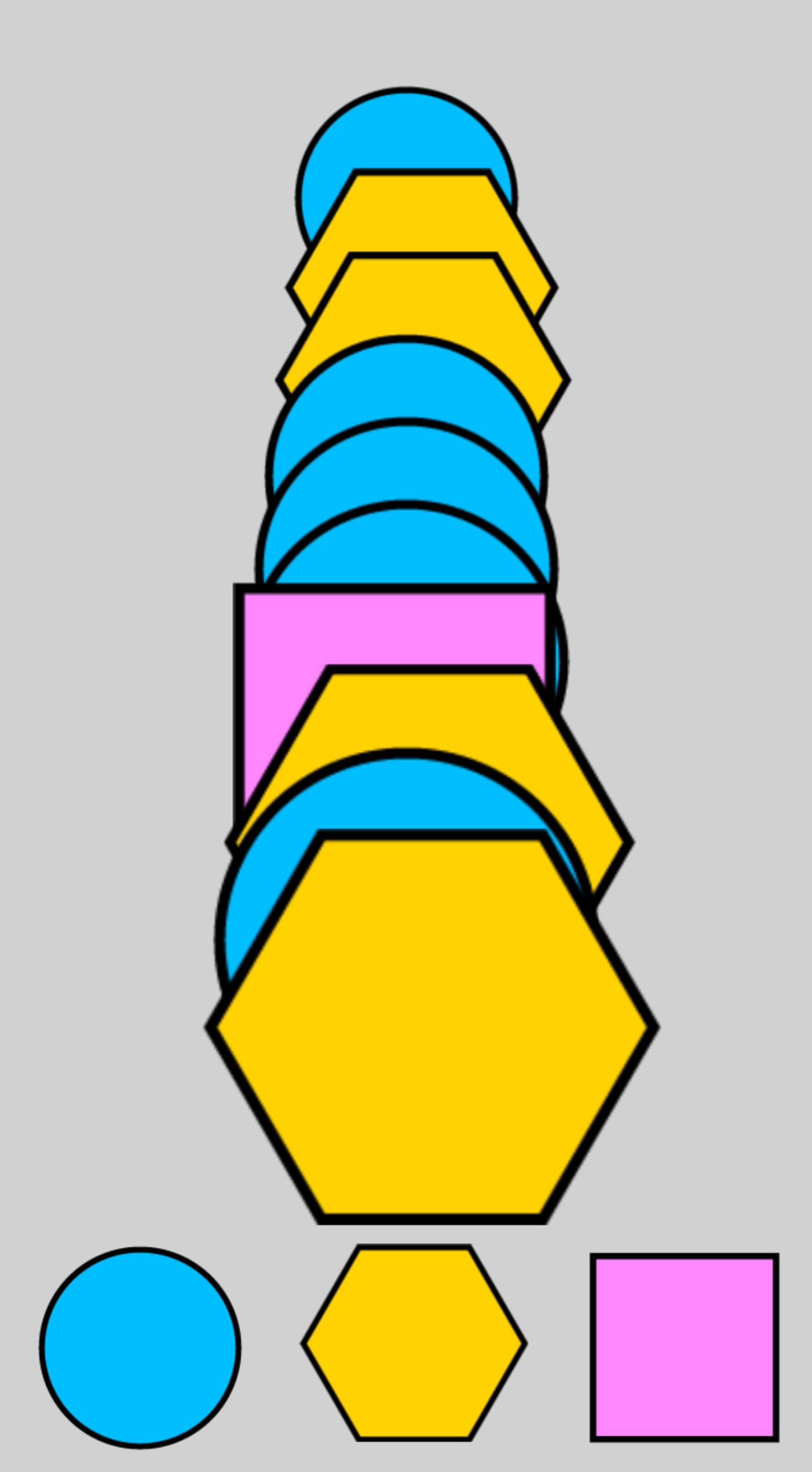
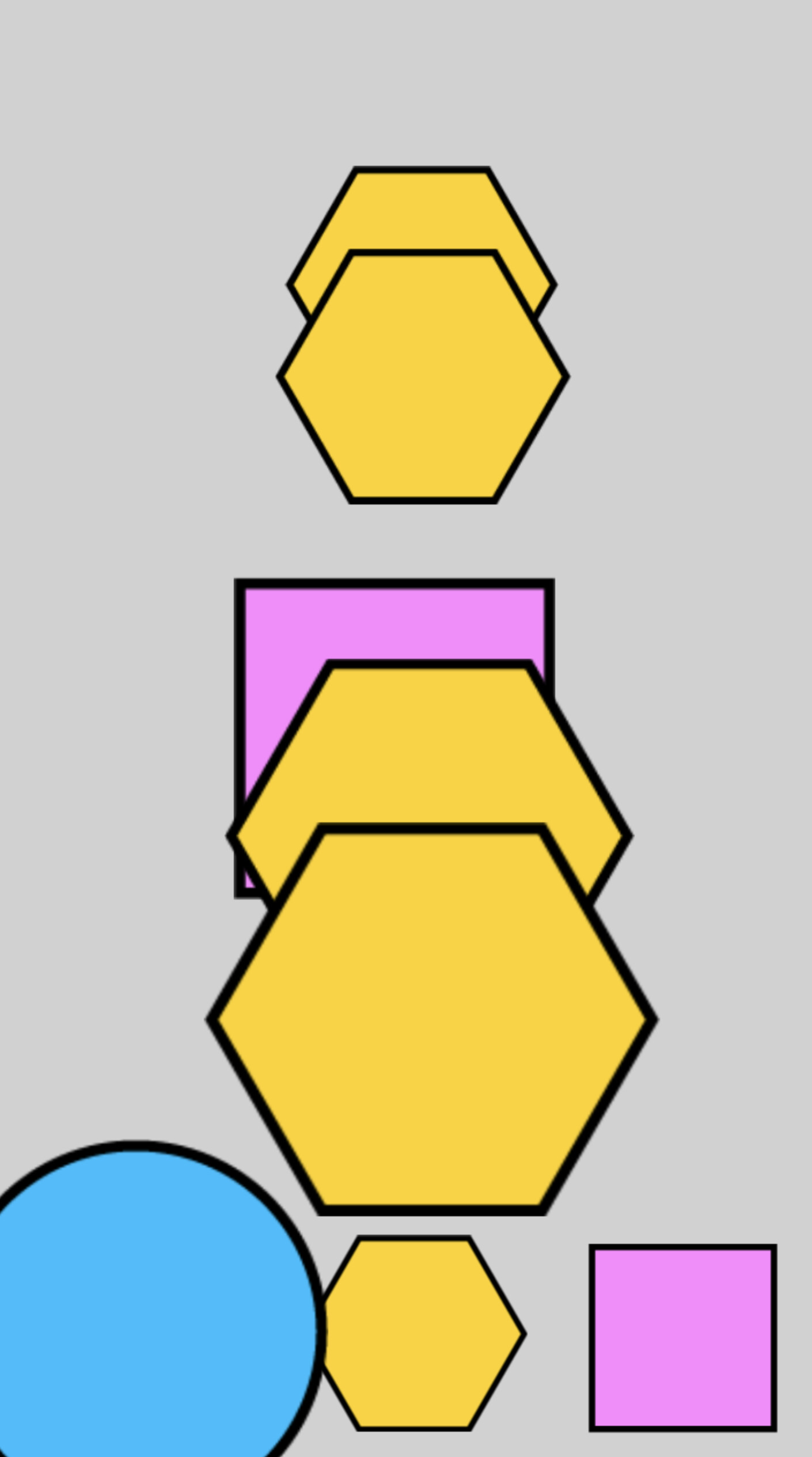
I’m trying to create 10 random objects of 3 types in a row, but only the first one appears and is not created. What’s wrong?
The three objects are designated as animations 0, 1, and 2.
Stop using Trigger once conditions willy-nilly, and think about the logic. All those trigger once conditions are pointless:
A beginning of scene only happens once, so the trigger once on the repeat is redundant - it’s only going to happen once anyway.
The trigger once on the subevents will prevent it from working correctly. If a number is repeated, then the second time it won’t get processed.
That repeat event is not part of the beginning of scene event, and will action every single game frame - you are creating 10 objects 60 times a second (or 600 objects per second)
When you set the animation frame, the animation plays from that frame until the end. You need to pause the animation of each object as you create it.
You are not changing the value of the variable i, so the object is created at the same spot every single time. Add an action to increase variable i by 1 as the last action of the repeat event.
You don’t need to use the function Variable(i), Variable(maxY) or Variable(randomNumber). You can just use i, maxY and randomNumber
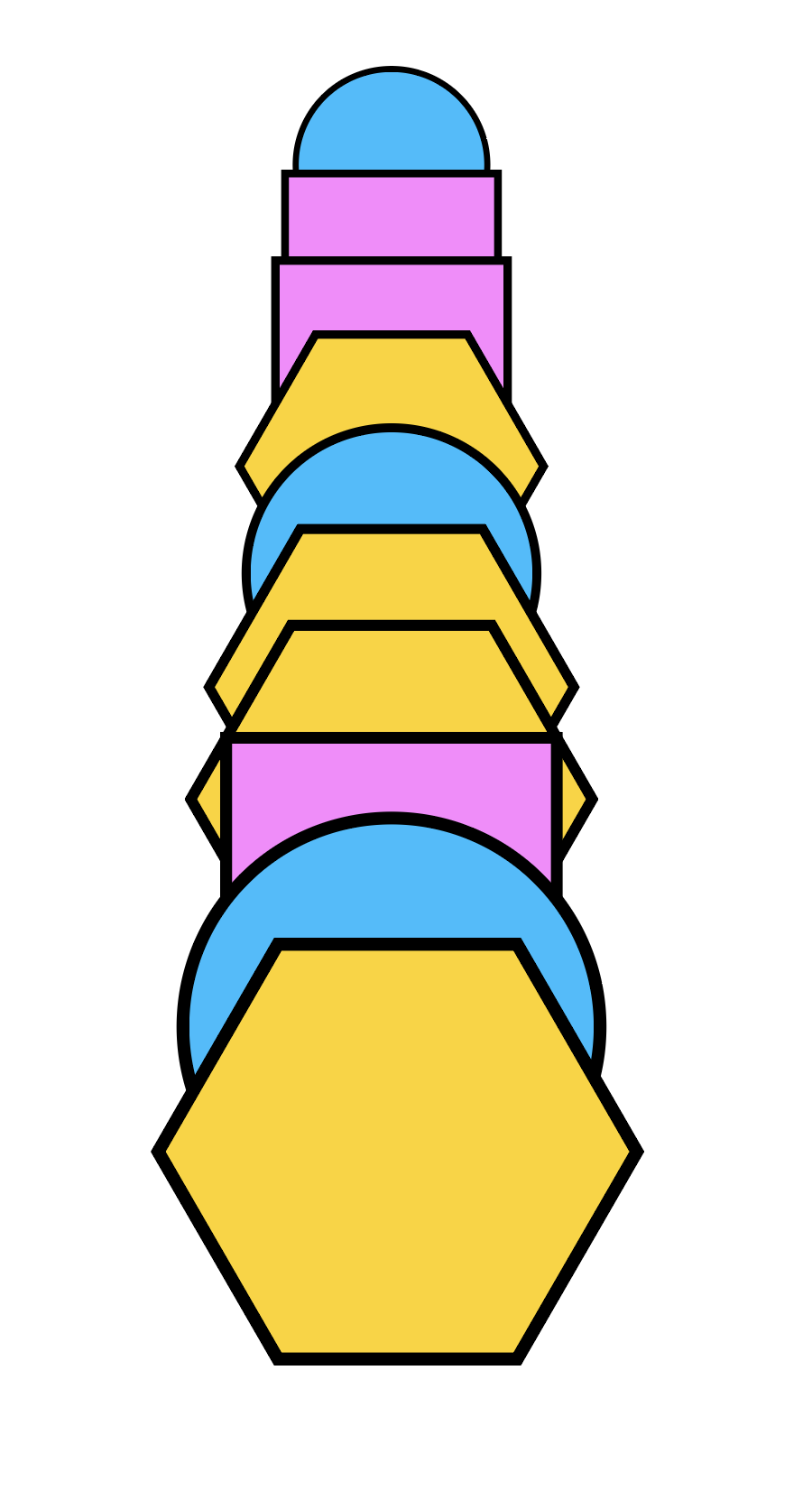
10 objects were created, but only one type object is coming out.
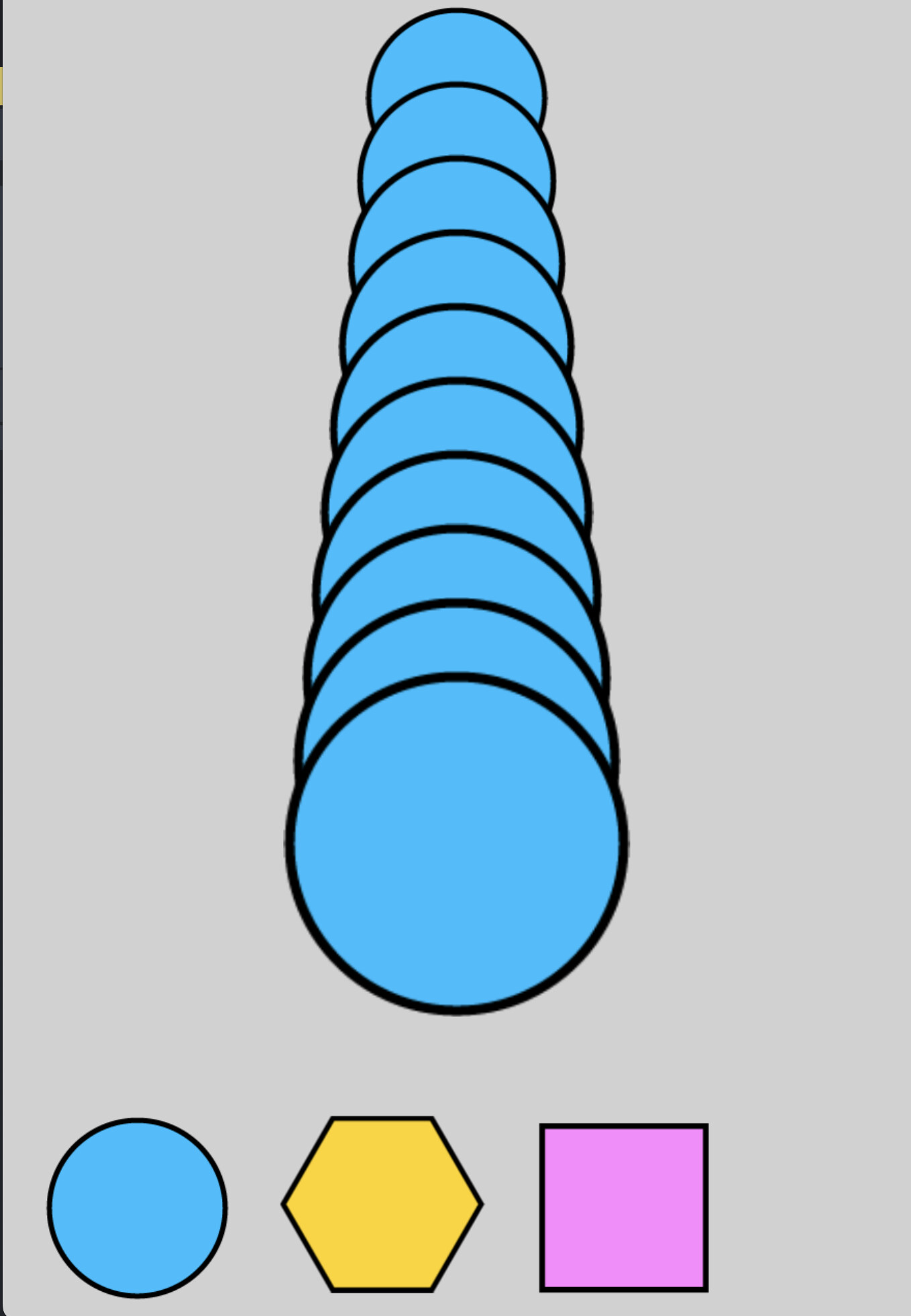
I’m trying to make a game like this:
3 types of objects are randomly generated at 80 intervals from Y=100, x-position is the center of the screen
The 10 random objects generated increase in size by 10% as they are generated from 0 to 9.
At the bottom of the screen, there are 3 button UIs with the same shape as the 3 objects. If you touch the button with the same shape as the 9th object that was created last, it is judged as correct.
The 9th object judged as correct is immediately deleted, and the 8th to 0th objects move to the 9th to 1st positions, and at the same time, one of the 3 objects is randomly created in the 0th position.
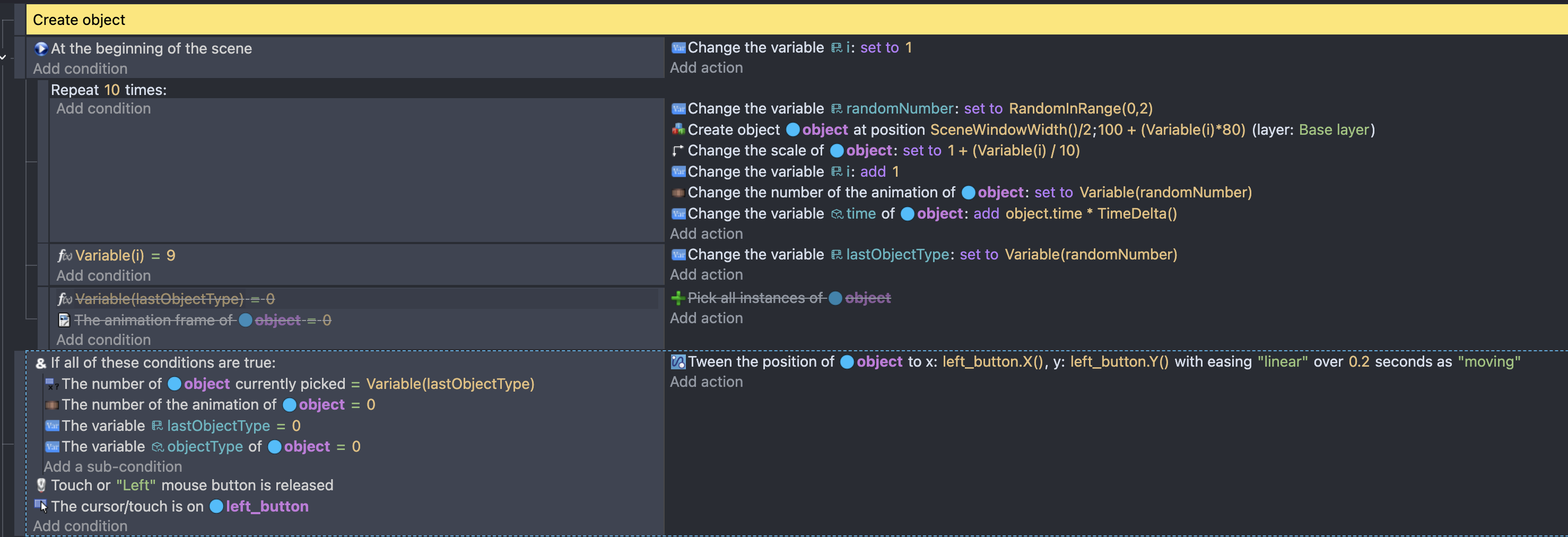
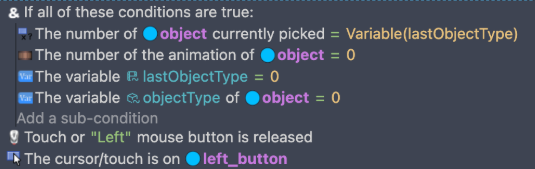
I created an event that moves the 9th object when I touch the same button as the last (10th) object, but all the blue circles move regardless of the 10th object.
The first condition checks how many objects have been selected is 0.
The object must have objectType = 0
So you’ll end up moving all of the objects with objectType = 0.
To achieve what you’re after:
check the object with a scale of 1.9 has the same objectType value as the button pressed (see the note below).
tween that object to the button
tween all the other objects positions to their Y position + 80, and increase their scale by 0.1 (you’ll need to use a repeat for object instance for this)
Add a new random object at SceneWindowWidth()/2, 100
Note, for step 1 add a variable objectType to the each button object and set it to the correct value the button shape represents.