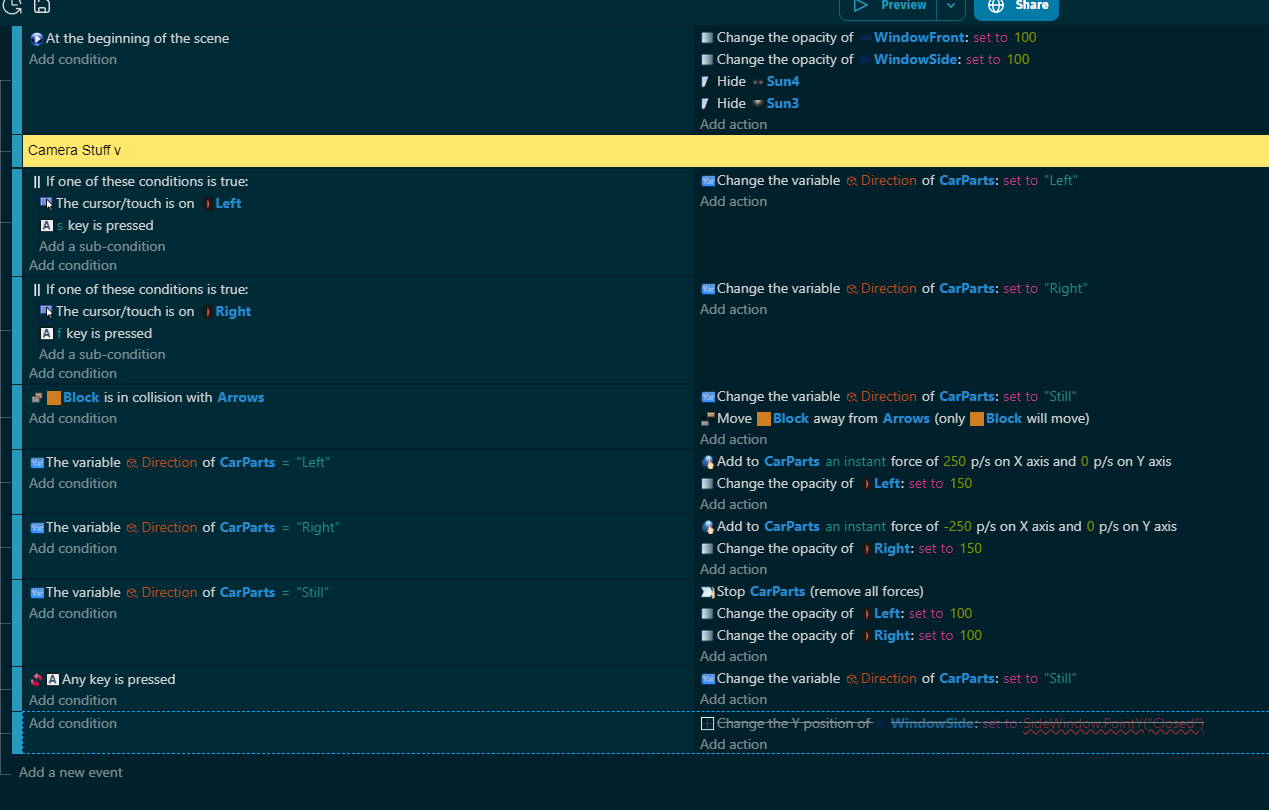
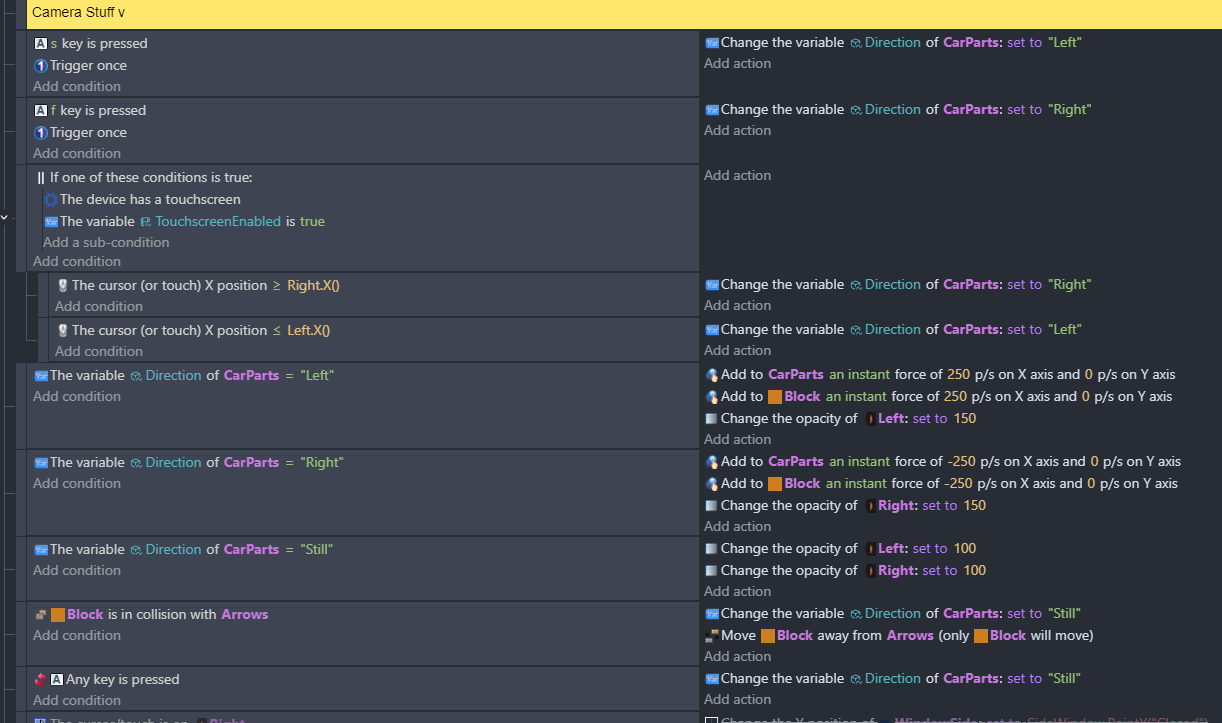
Block keeps getting stuck in collision with Arrows, so CarParts stops moving.
I’m trying to keep Block from getting permanently stuck so CarParts can move left or right. The “Move A away from B” action usually does the trick, but not this time. Trigger Once doesn’t seem to work anywhere, either.
Can you post a screenshot of the scene or maybe a short gif or a link to a video?
Are the parts only in collision with 1 arrow at a time?
The seperate objects action might not be pushing the objects far enough. It pushes the objects just enough that they don’t overlap but they could still trigger the collision condition.
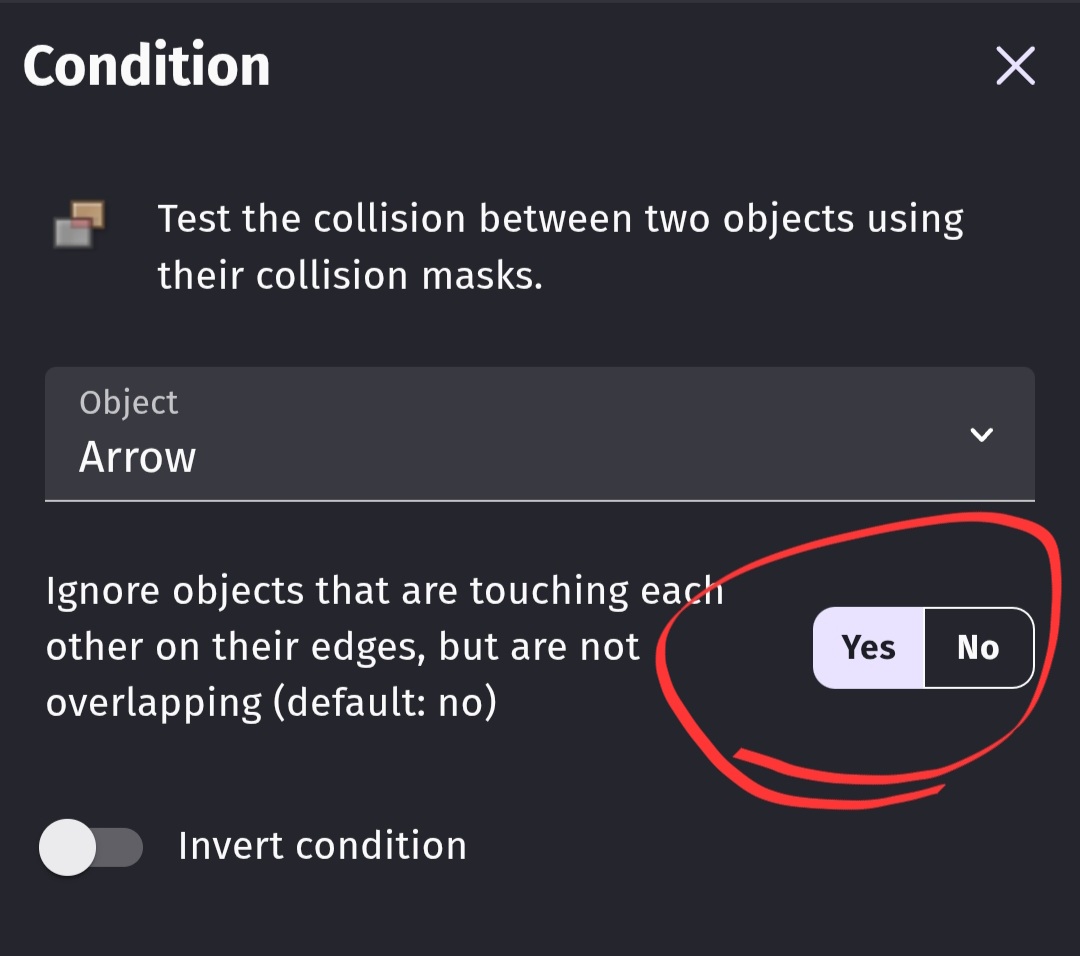
You could try setting the collision condition option ignore objects that are touching to yes.
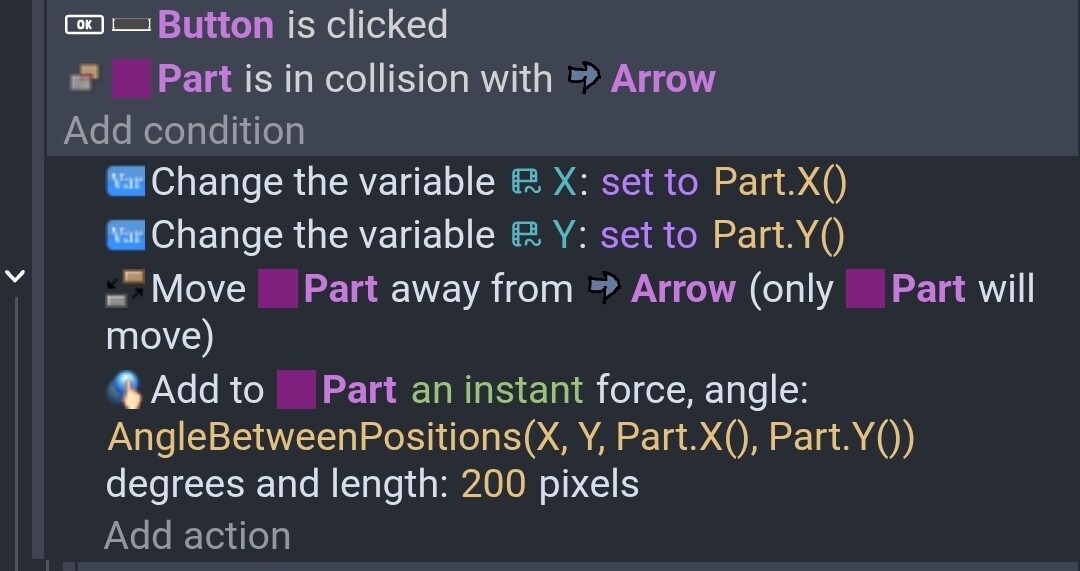
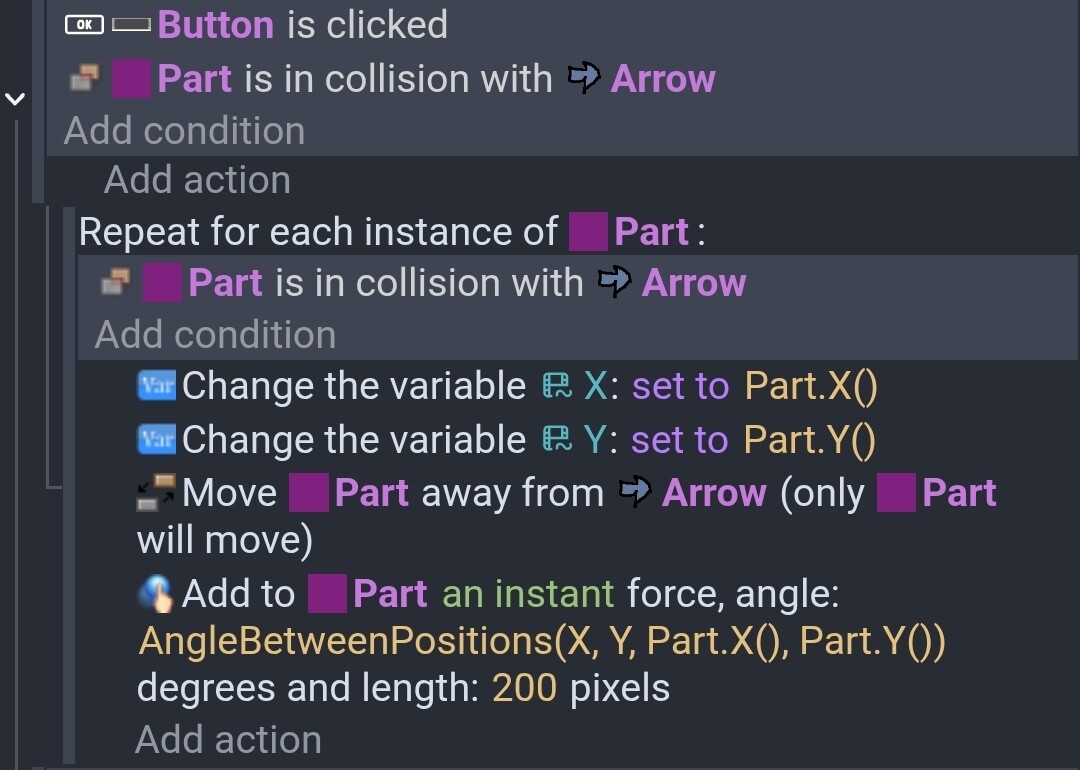
You could also seperate the objects a little more by saving the location of the object before it’s seperated in variables and then after the seperate action calculate the angle between the original position and the current position. Then add a little instant force. This would work for 1 object. If there could be multiple objects in collision then you would need to use for each instance first.
You would use 2 collision conditions because the first collision would pick all the parts and arrows that were in collision. While the 2nd collision condition would pick only the arrow that the specific part was in collision with.
I believe he want to simulate a knockback on the box while the car bump on it but keep moving.
Imo i guess he just need to check the collision one time and put a force on both objects at contact in the opposite directions…
but imo: if the force of the bump is greater than the car speed it should stop the car
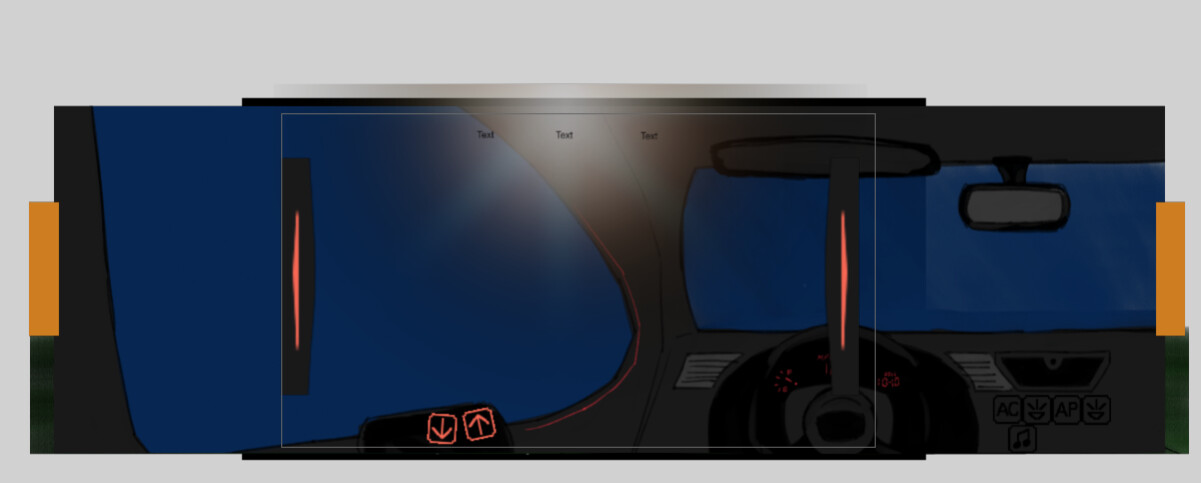
I made this thread last night when I was really tired and I forgot to take a screenshot of the scene. I wanted to try a first person perspective with a game, this one is inside a car.
The idea I wanted to try was that, when the arrow buttons collide with the orange blocks, they stop so the camera doesn’t go out of bounds. Another game I made worked with this type of coding, so I thought I could try it again with this game. This one seems to be glitching, however
Good news is that I was able to use your guy’s suggestions and I was able to make it so that, with PC controls, the collisions don’t get stuck, anymore. I had to look at which object were in the designated groups and separate the mouse/touch controls with the key controls.
The bad news is that I’m still figuring out how to make the mouse/touch controls work. When the mouse presses the buttons, the collision doesn’t register at all and the screen keeps moving, so I’ll need to figure that out.
Edit: Seems like when I use the mouse, the Block will actually move instead of staying put like with the keys, so that’s what I need to fix.
I need to read your events more but my initial thought is the last line is setting the direction to still if no key is pressed. Would that also apply if the person was using a touchscreen? Would it always set the variable to still?
Maybe you can set the variable to still before or after the mouse and keyboard conditions. Without any conditions.
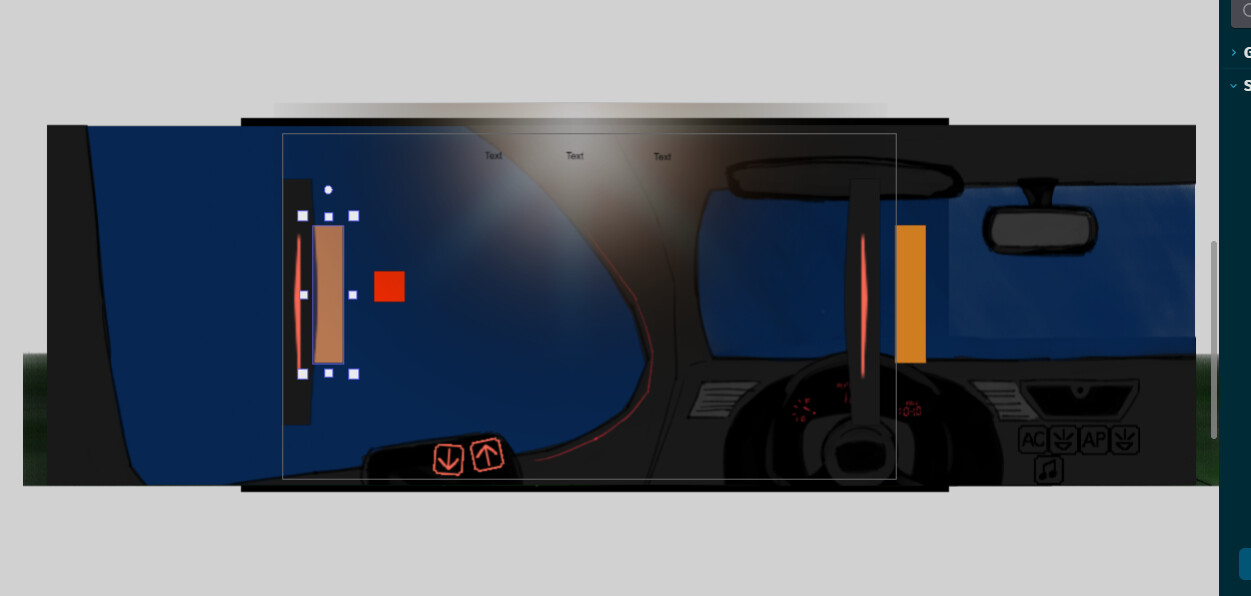
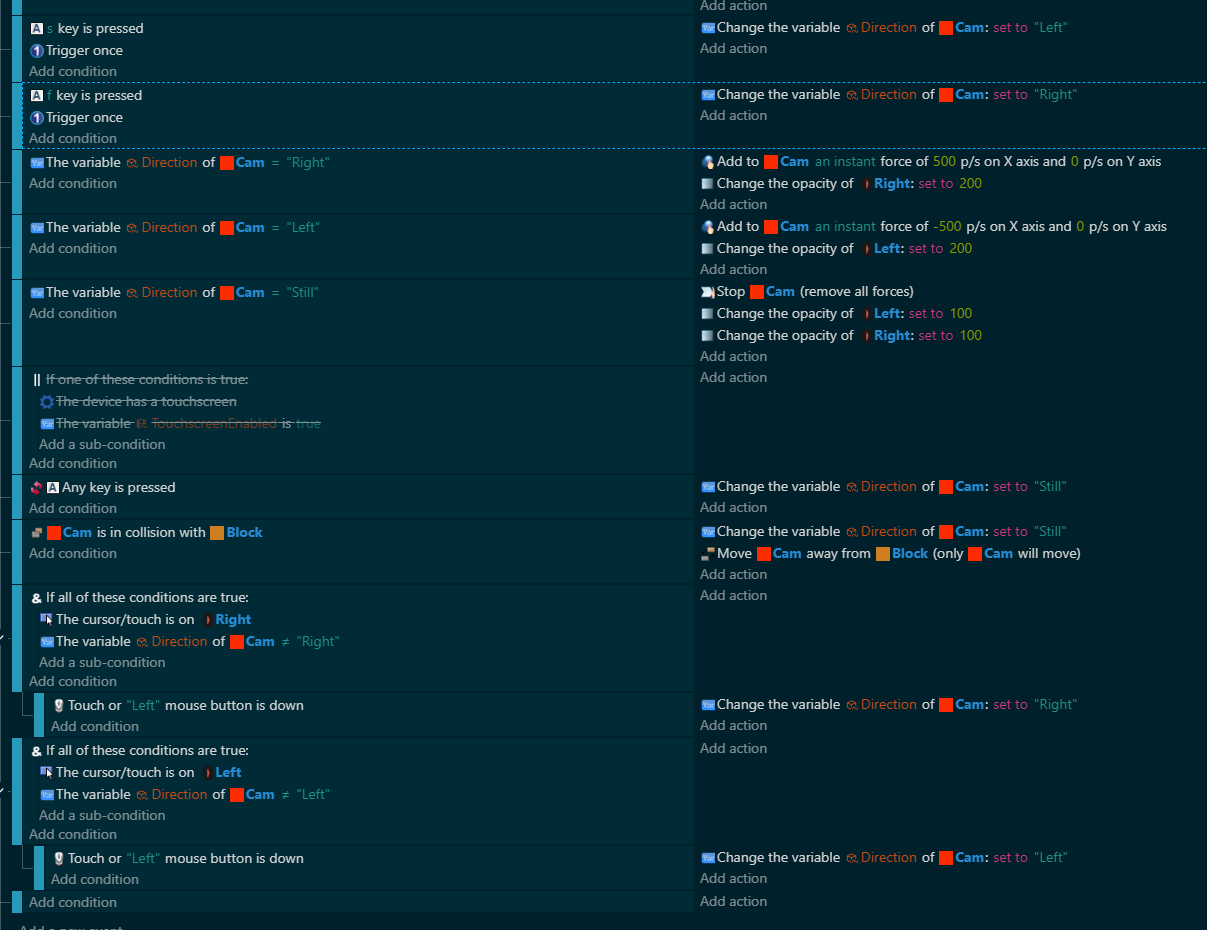
That’s okay. I think I figured out the main issue. Basically I’m looking at objects like CarPartds as a sprite when I should really be looking at it as parts of the background. Which means I should approach the process with camera control instead.
Okay, I finally got something I can work with. The programming isn’t finished as I want to make the ability to choose whether to use keys or mouse and touch as an option for the public build, but what I got is functional.
Very important: I added some camera boundaries, which helps keep the mouse controls from moving everything off the screen. That’s what mainly solved my problem.