Hi,
This is my first post here, so apologies if this is a beginner question. I have tried searching the forum, but the posts describing similar problems are quite old and do not seem to apply to the current version of GDevelop.
I am working on a Pac-Man–style game where enemies spawn from “eggs” randomly placed around the screen and then follow the player.
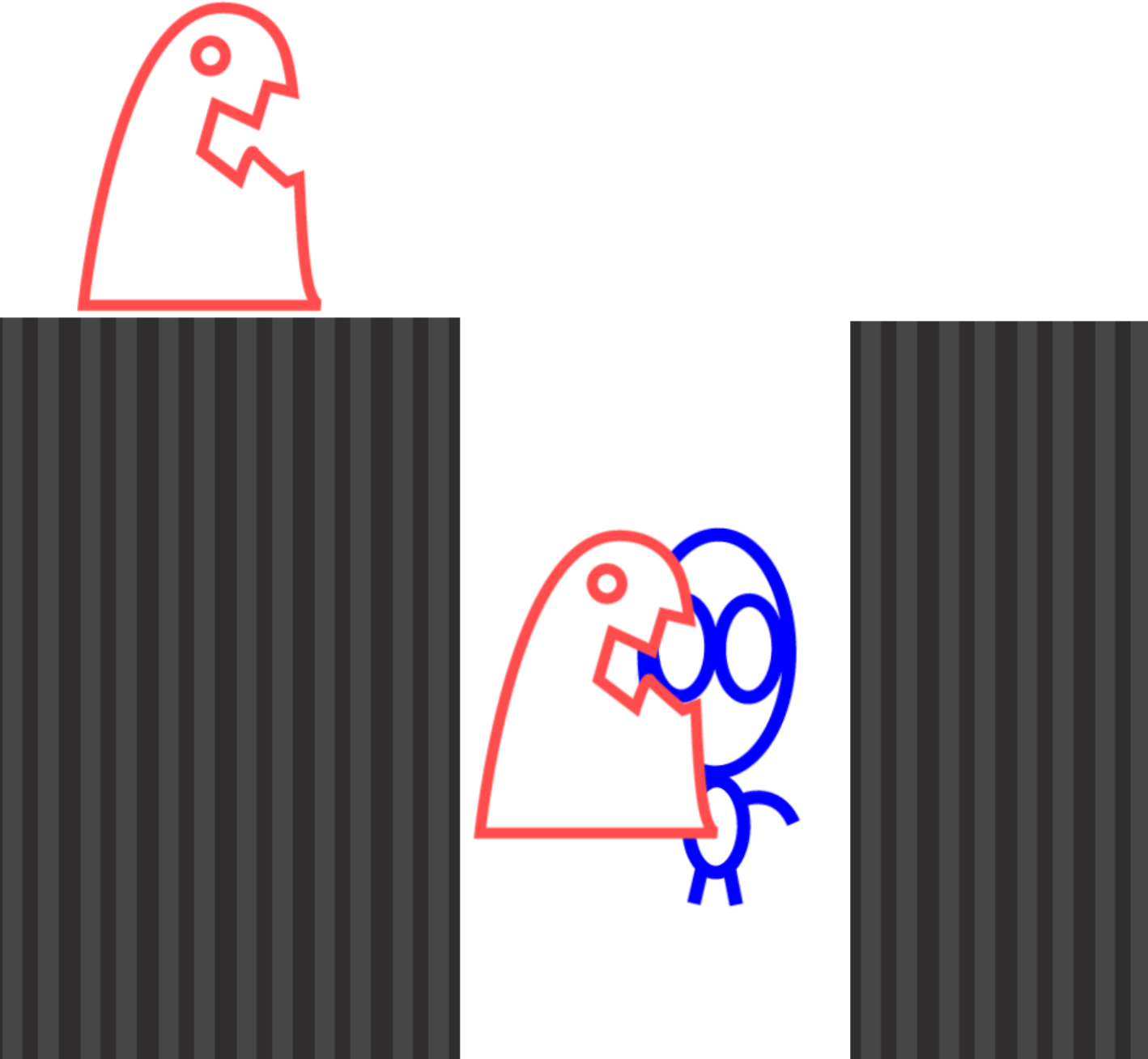
The pathfinding behavior works reasonably well, except that enemies sometimes get stuck or cut corners around obstacles (here’s a quick mockup of my game)
Is there a way to make them move strictly along a predefined gridshaped path and never leave it, while still following the Player? Similar to how the ghosts behave in Pac-Man?
Some posts suggested using Linked Object Tools, but I am having trouble understanding how it works.
Thank you for any help.
Edo
Welcome. Ive posted a lot about the pathfinder. This might help.
https://forum.gdevelop.io/t/how-to-make-sprite-automatic-move-perfect-in-pixel/63812/4?u=keith_1357
I love pac-man but it’s been awhile and I don’t recall how the ghosts moved. Did they always follow a path or did they switch between say patrol and chase?
There are techniques to follow a path like the curved movement behavior or placing hidden objects that form a route. The object could tween from sequentially numbered objects. Then switch to chase mode with the pathfinder.
2 Likes
Thanks a lot!
Your link was very helpful. In my game the enemies just chase the player, without patrolling first, and with pathfinding and some of your hints I’m getting something that’s very close to what I need.
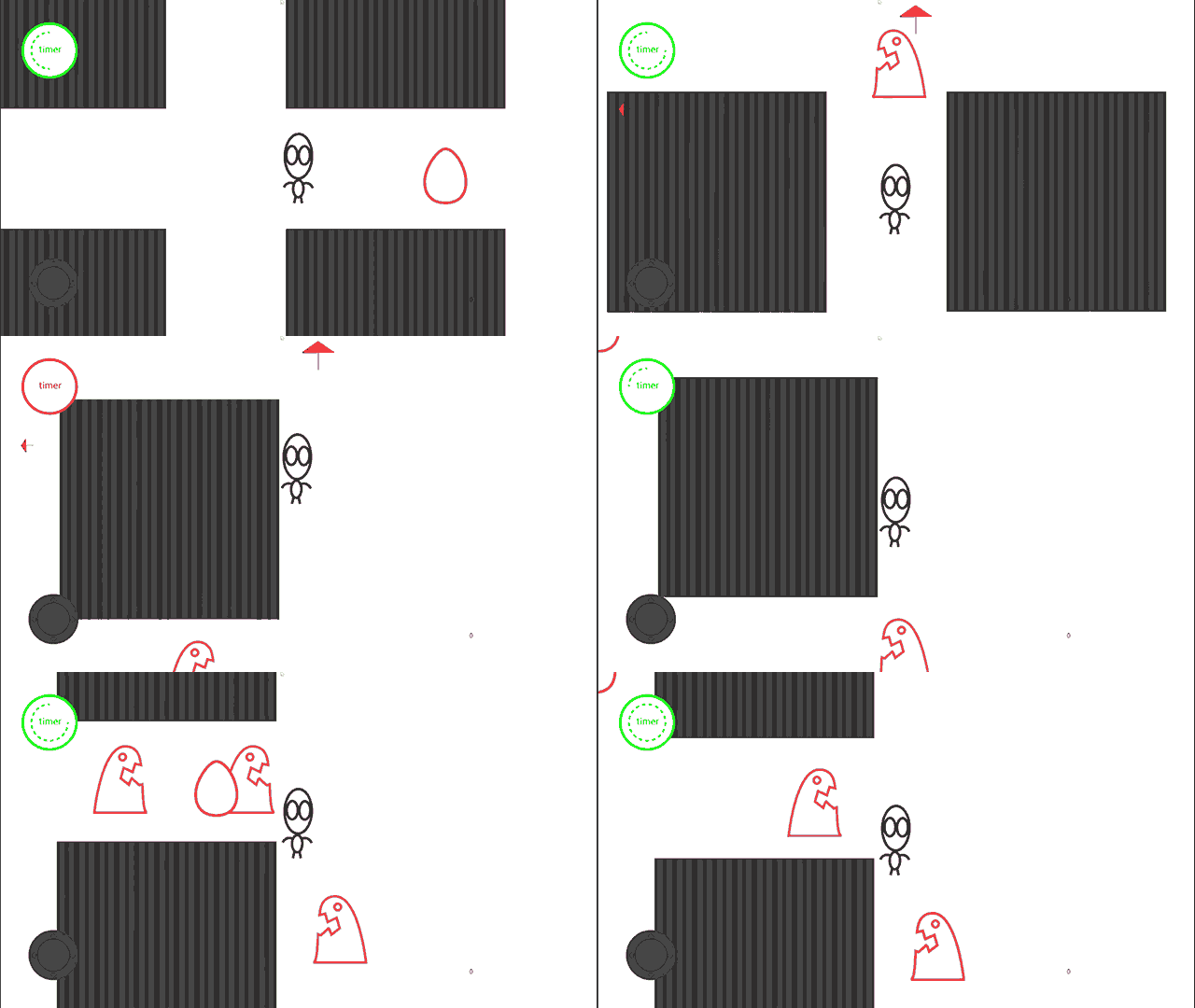
Though the enemies sometimes stuck, I guess it’s a matter of playing around with bounding boxes and Pathfinding settings?
You can see what I mean in this GIF:
Again: thanks for your help!
General tips.
The chasing object should be the same size or smaller than the object being chased. The ghost will try to move to the player position. So, the ghost needs to be able to completely fit into that position or it will not be able to move. If you want the ghost to be larger than the player then you could use a smaller hidden object as the one with the pathfinder behavior and then stick another, larger ghost object to it. Move the hidden object and check for collisions with the visible object. You might need linking fir some events. If you use the sticker behavior then it has a condition to pick the object that it’s linked to.
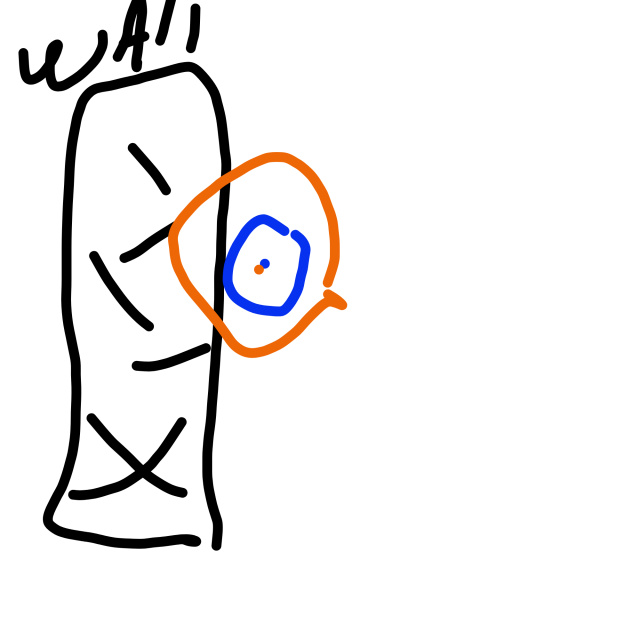
Here’s a crude drawing. If the blue object is against the wall then the larger orange object using the center points would be inside the wall. So, it can’t move.
It works best if the origin and center points are in the center. That way everything is aligned. Otherwise, it might move to the center using the left, top for reference. So, it could get offset.
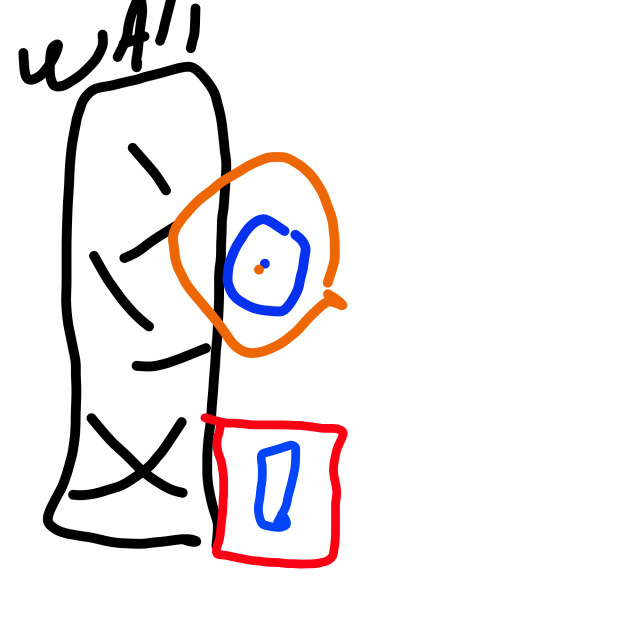
Make sure the image is the size of the actual image. The pathfinder uses the object size not the collision mask. So, if the image is 32x32 but the drawing is only taking up 16x32, the pathfinder will still treat the object as 32x32 no matter how small the collision mask is. So, it won’t be able to get right up against things like walls.
In this doodle the red represents the object size, the circle is the image. The pathfinder doesn’t care about the drawing or the mask, it uses the object width and height.
2 Likes
Got it!
I’m playing around with your suggestions in mind and it seems I’m getting somewhere.
Thanks a lot for your help, appreciate it a lot!
2 Likes
It can take a lot of experimentimg to fully understand the process. Keep at it. You’ll get there.
2 Likes
Keith, I love your drawing! 
It looks like a mother holding her baby in her arms! 
I joke of course.
Nice explanations.
A+
Xierra
4 Likes
You can only do so much when drawing with your fingertip.
2 Likes
It was extremely clear so well done! 
2 Likes