I’m having a problem with pathfinding: even when I set Enemy.Y to make it go straight, it doesn’t go straight—it veers down a little. And what’s worse is that sometimes it just ignores the X coordinate and doesn’t move to the side or the X point I marked. What should I do?
Why does everybody seem to have issues with pathfinding lol? something needs to change. but uh if you need it to go in a straight line, then are you sure you actually want pathfinding? maybe you want your own solution
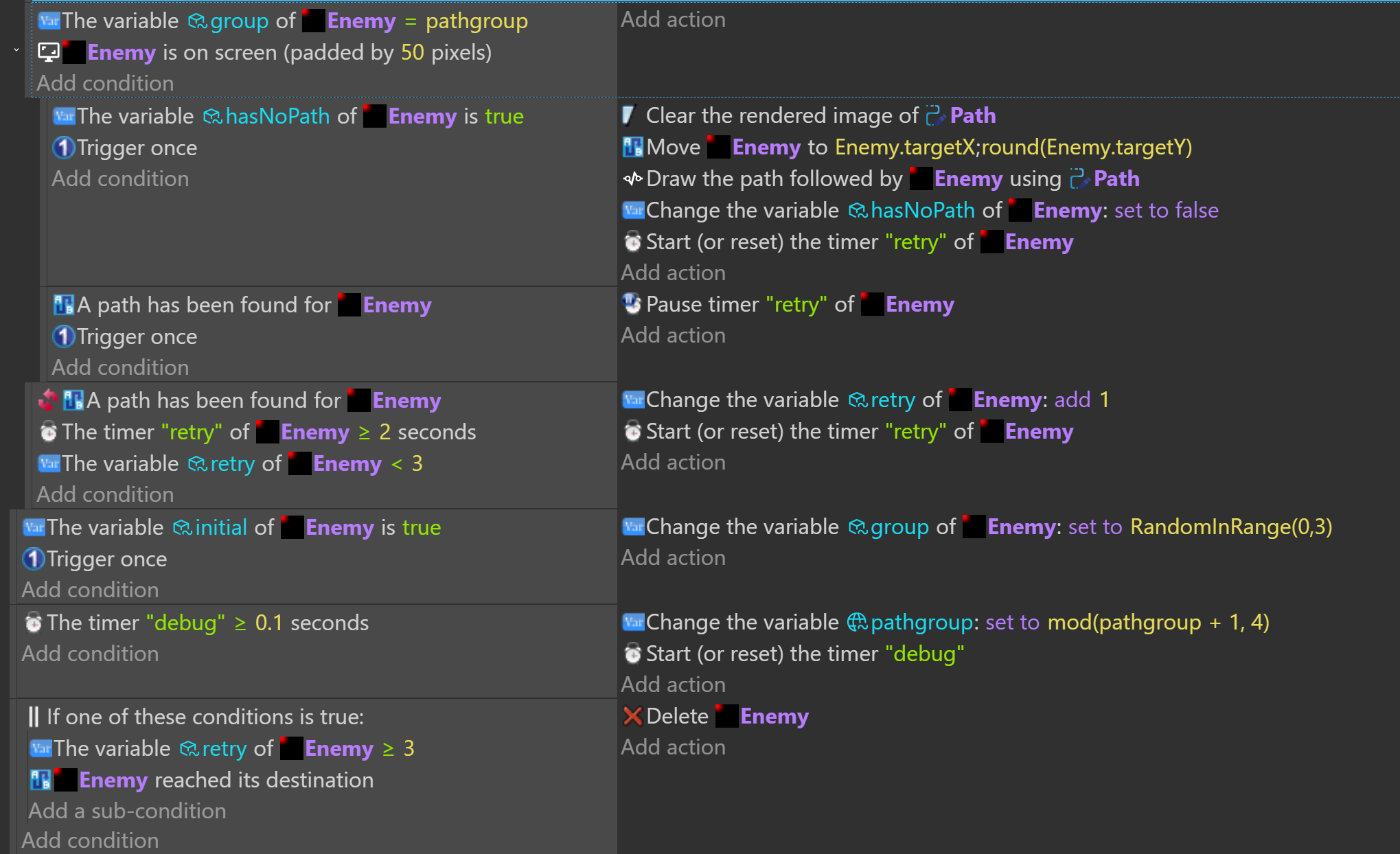
How are you calculating the target? Is it drawing the correct path? Sometimes, it tries to move from 1 point on an object to a different point on the other object. Like from the origin to the center.
There’s also an issue where the pathfinder sometimes go to the closest pathfinder virtual grid node instead of the destination. If the object needs to move precisely to the target then you might need to move it again when it reaches it’s destination just to make sure.
You might want to try the nav mesh pathfinder behavior. It might work better in your situation.
I just want to check, as soon as the enemy appears, whether it’s on the right or left side of the screen. If it’s on the left, I want it to move to position X: 1000. If it’s on the right, I want it to move to X: 0.
But even then, it doesn’t move to the spot it’s supposed to.
Is it going in a straight line without any obstacles? If so, it might be easier to use a tween. If the distance changes then you might need to calculate the time based on distance. I can’t think of the formula but it’s something like distance divided by speed. I don’t know if you need to translate it to seconds or what though.
No, no, the point was that I was using the fixed destination as X and the enemy’s position as Y, but it was moving in the opposite direction it should have (since I wrote the code to move right if the enemy is on the left, and vice versa), and it was moving slightly crooked downward.
Is it still doing that? If it’s moving down slightly then it could be that the pathfinder’s grid doesn’t match the object’s position. Objects follow a path created by the virtual grid. IDK if it possible or practical to align the obstacles in your project to the pathfinder grid or vice versa. It depends on what you’re doing.
Hi just want to say, if you rotate the objects the pathfinder won’t work, though putting it at angle like 30° 90° like sweet perfect rounded degree it will work. Other than that, it won’t budge.
Shoot even rotating the objects at 1° it will make it maybe not even work at all. I strongly suggest not rotating the objects and try it
If you’re talking about rotating the obstacles then the issue is that the pathfinder doesn’t take into account the rotation of an obstacle. It uses the size and an objects size doesn’t change when it’s rotated. Using bounding box would probably be better.
Below I have 2 obstacles. The bottom object was resized not rotated. The image on the left is perfect. The image on the right shows what happens when you rotate an obstacle. The pathfinder behavior doesn’t care. It thinks the objects aren’t rotated. It will go through the object and refuse to go where it thinks it is.
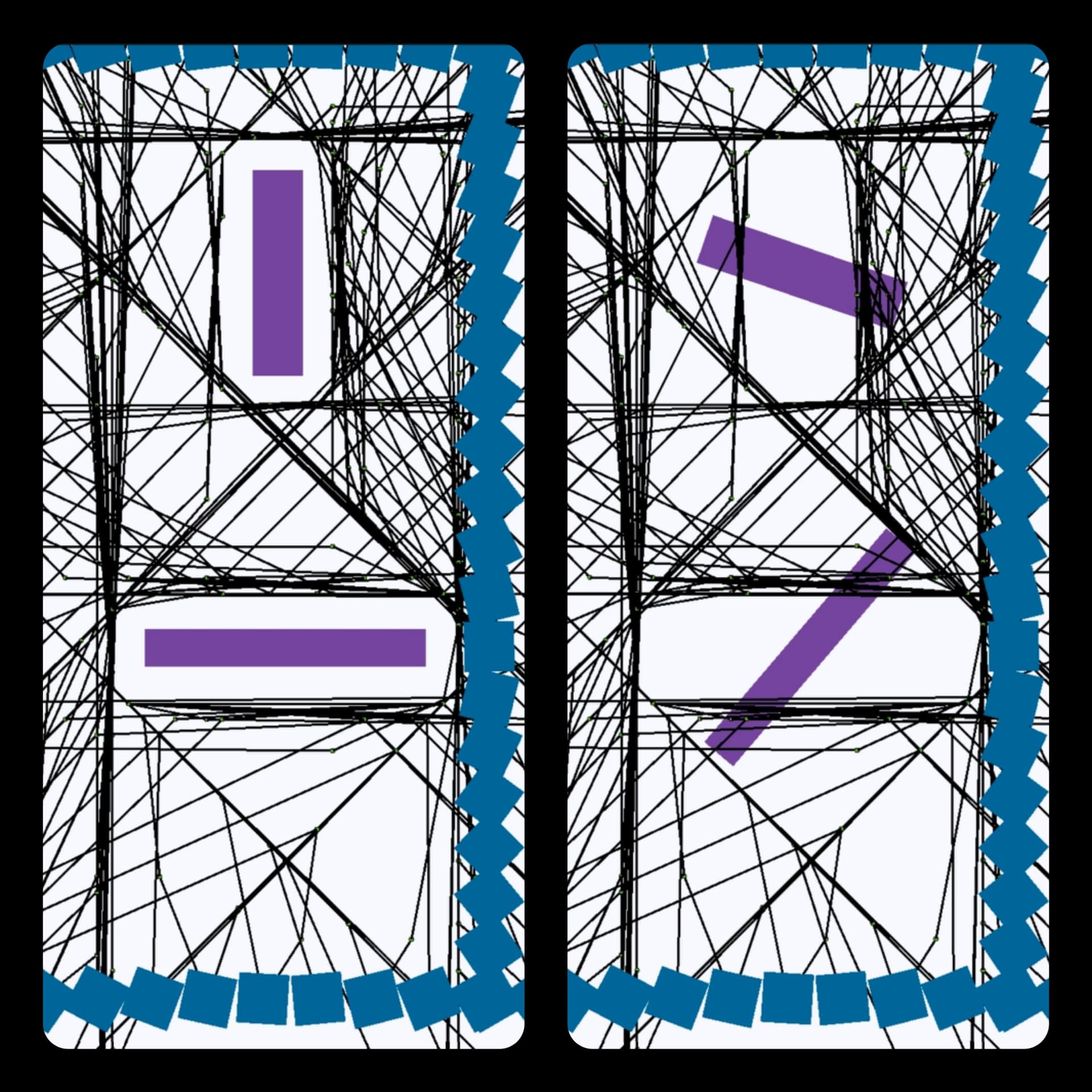
It’s not that it won’t work if the obstacles are rotated. It just won’t work as expected. So, instead of rotating objects. You need to either resize them or use different unrotated objects.
I tested it with 80 pathfinder objects and the path drawer behavior.
The nav mesh pathfinder uses the collision mask and doesn’t have this limitation. It’s comunity made.
1 Like
Well yeh that’s wut i meant when i said not gonna work, it will still work but it will treet the object as if it doesn’t exist and just go through it. The nav one, i tried it however i don’t remember if it too is effected by the rotating. I can’t say 100%, correct me 
1 Like