Greetings! I’m working in a game and I’m stuck trying to create an inventory. I’m using two global arrays for this (one for items, other for the item quantity), since my game will have different scenes, the inventory system will be in a separated scene (which will also function as a pause screen) and it’ll be handy to keep the data stored between them and storing them later.
For now, I’ve done a mockup inventory system using 12 slots (4x3). Basically, the information will be stored in the two arrays and, in the inventory scene, the slots will read and show the information about the items and the quantity.
I was able to make it work. With arrays, I’m even able to delete a specific child and the items wrap properly (let’s say slots 1, 2, and 3 are full. If I delete slot 2, the content of slot 3 will move to the empty slot 2, as intended).
But now I went into a problem. I can add items to specific child values in the arrays. However, I’m struggling to find a way to add values in the first “empty” child value in an array. I can’t find a condition to find the first child value with a specific value NOR add an action that allows to add a value on said child value.
Is there a way to achieve that? If I can make this work, I reckon I can have a fully working inventory system, and then I’d be able to share with you.
I tried everything. It’s frustrating. The ArrayTools don’t have what I’m looking for (maybe because I couldn’t find the right way to use it properly.) And the Slot System extension is just a nightmare, it’s the main reason I’m using arrays instead. I can’t make the Slot System extension work nor understand it, and the few tutorials about it don’t help me. I’m sorry, could someone help me please?
some/most of the others know more about this sort of thing than i do,… but…
you could use a ‘repeat while’…
condition - array[runthrough]not equal to zero
then runthrough add 1
and then array[runthrough] is the first zero
but i realise this doesn’t help if zero is used as an actual value!
I should’ve sent images before, I wasn’t able to do it yesterday because it was getting late for me in my end. My apologies for that, and thank you for answering. I hope this makes easier for me to explain my problem.
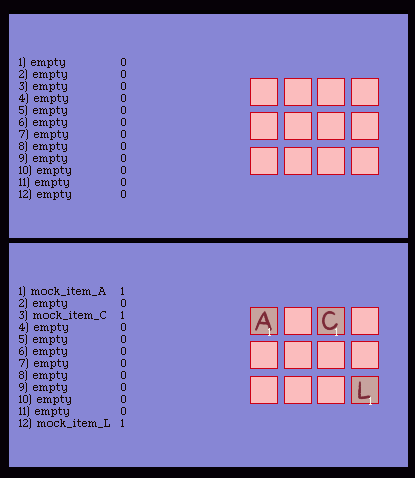
The slot icons and counters on the right are merely used to display the array values, which appear on the left (using text objects).
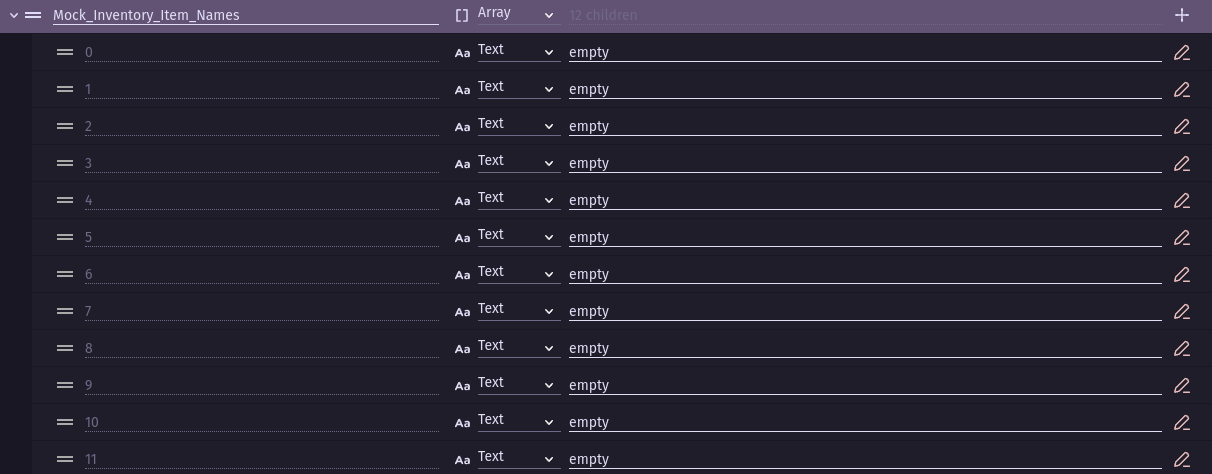
There are two arrays, one used for the icon names and another for the quantity of items. As you can see in the second image, I’m able to define a value straight in the array children values. If I want to define a value in, let’s say, the 4th array child, I can simply define straight to that value.
But this is an inventory system. What I’m trying to do is to pick up the first array child with the text “empty” and replace it with an item. Basically when a player picks a new item. If the array list is completely empty, I want it to fill the first array child. If array children 1 and 2 are already filled, I want it to automatically pick the 3rd one, which will be empty.
Once again, if it works, I could create an inventory system, using arrays, that’d be used in different scenes. But I need to find out how to solve this problem first.
You can use what i described above - set a var runthrough to 0
repeat while…
while condition… slot[runthrough] not equal to “empty”
then runthrough add1
slot[runthrough] is then the first “empty” slot
petlimpet, I’m doing what you’re doing, I just need to know how I’ll be able to add the item in the first array child slot written “empty” now. Thank you for helping me so far.
Keith_1357, I tried Array Tools, as I said in my first message. I couldn’t understand them right and I couldn’t use them to do what I’m trying to do. I’m sorry, I’m still new with these advanced things.
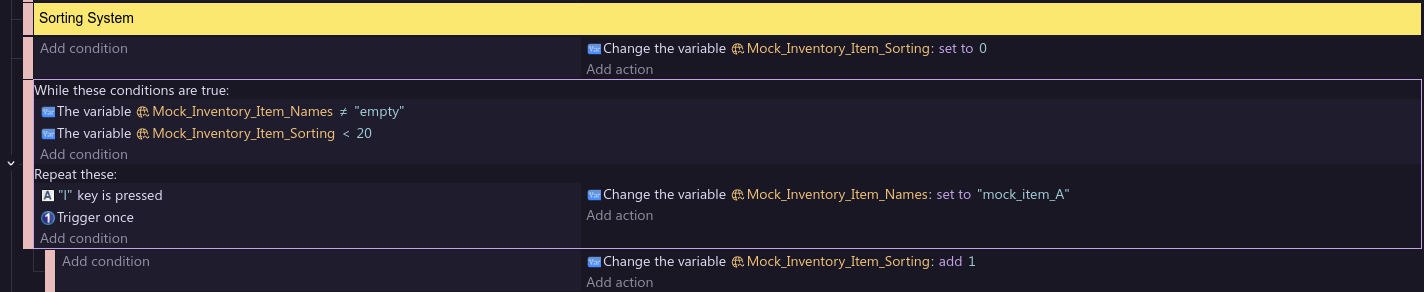
ok - but @Keith_1357 is better at this stuff than me. Once you’ve found the first ‘empty’ slot - set slot[sort] to the variable that you’ve got. You need to be careful with repeat while as you can get infinite repeats. That’s why i put a limit condition less than 20
Not a problem. There are also a few inventory extensions. Although, I always recommend that people learn both, the extensions and how to do it without them. You need a good understanding of the fundamentals.
I’ll watch this thread and if I have more time then I’ll add my 2 cents later. Keep at it. The variable system can be a difficult concept.
Sorry, petlimpet. I tried your example and I can’t run the game. I guess the While condition is demanding too much from the game, this is why it can’t run.
I’ll have to try something else, but thank you for your help.
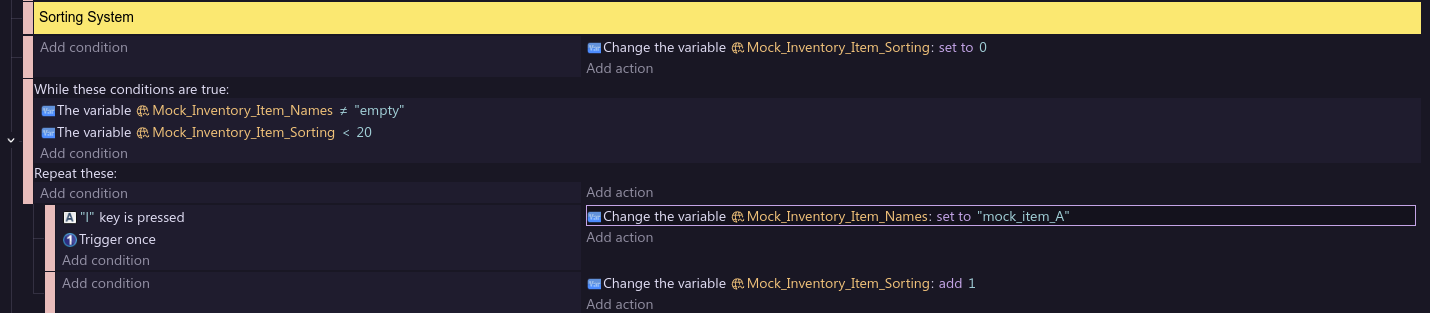
Ah - do you need a key press there? - you can’t run a repeat with trigger once there. If you want it on a key press have the repeat as a sub event of a key press and put the trigger once there. and you need to set the variable after the repeat has run
I’m sorry, I thought I added it on a sub-event. I corrected it now.
Now the game runs normally, but when I press “L”, which should add the item to the top of the list, instead it does nothing but turn every “empty” in the other array children into “0”. This is so frustrating…