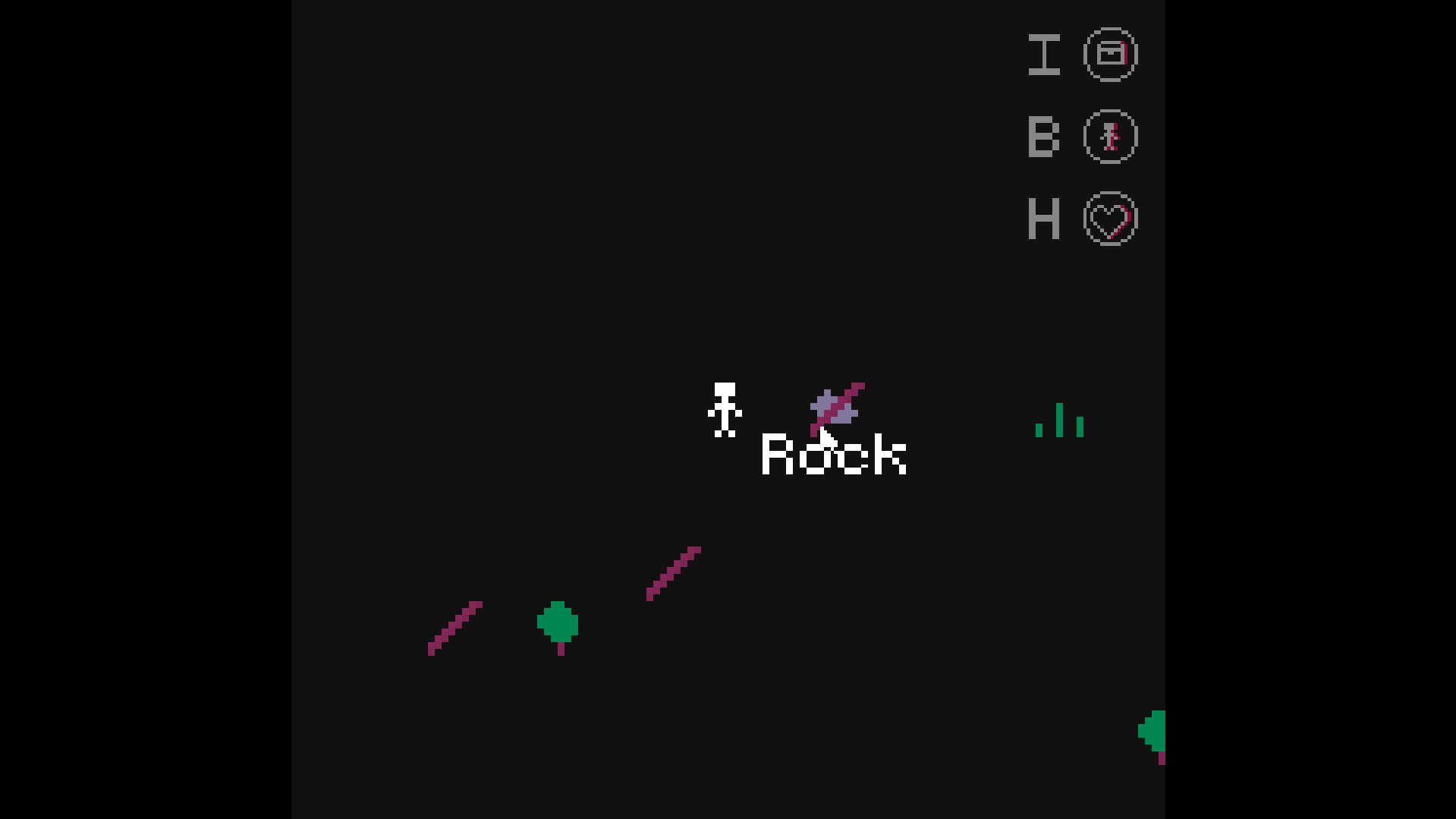
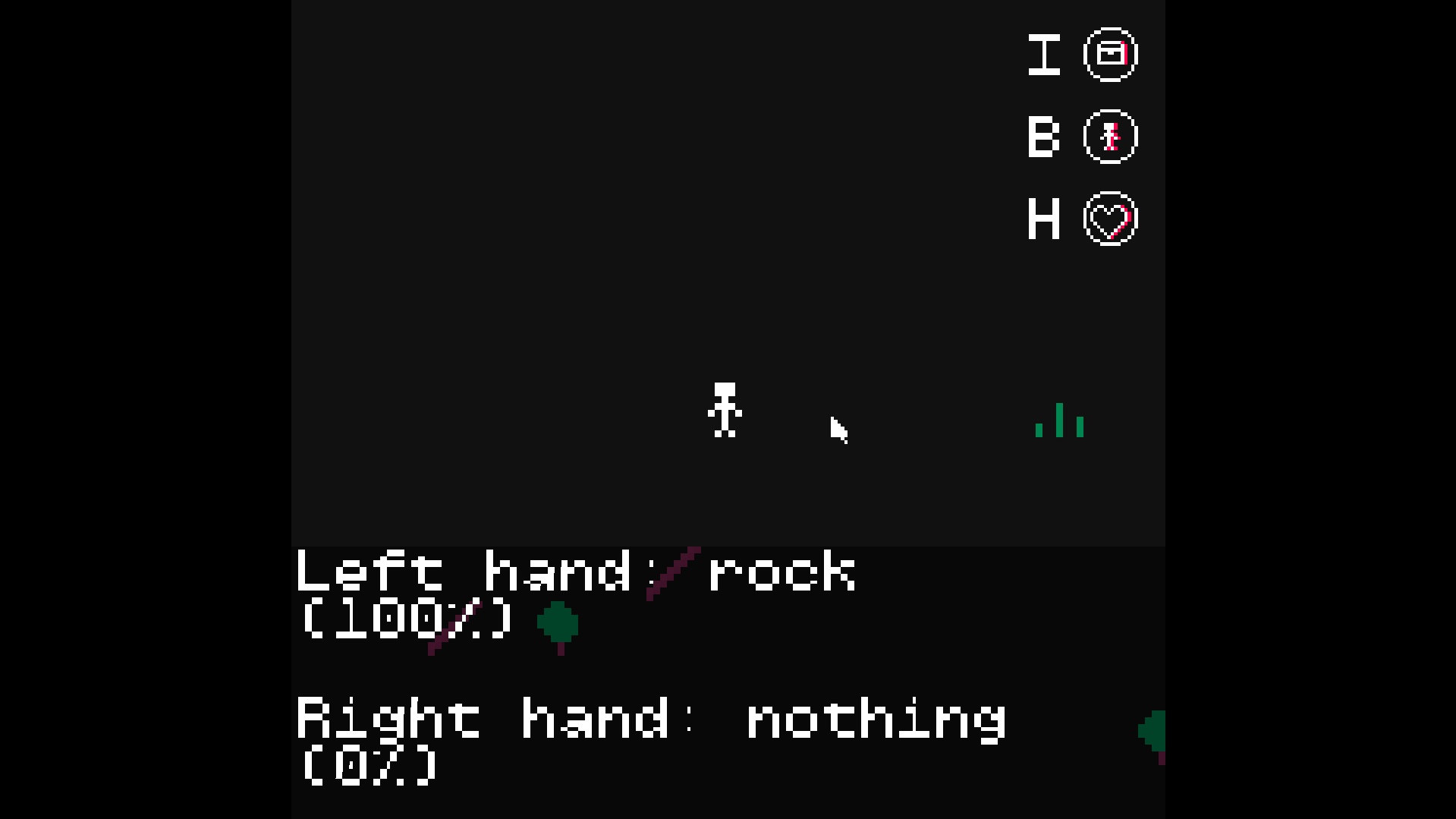
I’m having some trouble with picking up objects here - if there’s multiple objects on top of each other and the player goes to pick them up, they all disappear, and only one of them goes into the player’s hand; it seems as if the game prioritises certain objects too, when I’d prefer for it to take the top one.
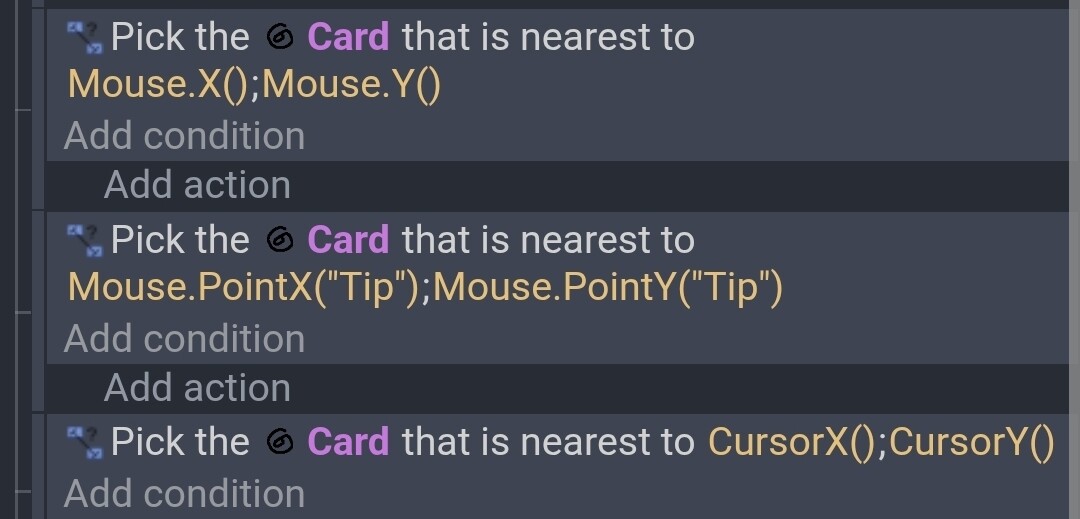
When objects collide, all objects get added to a pick list. You could add the condition pick nearest pickable object using the X and Y from your Mouse object or a point on your Mouse object. That would make sure only the nearest object is picked. The condition will only ever pick a maximum of 1 object. Make sure it’s the last condition since the order matters.
As for why it picks one object over another… when multiple objects are picked some conditions, actions or expressions can only reference 1 object at a time, like when checking an object variable or say an object animation. So, it uses the value of the oldest created object within the the current pick list. It uses the order that objects were created whether it was in the editor or at runtime.
You can do something like set the variable of several objects with 1 action but if you try to get the value of an object variable when there are multiple objects to choose from then GD doesn’t know which one you want, so it just uses the oldest object. It has to choose something.
Conditions work like filters. The pick list starts with all of the scene objects and each condition picks objects and removes the others. This list is used for any subevent. The subevent might modify the list further and create a new pick list. If the process returns to a former level (indentation) then it will reuse the picklist for that level. The pick list gets refreshed for each new event.
It took me a lot of experimenting to fully understand GD. I’m still learning. The object picking process took me awhile. I’m used to simple true or false expressions without the object picking component.
Inverting conditions like collisions were even more frustrating. Add in the way OR works and you end up with a lot of unexpected outcomes.
You can read and reread events and be completely confident that your logic is correct only to have that eureka or duh moment when you notice a mistake.