Dan
July 27, 2020, 4:30am
1
1 . When I launch preview of the game (the Play Button) there is always a GDevelop top bar menu, how do I get rid of it while testing?
2 . What is the secret hotkey to preview the scene?
In most game engines it’s F5 for preview and F6 for debug preview
Thanks ahead!
I don’t think there’s a preview hotkey, but you can hit CTRL+P to pull up the command window and select launch preview with the arrow keys/enter.
Dan
July 27, 2020, 5:52am
3
Bummer, I couldn’t even found the main hotkeys manager in GDevelop… if there is one at all.
Also CTRL+P does nothing (I’m using the latest version).
jack
July 27, 2020, 6:12am
4
It is experimental, you have to activate it in the preferences.
That gives hopehttps://trello.com/c/zjTbDvsi/304-gsoc-add-a-command-palette-and-customizable-shortcuts
1 Like
Dan
July 27, 2020, 6:19am
5
Thanks for the explanation, I voted
PwrSrg
July 25, 2021, 5:37am
6
I am just starting GDevelop Development, and this was the FIRST thing I looked for.
I too instinctively hit the F5 key with no success. Then came here to see which key Preview was assigned to. I now see that it ISN’T.
Please add this ASAP.
Thanks!
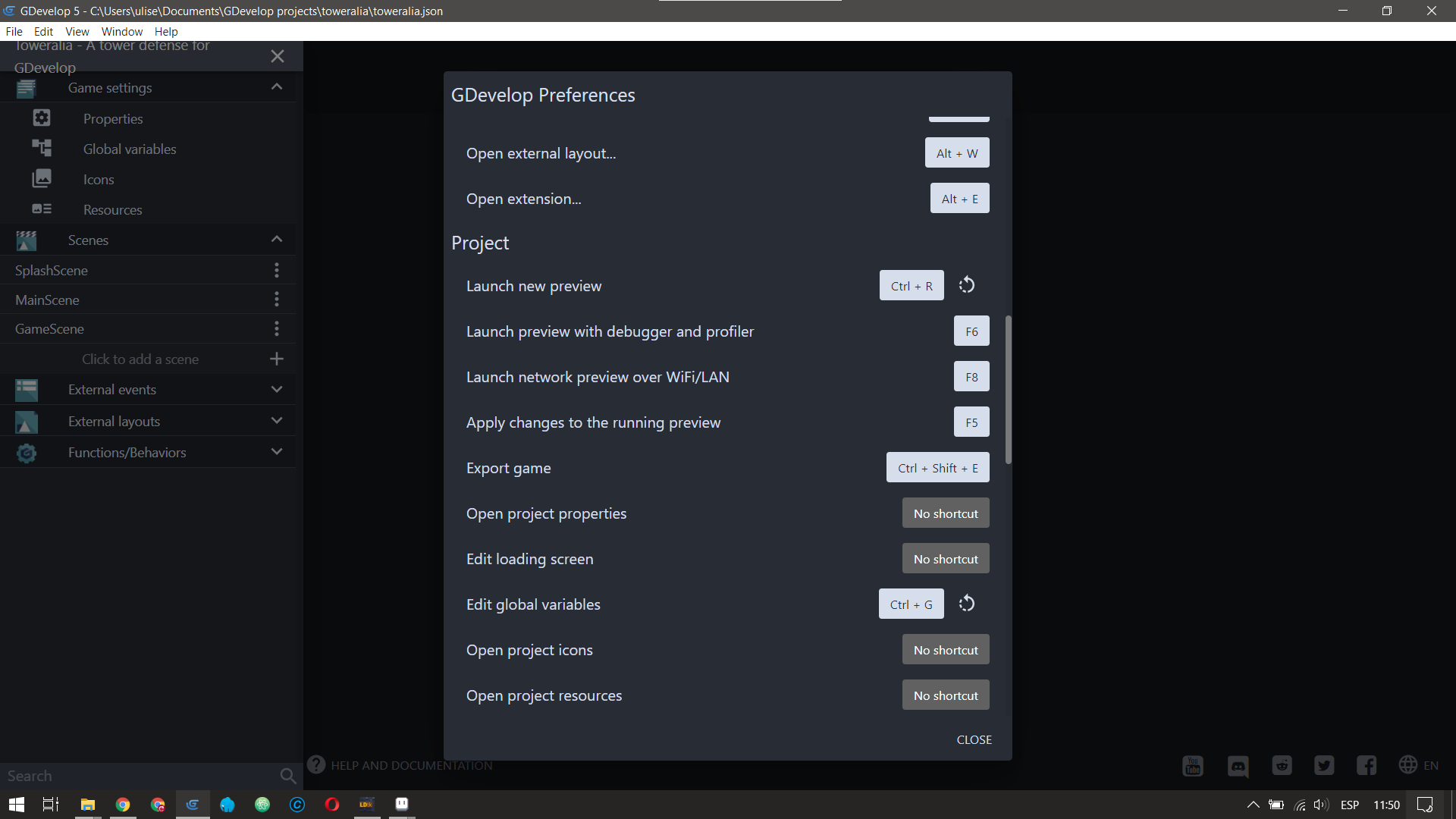
Hi I think the default key if F4 btw you can change almost every shortcut go to Preferences in the 3rd tab and setup as you like for example I use CTRL+R to preview
Dan
July 25, 2021, 10:17am
8
I think in the latest versions it’s:
I wish we could add more hotkeys for the Events and other sections, some hotkeys are still missing but I hope it’s coming in the upcoming versions.