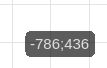
While developing a 2D game, I noticed that I often need to note down an object’s current coordinates before using them in an action—such as one involving the object’s position. This process is inconvenient and prone to errors, like forgetting the coordinates or recording them incorrectly.
I propose a solution: when hovering the mouse over a specific point and pressing a key combination, the X and Y coordinates could be copied to the clipboard or GDevelop’s internal memory. You could then paste them as an action, triggering a menu that lists only coordinate- and movement-related actions. After selecting an action—such as “tween” or “position”—it would be added to your event list with the coordinates already included.
If this functionality already exists in the engine, please let me know. If not, I hope this feature—which would simplify working with coordinates—gets implemented.
I can definitely see the benefits of copying and pasting x, y and z for 3D.
Depending on your needs. Another option is to add helper objects that get hidden at runtime. Then you use those objects for reference for things like spawning or movement. That way if things change later, you can just move the object instead of changing the events. You also don’t need to remember coordinates or what the numbers refer to.
This approach doesn’t solve the problem. My proposal aims to improve the editor’s UX by saving the developer time and eliminating the need to manually transfer numerical values. Using dummy objects for dozens of static spawn points or animations just clutters the project and slows down the editor’s performance.
I agree. It’s a worthwhile addition. Coordinates should work as a pair.
I can imagine either using a different tool or right clicking a location or an object and choosing something like copy coordinates from a popup menu.
It would probably help if the object instance panel allowed you to copy/paste coordinates. You could then temporarily move an object to exactly where you want it and then copy it’s coordinates. You could then paste the values into any event.
Any event that uses multiple coordinates could have a way to copy/paste the coordinates together.