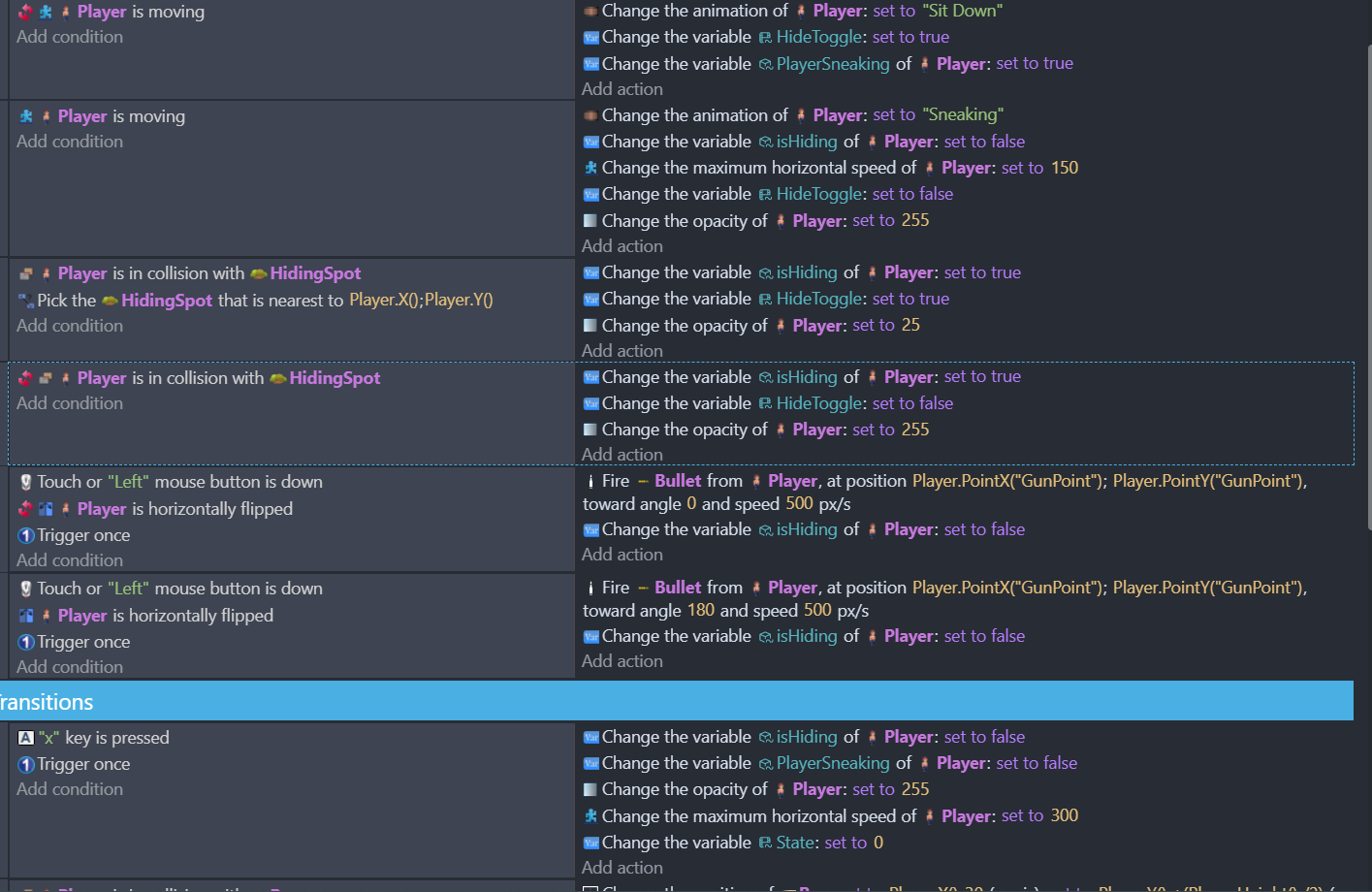
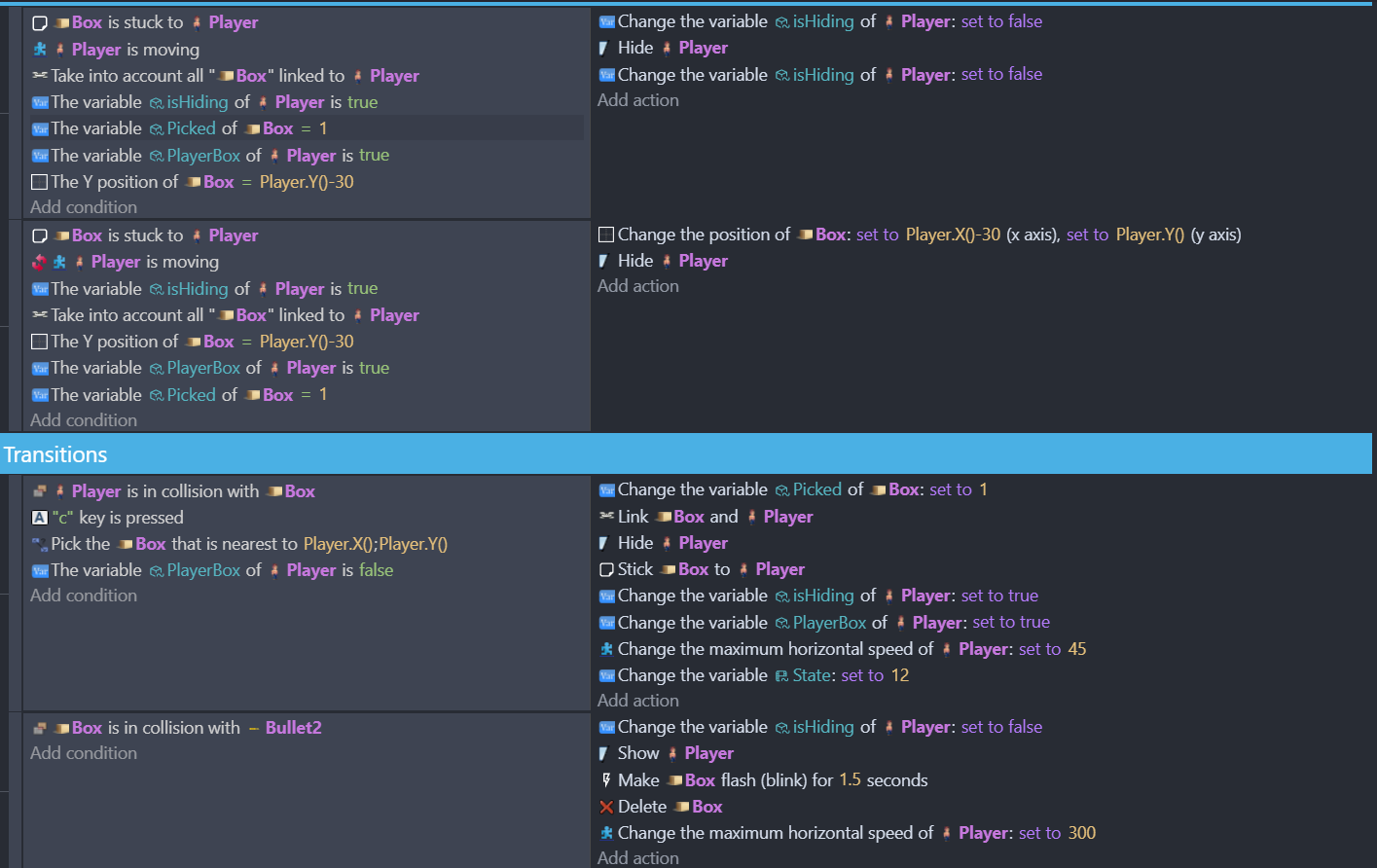
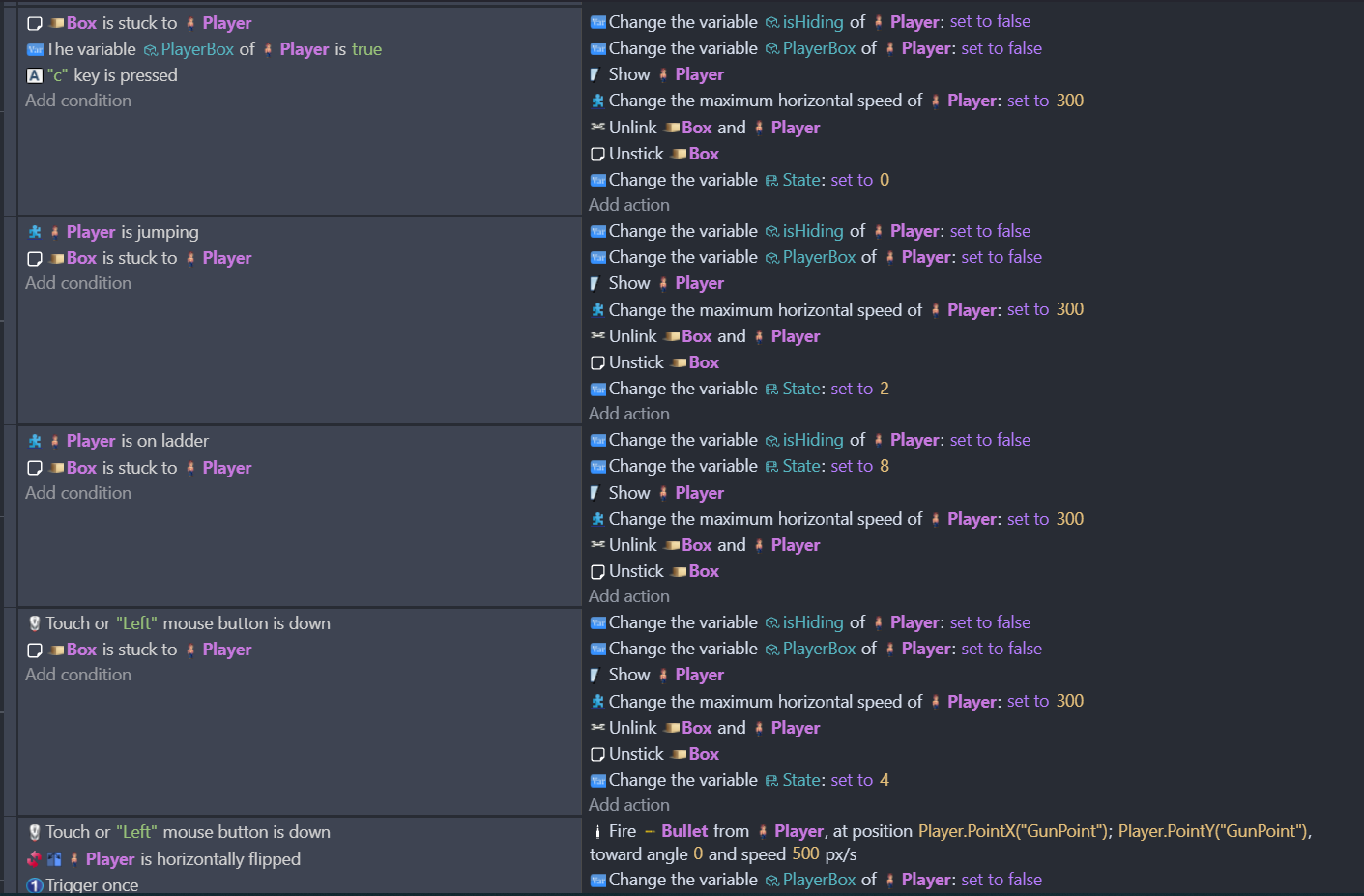
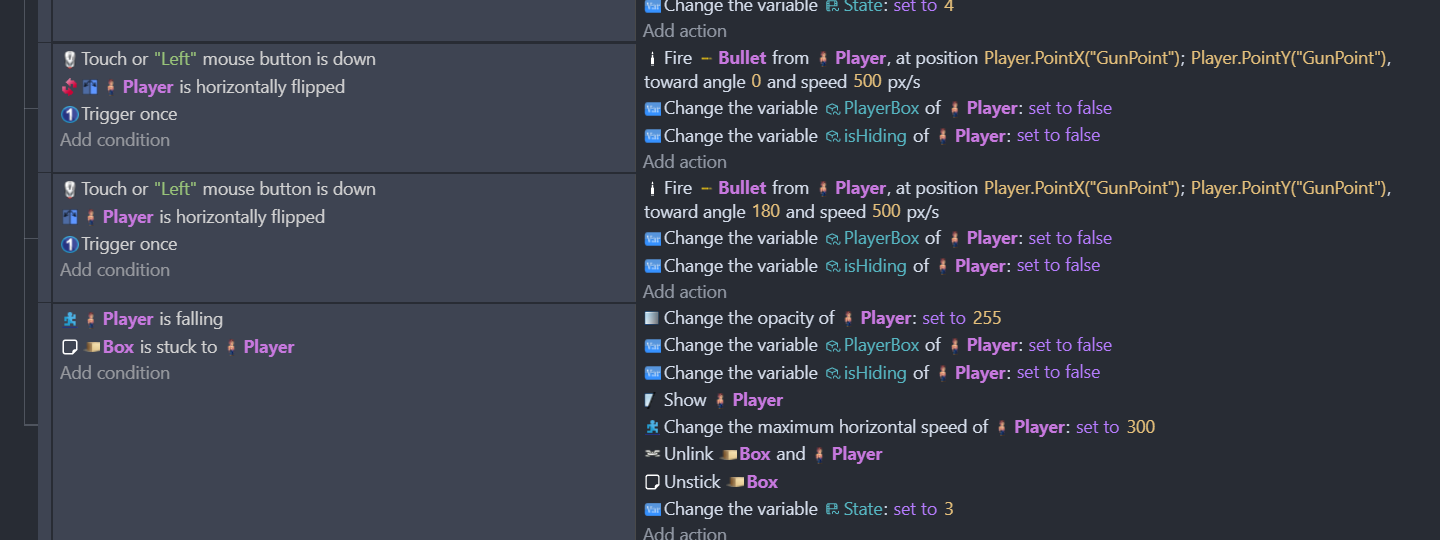
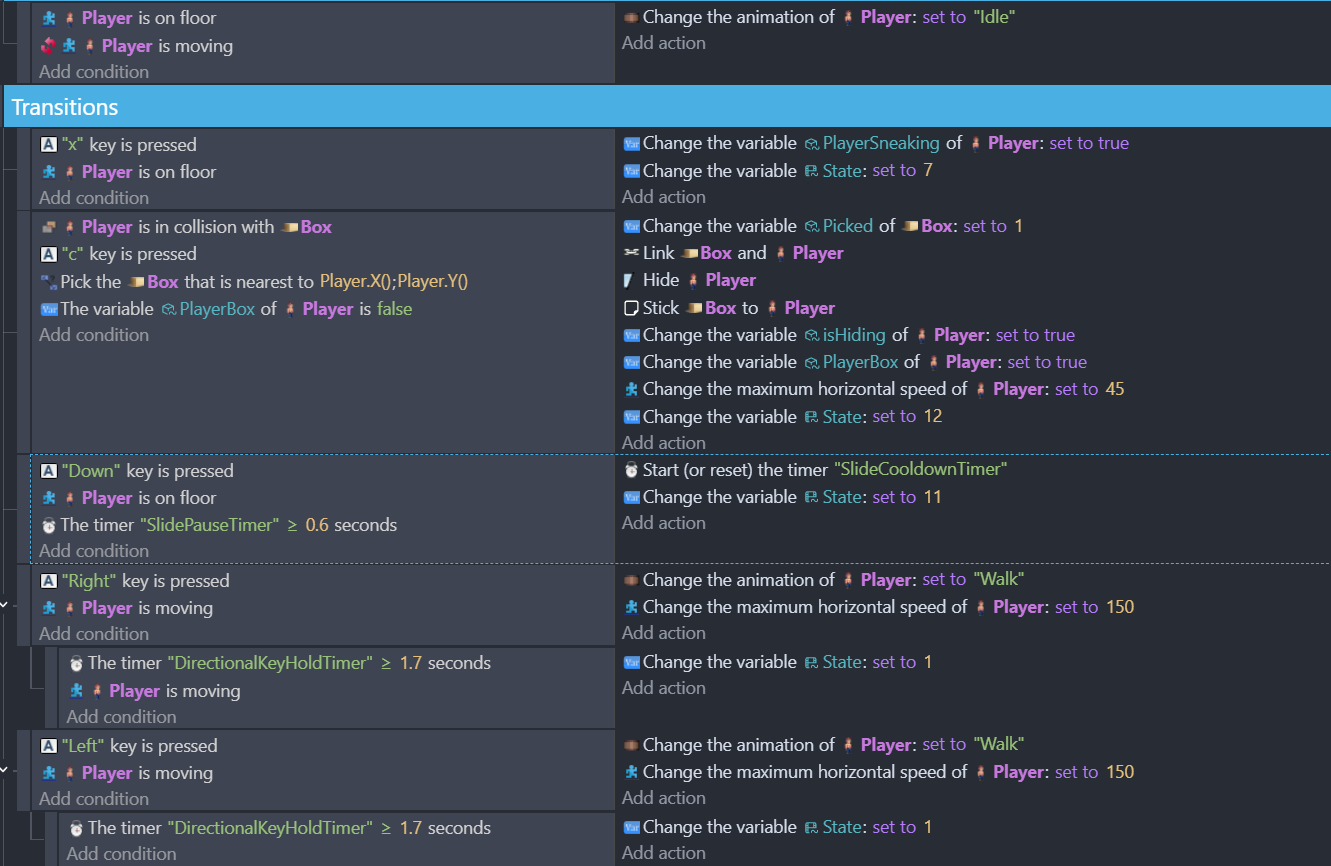
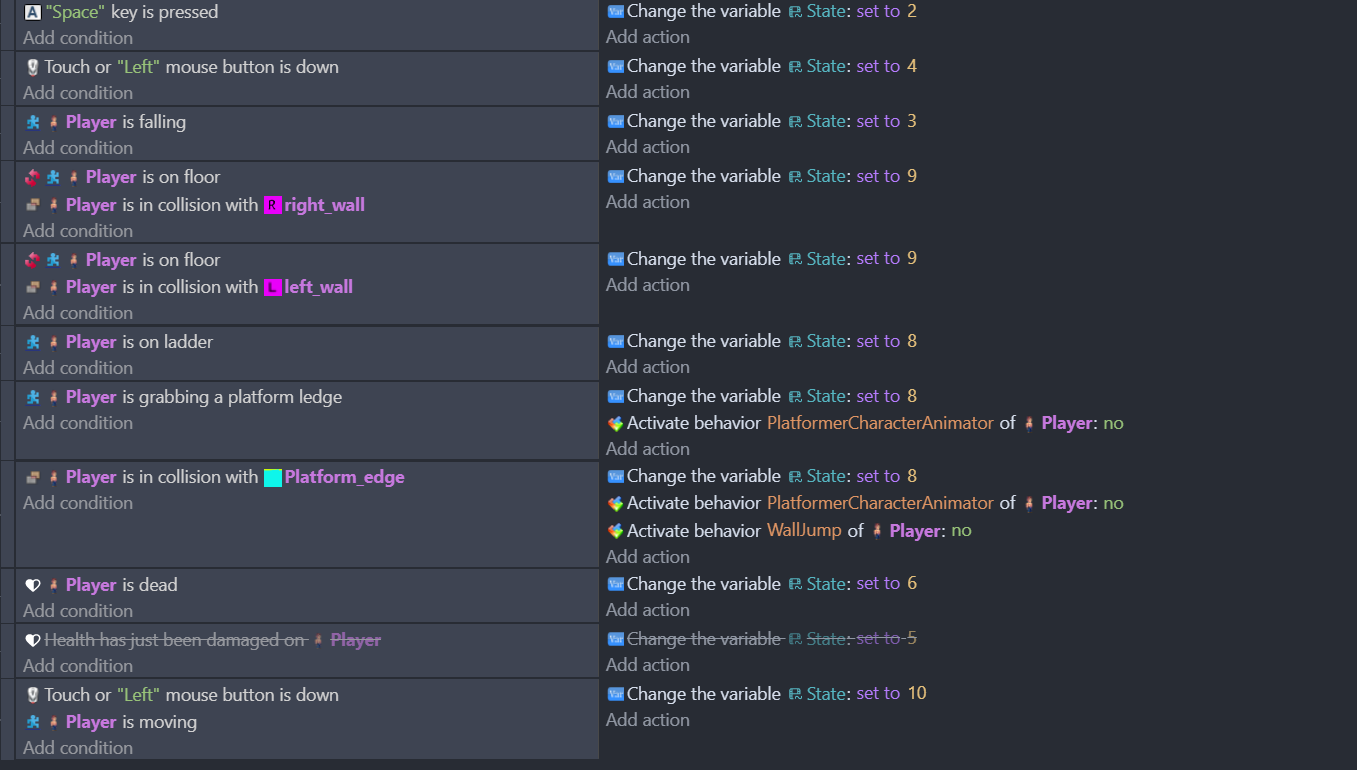
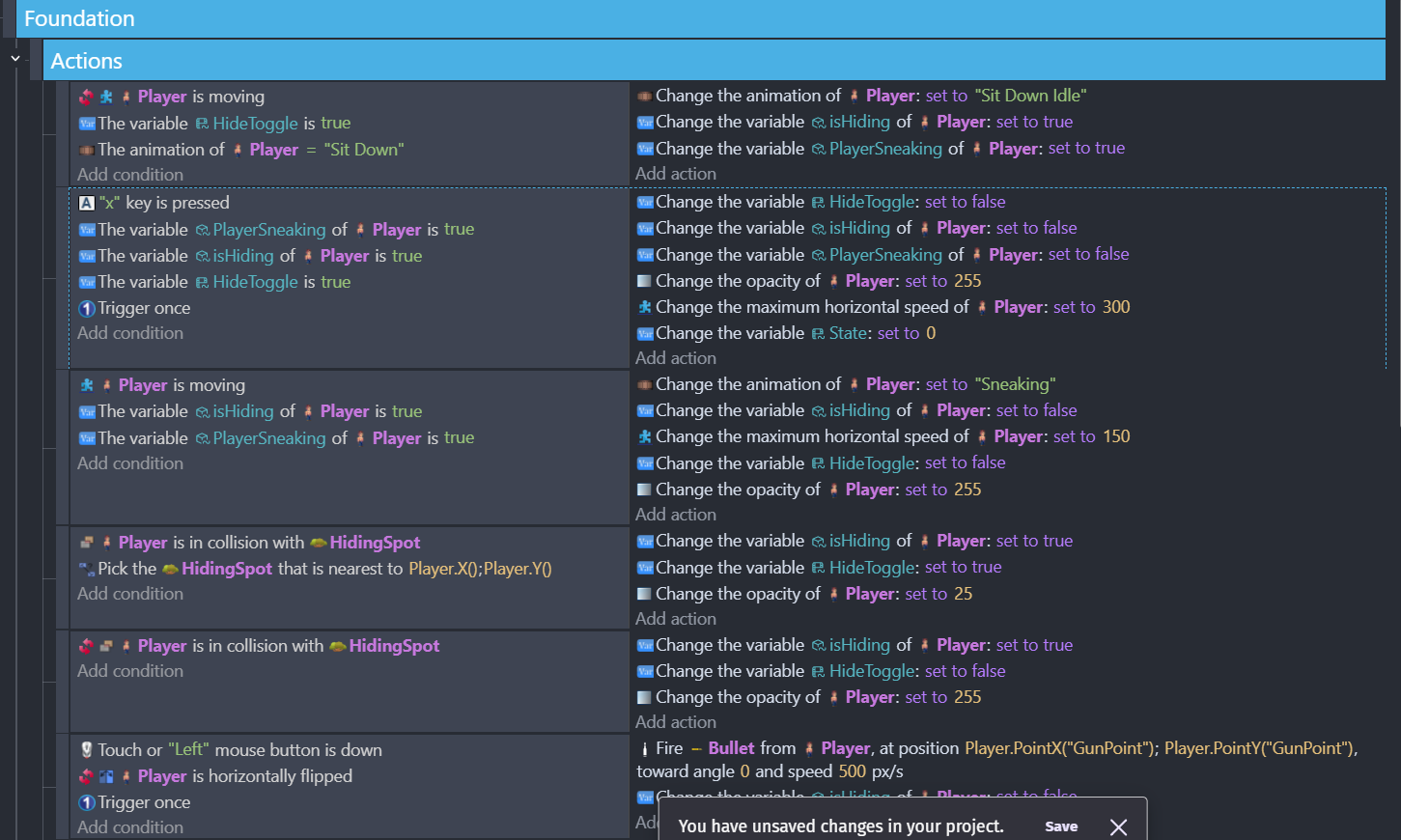
So I’m trying to have a key press toggle for both ‘sneak/crouch’ and for entering/exiting a box.
I want the player to be able to crouch and sneak around. I setup the ‘X’ Key to go into the ‘Sneak’ state but I’m not able to get it to toggle off again. It will either not work at all, or when I set the key to not be a ‘trigger once’ the ‘Sneak’ won’t work and it just toggles back off immediately. Which I believe means there’s a condition after the state that’s interfering. But I haven’t been able to figure out what’s causing it. I could use some help if anyone has an idea.
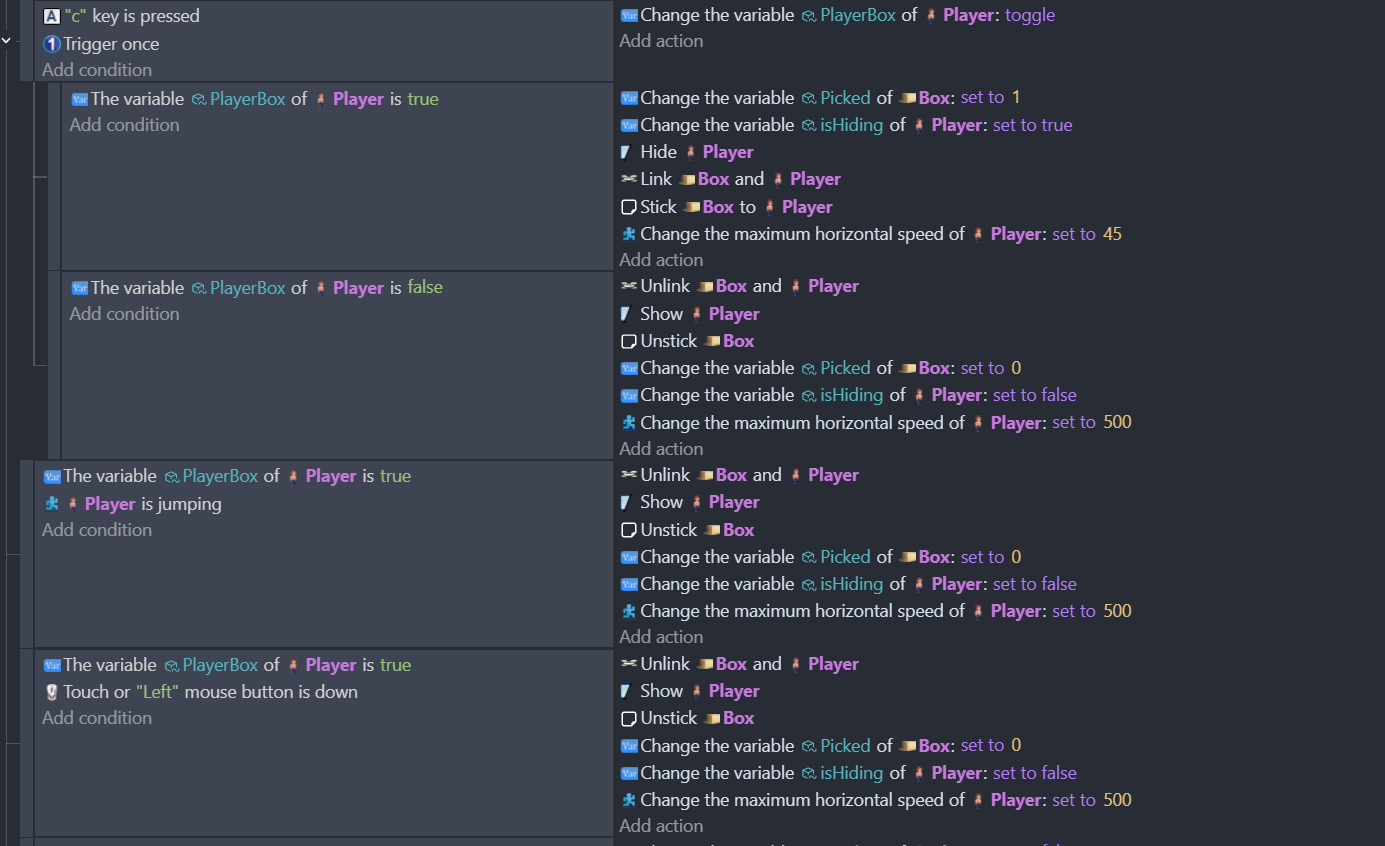
The same problem goes for the ‘Box’ state. I’m having a key press when the Player is near a box to “enter” the box. (Basically hiding the player and attaching the box sprite to the player’s movement). I can get out of the box by jumping or shooting, but I can’t seem to get it to work with the same key as a toggle.
Any advice would be appreciated, I’ve been working on this issue for months!
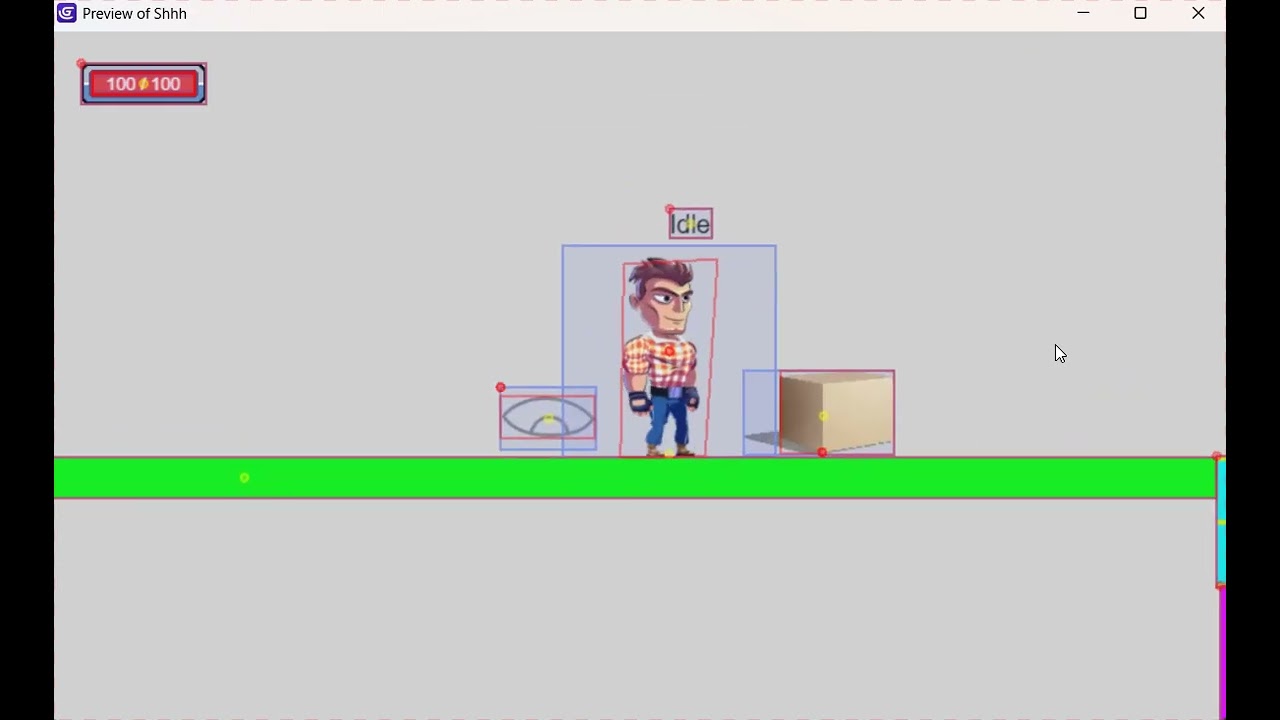
And here’s a quick video showing the sneak and box in action:
Obviously it doesn’t show the key pressing I’m doing to try and toggle the sneak and the box state. But you can see that I am able to unlink the box and get the player back by jumping. Just can’t do it with the same key as entering the box state.
From the ss i cant see it clearly if theyre subevents , subevents groups, subevents of a condition etc…i believe your state 0 is the top one…
But if you say player is not moving set to anim to idle
And then player is not moving set to anim to sitdowm.
The last one override the first so player wont return in idle state…i guess you need a keypress inside the sitdown condition in this case…
Or if you’re using scene variable to switch transition better post the full ss …with ordered events…problem could be there…also would like to see state 11.
I also changed the sneak a bit so it wasn’t identical conditions as the Idle. But neither work. Now the ‘Sit down’ animation flashes less than half a second and the character remains in idle.
UPDATE:
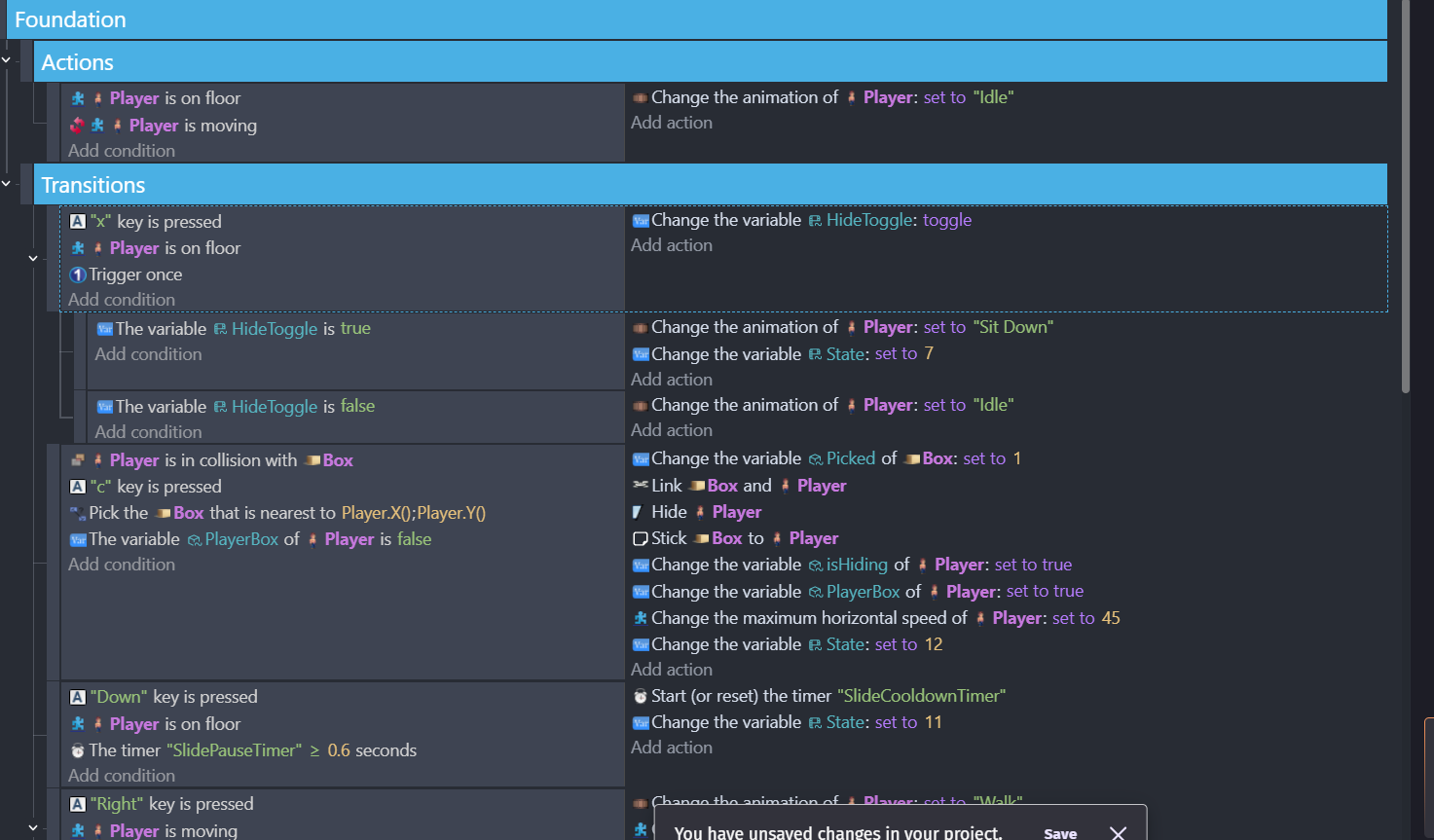
So I messed around with variables in my main ‘Idle’ state #0. When I don’t change the state in the action of the toggle, I was able to get the Box “hop In/Out” toggle to work. Here’s a screenshot of the Idle state showing what I did for the box toggle:
It does make the Idle state very messy and long, but it appears to work without issue.
I guess for the ‘Sneak’ toggle bug, I may have to do the same thing and not have a Sneak state. But I really think ‘Sneak’ needs it’s own state because you can do things in sneak you can’t in Idle.
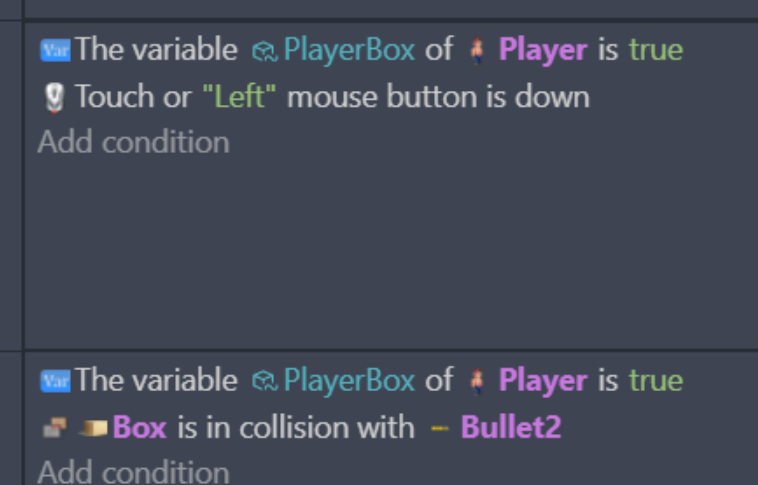
Sorry let me clarify the ‘bullet2’ is an enemy shot so when the enemy shoots at the box that condition is applied. The ‘Left’ mouse button is the player shooting which uses the ‘bullet’ sprite.
I don’t like all the PlayerBox conditions either, it’s super messy. I’d love to be able to condense them down. That’s the big reason I had all the box conditions in its own state, but apparently that state wasn’t totally isolated, so it conflicted with the Idle state.
variable playerbox is true
-------------------------------------------------------------------
    ->  OR (if any conditions are true)       |      unlink box and player
              player is jumping               |              etc
              left mouse is down              |
     --------------------------------------------------------------------------
    ->   Bullet is in collision with box      |      other stuff
The OR condition is added just like any other condition, and then it has its own further indented slots for the conditions that will be ORed together. (succeeds when any of the sub-conditions are true)
There’s another issue with these conditions, which is that you are not picking the Box properly. In other words there are no conditions to pick the Box that the player is hiding in. In these cases it may not really matter, but it could matter down the line. For example, the way it is set up now, when you unhide by jumping or clicking, every Box object in the scene will Unstick and have its variable Picked set to 0. This will be a problem if you have any other events that deal with Boxes being stuck to something else, or using the Picked variable for any other reason.
Finally, there’s no reason at all to check “box is flashing” if you just made it flash in the previous actions. The Wait 1.5 seconds and delete actions could be moved to the parent event. Although, a better way would be to set a timer, or a variable such as HP on the box in order to have a totally separate event for deletion.
I see, yeah I’ve been avoiding the ‘OR’ condition based upon other’s suggestions. But you’re saying I can condense them down to an OR statement?
Yeah I am concerned about that every box object in the scene will unstick, but since they are only sticking to the player and I only want one to stick at a time, I think it’s okay?
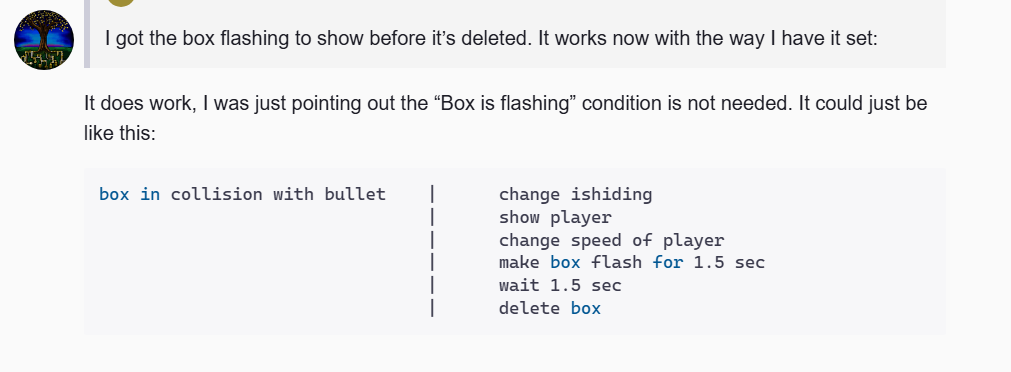
I got the box flashing to show before it’s deleted. It works now with the way I have it set:
Yes, in this specific case you had two separate conditions leading to the same actions. That’s the perfect time to use an OR.
A different approach could be to make some sort of condition that can be used for all cases. For example you could give the player a variable called “unhide”. Use a single event to handle whatever is needed when going from hidden to not hidden. The condition just needs to check that one variable, then reset it in the actions (to avoid repeating). Then you can set that variable anywhere else in the event sheet to trigger the change. It looks like you already have an isHiding variable so you could potentially use that. This way you don’t have to replicate the same actions more than once.
That is correct, but it is just something to keep in mind for the future. I’ve gotten into the habit of getting my object picking exact even if I don’t need it yet, just because there have been so many times where I hacked something together and then ended up with unintended behavior later on
It does work, I was just pointing out the “Box is flashing” condition is not needed. It could just be like this:
box in collision with bullet    |      change ishiding
                                |      show player
                                |      change speed of player
                                |      make box flash for 1.5 sec
                                |      wait 1.5 sec
                                |      delete box
Yeah that was my thought with the variable ‘isHiding’ and just use that for all cases for hidden or not. I’m trying to use it for the ‘sneak’ on/off state #7. But doesn’t seem to toggle off. Here’s what it shows now:
It does go into the ‘sit’ animation of the sneak state, and I can get him to walk around ‘sneaking’. I can get him to go back to the idle state#0 by shooting or jumping. But I still can’t toggle off the sneak state to idle state with the ‘X’ key. Any ideas?
I’m trying to avoid doing what I did with the box which was moving it all into the idle state #0.
Yeah I had it that way but it wouldn’t flash, it would just delete it. So, I guess something else was wrong
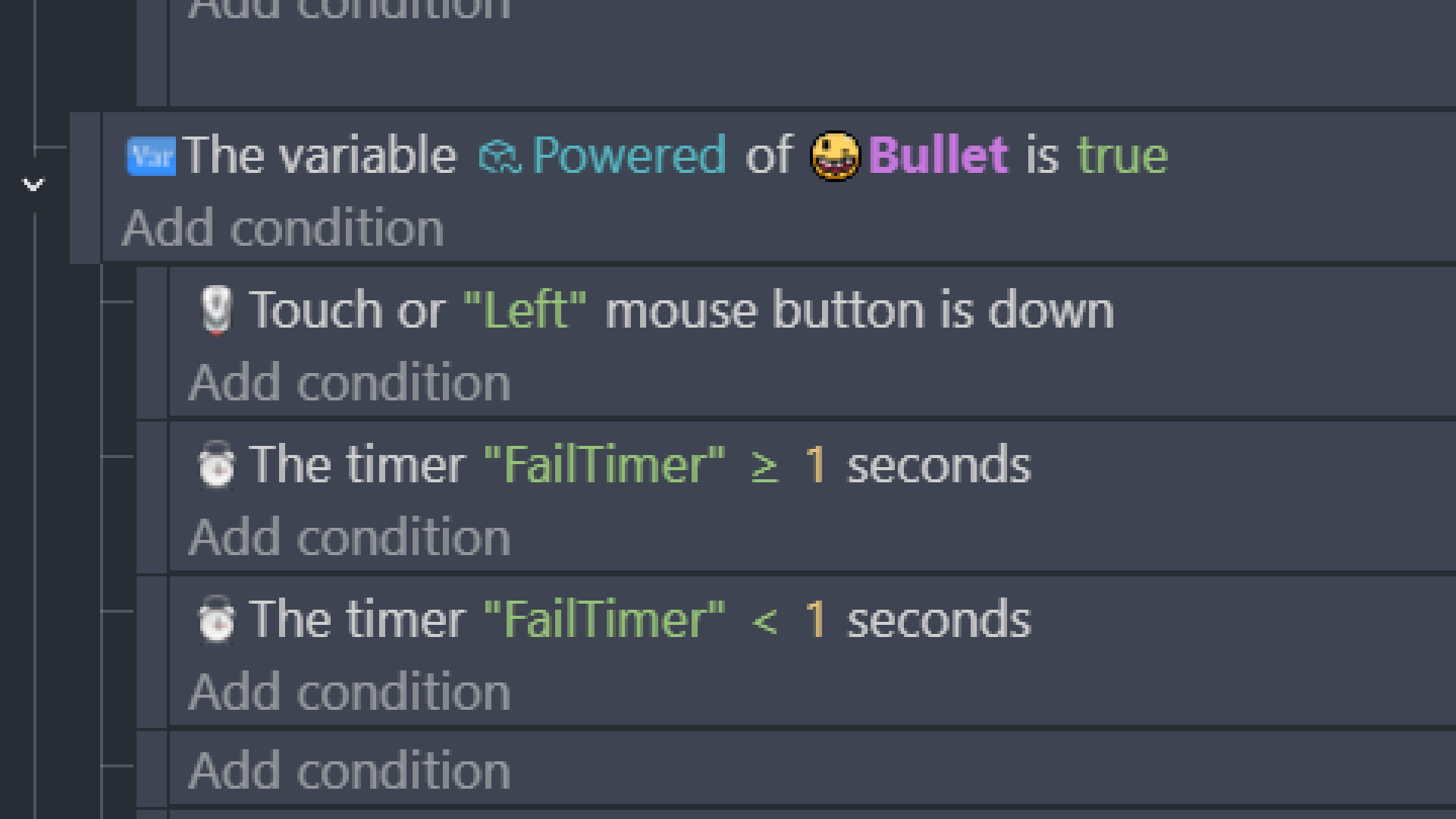
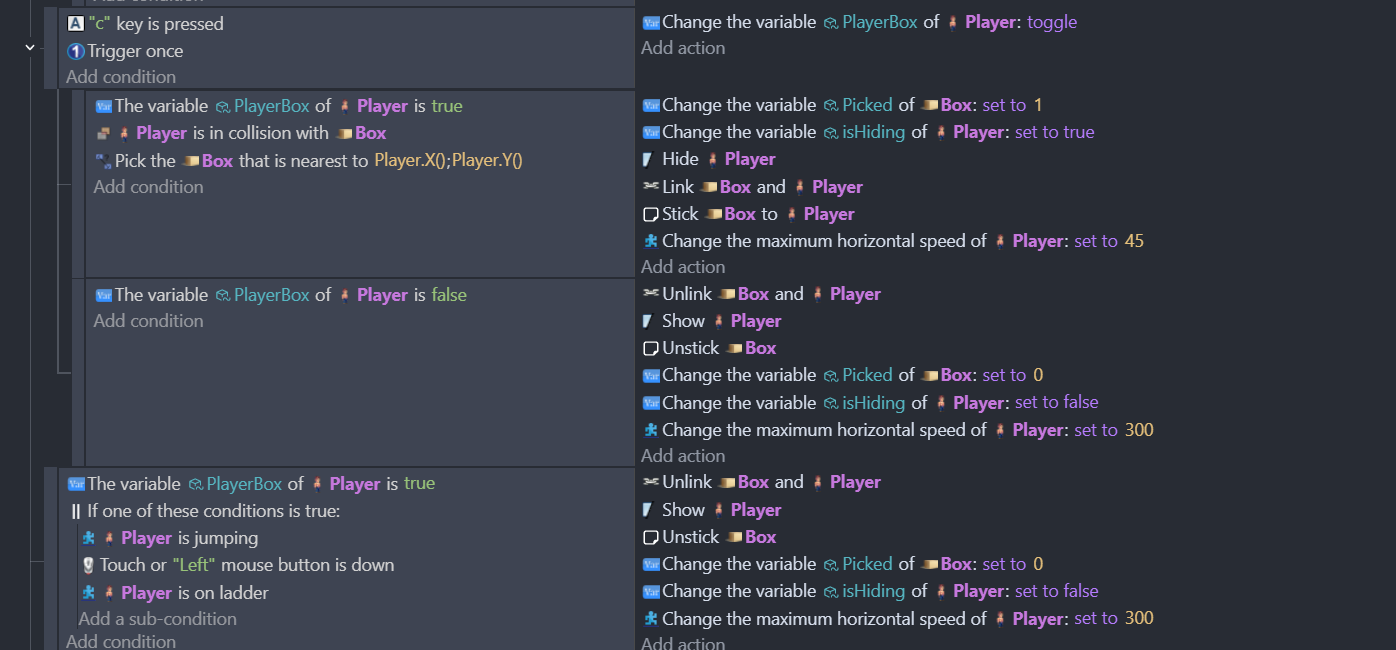
So I tried using the OR statement to combing the jump/shooting/ladder conditions of the player when he’s in the box. But when the player shoots in the box he becomes invisible (haven’t tested the ladder climb yet). Here’s what I changed it to:
It’s late, I went and deleted my reply bc I’m unsure of my logic. I might do more testing tomorrow when I’m awake.
My logic was correct the first time. Even if my tired brain got confused. I never thought about a mixture of conditions and an OR.
Anyways, I’m confident that your issue (at least one of them) is that while only 1 condition inside an an OR condition needs to be true, all of the conditions are evaluated so only the objects with a true result get picked. So, only those objects will be affected by any actions.
I believe adding a pick all Players as the first action in your last event, would fix that event. Or at least give the actions an object to use.
Here’s my test project. I simplified it by adding 3 toggle buttons. 1,2 and 3.
If one of the toggle buttons is checked then it rotates. I added a condition to check if the 1st toggle is visible. The object is always visible. So, that should pick that object. But if Toggle1 isn’t checked then it won’t be picked and won’t be rotated. A false result for whether Toggle1 is checked unpicks that object.
Its better to do when you’re awake and test when you’re asleep. I just woke up…with my phone in my left hand and my right arm down the toilet…no, hang on! …my phone is in my right hand!..no, I am asleep …but it did work! the test was successful!