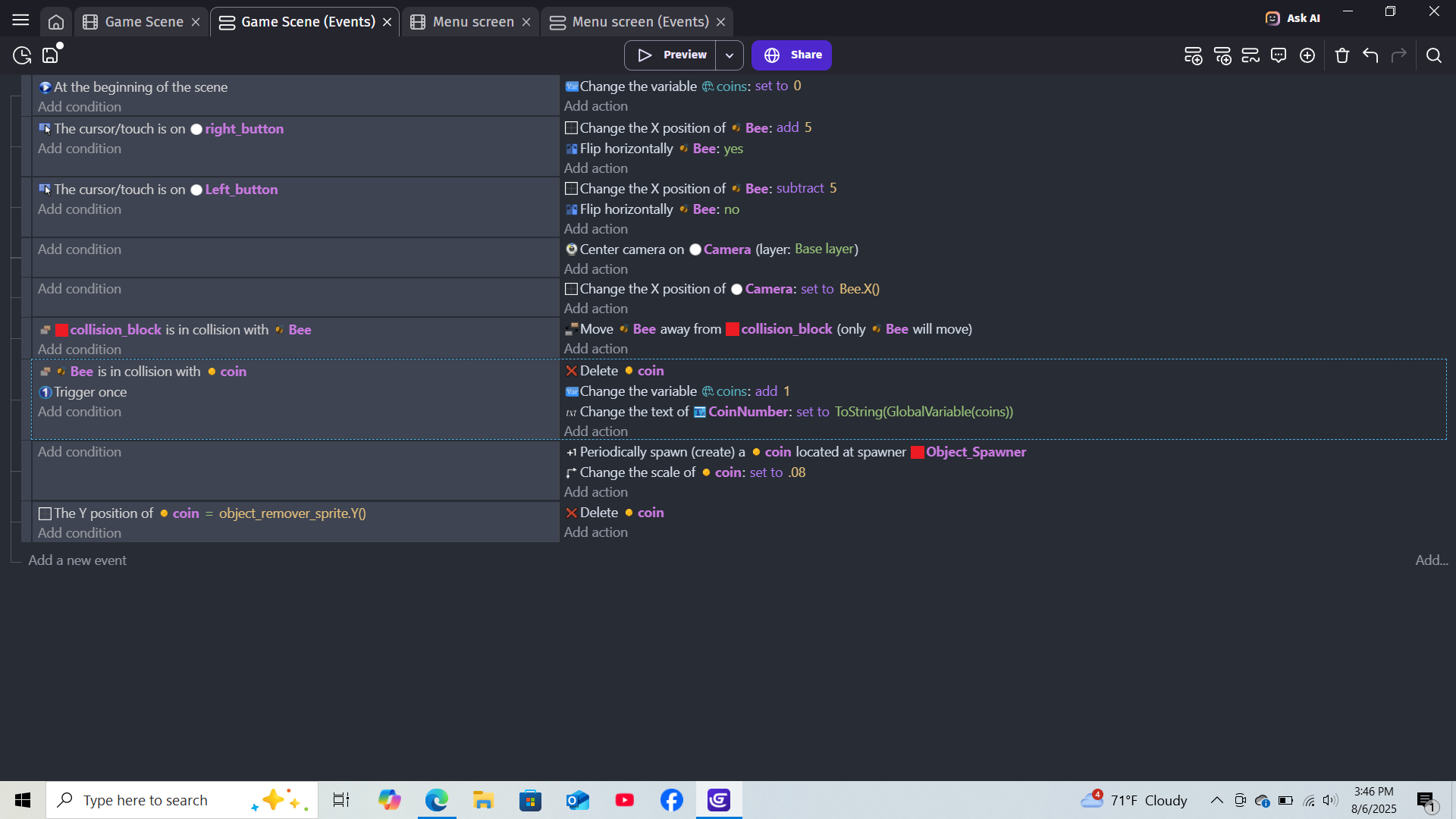
Get a coin collision to add 1 to a global variable, showing up on the screen?
What is the expected result
When the player ‘bee’ collides with a ‘coin’ object, it should 1. delete the coin, 2. change global variable ‘coins’ to +1, and 3. change the text on the screen to "Coins " (coins)
What is the actual result
When the bee collides, the coin does delete, and for just a frame or two i can see the value changing to the correct number. but then it snaps back to “Coins 0” immediately.
I can’t see a reason why this shouldn’t work… although, I don’t see anything that puts "Coins " in the text either, just looking at the screenshot here it should only show the number (unless you have a separate text object). Can you upload the project?
Actually I think I just fixed it! I had a rolling counter behavior attached to the text that was messing everything up. I removed that and added "Coins " to the event code instead and that fixed it