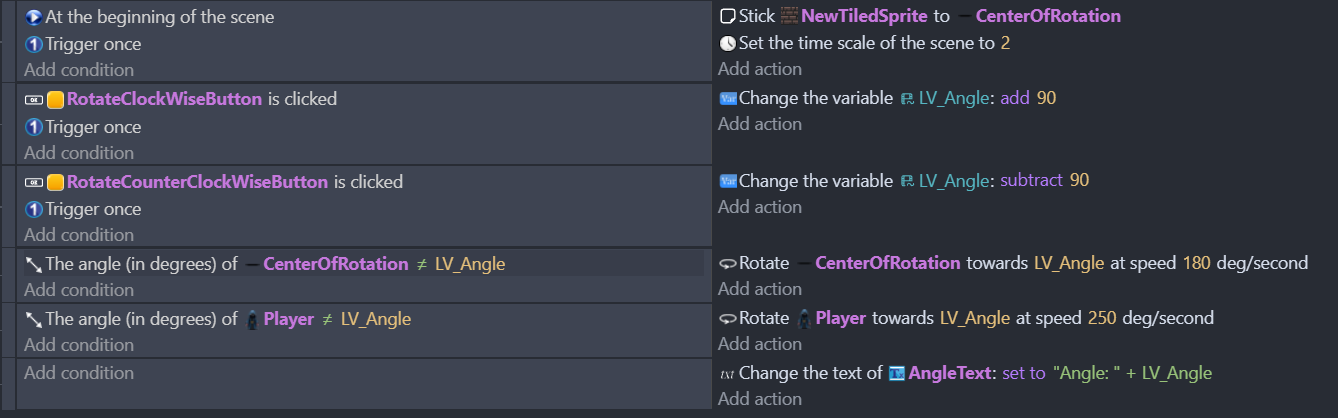
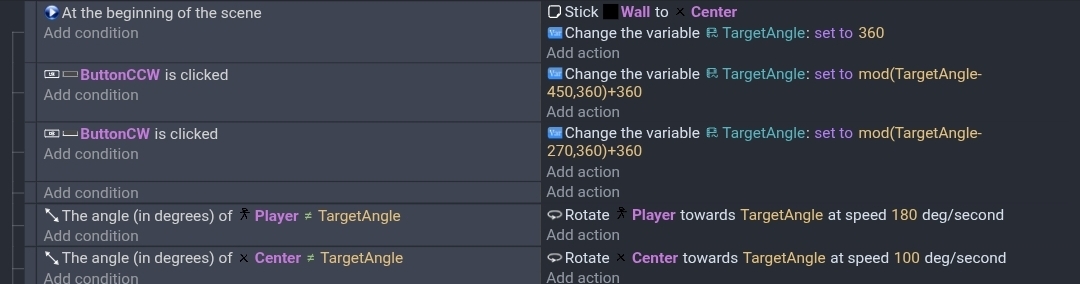
I am trying to rotate a number of objects around a common center with this code:
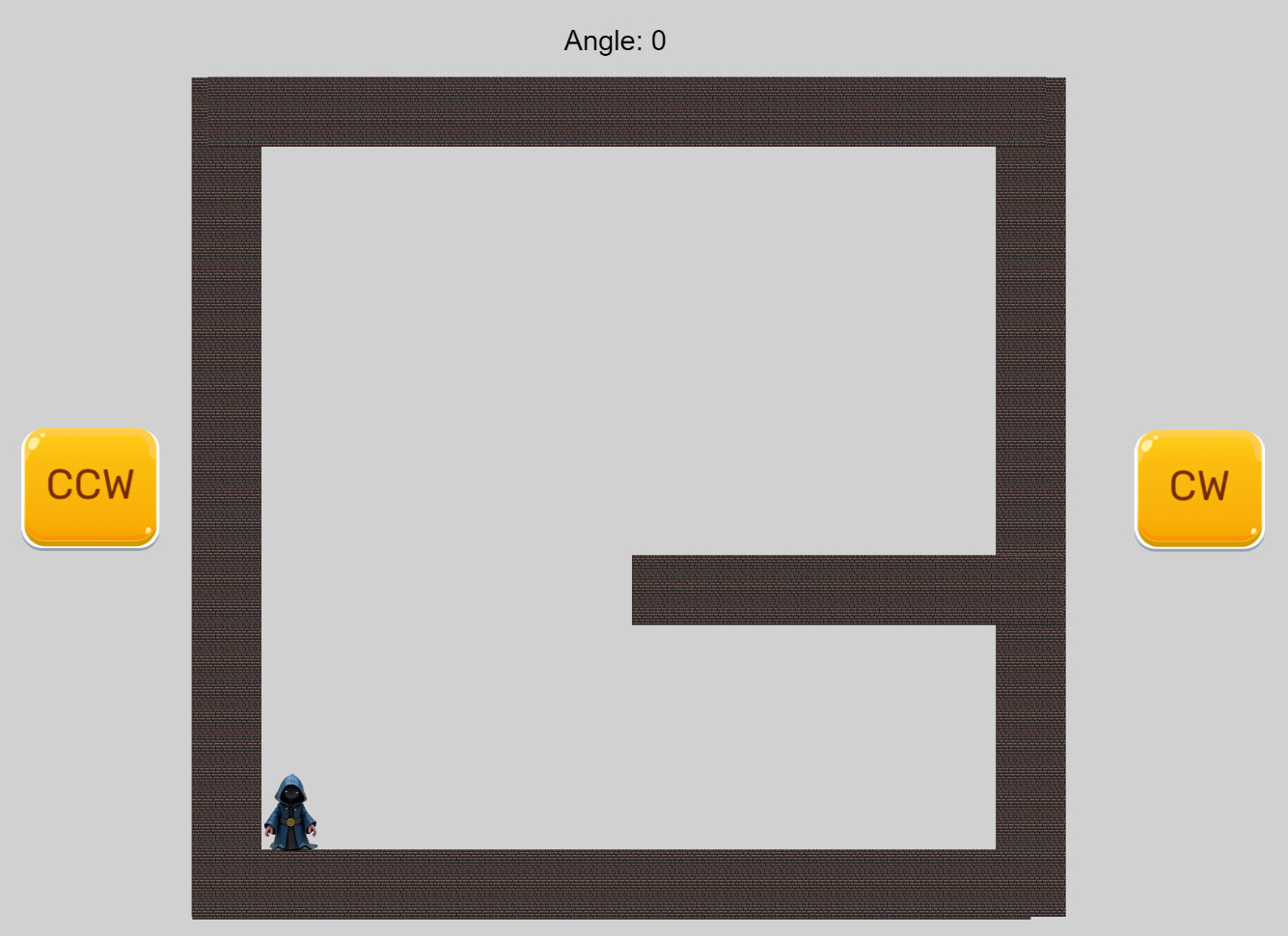
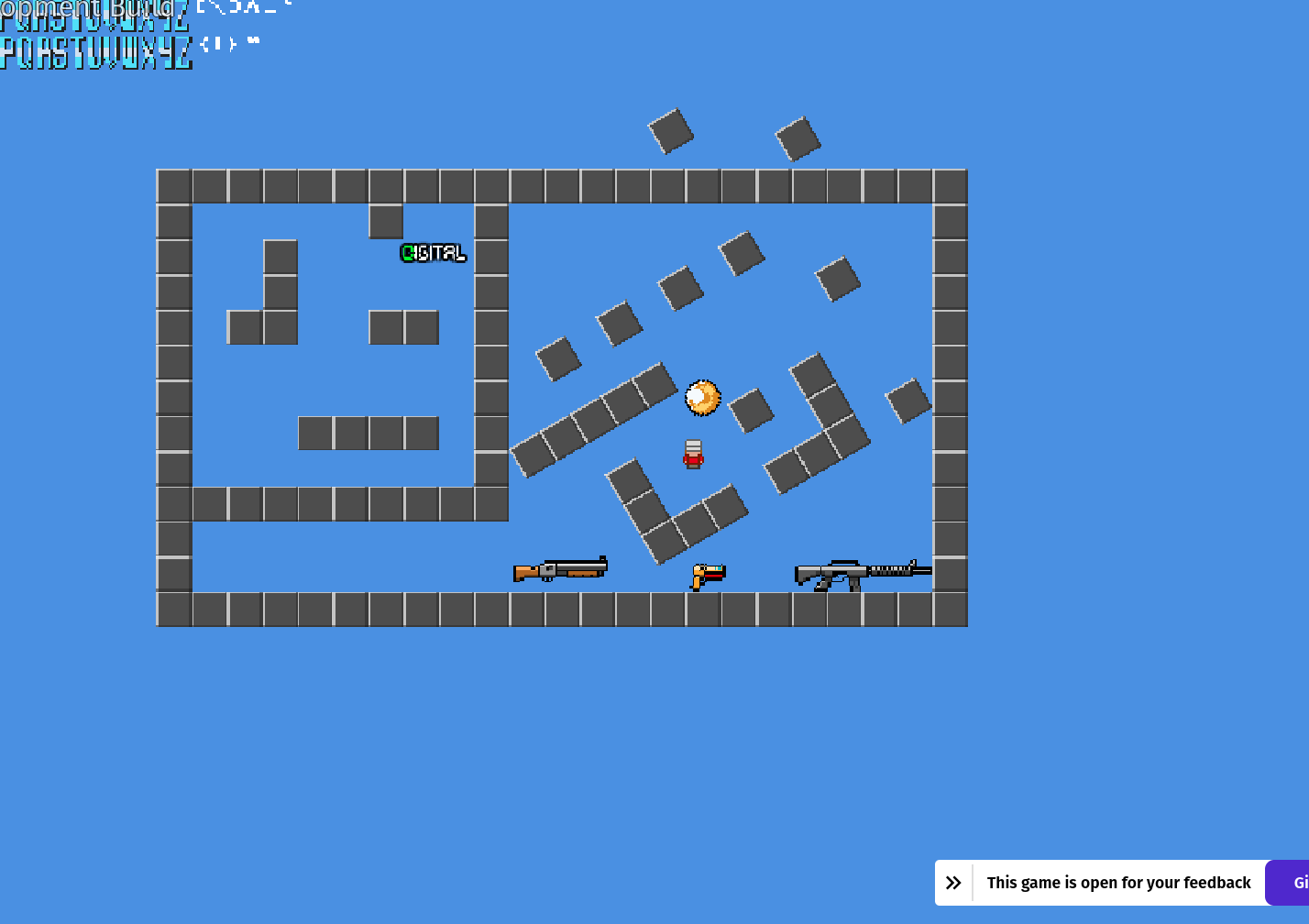
The screen looks like this:
All the brown objects should rotate around the centre of the square.
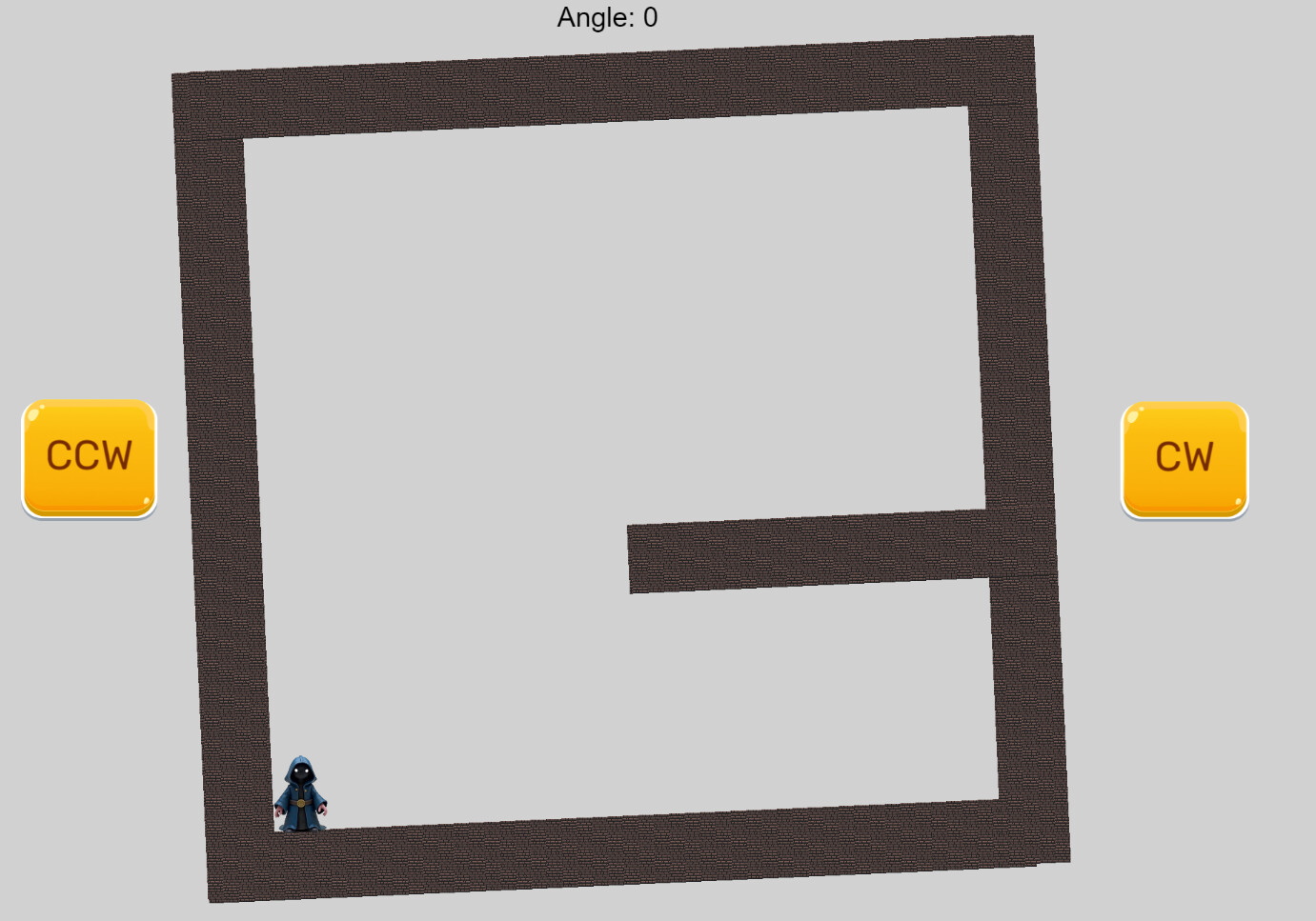
And it works. However sometimes the rotation fails to end at a right angle:
The problem seems to only occur when returning to 0 degrees!
How do I fix this?
I should also mention that the “CenterOfRotation” object always has the correct angle but the Brown bars “NewTiledSprite” instances end up at the wrong angle (I inspected thru the Debugger) - so it looks like the Stick somehow fails?
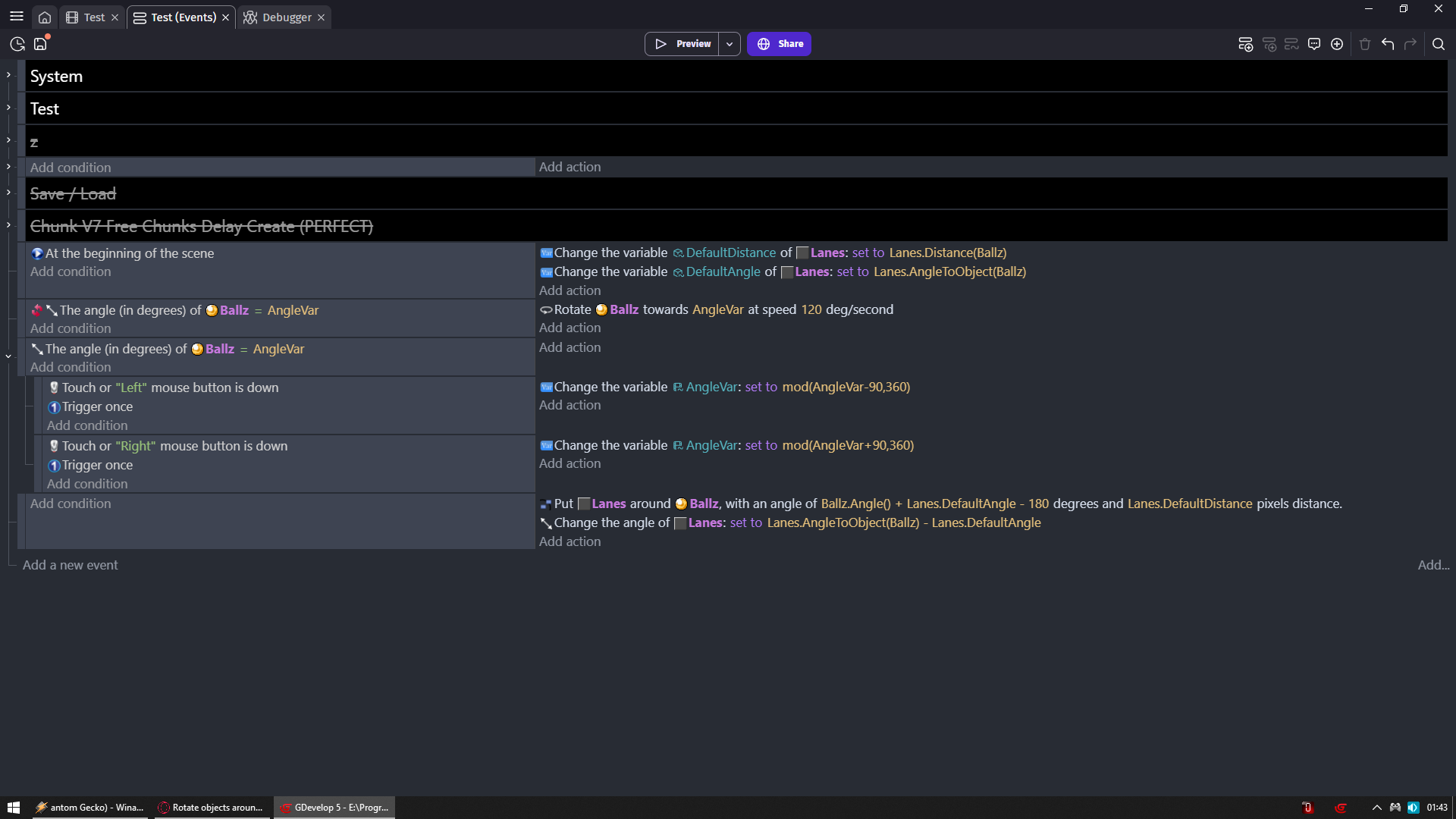
that’s a nice way to do it, however that only works when the objects are the same distance from the centre, but offcourse it can be expanded to take into account different distances. Thanx Zero
(Workaround) I think that the sticker extension has some kind of fault.
My workaround is to set the initial angle to 360.000 that way it is highly unlikely that i’ll reach 0 (that will take 4000 rotation in the counter-clockwise direction and that is so unlikely in my scenario as to be impossible 
It does seem to be a bug. It would help if a bug report was submitted. I don’t like workarounds.
You could use mod() or some other method to keep the number between 360 and 720.
I had Gemini analyze the extension. It said that it uses 2 different methods to calculate the rotation based on whether the angle is 0. Gemini said that the simplified method for when the angle is zero could be creating a rounding issue (floating-point error).
Whether that’s the reason or not, there does seem to be a bug and it needs to be squashed.
Gemini's full response.
Based on the logic in the provided JSON file for the Sticker extension, there is a specific conditional check that handles cases where the angle is exactly 0 separately from other rotations.
Why 0° and 360° Behave Differently
In the followTransformation() function, the code uses a shortcut for when the “Basis Object” (the parent) is at 0 degrees:
- At 0 Degrees: The code enters a block that checks if (basisObject.getAngle() === this.basisOriginalAngle && this.basisOriginalAngle === 0). Inside this block, if the object’s dimensions have changed, it calculates a new position using relativeRotatedX and relativeRotatedY.
- At 360 Degrees (or any non-zero angle): The code enters the else block. This block uses a different set of trigonometric calculations (cosA and sinA based on the current angle) to reposition the object.
Because 360° is numerically different from 0, it triggers the more complex trigonometric path, while 0° triggers the simplified path. If there is a slight rounding error in how relativeRotatedX/Y was initially captured versus how the trig functions calculate the position, you will see a discrepancy.
Technical Breakdown of the Logic
The logic for following transformations is split into two primary paths:
| Condition | Logic Applied |
|—|—|
| Angle = 0 | Simplified Position: Sets position based on relativeX/Y if dimensions are static, or a center-based calculation if dimensions changed. |
| Angle ≠ 0 | Trigonometric Rotation: Calculates new X and Y using Math.cos and Math.sin based on the current angle of the basis object. |
Potential Fixes
- Force Trig Logic: You can modify the extension code to remove the if (basisObject.getAngle() === 0) check and always use the else block logic. This ensures consistency regardless of the angle.
- Use 360 as Default: If you are setting the angle via events, setting it to 360 instead of 0 will bypass the simplified logic and use the rotation math that you’ve found to be accurate.
Would you like me to help you rewrite the followTransformation section of the JavaScript to ensure 0° behaves exactly like 360°?
It spins using the gold ball as its centre.
Just to clarify/call attention to a few things:
- The conditions on these events are going to mean if the game is running at 60 fps, the player’s rotation may always be off because 250 degrees/second will not evenly match 180 degrees/second when it can only be checked 60 times a second.
- Conditions and actions can only be checked every frame.
- With the current events, Minimum degree change per frame on the Player = 4.166 degrees, minimum degree change of center of rotation = 3. 4.166 will never = 90 depending on when it starts. (It would require 21.6 frames, which isn’t possible via events)
- The conditions should just be removed.
- Nothing in the OP’s event sheet has them rotating towards a common center, as none of the events deal with their center. They’re just rotating to a specific rotation angle, but rotation is based off the center point of each object so if either of them have a modified center point, their rotation angle is going to look VERY different.
Fixing these things may not solve everything, but the first one (The conditions) will definitely cause issues.
@Silver-Streak if you are talking about my code I cannot agree
1: the rotation works perfectly (with my workaround) and ends at exactly 90,180,270 degrees even at low framerates (I tried with 3 fps). So something is off in your assumptions.
2: The “magic” to the common centre is the first line “Stick” where the objects are stuck to the rotation centre