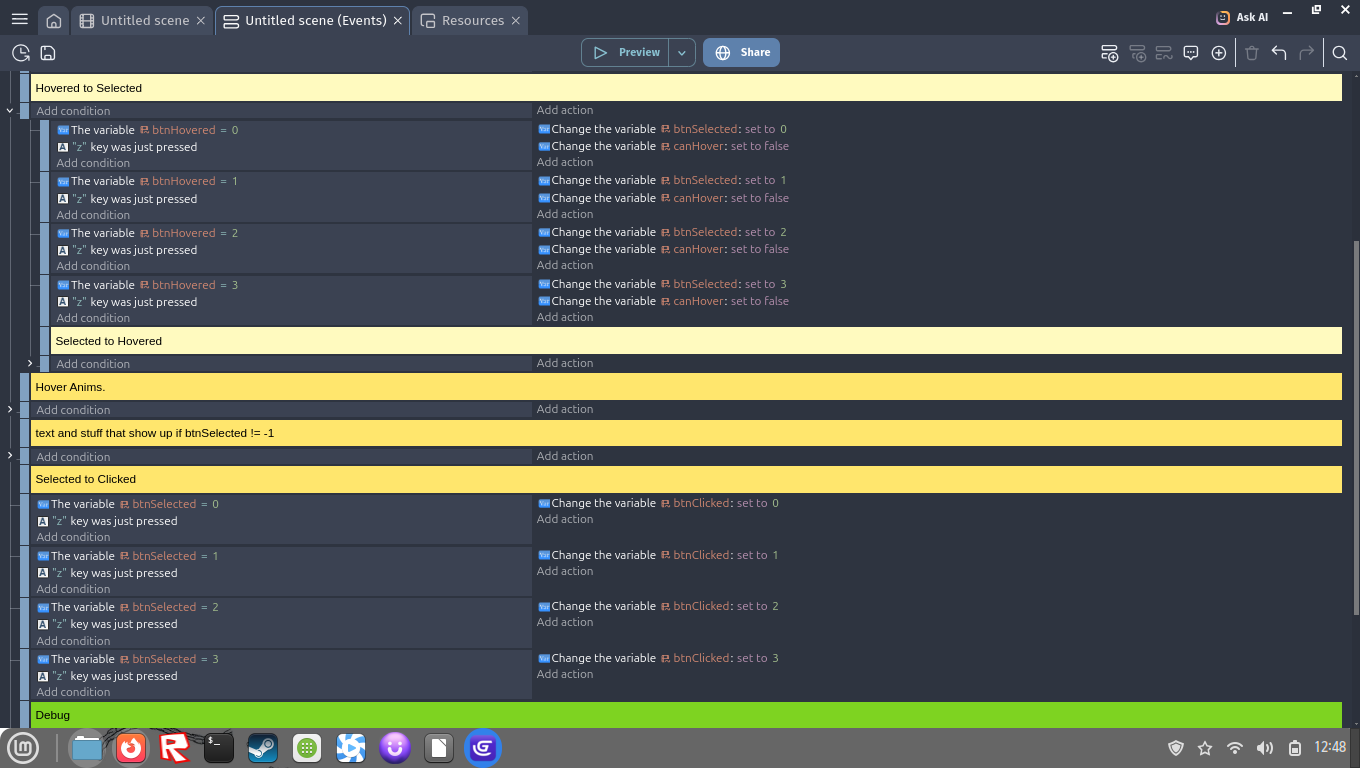
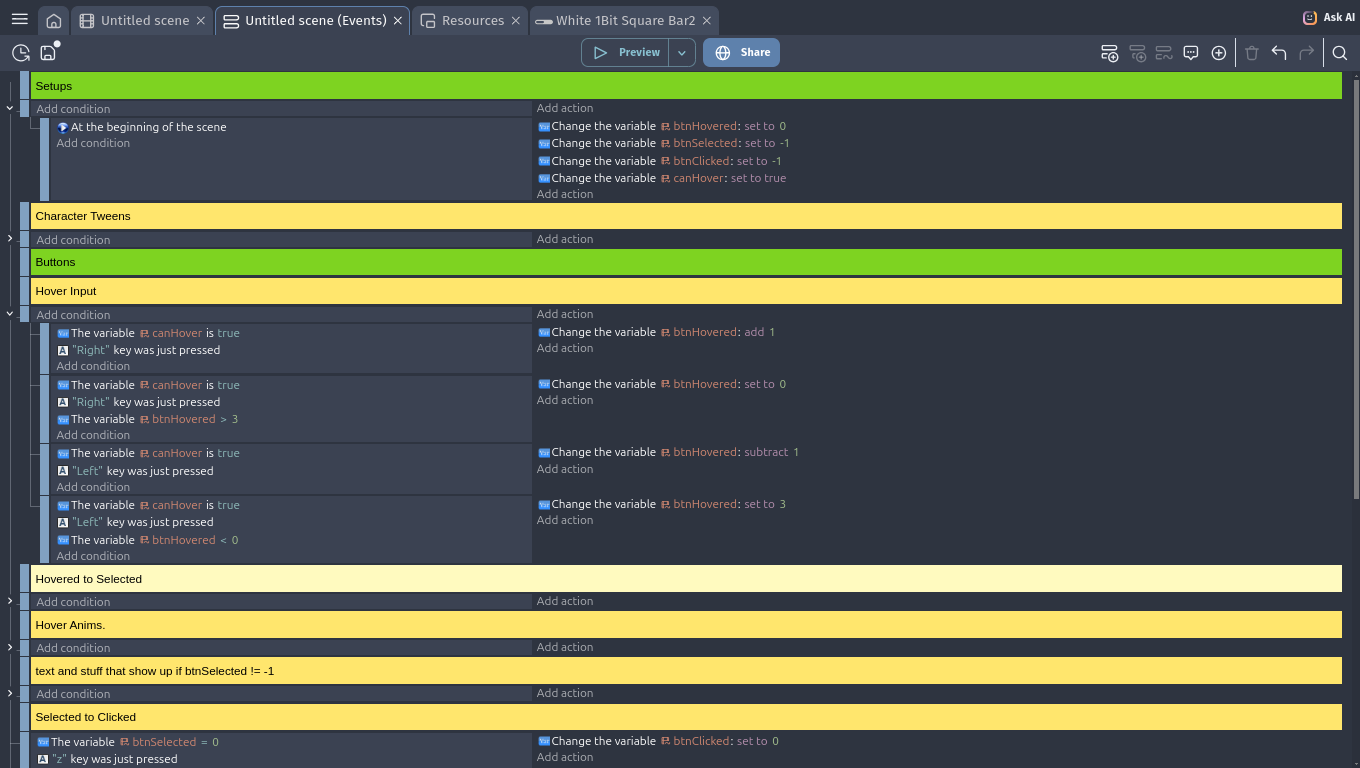
hey everyone, i’m trying to remake the undertale fight buttons system, and it consists on 3 variables, btnHovered, btnPressed and btnClicked. basically, if btnHovered is active (= 0-3, for the four action buttons) and Z was just pressed, the btnPressed variable is triggered to the same value as btnHovered.
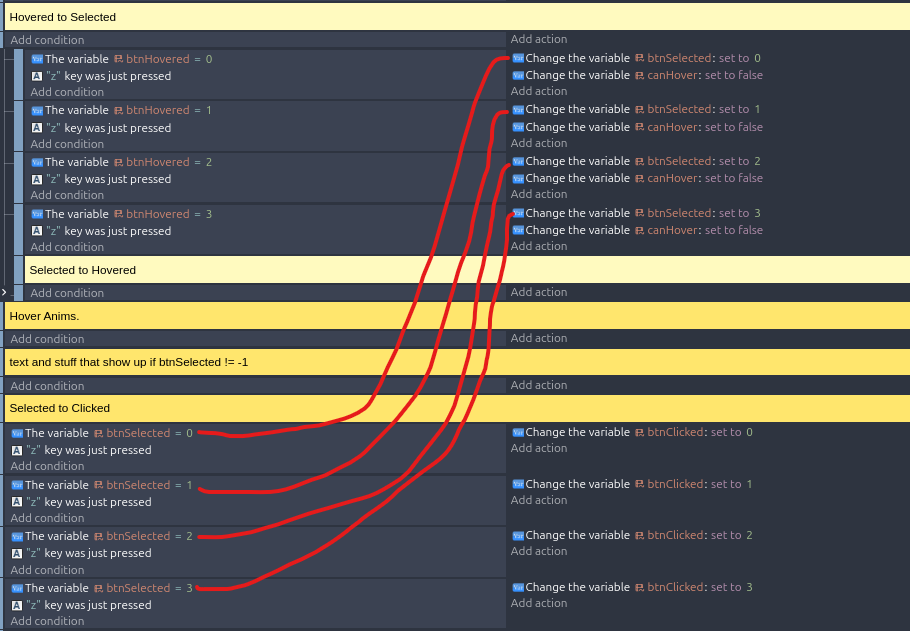
i want to make it so if btnPressed is active (= 0-3, for the four action buttons) and Z was just pressed, then the btnClicked variable gets activated, BUT what happens is that when btnHovered is active and i press Z, both btnPressed AND btnClicked get triggered. how could i solve this?
If you want a solution without understanding or changing your setup (which could be condensed and easier), just put the “Selected to Clicked” event block above the “Hovered to Selected” events.
But it would be advisable you read MrMen’s and Keith’s answers again, and feel free to ask, if any of it is unclear. You will understand the concept, and write events that make sense
alright!! for now i used this solution and it worked, but i’m def gonna try learning it better, srry everyone and TYALL SO MUCH:face_holding_back_tears: