HI
I am sorry. I have asked similar questions before, but I still dont get the logic behind the answers and the wiki/articles to use it in my game.
I have started a new project to work with this issue. I have one sprite but two instances of it for now.
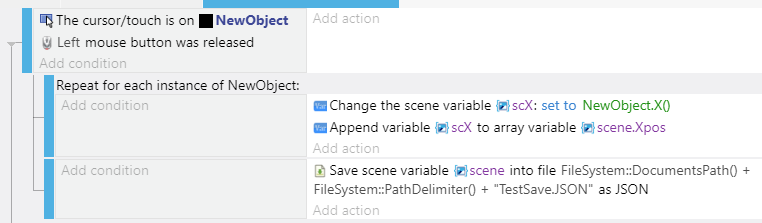
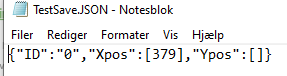
When I click one of the objects it should save all .positionX() from all instances in a external file.
I simply can not figure out how to loop through and save all instances.
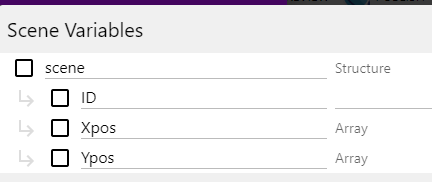
This below code is just the code I have ended with after have tried MANY MANY different ways to write it and nothing have done the work.
If using arrays is not the way to go then please show me what to do instead.
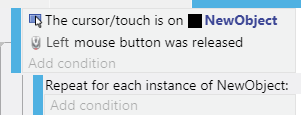
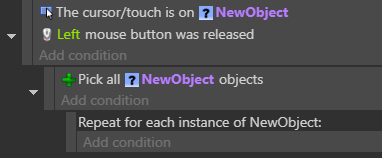
filters the list of NewObject to just the one that was clicked. So the repeat for each instance will only be applied to that one NewObject.
To save all NewObjects, create a new subevent of the touch/cursor is on NewObject, with the condition Pick all objects and make that repeat block a subevent of that new event :
There are 2 ways I can think of. If you don’t care for the co-ordinates once you’ve placed the NewObject (i.e. the array values can be deleted), then you can do it this way :
Thanks for giving me specific examples. I can better understand how it works now.
I think it is perfectly okay to go with the first option. In my real project I will have a save button that should loop through and save all instance positions when it is necessary so the array is only important when saving and loading the game.
I am not sure if I will go with creating a new object at the position or have my excisting objects go to the right position. I have been so focused on this one problem I have not had the time to think about what works best in my game. But now I can start thinking about it