@Keith_1357 might be right about a chain of physics joints but I think that would require a lot of trial and error to get spot on. I think i wouldn’t have done it the way i did above if id know it was going to cursor. What i did i possibly more suited to an enemy that grabs stuff.
It remind me of this one earlier in the year
Making a realistic rope that’s attached to the grappling hook - How do I…? - GDevelop Forum
but i don’t think there was every a conclusion to that one.
the extension earlier in the thread is another option to consider and then the problem is defining the curve. Maybe the two nodes are hidden objects - perhaps if they had physics 2 then the chain would appear to interact with objects.
I think which ever way you do it it’s going to be lots of trial and error and fine tuning.
1 Like
Hello:
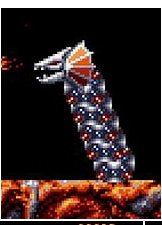
What you done Dave is like the dragon in game Turrican II (Amiga, etc.)
I think you have right when you say to use a rope.
It"s a good start to solve the problem.
I don’t know if in Physics2, it exists an integrated behavior for a rope.
A+
Xierra
2 Likes
Yeah - i think mine’s better suited to a snake like enemy.
Ropes are doable but fiddly in physics 2. There’s a rope example by mr men mentioned in the other thread on rope physics. If i get time i might have a play around with joints but you could easily spend quite a few hours playing around with the parameters and still end up with something that looks very buggy.
2 Likes
It just depends on how you want it to look. Is it wrapping around the outside or is it in front of it grabbing it from the side or the top depending on the perspective like a steering wheel. The latter would be easier.
I don’t know on that one Keith. Yes If it’s not interacting with the block, only with the handles then it’ll easier to get right
1 Like
I saw this post in the weekly news letter and thought it was funny
2 Likes
Sorry ive not looked at this in a good 3 days!
I checked out the example game, id have to try to recreate it myself but it felt very jittery and unstable, possibly the events arent ordered right?
For clarification to some of the other comments in this forum, its not for a snake enemy thing (even though it would work really well for that), im just trying to get a spine for the player character thats curves like a bezier curve. Also here’s a build of my game so you can try it out, also i made it look pretty nice theres some placeholder 3d sprites since i wanted to make the game skullmonkeys styled 2.5 graphics and also theres some nice squash and stretch! (feel free to stim out to it)
the spine would just be a visual thing for the most part to show where the heads located compared to the body, possibly could be used to do very specific puzzles with it but its not meant as a thing that can damage the player so it wouldnt need to have specific curvature to dodge collision
You might be able to calcute a curve based on the start and end.
But… What if you used the nav mesh behavior. It’s similar to the basic pathfinder but it uses the objects collision mask not just the bounding box.
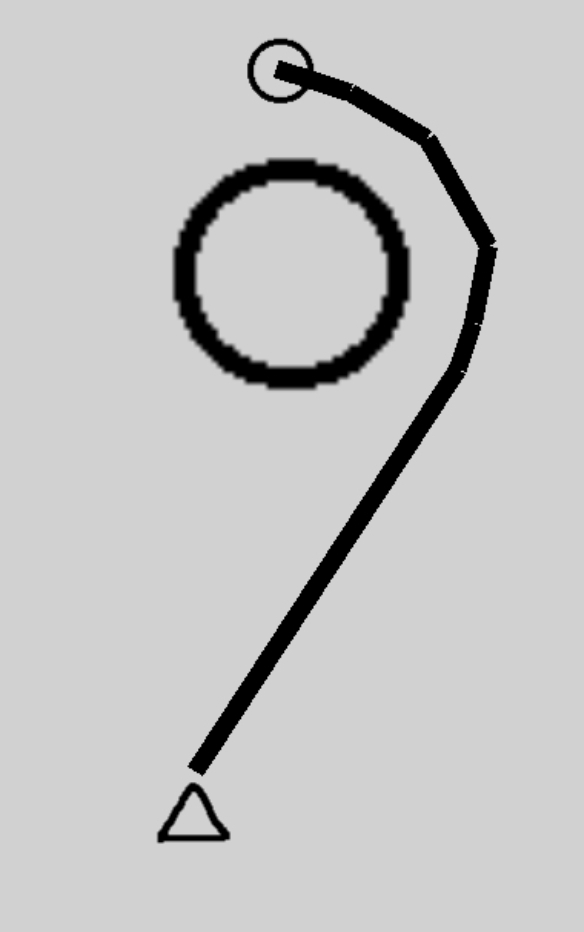
The triangle is the body with the nav mesh behavior , the small circle is the head and the large circle is the obstacle and has the nave mesh obstacle behavior. All objects have a tight collision mask that follows the object shape.
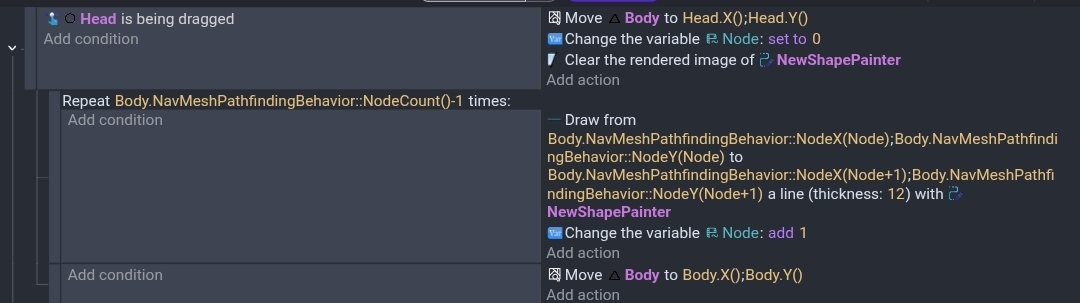
My events
It basically just tries to move, draws the path and then cancels the move by moving to the current position.
You could use the seperate objects to keep the head away from the obstacle. Otherwise the target might not be reachable.
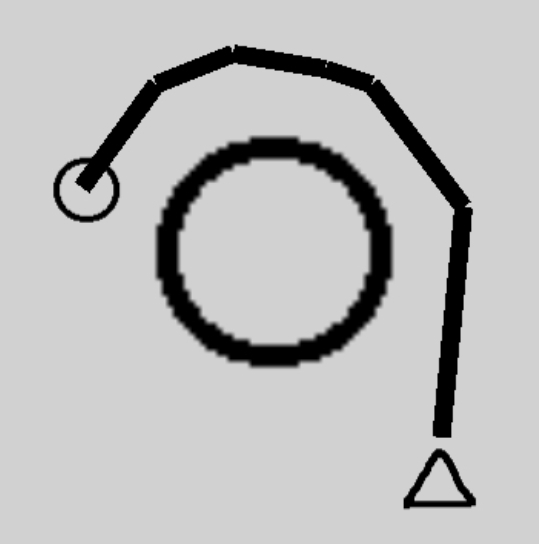
Another screenshot.