Segment-growing bezier curve

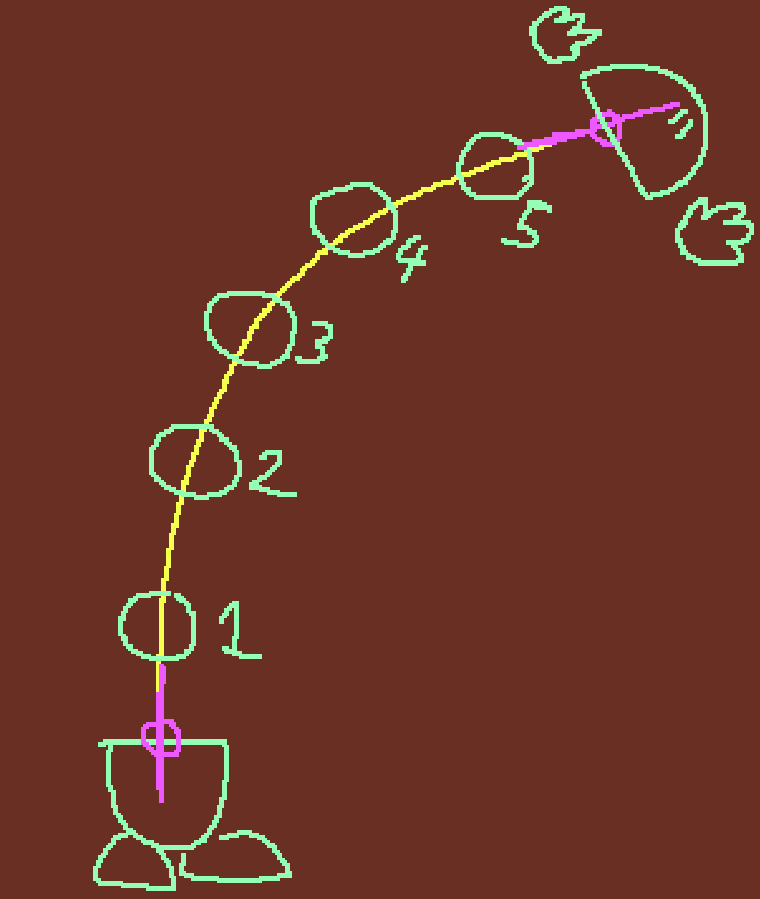
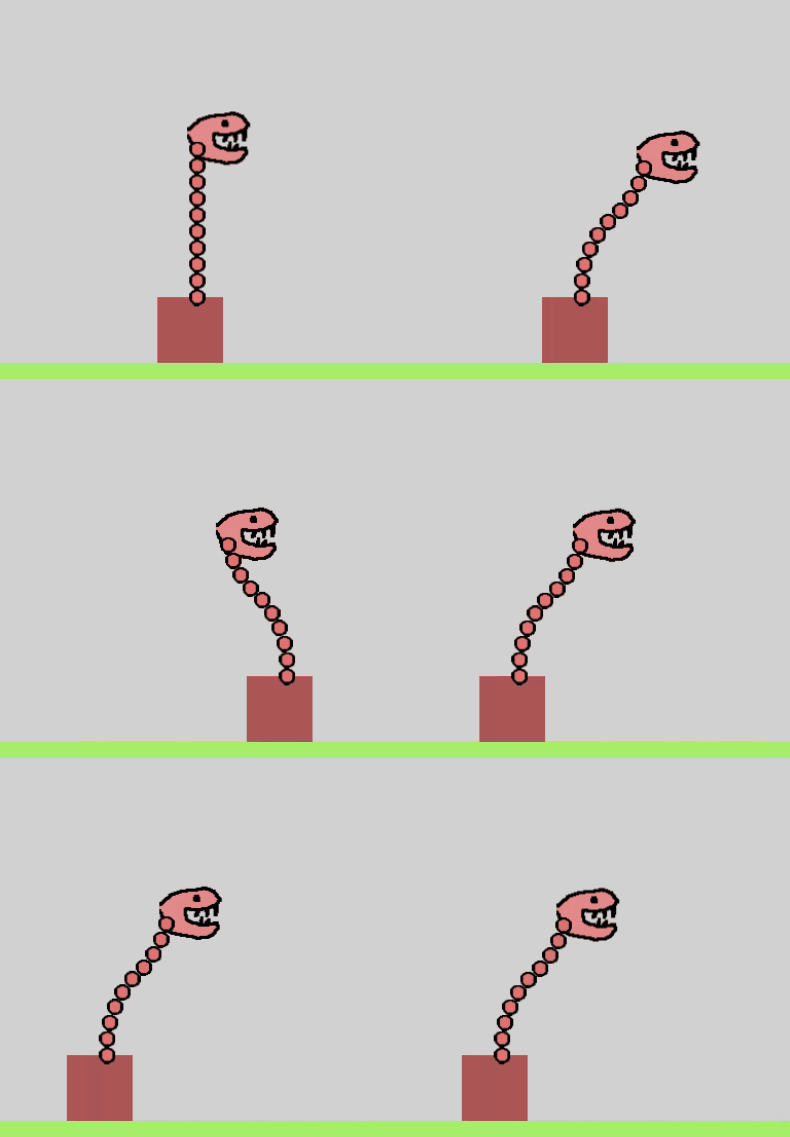
Hi there! I’m prototyping a game where the player has a snake-like spine to stretch out and grab things. The spine would be made out of spheres and would generate new segments at the end of the curve based on it’s length and would also adjust to the angle of the end point. is there a good way to pull off something like this?

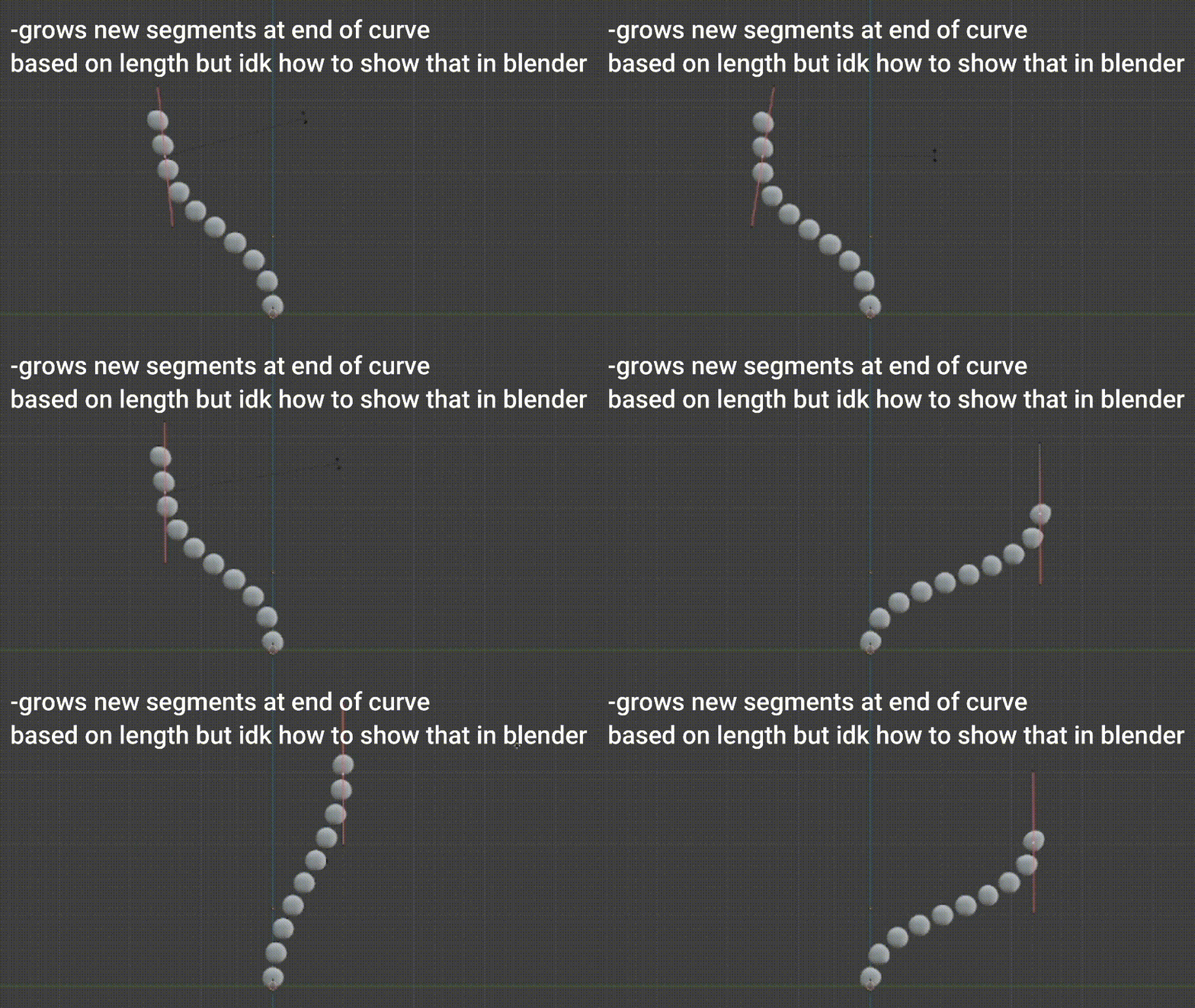
here’s some demonstrations, hopefully they’re helpful! (sorry I couldn’t figure out how to get blender to create new segments like I explained in this post)
bezier curve demo

I thought I could use the technique I used in this post

https://forum.gdevelop.io/t/stretchy-neck-effect-solved/53977/4?u=keith_1357

but it doesn’t work well with curves bc points on a curve aren’t spread out consistently. So, I couldn’t just spread them out by using an average technique.

A better solution might be to use physics to create a linked chain of objects using physics joints. Although, I’m not sure how to create the curve. I guess you could use gravity and maybe “pull” on objects 1/3 and 2/3 of the way along the chain. IDK. Maybe someone has a better idea or can modify one of my ideas.

A solution to my version would be to create a lookup table (array) of say 100 points and then go through the array and finding a position that is the intended distance from the last position.

To calculate the total distance of the Bézier Spline, you could add the distance between say 10 or 100 points depending on the desired accuracy.

I might play with that concept but my technique has the added difficulty of having to position the control points. My solution would be to place them at a certain distance from the center of a straight line from the start and end. But honestly my technique is starting to sound too complex.

I’m posting my method just in case it’s helpful now or later.

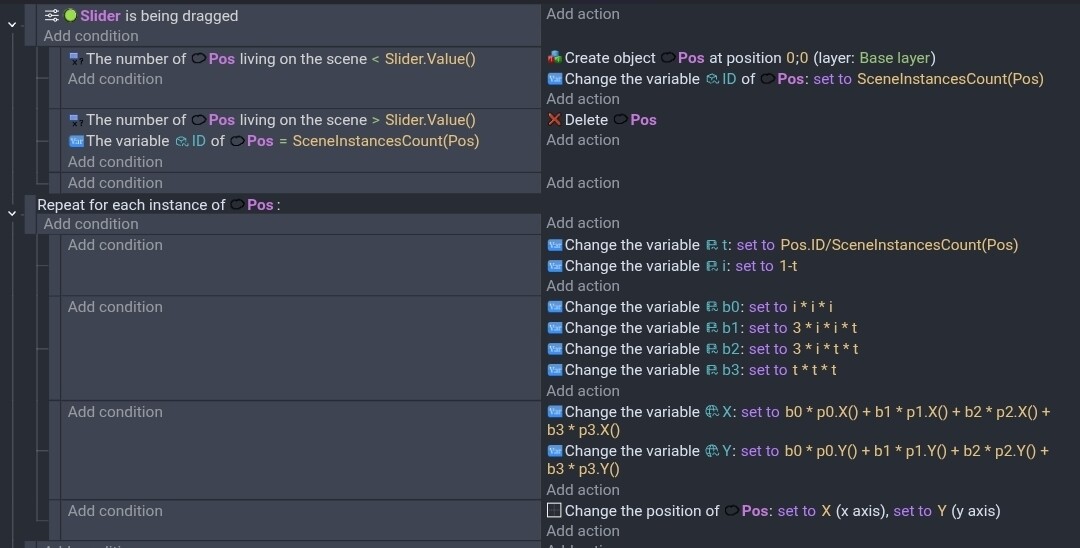
I'm hidding my events to keep the thread cleaner looking. Click to open

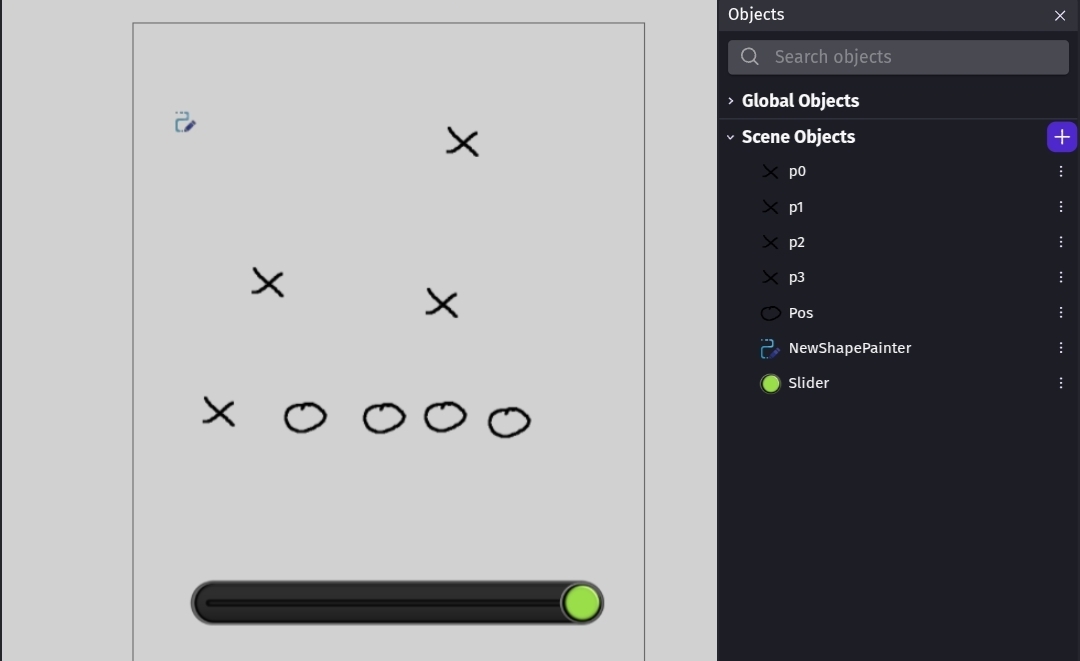
My method uses 6 objects. p0 is the start, p1 is the 1st control point, p2 is the 2nd control point and p3 is the end point. I added the drag behavior for testing. They’re the X objects.

I used a slider to control the number of objects. Sel is the circle object and I created copies to align to the path. The objects have an ID number variable.

I started my scene with 4 pos objects with IDs of 0 thru 3.

The formula Gemini gave me was fairly simple. It used the variables b0, b1, b2, b3, t, I, X and Y. It would be nice to turn the formula into a function.

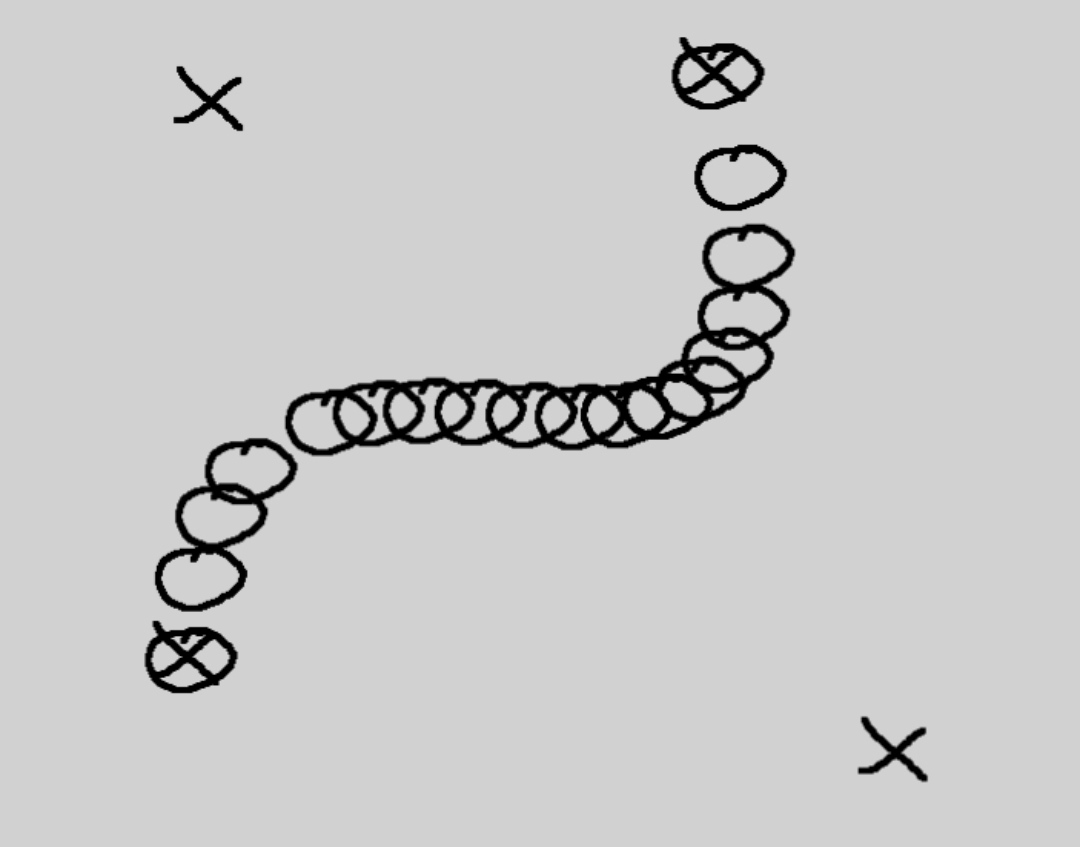
This was my results.

You can see how it bunched up and spread out.
2 Likes

This extension has movement behaviors:
https://wiki.gdevelop.io/gdevelop5/extensions/curved-movement/details/
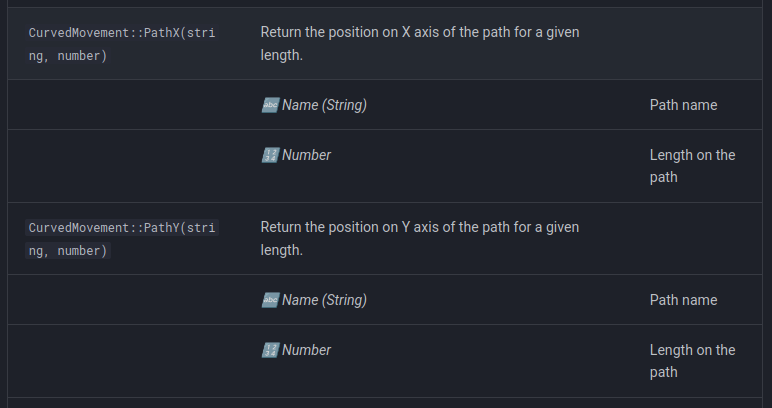
But you can also use its helper actions and expressions (without the behavior) to do what you asked:
https://wiki.gdevelop.io/gdevelop5/extensions/curved-movement/#expressions

1 Like

hi sorry im a week late, im pretty busy! Do you know how to turn the cubed 4 point bezier curve into a quadratic 3 point bezier curve? Also im not sure how to make the points rotateable like you can in blender, its really hard to control the shape of the curve without some sort of angle functionality in the points

Did you check the extension that Davy suggested? I know nothing about it.

I remember a formula for a quadratic curve but not in this context. It was for putting an object on a quadratic curve.

The formula in this project might help. The preview is gone but the project is on github.

Can you elaborate further on how youre supposed to move things along the curve please?

Have you tried the extension? It’s supposed to have some functions that can help. I’m guess the quadratic version could be used similar to my other list except it would probably have the same, issue with not spreading out evenly unless you created a lookup table.

I can’t give anymore advice without trying either approach. If I get more time I’ll look into it

@Keith_1357 - On that thread you linked …there’s this response from Mr Men…

‘I’ve been working with Bezier curves in GDevelop, and if you ever want to extend your example, I can provide you with the extension I made that will give the position of a point on the curve given the 4 control points and the ratio along the line (0-1).’

the one mentioned by Davy only seems to allow reference to the control points but mr men implies here that his extension can reference any point on the curve

2 Likes

It does allow to get any point:

https://wiki.gdevelop.io/gdevelop5/extensions/curved-movement/#expressions

You can use it to evenly spread objects on a curved path:

2 Likes

sorry Davy - i must have skimmed through it! - Happy New Year!

1 Like

Hi, I tried out the curve behavior before but i remember not being able to make a constantly adjusting path with the behavior. Is it possible to make an adjusting path (every frame) for the curve extension, can you change the angle of each point, and do you think its possible to have it immediately fill up the curve with spaced out spine segments like the drawing I made at the top of the post? (Sorry this is a very loaded question)
Also happy new years!!!

1 Like

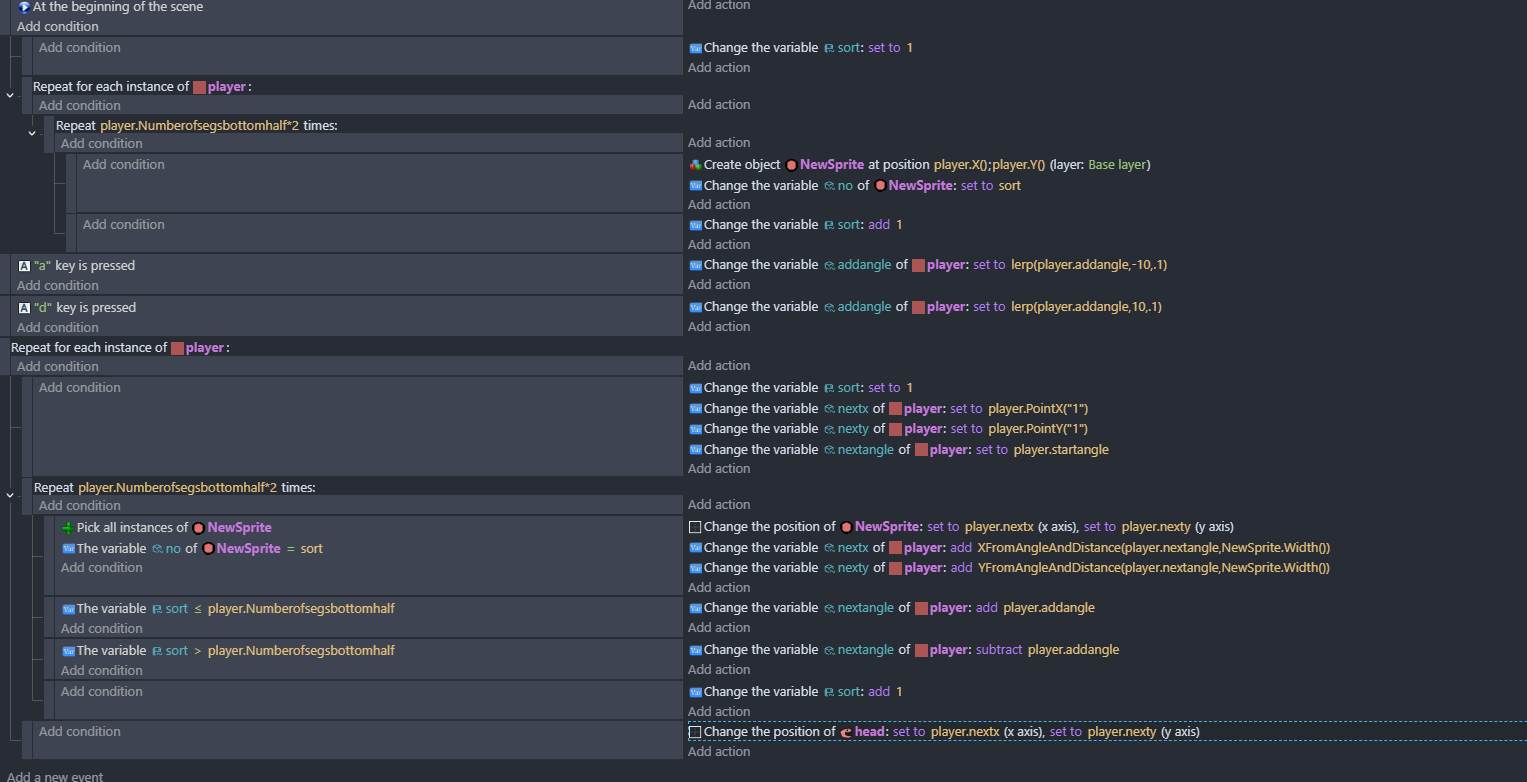
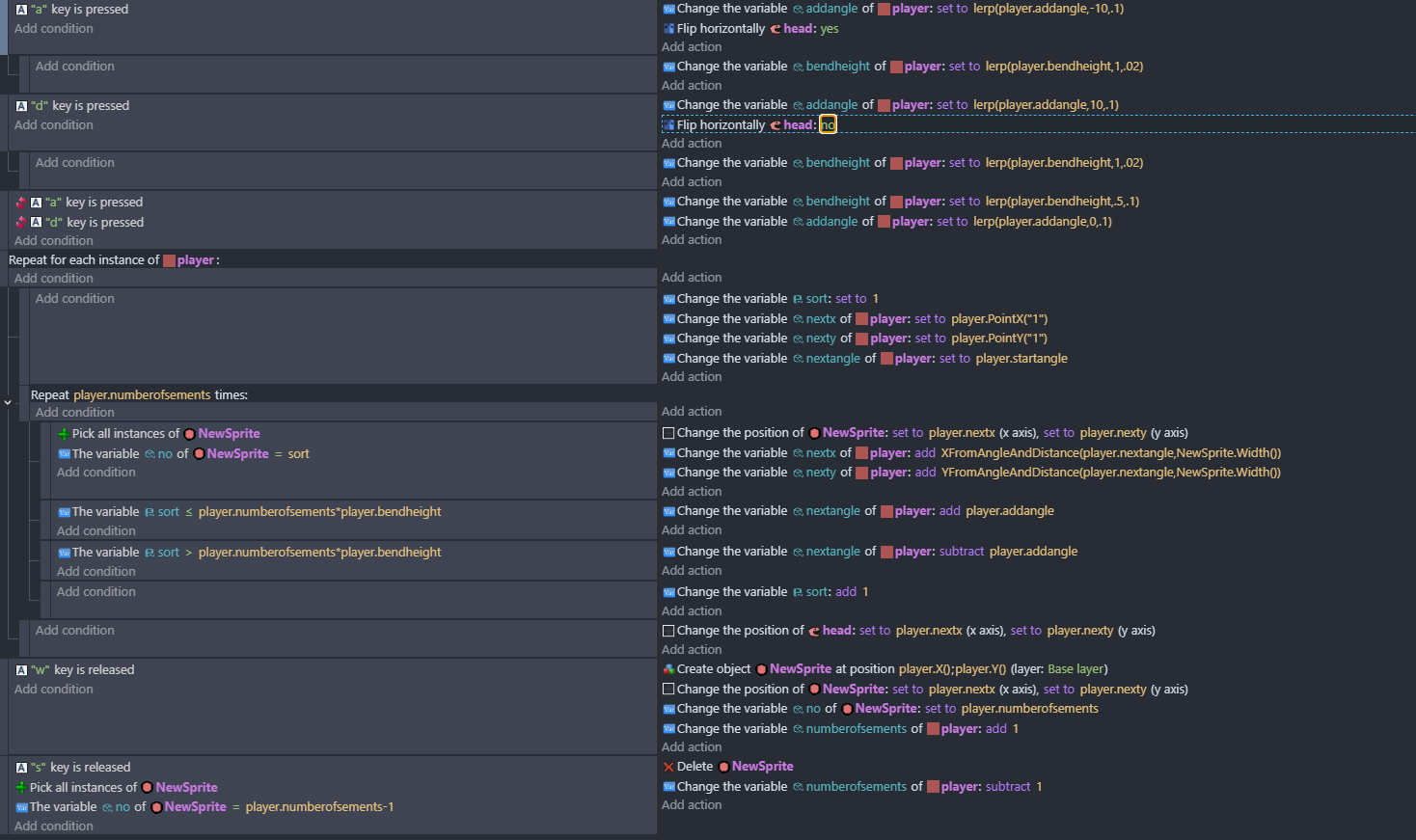
I felt like id been a plum yesterday - so to redeem myself i woke up at 6 am on the 1st day of 2026 with this idea…
segmentedsnake

footnotes…the points on the segments are off-center …middle left, as initially i thought about doing it slightly differently and also id done repeat for each player because i was thinking it would be interesting to see loads of them…but then didn’t bother. So having the points off-center and repeat for each can be ignored.
jees - why do I wake up at the crack of dawn on new years day thinking about stuff like this?

1 Like

i re-read your brief - i always read the brief after ive done the task!
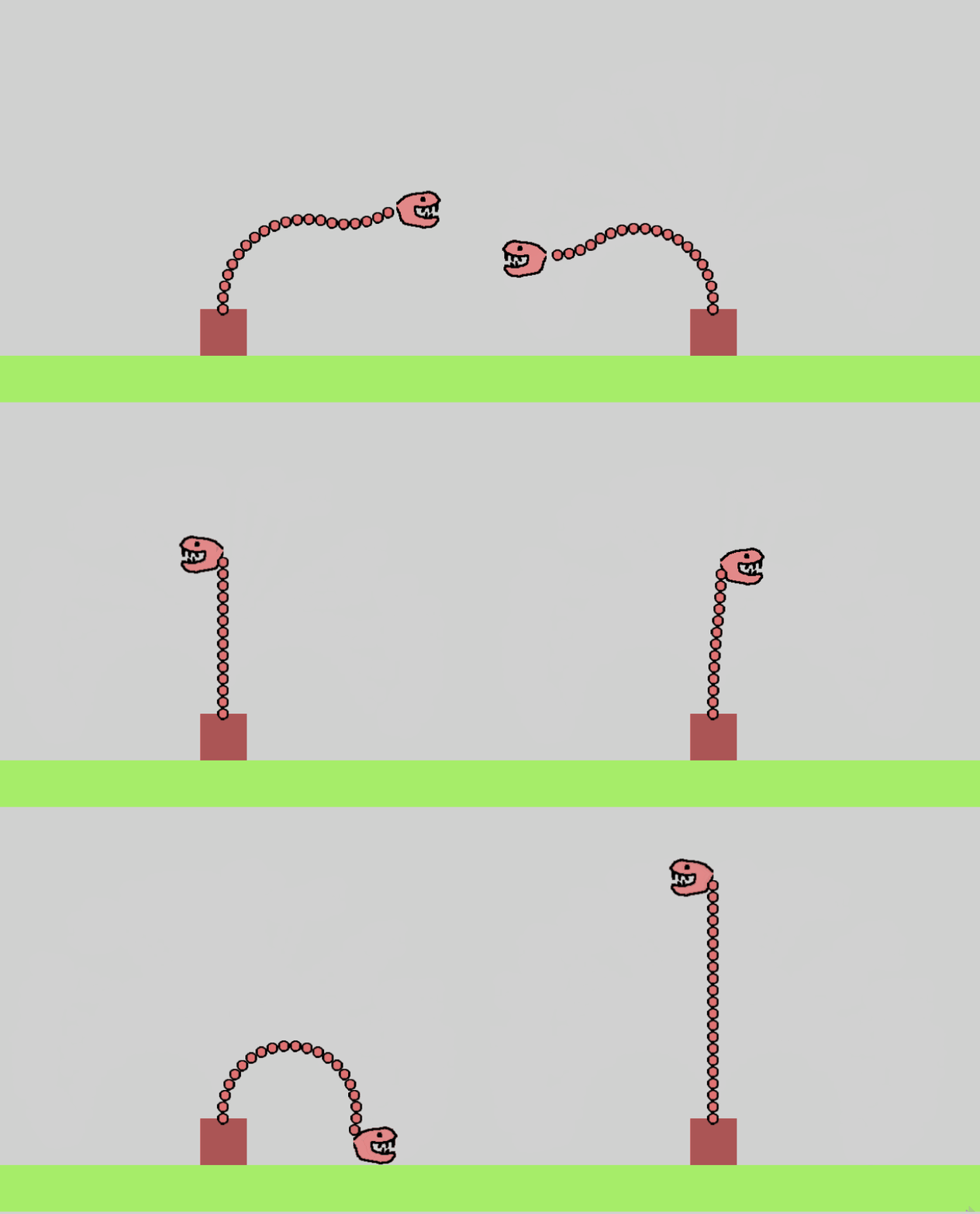
ive added - add more segments and now the bend height changes as you press left and right
segmentedsnake2