Hello!
I’m trying to create a system where if an object is placed upon an already occupied tile, it returns to its previous position.
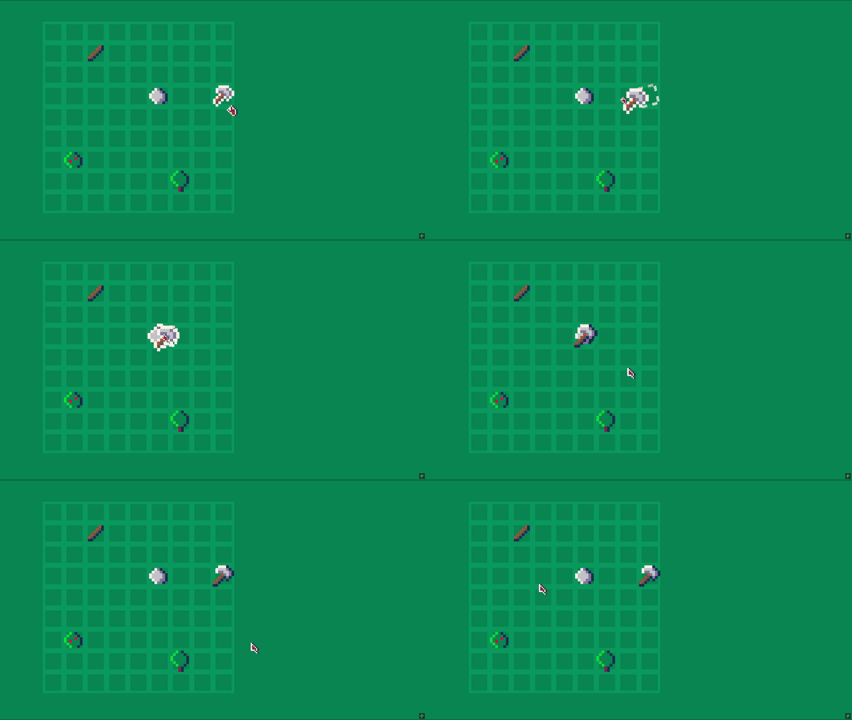
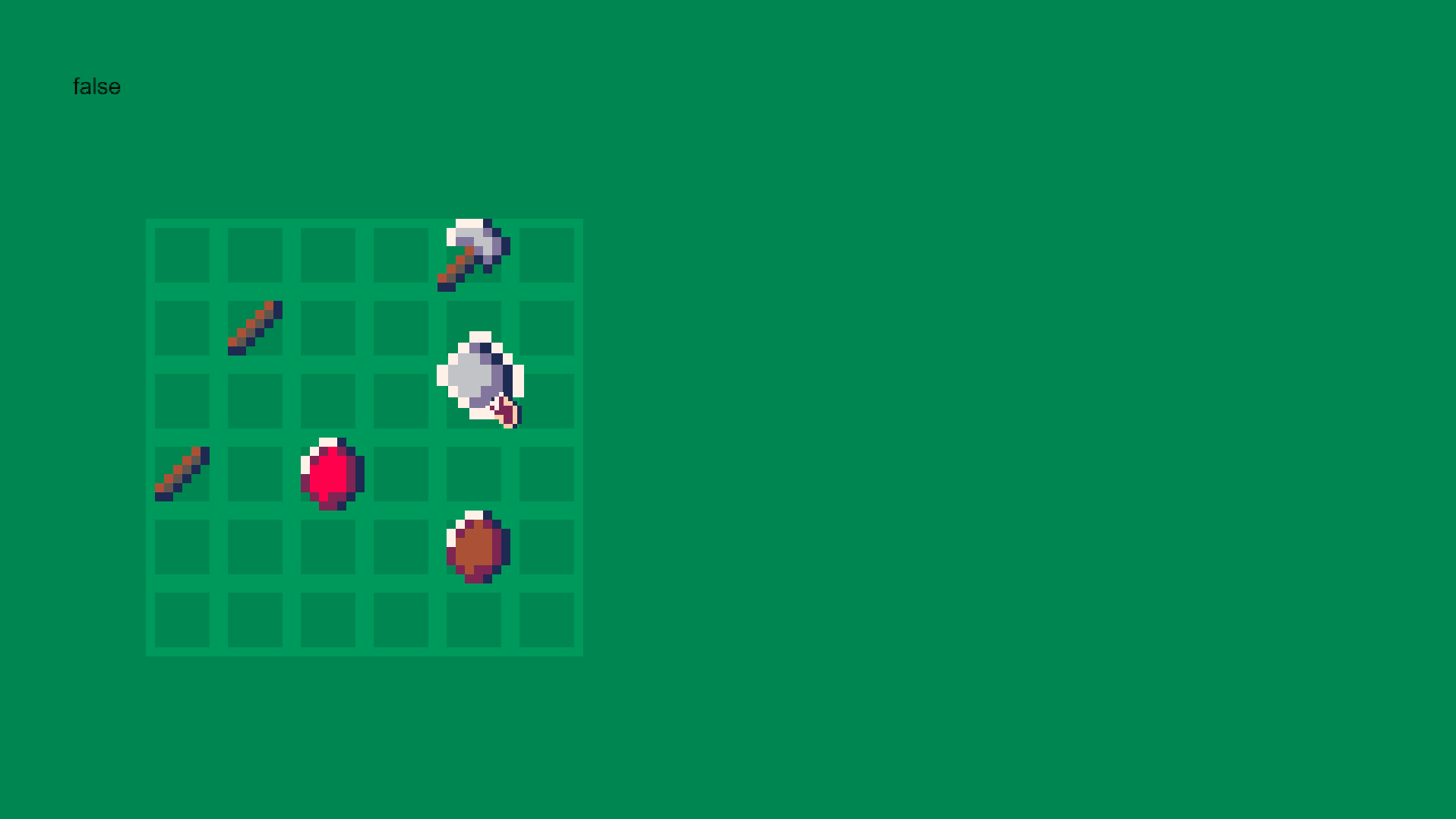
Though what I find is happening is this:
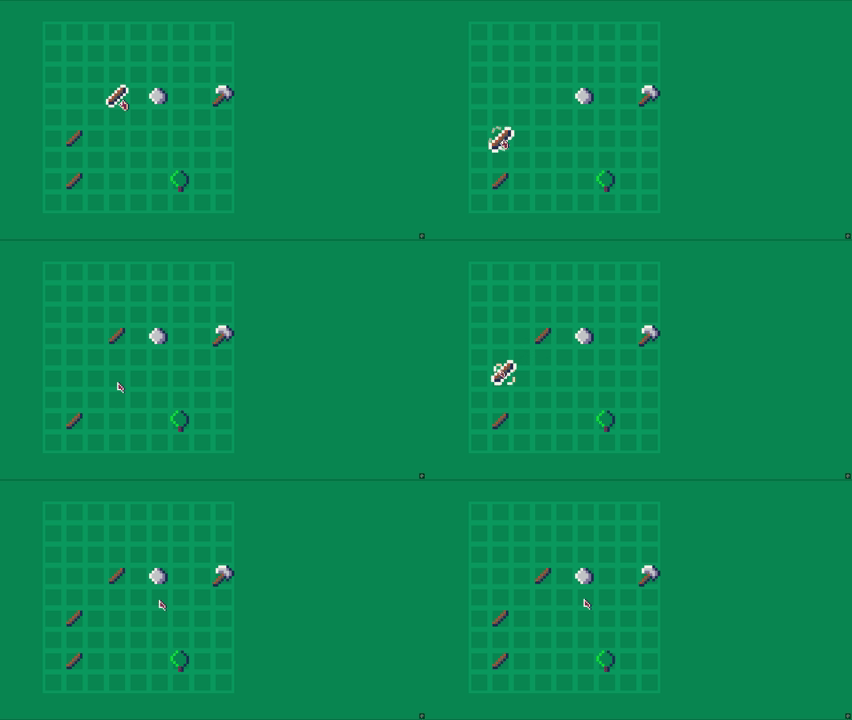
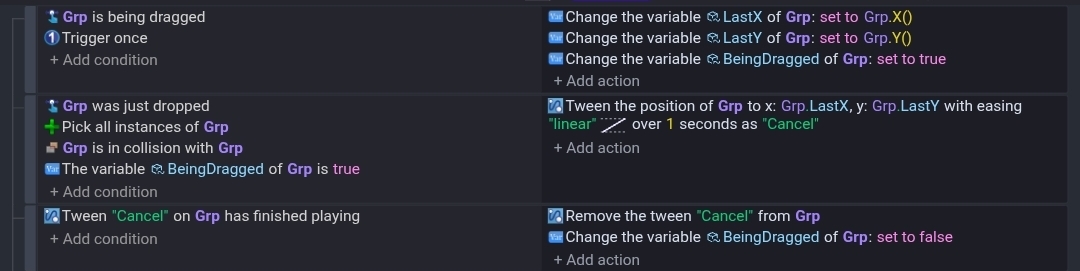
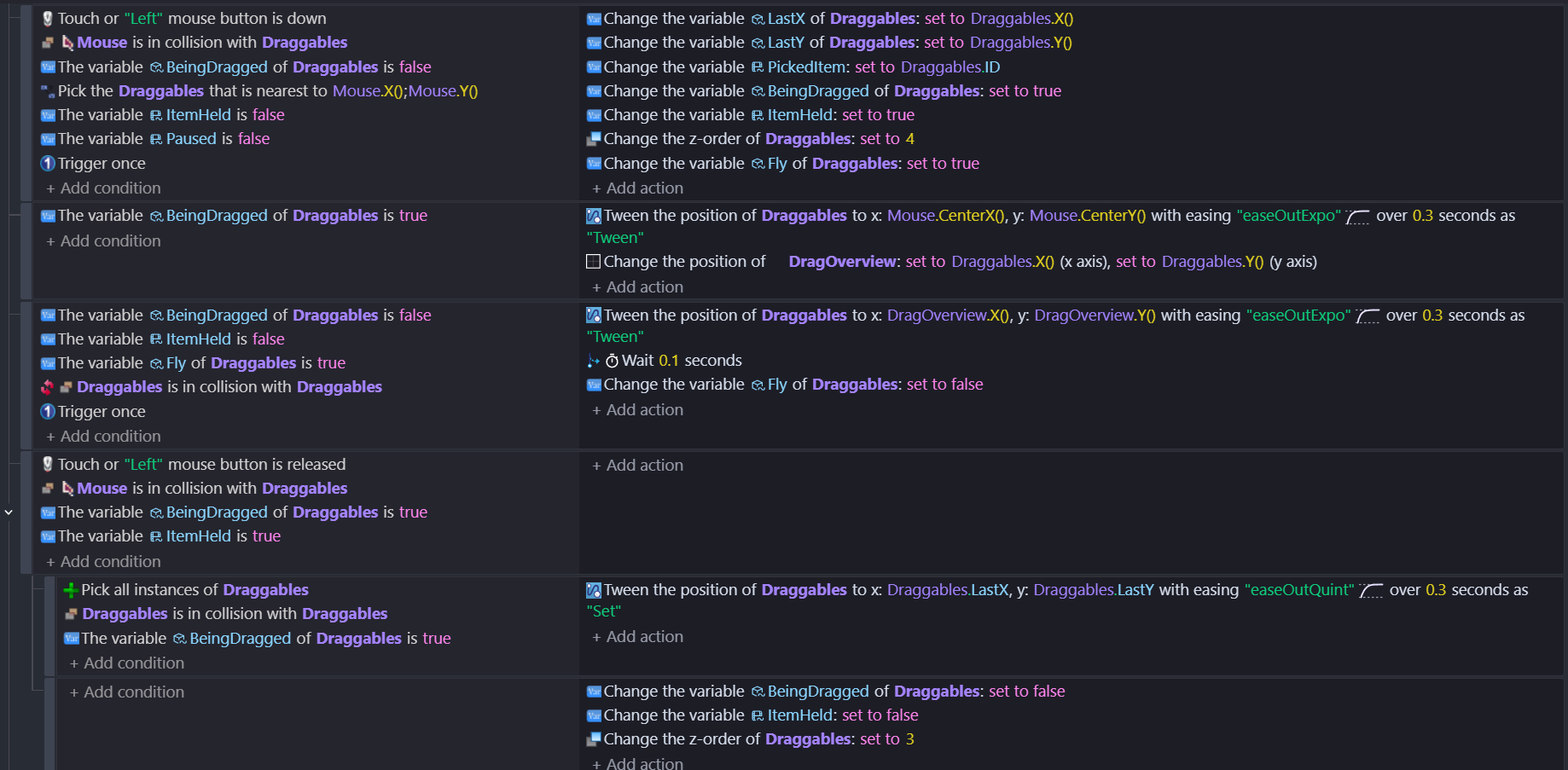
Here is my code

Any ideas? Thanks!
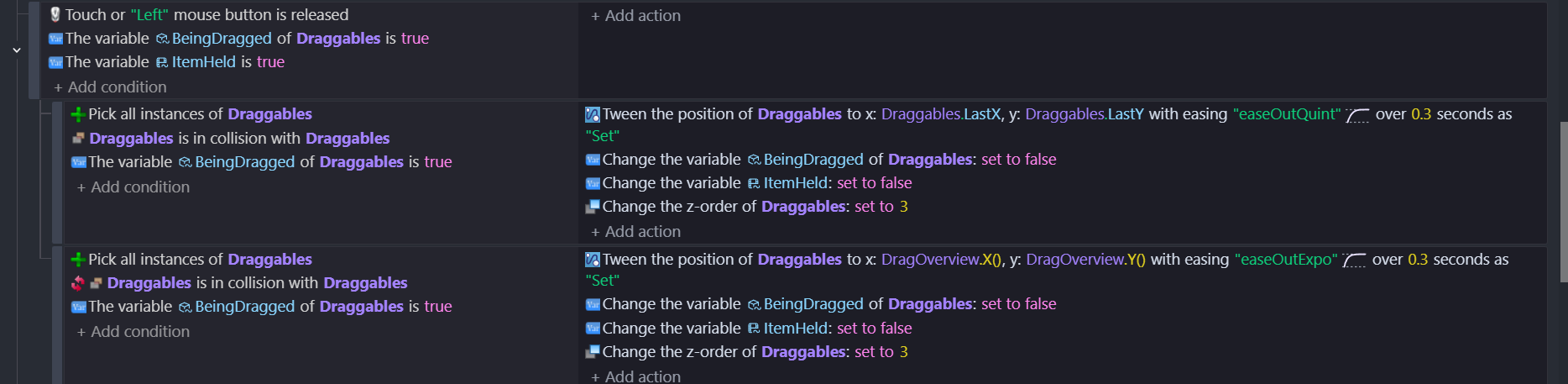
The moment you drop the stick, both sticks (the one that was there initially and the one you dropped) satisfy the condition you have in this event, so both are moved.
Oh yeah, don’t get me wrong, I know why it’s happening, but I’m not sure on how to circumvent that.
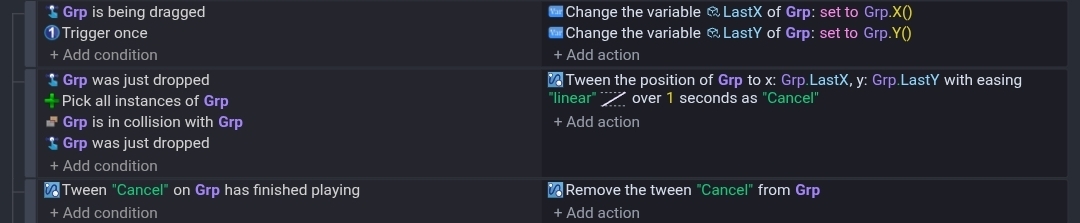
I would probably do it like this:
This way you only apply that action to that unique object instance
I’ve tried this to no avail. It just doesn’t work? I don’t know where I could’ve gone wrong.
I’m using my own dragging system so that I can utilise some custom VFX. In my code, the “BeingDragged” variable controls literally whether the item is following the mouse or not. Do you know how I might adapt your code it fit mine?
The variable approach should work. Just make sure the variable is set to true and then back to false. Also, increase the distance check.
Later on, I can create an example without the drag behavior. If still needed.
Yeah, I created another version, using a new variable as a replacement for the “was just dropped condition” and it still didn’t work. I think I’ll need that example, sorry haha.
here exemple
immense thanks to keith. i didn’t know about this extenstion
Thanks for the help! I’m really sorry though, I’m using my own drag system because it’s more dynamic and easier to work with when it comes to the rest of the game. Thanks for trying anyway!
challenge accepted
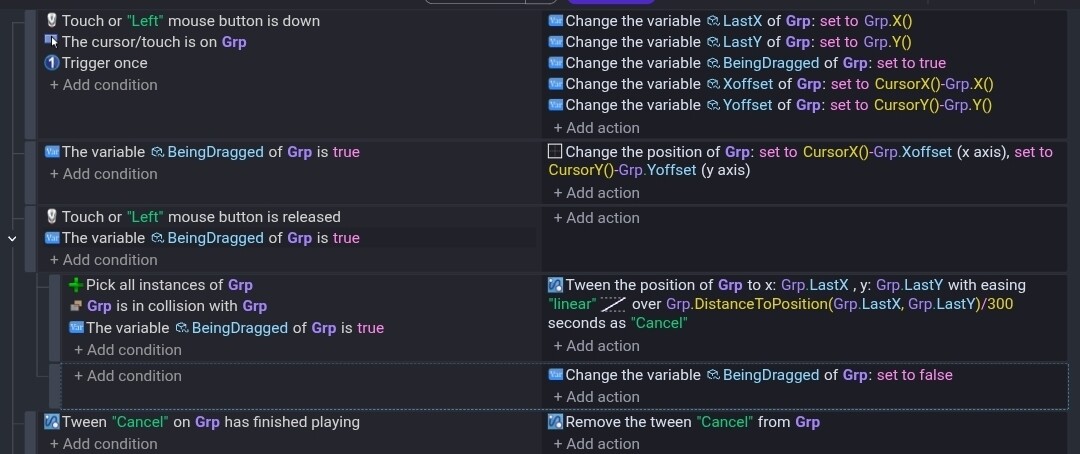
This is what I might use.
I used the offset object variables bc I don’t like when an object jumps to the cursor position. I like the object to remain offset. For the tween time, I like to use distance divided by speed. That way it moves at a consistent speed regardless of the distance. It’s a personal choose and depends on the mechanics.
I would probably add a scene variable to track the dragging mode. Along with other checks.
whats the difference between beingDragged and itemHeld? remove itemheld condition.
also remove mouse is in collision with draggable. as if an item is being dragged, it sure is touching the cursor.
also remove the first beingDragged condition. as the second time you check it in sub events, it doesn’t just pick but also filters (essentially its redundant)
cus i don’t think your action triggers at all.
try a log “cancel drag“ in console to see if it triggers
No, sorry, I realised that the way I had set up dropping beforehand was very silly and clashed with your system. That’s my bad.
Although, now I’m running into the problem where items will only drop how they are supposed to if they are in collision with each other. If you drop them normally, they just don’t tween to the position that they are supposed to.
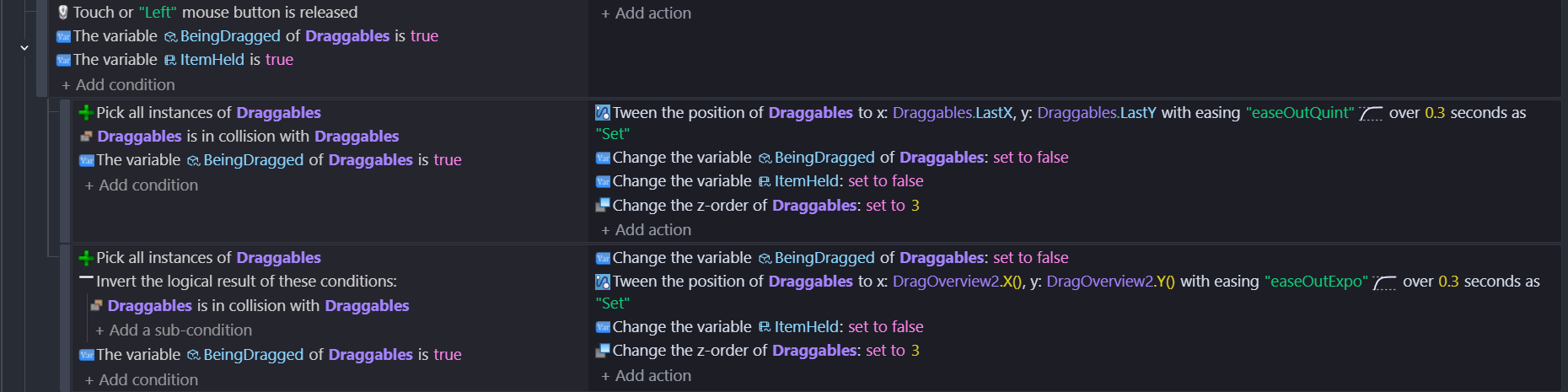
this is a classic case of inverted collision problem:
(the inverted collision checks true for other objects)
i bring this issue for inverted collisions but in reality, this happens often when checking an inverted condition in general