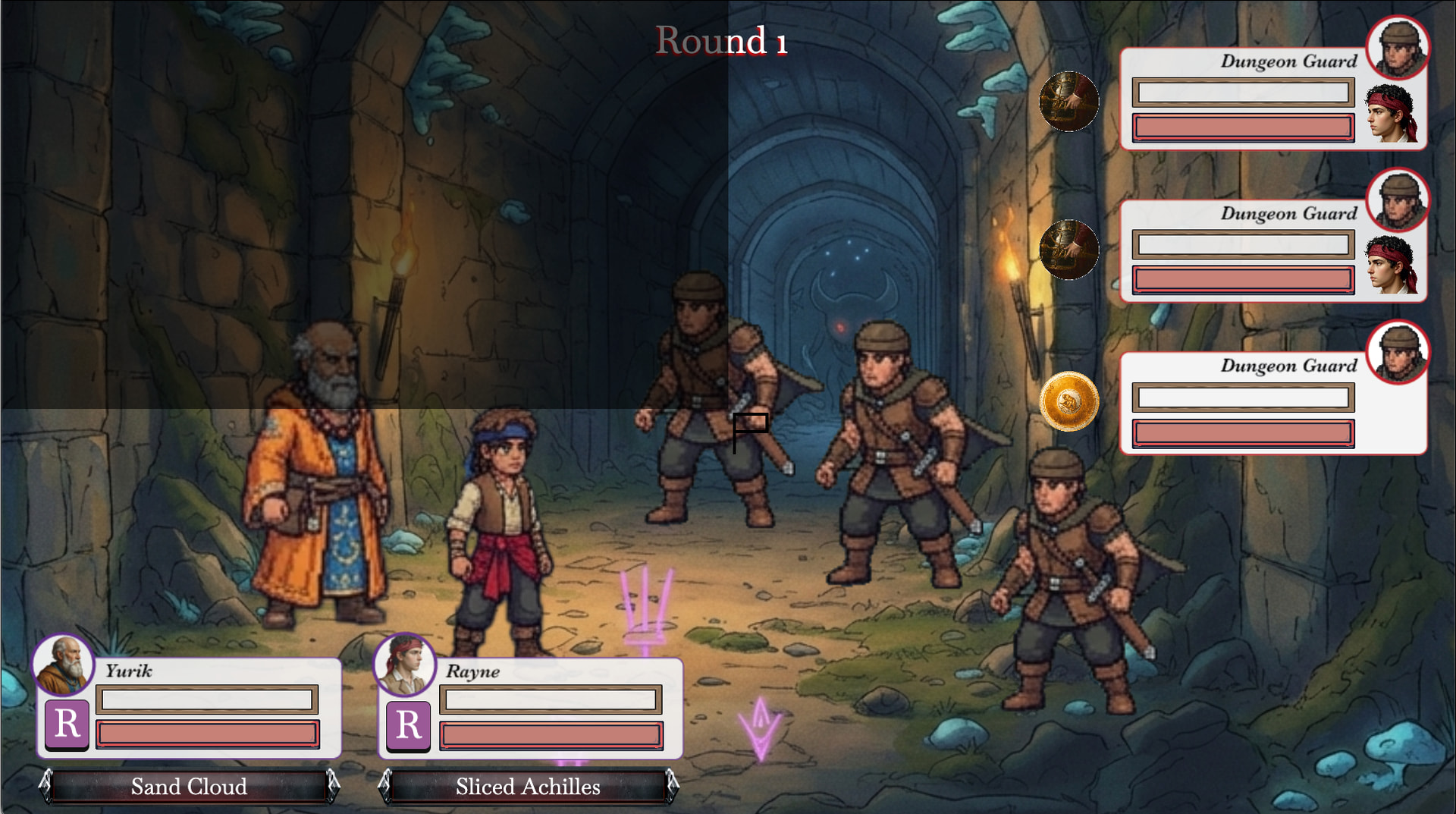
I am creating a scene and when the player hits the Pause button, it should generate an overlay to grey out the screen. When I set the box to the screen width/height, it doesn’t fill it all the way. It only fills about a quarter of the screen. This happens the same if I try to set the background to the screen width/height.
My Resolution Project settings are 1920 width and 1080 height. Adjust width to fill screen (extend or crop) and Update resolution during the game to fit the screen or window size is checked.
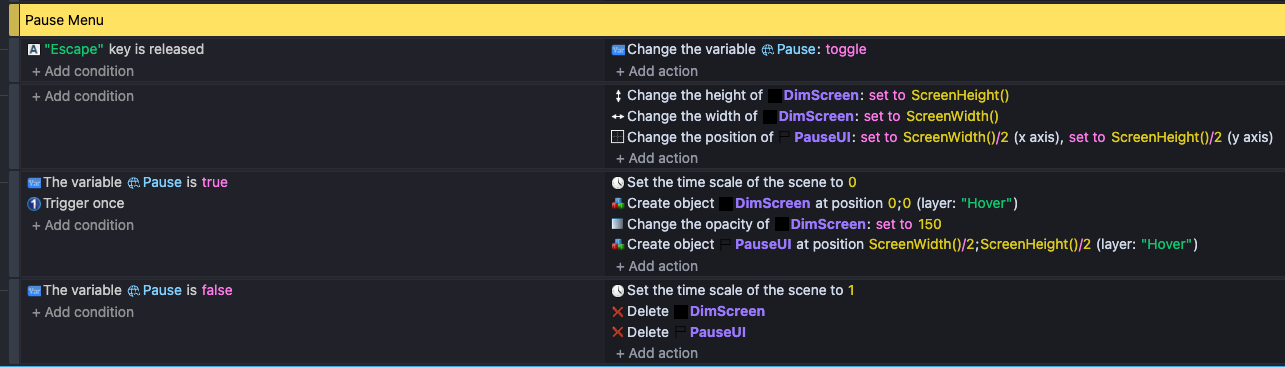
These are the events I’m using to generate the overlay. A bit in progress for doing the whole thing but the overlay is there.
CamearWidth() CameraHeight()
If object is on layer with some different zoom then
CameraWidth(“LayerName”, ) CameraHeight(“LayerName”, )
Hm. Maybe there is another setting I’m missing. I changed it and it didn’t work. I tried it for the width and height of the Base Layer and the layer it is on and I had the same issue. The interesting thing is that the PauseUI object that has a create at position does actually create at the middle of the screen and isn’t off center.
ScreenWidth is the size of the users entire screen (like 1920x1080). I think you want SceneWindowWidth
i also dont know why youre using the width in the position…
Thank you both! It worked out!
You need to put in (“HERE”) name of layer on which that object is