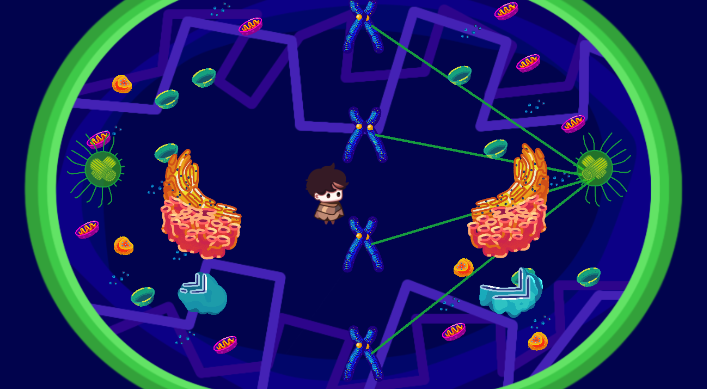
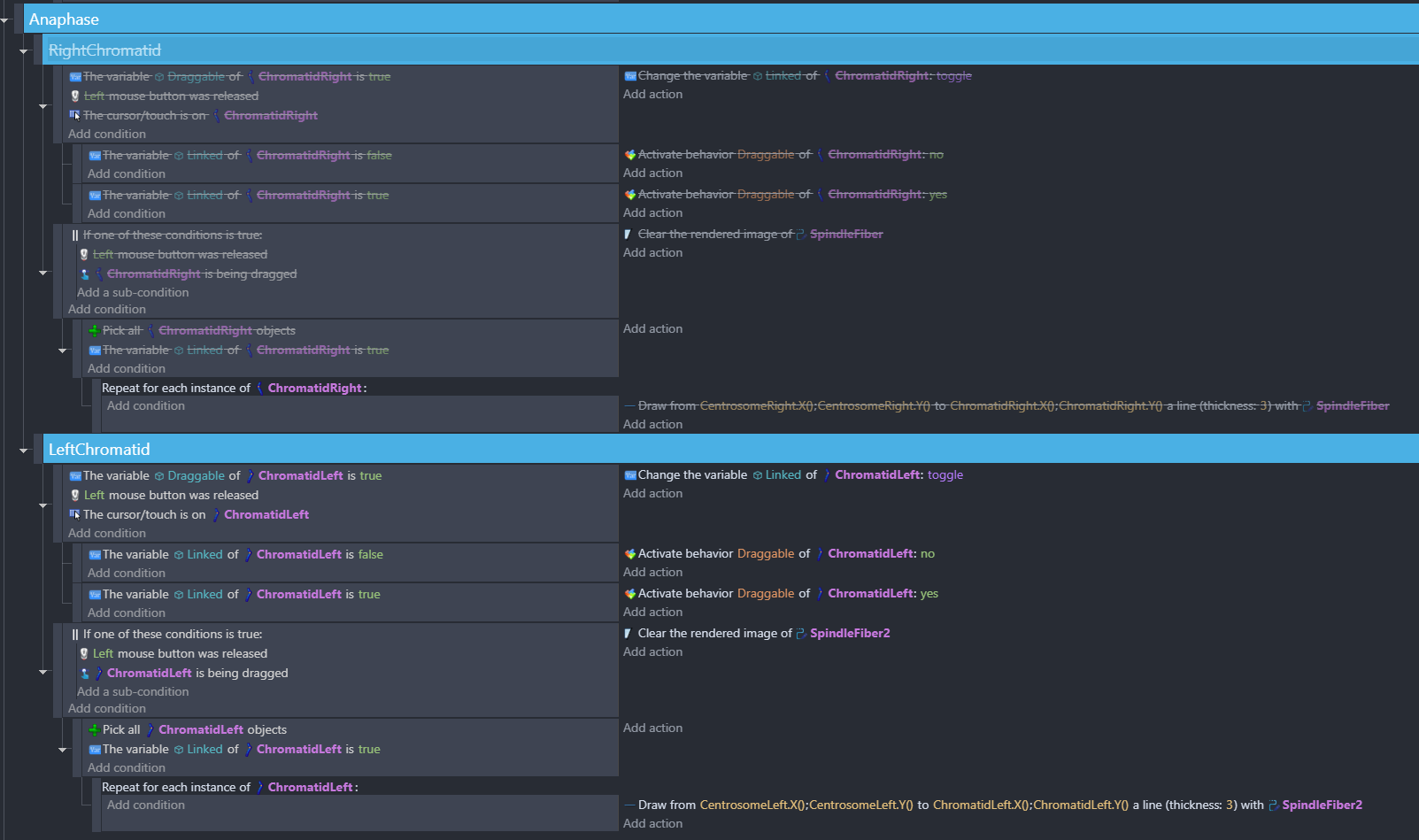
I’m currently working on a cell division game and could really use some help. I’m at the anaphase stage, trying to pull the chromatids to the opposite sides of the cell. I’m using the ShapePainter to simulate the spindle fibers that pull the chromatids. However, I’m encountering an issue: the spindle fibers only attach to the right chromatids. I’ve tried to make them attach from the left centrosome, but it’s not working.
If anyone has any suggestions or advice, I would greatly appreciate it. Thank you so much!
I thought that it only does one side so I tried disabling the whole event for the RightChromatid and the left side still does not work. There is a problem with my LeftChromatid Event
I hope my eyes are not deceiving me, but I don’t see anything wrong with the event for the LeftChromatid. It’s an exact copy of the other one.
I’m guessing here but check if there’s anything different with the 2nd shape painter, like the checkboxes in the behavior properties, or if it’s placed on the wrong layer.
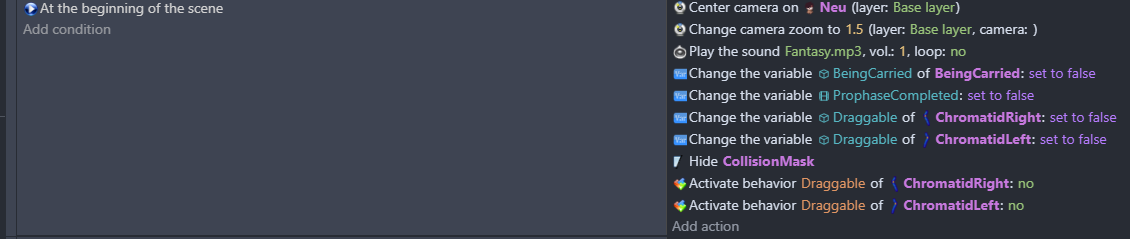
@Keith_1357 !!! You’re question just made me realize that I made an error with this Draggable Booleans. I just deleted it and everything worked fine. Thank youuuuu
I don’t know if this helps at all, but recently I had an issue with space key not trigger the jump. I added right mouse as another trigger and then space key worked again. Then I removed right mouse as a trigger and it continued to work.
Maybe change the object name or trigger temporarily?