I am trying to create a smooth Day an Night cycle. I am struggling a bit and i wonder if there is something i can tweak with the code here to make it work. (I want it to slowly fade between “200;200;200” and “128;128;128”. Thanks.
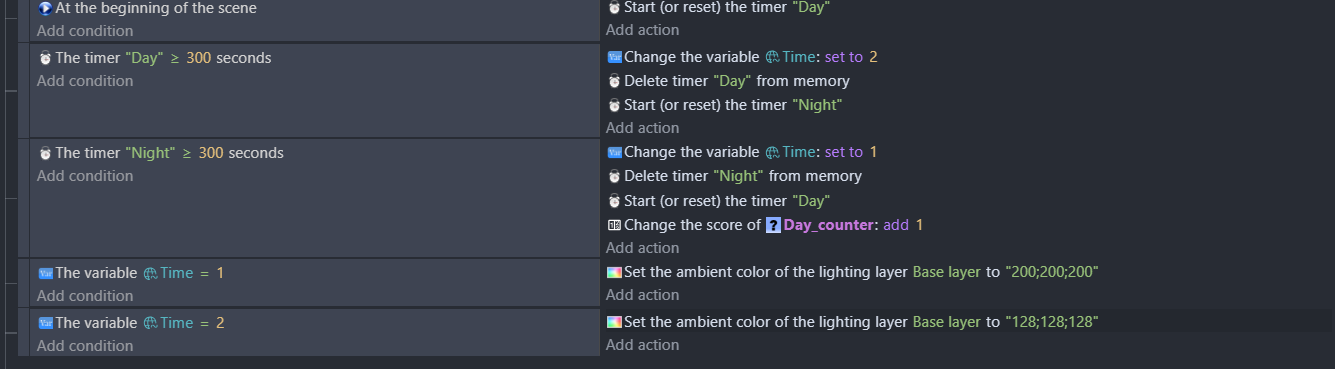
You could tween a variable (say called “colour”) from 200 to 128, or vice versa for day. While the tween exists, set the lighting colour to ToString(colour)+";"+ToString(colour)+";"ToString(colour)". Once the tween is finished, delete it.
Yo, im still a rookie, how exactly do i do allat? sorry.
Like, can you make an example code or screenshot an example so i can copy it? Im very new to GDevelop ;/
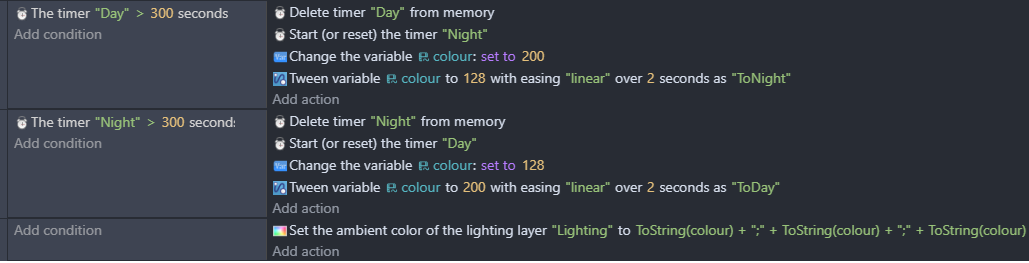
bro ts not working  . i tried ur thing, didnt work. i did some playing around with some other versions and it still didnt work. also at the beginning of the game the day and night will bug out and be pure
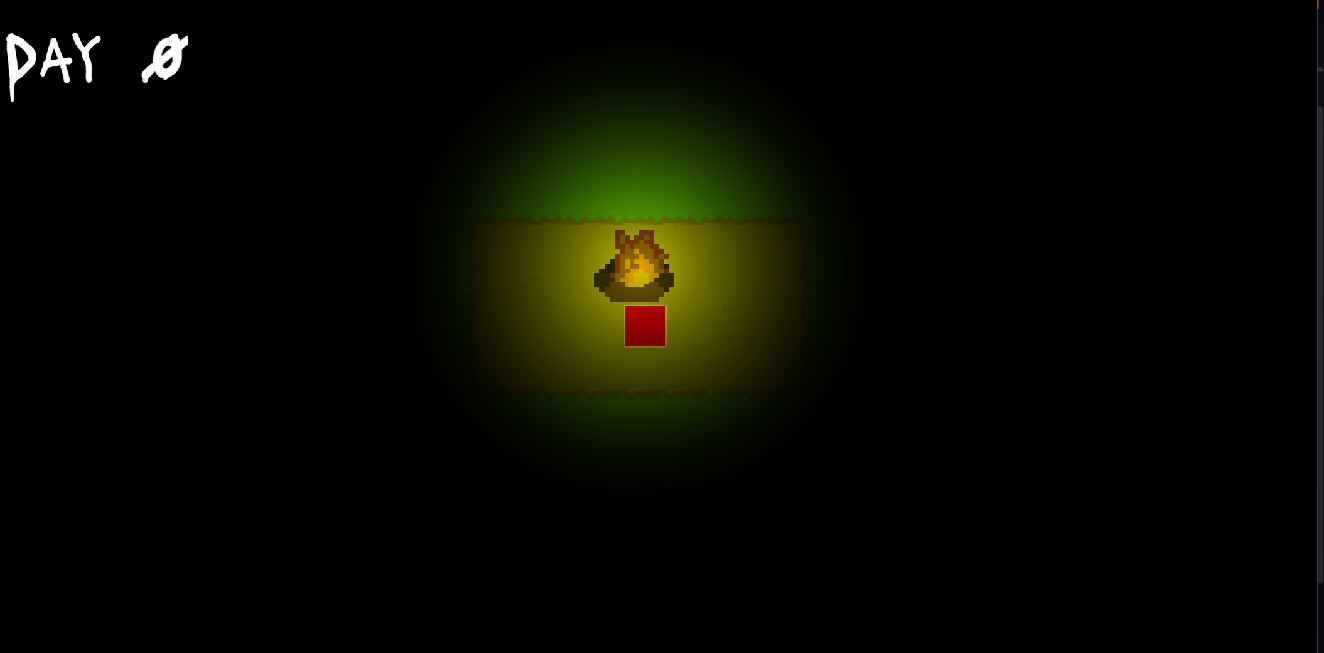
black.
Is that…99 nights in the forest?! 
Sorry I know this is off topic but I would LOVE to see a 99 nights recreation in GDevelop 
its somewhat similar gameplay wise, but its still quite a bit diff. Def is inspired by 99 nights
1 Like
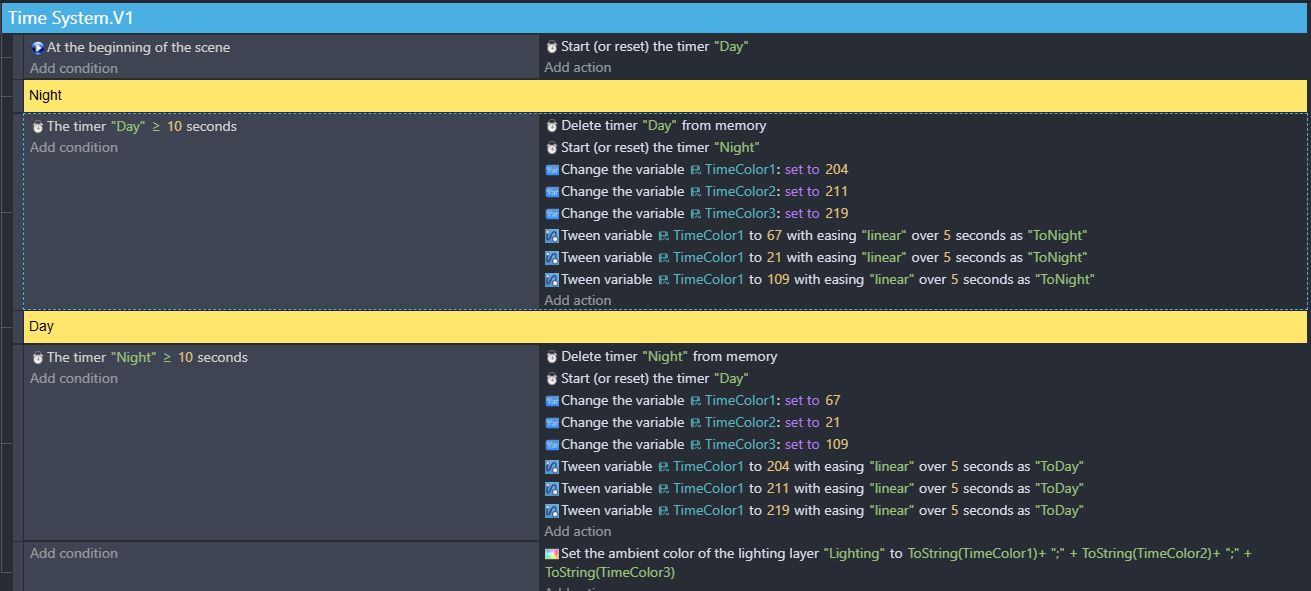
You need to give each tween a different name. Calling them the same name overrides the previously named tween. So use “ToNight1”, “ToNight2” and “ToNight3”.
Also you’re only tweening TimeColour1 in each tween. You need to change them so TimeColour2 and TimeColour3 are tweened.
Sorry, I have no idea what’s you are meaning there. You need to be more descriptive and explain the issue clearly.
One thing to remember is to set the default values of the TimeColour variables to whatever they need to be for the day colour. If you don’t they’ll default to 0 and be completely black.
1 Like
The image shown under that message is what i was referring to btw
okay, that first bug where it turns “pitch black” was solved but the day and night still dont shift.
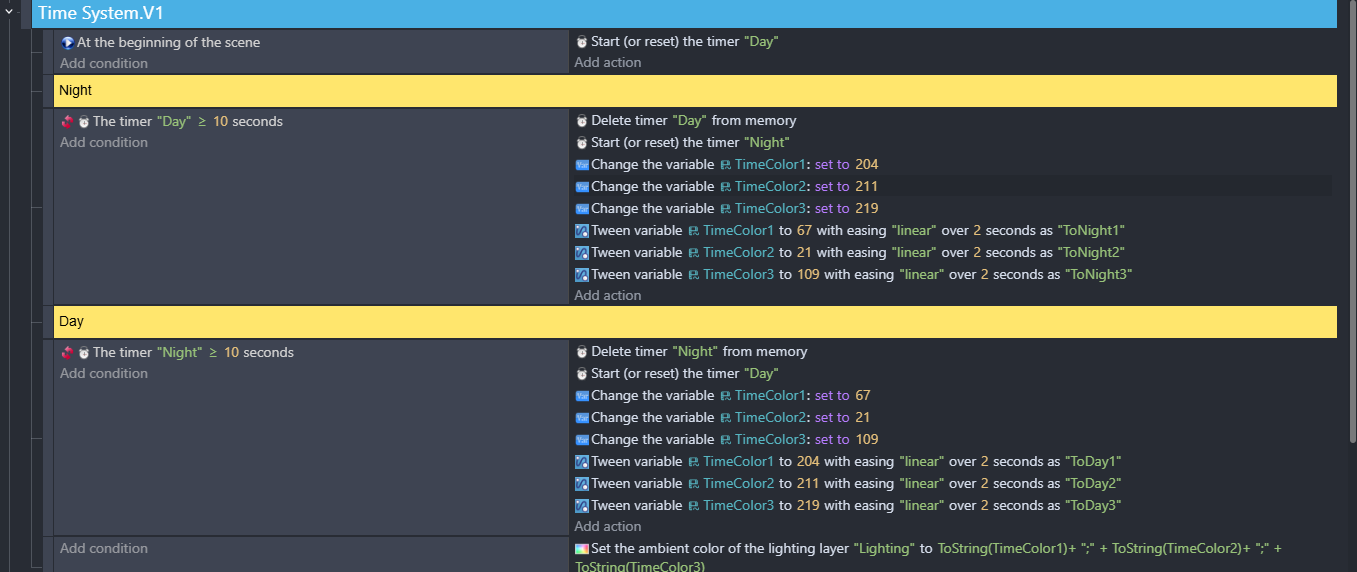
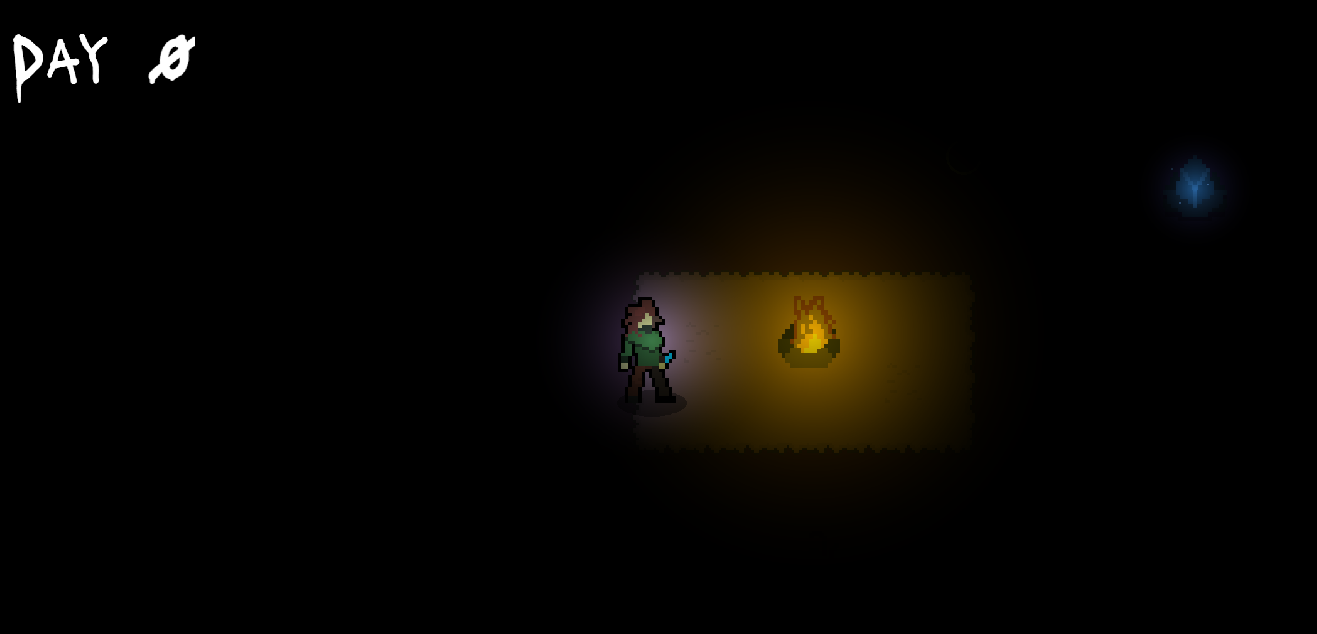
i fixed the thing. it cycles now. BUT the black thing is back. When the scene starts, it looks like this
Instead, it needs to start out as
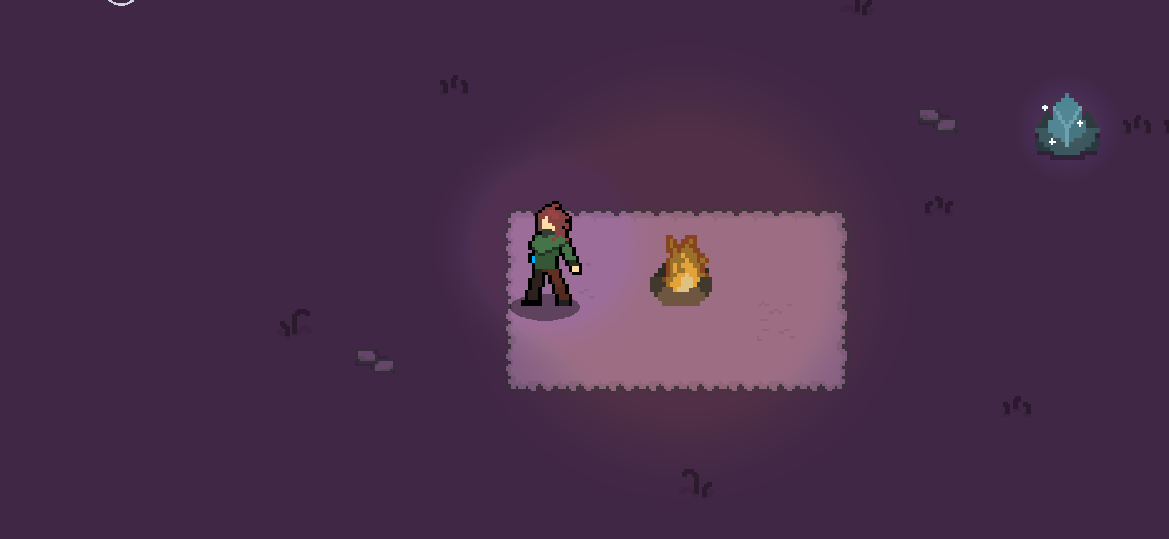
this. (the code is the exact same as shown above, i just found out the if time > 10 seconds was inverted. The invert i think is causing this)
Nevermind. I fixed the issue. I set it so it when the scene starts the variable is automatically set to daytime