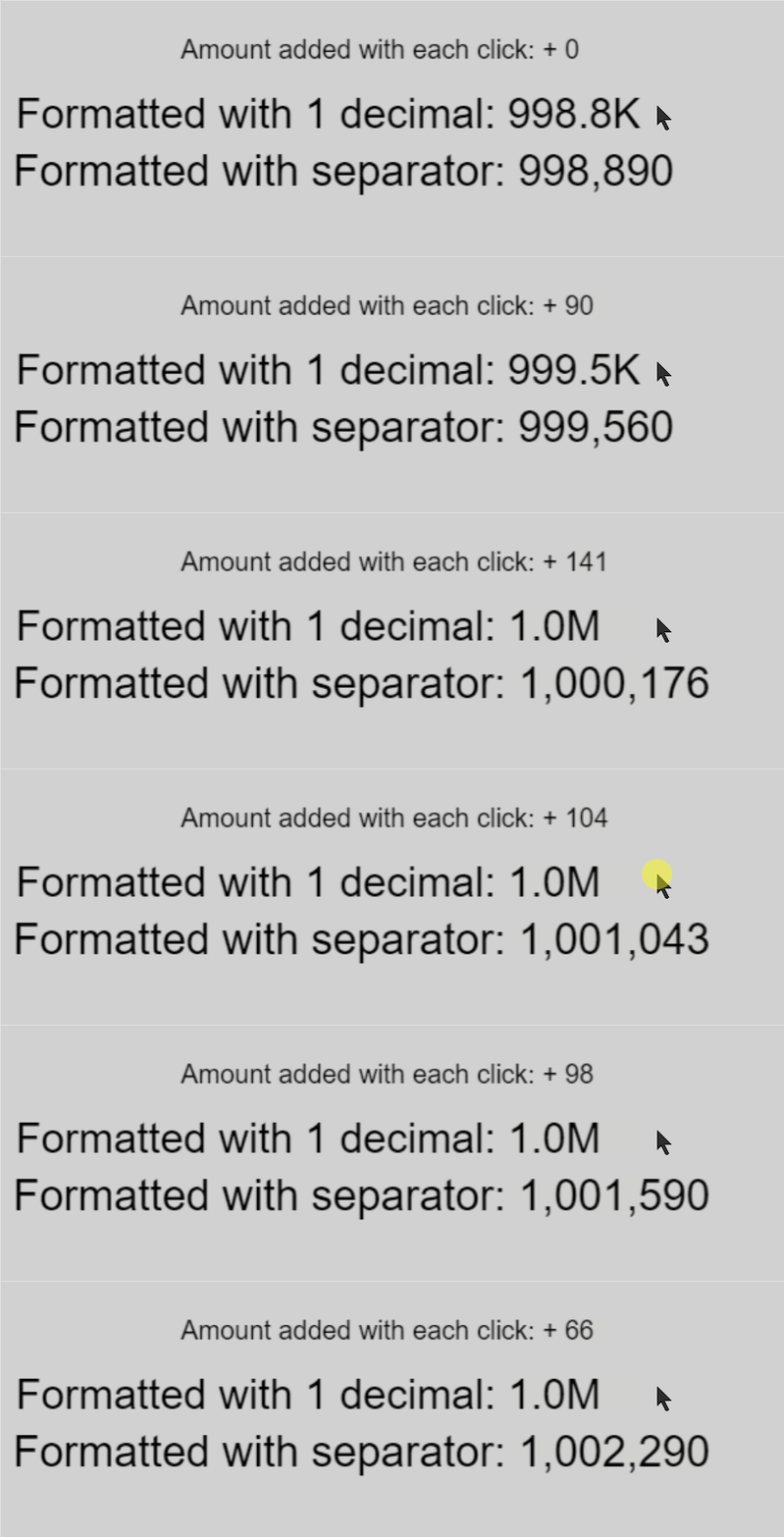
So from 1000 to 1.1
Show that 1 decimal
But when its above 1.1 start showing 2?
I am confused
And i did not mean you are arguing about 2nd separator i was showing you importance of it
And why having it there and leaving a choice to adjust it is crucial
Sometimes you need to see use case on your own eyes and it starts to make perfect sense why something is there
Right now im making time formatter
And what it should show
9:15
Or
09:15 ← that extra zero at beginning
Then for sure it will not be
11:6
But
11:06
So should i force that extra zero on single digit hours or leave a choice?
I would go for leaving a choice but that means more options to select in expression
Anyway explain to me that 1.1M decimal
I am guessing the answer but i still don’t understand from which to which number i should see how much decimal
Yeah see you assumed something and deleted your message
I also am guessing here
I do not get it
Let’s wait for Bubble to explain or give example or both
All I mean is that once the number gets past one million then the value doesn’t appear to change if it’s set to one decimal. Until it gets to 1.1 million.
No, because that would be wrong. If those numbers represent a score, then once I get past 1 million it’s going to look like it’s not counting. All I meant was that the number of decimals expands to show the score changing. I originally said 2 decimals which was a general statement that in this context was wrong and has lead to misunderstandings. On reflection, I would like to withdraw that feedback because the amount that a score goes up by each time would determine how many decimals looks right.
If you gonna use it for shop
For example to buy items with gold
And you have
1057 gold and i gonna round it to 1,06
Item costs
1060
It will display that you can afford it
While in reality you can’t
So i would not go with rounding
I seen your message this morning but i waited with replying cause i gonna ask you a favor
Anyway i stil do not understand what you meant so i more than happy you withdraw from it
Now favor to you and @SnowyRawrGamer
Now you gonna pay for my extension it was not for free
With your time you gonna waste on testing it
I added time function and changed descriptions that explained which value is what
Instead i gave actual examples which i believe are easier to deduce what is what just by re writing them
I want you two to try it and tell me do examples in description window work better for you
Was it easier or harder to get what you want
Actually i just realized this link not gonna change so its the same link in each message in this topic
WHATEVA
 )
)