First of all, welcome to the GDevelop Forum! We are so happy to have you here!
I have found what is wrong with your events!
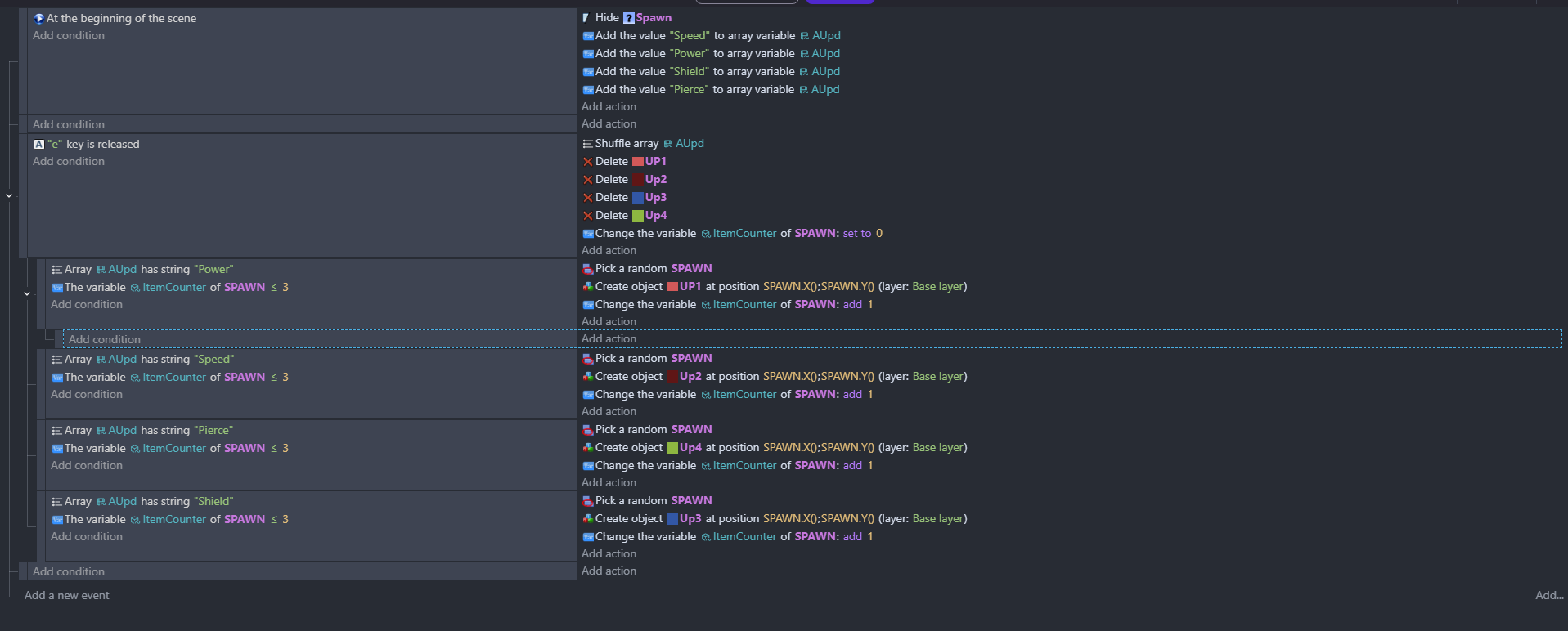
Currently, this is what your events are doing.
It starts by making the array contain “Speed”, “Power”, “Shield”, and “Pierce”.
Then, when E is released, it looks one at a time through the array.
“Is there Power? Yes. Is Spawn less then or equal to 3? Yes.” then creates power.
Overall, your current events will never create “Shield” while the array contains all 4.
Currently, these events will not work for what you want, so let me see how we can make them work…
This probably is NOT the most efficient method, but it should work.
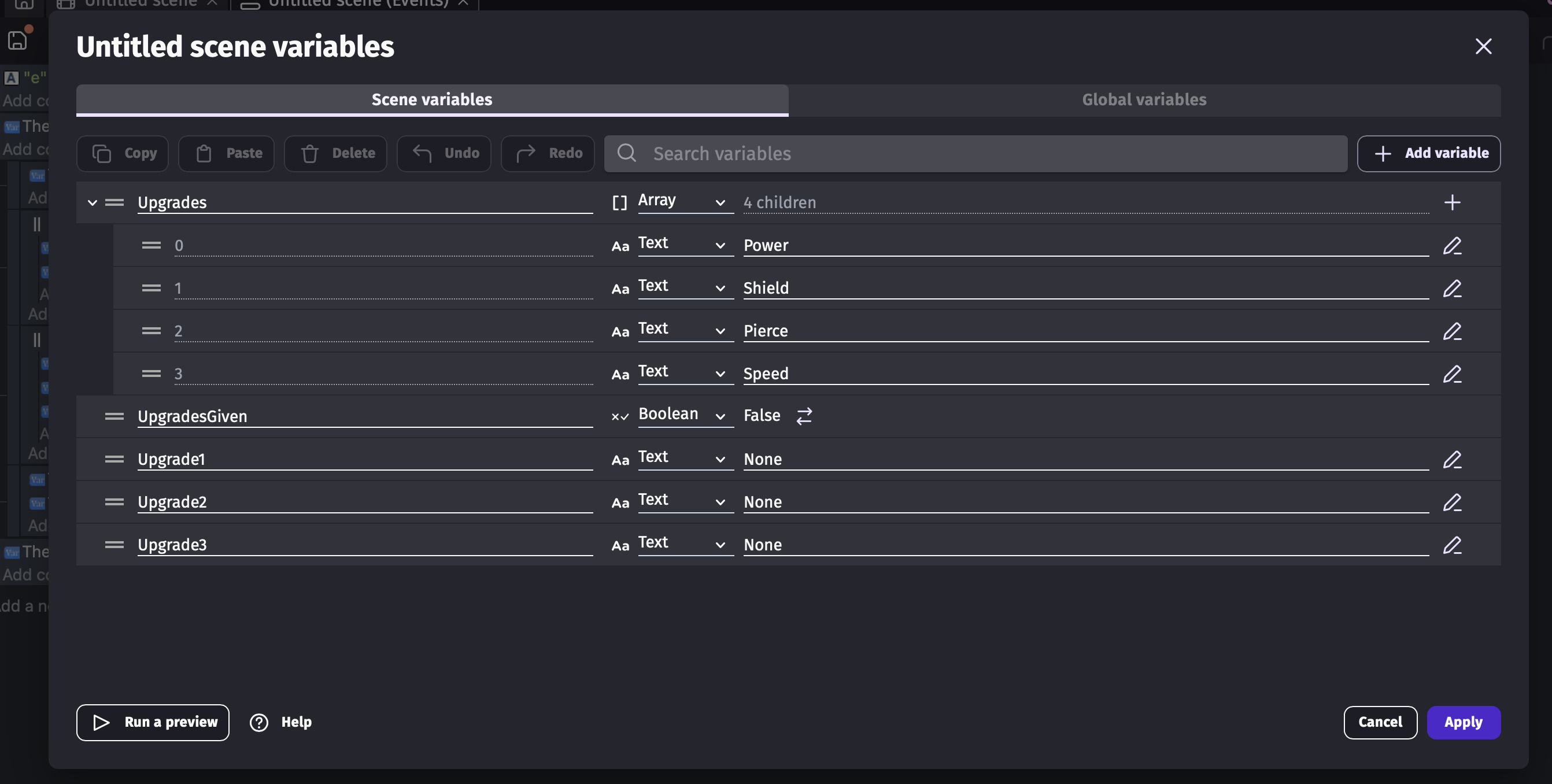
How my method works is it sets the Upgrade1, 2, and 3 variables to the actual text of the array, then checks the text and spawns in the object based on it.
(Note that whenever the achievement has been chosen, you will need to set Upgrade1, 2, and 3 back to “None” as their value.)
There are other post about this. You’re concept is close. Instead of adding the objects specifically, you can use create object by name.
Put the objects into a group
Create an array with the object names.
Shuffle the array
It looks like you’re using the array tools extension. I think of the name of the action is pop. It removes the last item and puts it into a variable which you can create an object from.
So,
Create a list of object names
Shuffle
For each spawn point
… Pop the last index
… Create an object at the spawn point using the variable
Alternatively, instead of seperate objects, you could use 1 object with all of the animations.
Create an array with either the animation names or the animation numbers
Shuffle array
For each spawn point
… Pop value from array
… Create object at spawn point
… Change animation of object to variable
You can then use the animation name for the power up type.
I suggest to use the extension Arraytools. Just insert as much text elements like “up1” to “up100” as you wish to be distributed. Use the shuffle function of Arraytools and then loop over it and pop the next element and assign it the the spawn points. (draw the next element out of the array) .
Thanks for the replies everyone. Unfortunately, i don’t think that i understand the array extension tool good enough for it to work. I’ll come back to it a bit later.
To create a pool of objects and make all of them unique, follow these steps in most programming languages:
Define the object structure. Decide what properties each object will have (for example, id, name, value).
Initialize an empty collection. Use a list, array, or set depending on the language.
Generate new objects. Use a loop to create objects one by one.
Check for uniqueness. Before adding a new object to the pool, compare it with existing ones. If an object with the same unique property already exists, skip or regenerate it.
Add only unique objects. Store each new unique object in the pool.
In many languages you can simplify this by using a data structure that enforces uniqueness, such as a set or map. For example, store objects by a unique key and only add new ones when the key doesn’t already exist.
If you want more examples and real-world coding tips, many developers share reusable solutions and community insights on https://gamehub.onl/ where you can compare approaches and improve your implementation.
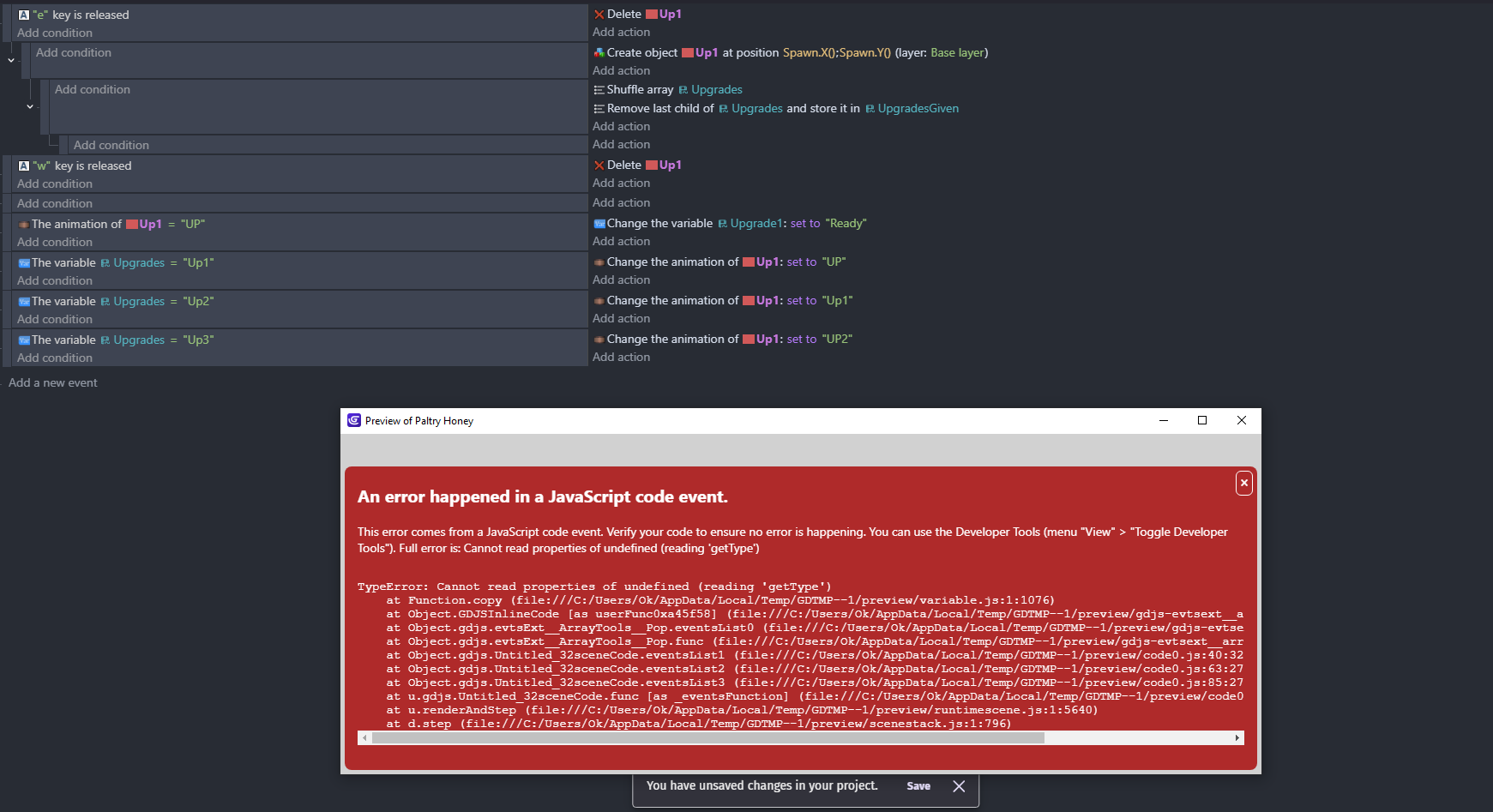
The red box error is most likely happening because it’s trying to pop off the last item but the array is empty, so there’s nothing to pop.
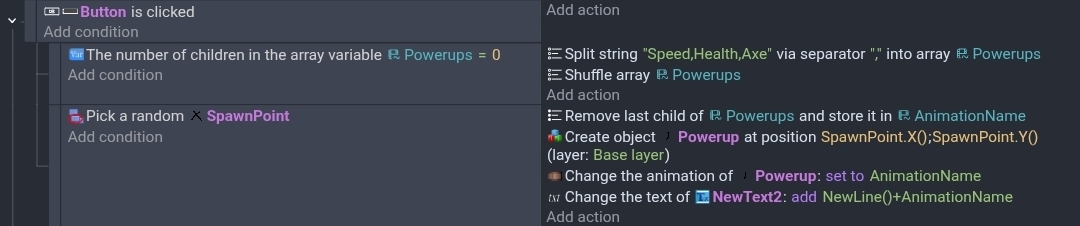
In this example the Animation array is created at runtime anytime the number of children is zero. I used the array tools split function to create the array. It’s much easier. I like to use a comma as the seperator.
I added a text object for debugging. I originally had trouble getting all 3 values. It turned out that I had a space in my list so Axe started with a space. I deleted the space and it worked fine.