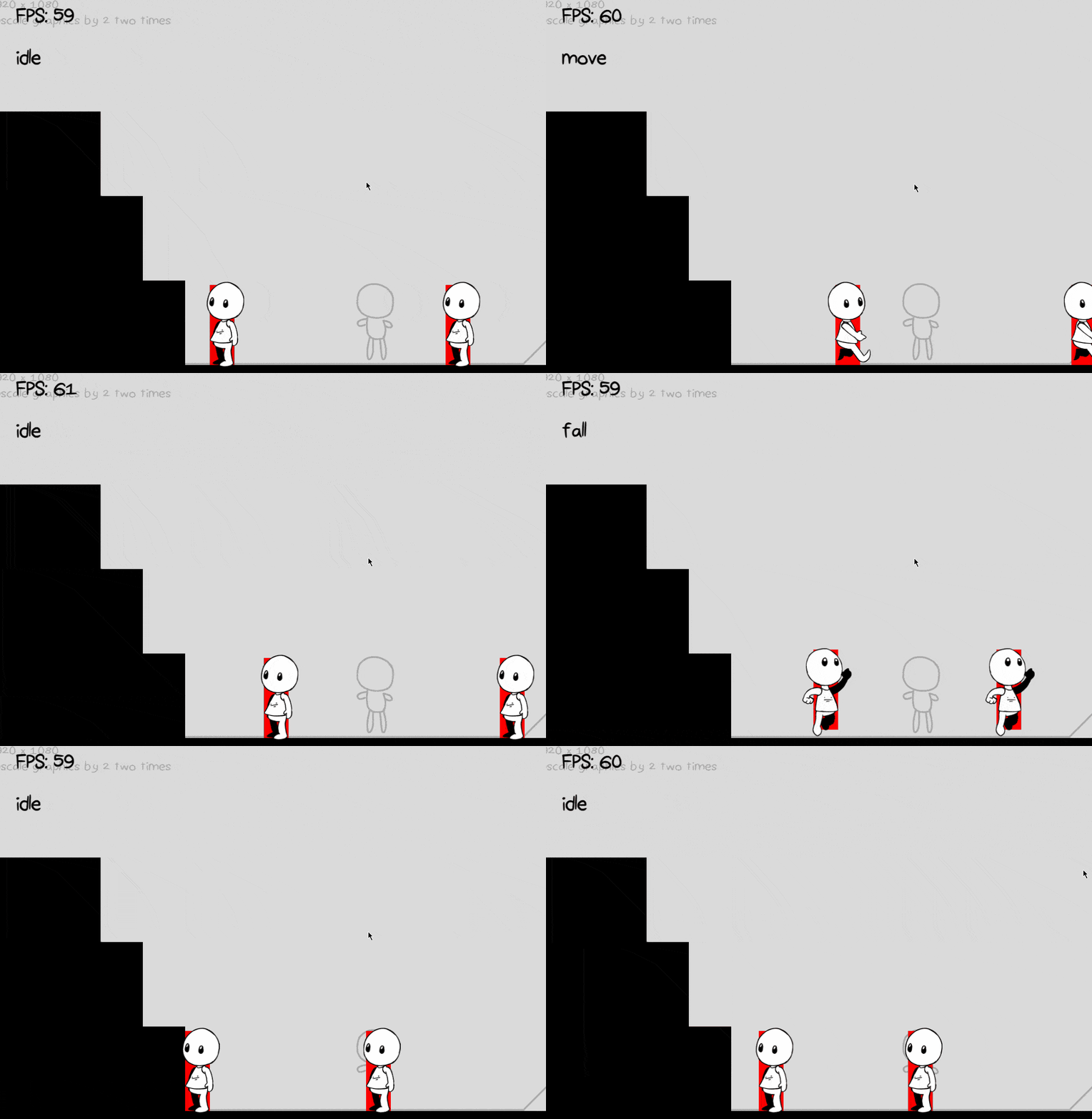
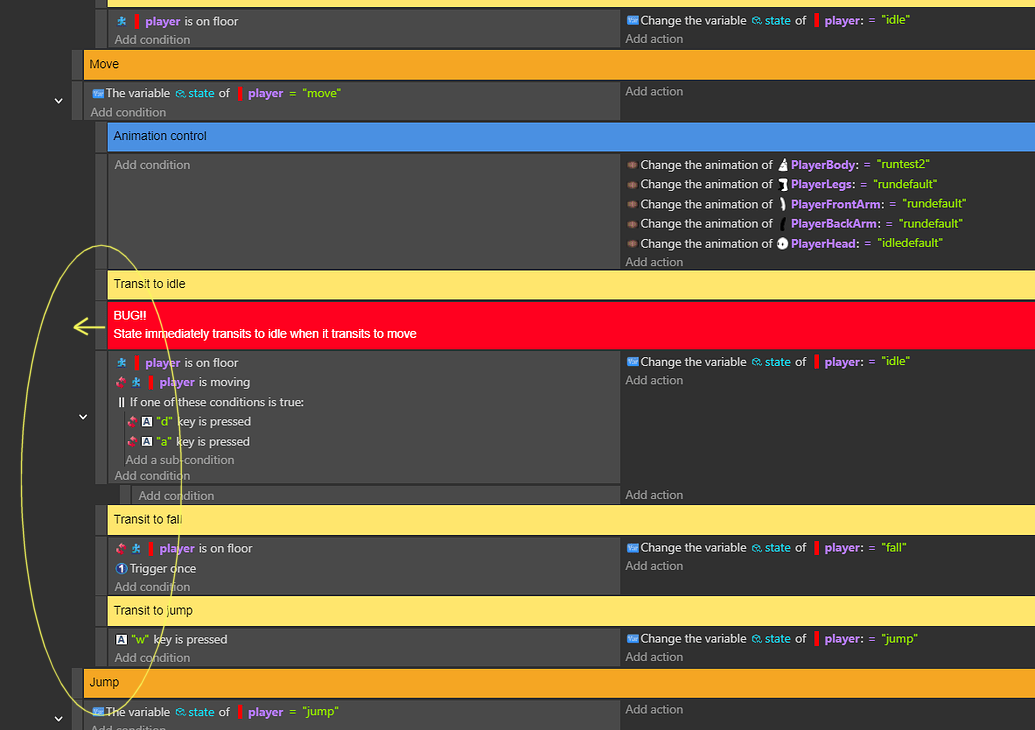
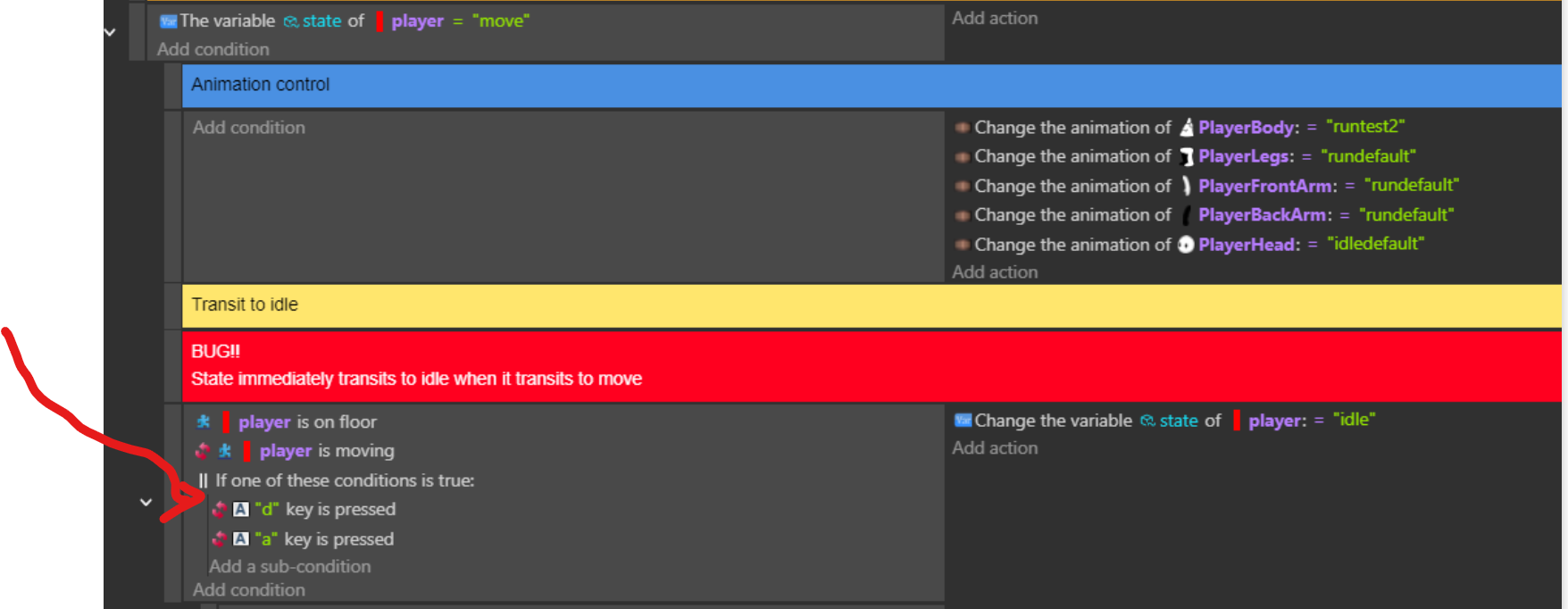
While the player CAN move, when they enter the “move” state, they immediately transit to the “idle” state. So the animation for moving never plays, or only does so sometimes:
Is there a way that I can ensure the player STAYS in the moving state without immediately switching to idle? Or is there something I’m missing?
That would place those events outside of the game states and make them applicable for any state, which defeats the purpose of an FSM. I think @RMDB has spotted the issue.
Without doubt Jeroen.
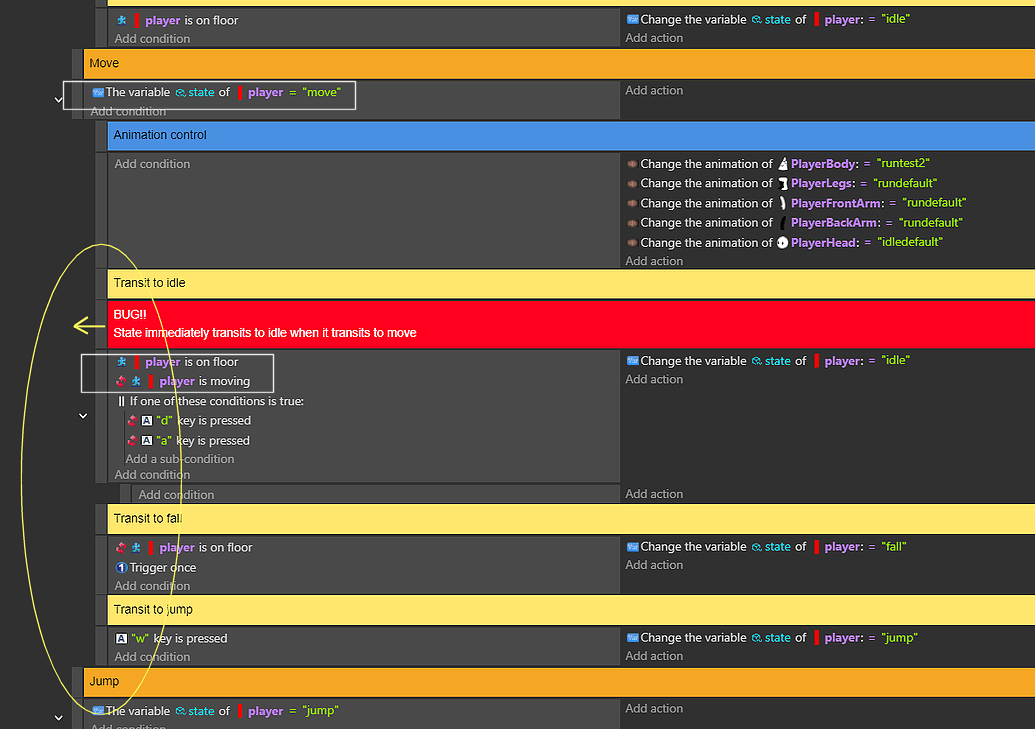
What made me say this was that I saw 1 contradiction between the 1st condition (the one with the State of Player variable) and the further one, the condition indicating that the player does not move.
That contradiction is a signal that either the game state should change to something like “idle”, or the name of the state “move” should be modified to better reflect the state is represents.
Thanks, I removed the OR condition and it works now! I originally used it because I thought I needed to tell the game if neither are being pressed, but I see where the game got confused now
Also, I need those events to be nested under the “state = move” event so that the game knows to run those events ONLY if my state is move. Moving them out of there will just break my code. All the rest of my states (Not shown) are designed like this too