Hi guys! so u know how in some games there name or whatever comes up and then fades away? i really have zero idea how to do this but would like to know so when ppl play my game they assume im a pro which only makes it better. 
pls help. 

Hi guys! so u know how in some games there name or whatever comes up and then fades away? i really have zero idea how to do this but would like to know so when ppl play my game they assume im a pro which only makes it better.
pls help.
Multiple ways to do so

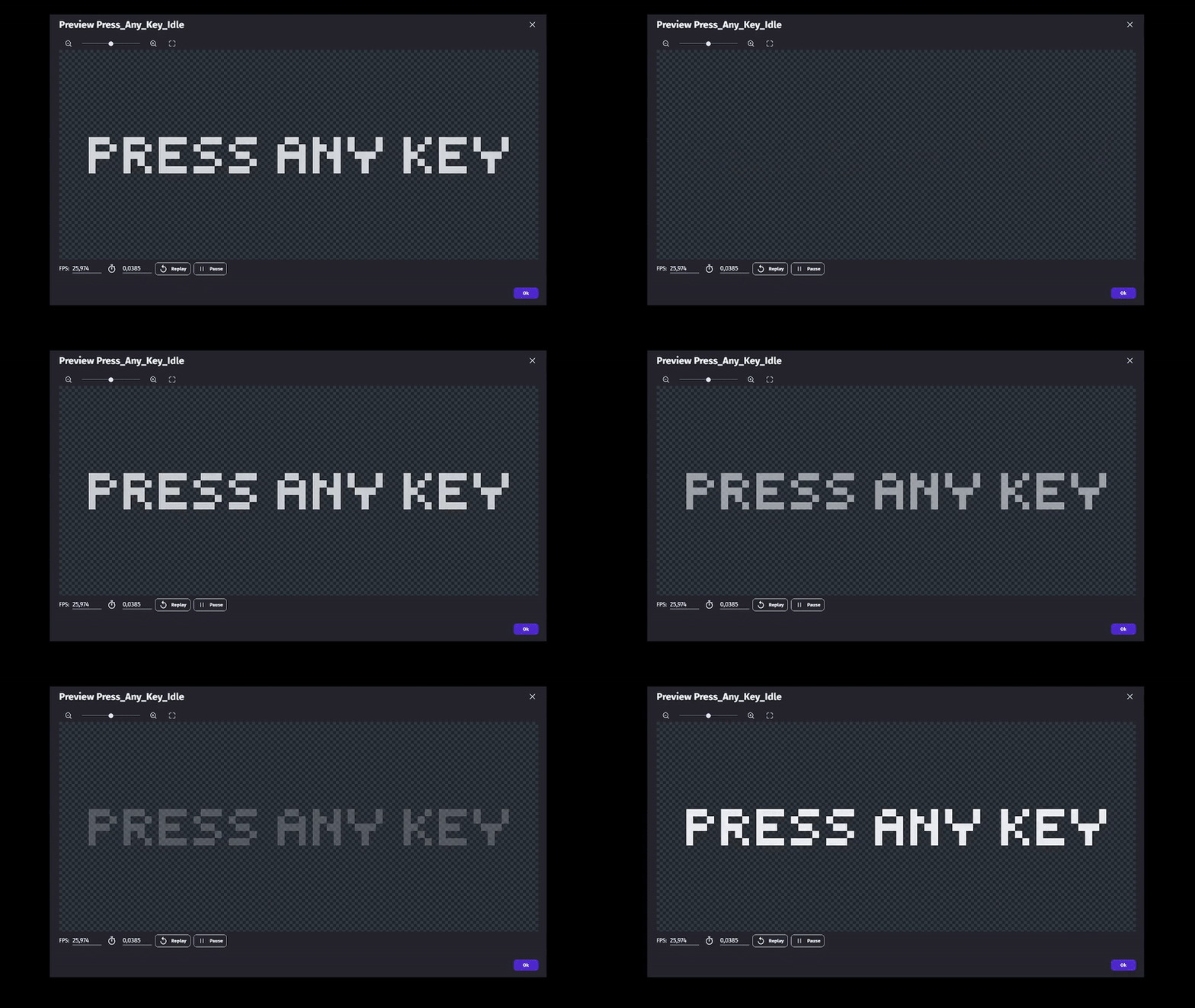
I’m personally using the second method
I think the tween would be easier, could you tell me how?
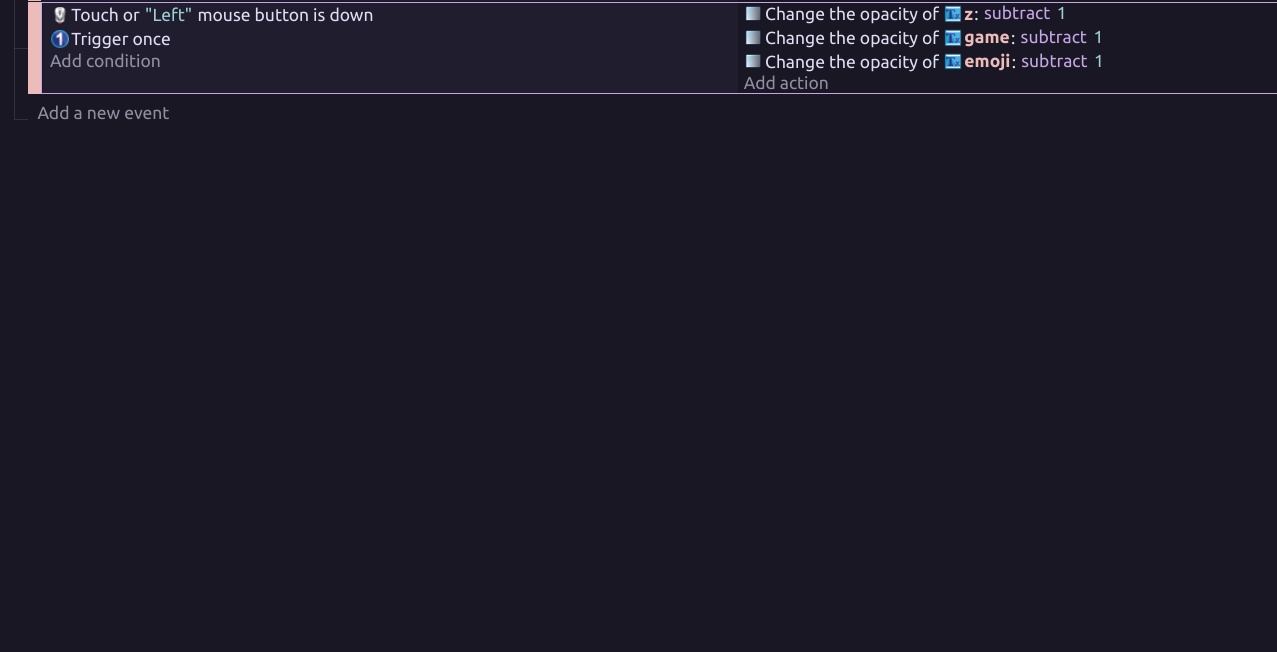
I did (well tried) it but it kinda dont work, so it does change the opacity but… by one! so the code it :“Conditions” : if left mouse button is down,Trigger once,
“Actions”: Text change opacity + 1
but i know thats gonna happen but i need it to happen continuously.
Hi!
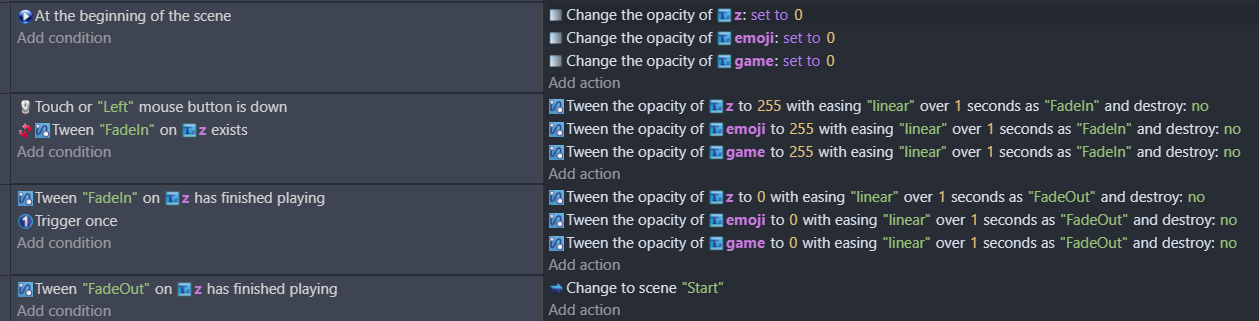
First create a text object, where you write the text. Then add the Tween beaviour to it, and add the object into your scene.
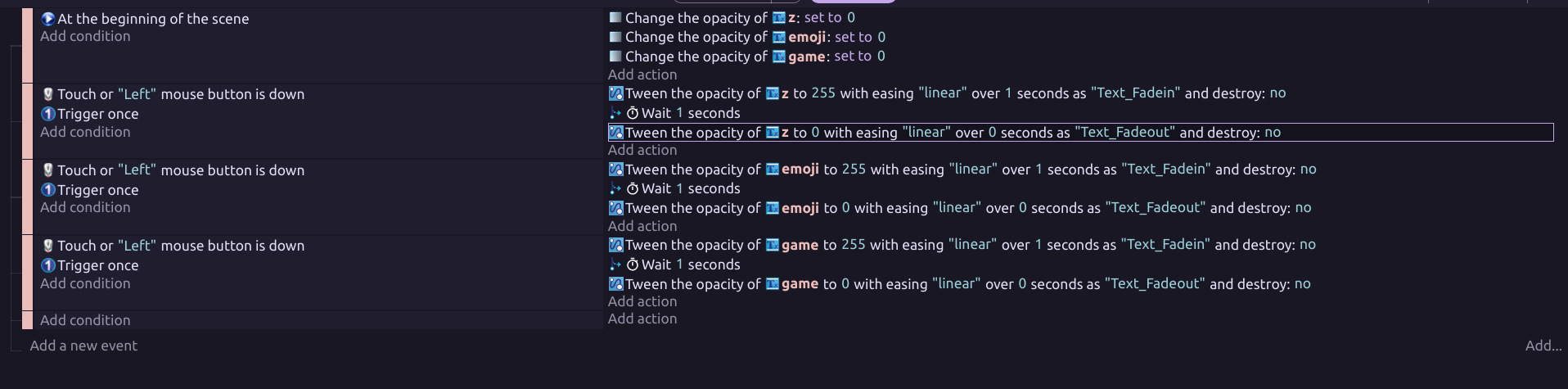
In this code example the text is hidden (opacity is set to 0) in the beginning of the scene. When the mouse button is pressed, the text fades in and then fades out.
Tween is a super useful feature for many things, and I recommend you to check couple of tutorials about it. Just go to Youtube and search “GDevelop Tween”. Attention! If the video you are watching is a bit older, it’s probable that the tweening time is set in milliseconds. In current version of GDevelop the time is set in seconds.
Hope this helps. 
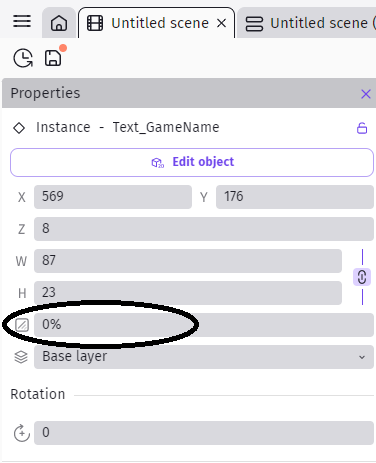
…and in fact nowadays you don’t have to set the initial opacity of the object with the code, it can be set also in the object properties, when you select the object.
Thanks so much it comes out great! 


but could you also tell me how to make it go away? like fade slowly?
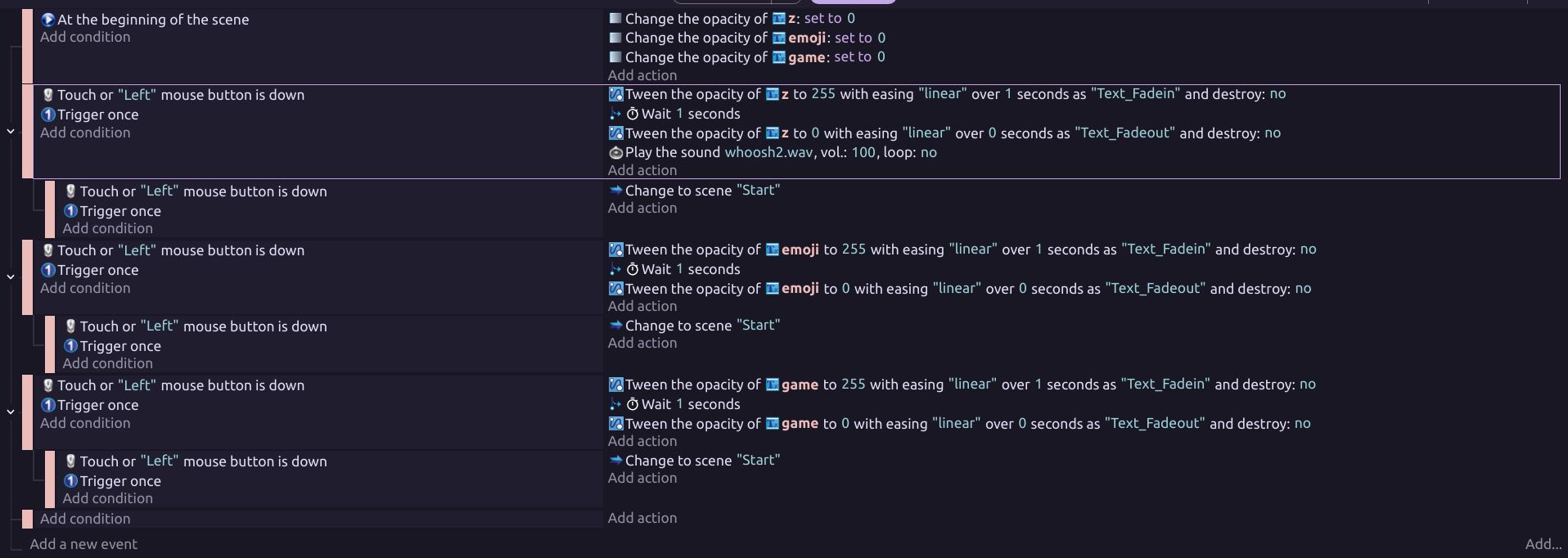
Umm i guess its fine now cause i made it after then the scene will change to start so for now it should be fine… 
That’s a rather messy way to write events and it’s rather hard to tell what’s going to be triggered and when. Additionally you are using too many unnecessary “Trigger once while true” conditions.
Consider something like this instead:
yea, makes more sense il try and let u know if it works ty! 
You doubt my solution? 
never, i know i can always trust you hahaha. 

It works fine! just one more thing, first of all how do i make it slower? And do u have a good sound effect for the logo coming up?
Increase the time of the tween. And if you look at easings.net, you’ll get the speed variations at which the tween can behave.
As for the sfx,I’d suggest you search the web or get an AI music generator to come up with something.
u have any idea on what words i use specificly to search on the web?
(btw i dont really use AI unless i have to)
I’d start with "Free sfx " plus how you envisage the sounds to be. A rising whoosh, a metallic clunk, an ominous rumble etc
There are a gazillion sounds out there, so be prepared to find a sfx library and listen to a lot of samples.
not sure now that you mention it… il have a look at other games and see what i can find tysm MrMen!