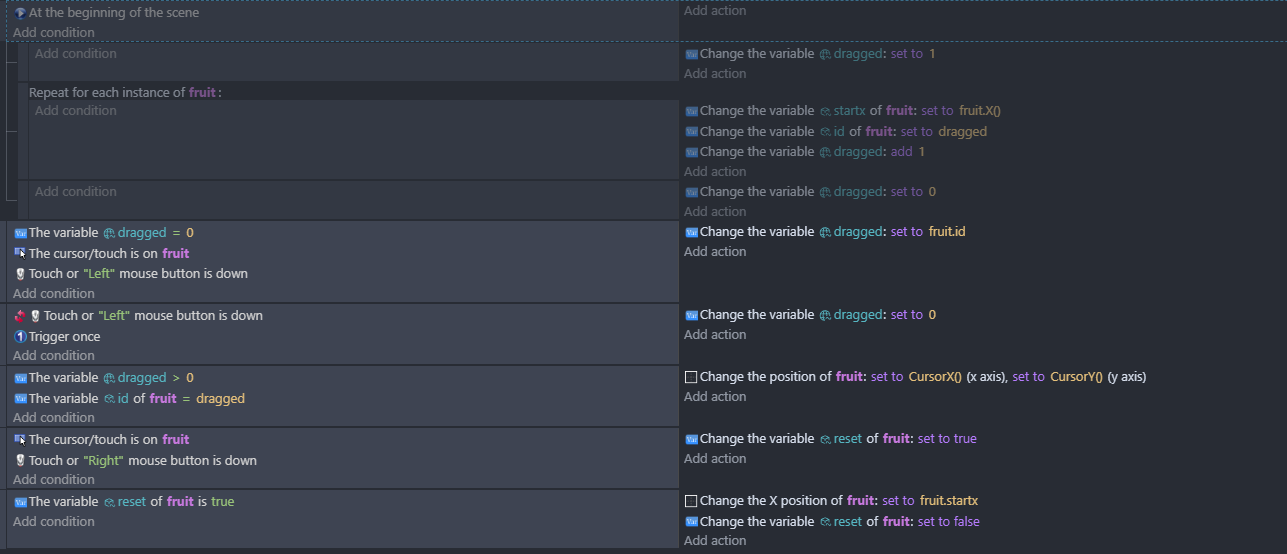
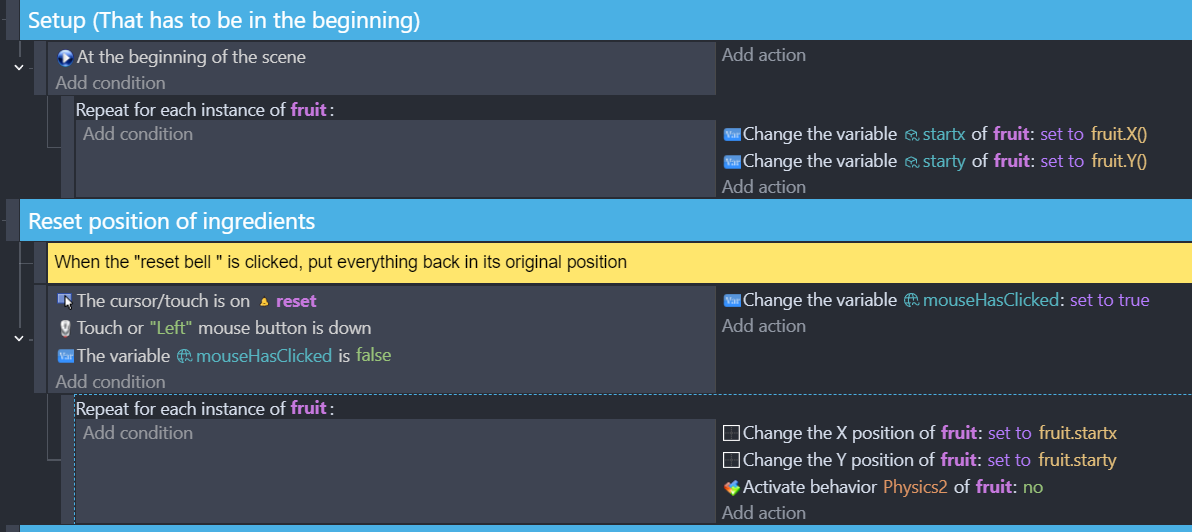
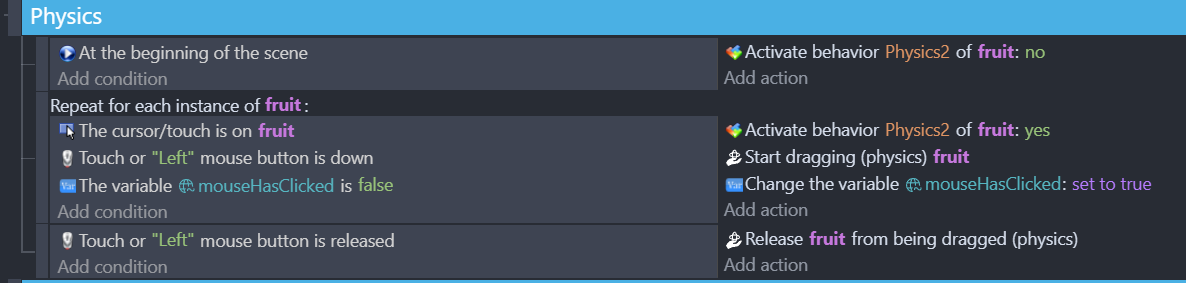
tl;dr: How to reference the current object that’s being affected in a “Repeat for each instance [object group]. Or solve my problem differently”
I’m trying to make a shelf full of ingredients that can be moved back to a “default position” when a reset button is clicked. From reading other posts, there is no “default position” and I have to put that position into a variable.
There is a lot of items and I will move stuff around later, so I want to have each object add its position to an array on scene startup.
Problem is, I can’t figure out how to reference the object currently being affected. Anyone know how or a better way to do this that isn’t manually writing this information?
For example:
Repeat for each instance in [Object group]
-At the beginning of scene
-Add variable ObjectThatIsCurrentlyBeingAffectedByThisCode.X() to array variable position_x[loopIndex]
-Change the variable loopIndex: add 1
-If the variable loopIndex is not equal to 0
-Set variable loopIndex equal to 0
##And to reset positions:
Repeat for each instance in [Object group]
-If variable reset is true
-Change the position of ObjectThatIsCurrentlyBeingAffectedByThisCode to position_x[loopIndex]
-Change the variable loopIndex: add 1
-If the variable loopIndex is not equal to 0
-Set variable loopIndex equal to 0
-If variable reset is true
-Set variable reset to false
Hi Normally with this sort of thing i would have an object variable called startx
at the start or when created set startx to Object.X()
then in the for each loop have if reset is true set Object.X() to Object.startx
Just to be sure, “Object” here is your explanation’s placeholder for the actual object name, right? For if I put in “Object.X()”, it is giving me the error that this object doesn’t exist.
If so, I still need to manually create an object variable on each object, and then copy/paste that code and change it for each object, right? Is there no way to automate this process with a chunk of repeating code and 2 arrays, like I’m trying to achieve in the original post?
It’s not the worst for this project, but I’m seeing previous posts with hundreds of objects, where the answer demanded the dev to manually add all these object variables and location data.
Can’t include links, but the one named “[Solved] How do I put an object back in it’s original place?” by Ramen
I even tried to trick my way through, my making a variable that adds one each loop, putting that variable IN the object parameters and have it be correct by naming each object 0, 1, 2, 3, etc.
But it did not accept a variable in a slot that expected an object name, even if the output would have been correct.