What I want is that only a single target can be locked (IsLCK = true).
So I try to set all other targets’ IsLCK to false, then set the selected one to true.
How do I do that?
How do I set the value of all sub-children
What I want is that only a single target can be locked (IsLCK = true).
So I try to set all other targets’ IsLCK to false, then set the selected one to true.
How do I do that?
How do I set the value of all sub-children
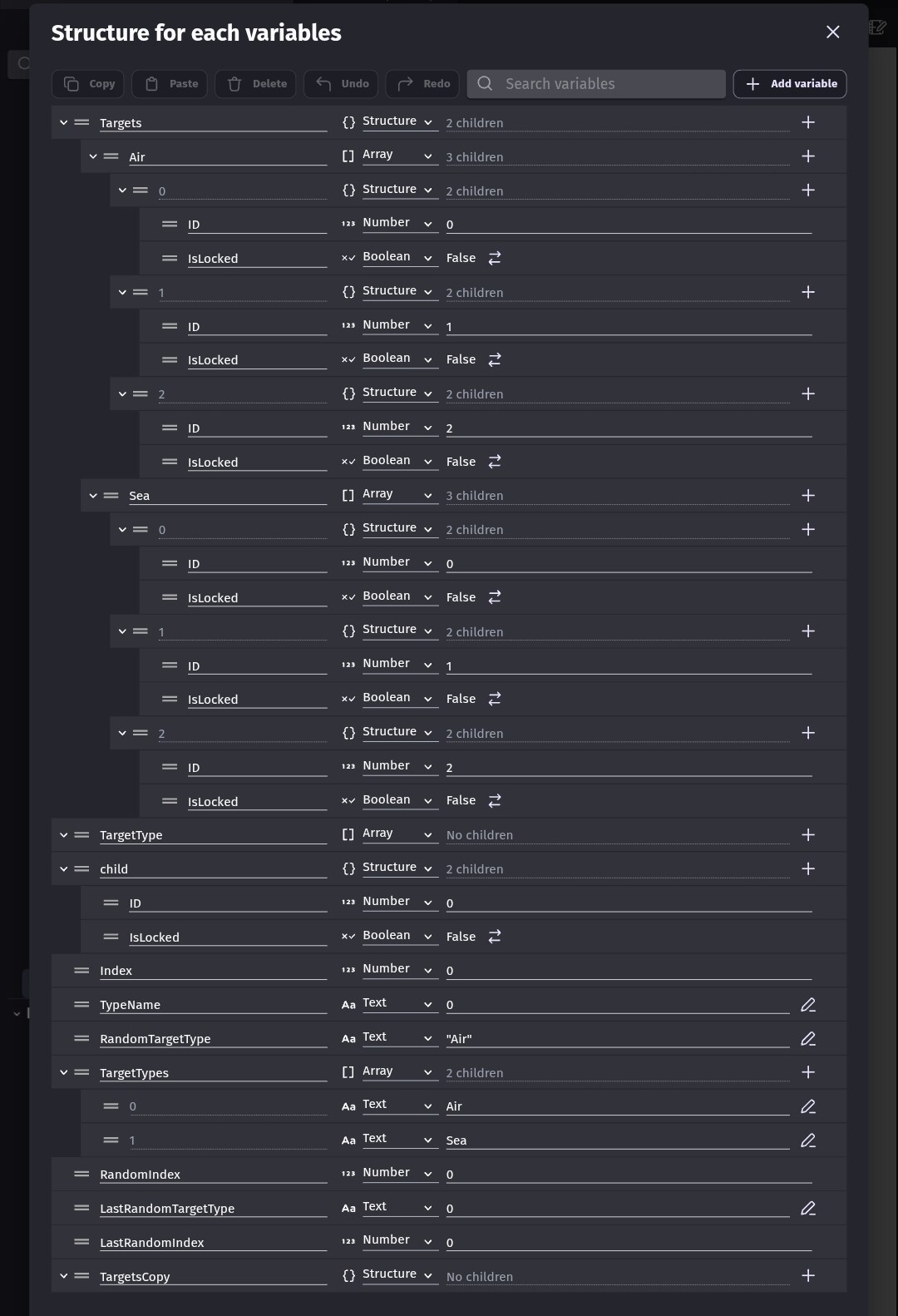
I’m not positive about your variable but it looks like a structure with structures that contains arrays of structures.
If I’m wrong, can you post a screenshot of the variable setup? I can discuss any of my events further.
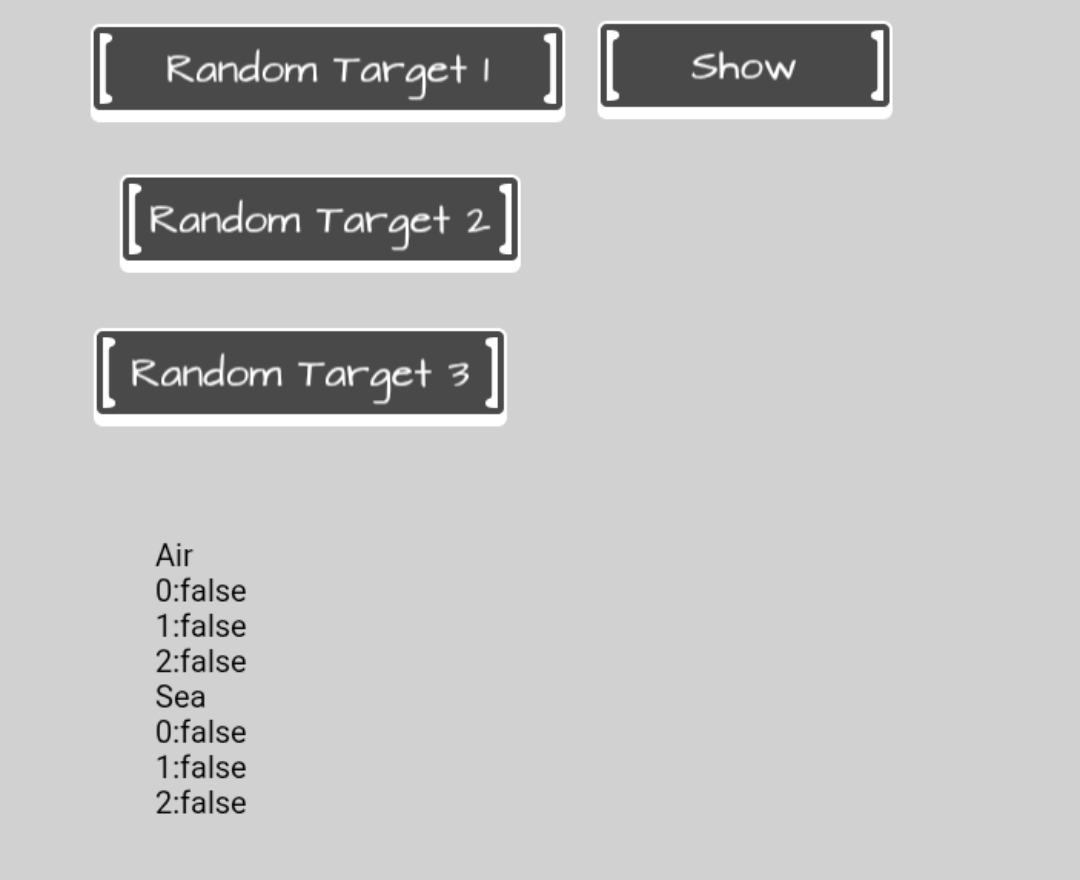
I wanted to try 3 methods. I added 4 buttons. 1 button simply displays the array.
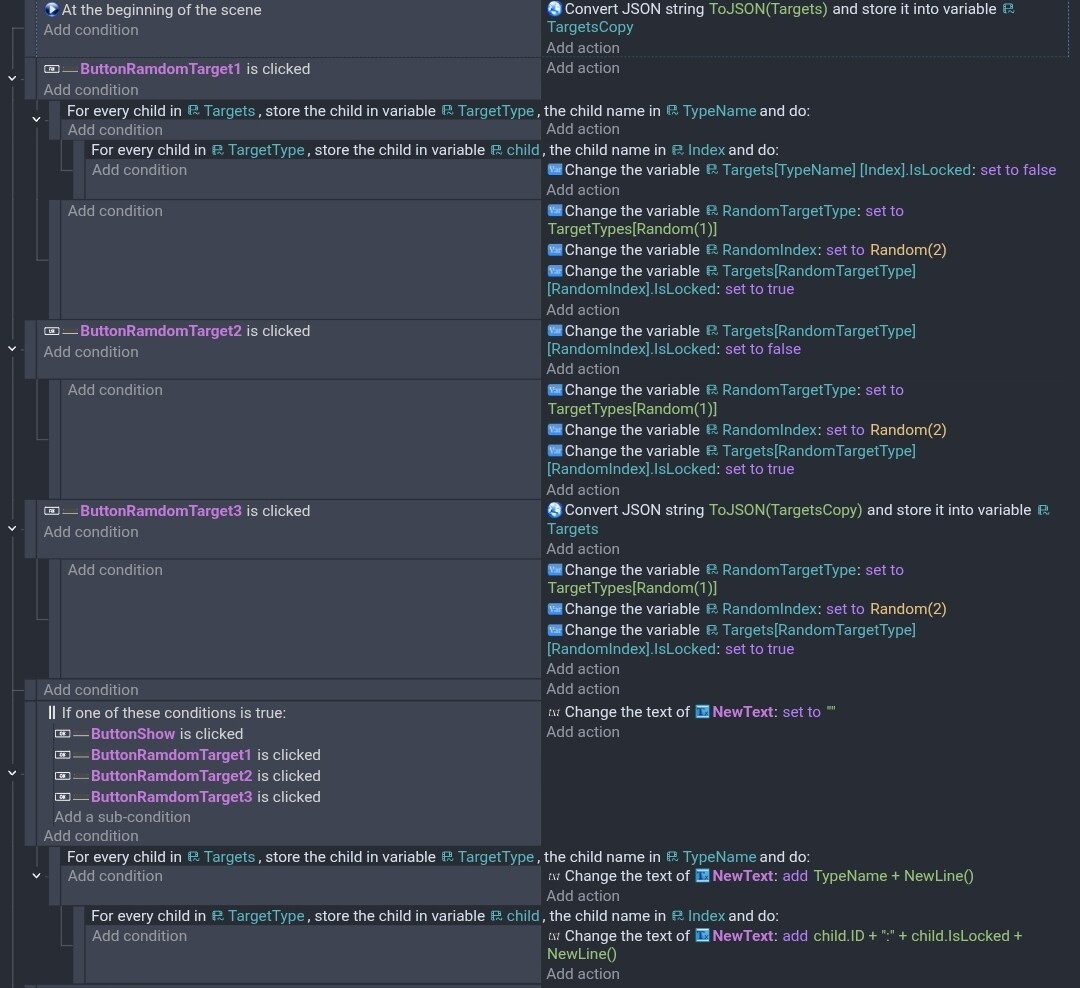
The first method is similar to yours. It goes through the structures and then the array of structures. It sets the IsTarget to false for everything instead of checking the values. It then sets a random target to true.
When using for each child with a structure. The first optional variable is the value. It’s sort of like the remaining part of the variable that you’re cycling through. The 2nd variable returns the structure name. In my case, either sea or air.
When using for each child with an array. The first optional variable is the value or remaining part. It could be a value, structure, array, or a combination of anything. The 2nd optional variable returns the array index. In my case, 0 thru 2
To change a value, you can use a combination of the variable name and the 2nd variable or more to build the variable name. I used the type name from the first for each and the 2nd optional variable for the index.
My 2nd method was to just change the previous target back to false before choosing a new target. I used the same variable that contained the random target. You could use additional variables like lastTargetType or something. Make sure the default value of the variable contains a valid type and index.
My 3rd method used a copy of the structure at start up. It basically created a backup and then restored it before picking a random target. I didn’t think about it until now but your variable is updated during runtime. Mine was not. This might not work with your process. I left it just in case if can be modified.
These are my variables.
My events
My scene before a target was chosen.
Here is the variable setup.
TemporaryATLCK is the same as TemporaryEngagedAT. It contains ID, IsLCK, and WEPLCK. I literally just copied and pasted it. I previously thought I might need to use a copy.
EngagedTargetList
 └─ AirTarget
     ├─ AT0001
     │   ├─ ID = "AT0001"
     │   └─ IsLCK
     ├─ AT0002
     │   ├─ ID = "AT0002"
     │   └─ IsLCK
     ├─ AT0003
     │   ├─ ID = "AT0003"
     │   └─ IsLCK
     ├─ AT0004
     │   ├─ ID = "AT0004"
     │   └─ IsLCK
     └─ AT0005
         ├─ ID = "AT0005"
         └─ IsLCK
My event, it somehow creates a new entry instead of modifying the existing one.
OK. So, you’re close. Instead of building the variable name with the child, add a string variable and put it in the 2nd optional variable box. In my case I used ChildName. My variables are a little different but this should do what you want.
In my test, child is the structure that has the ID and target lock.