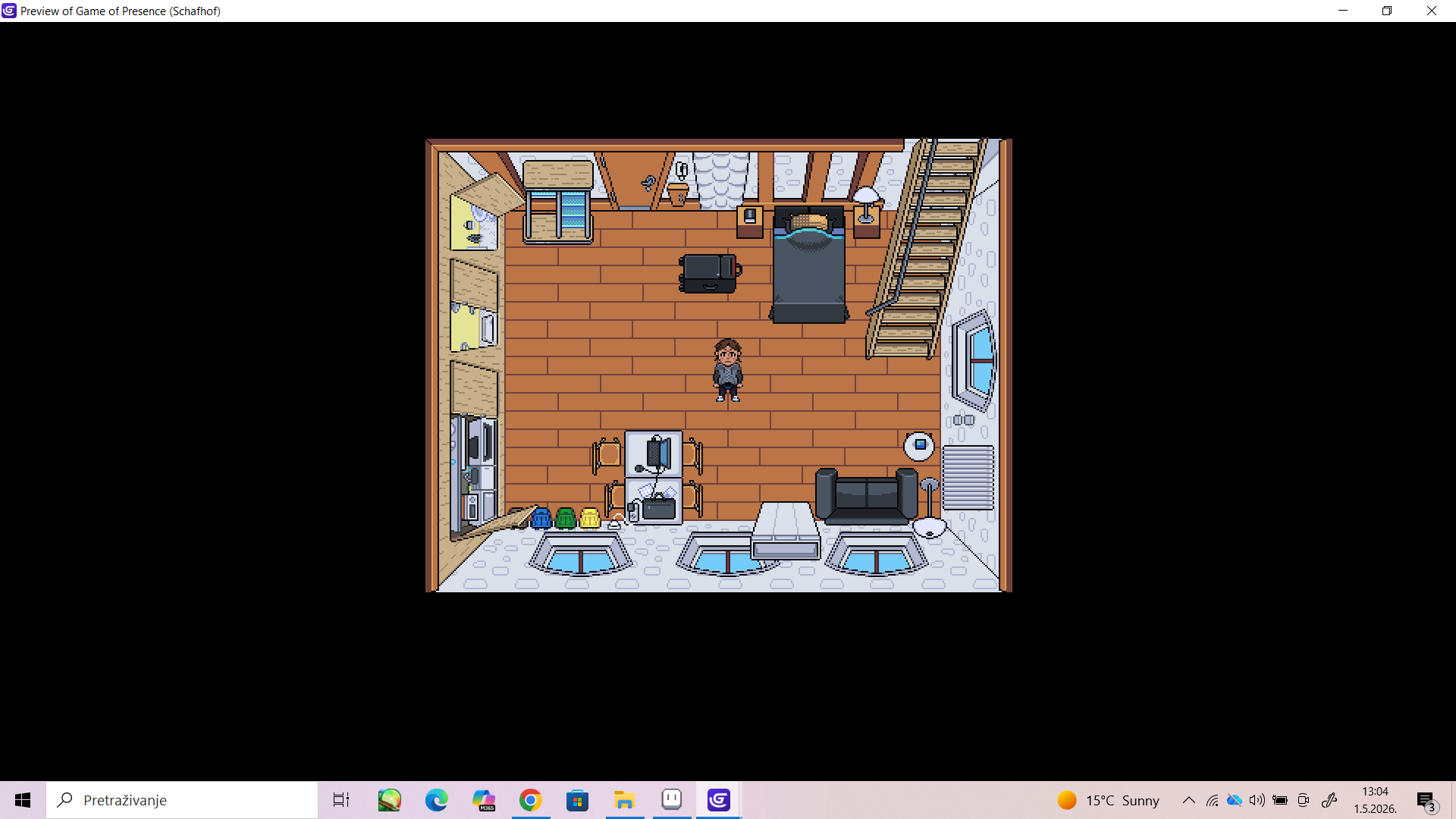
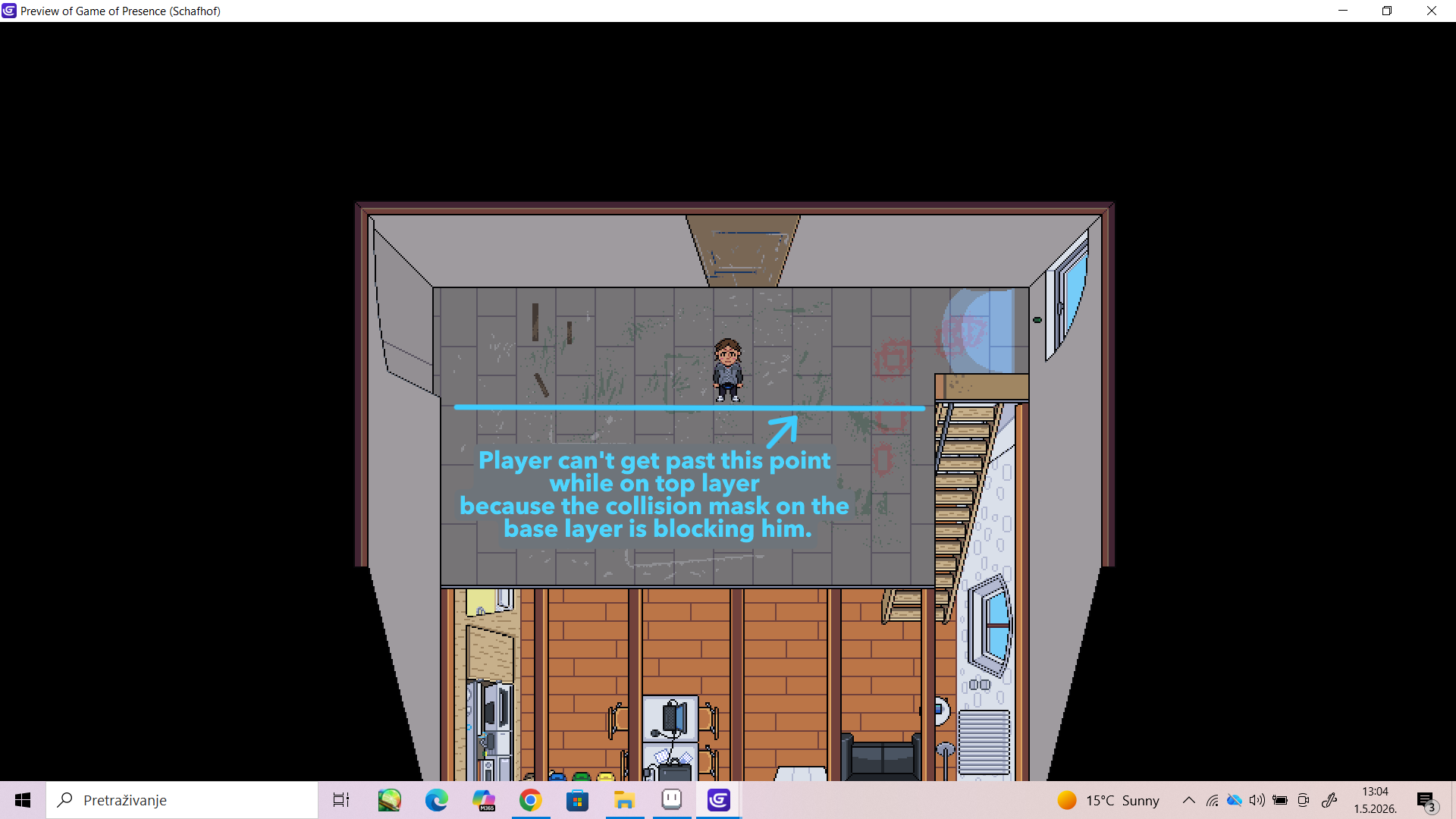
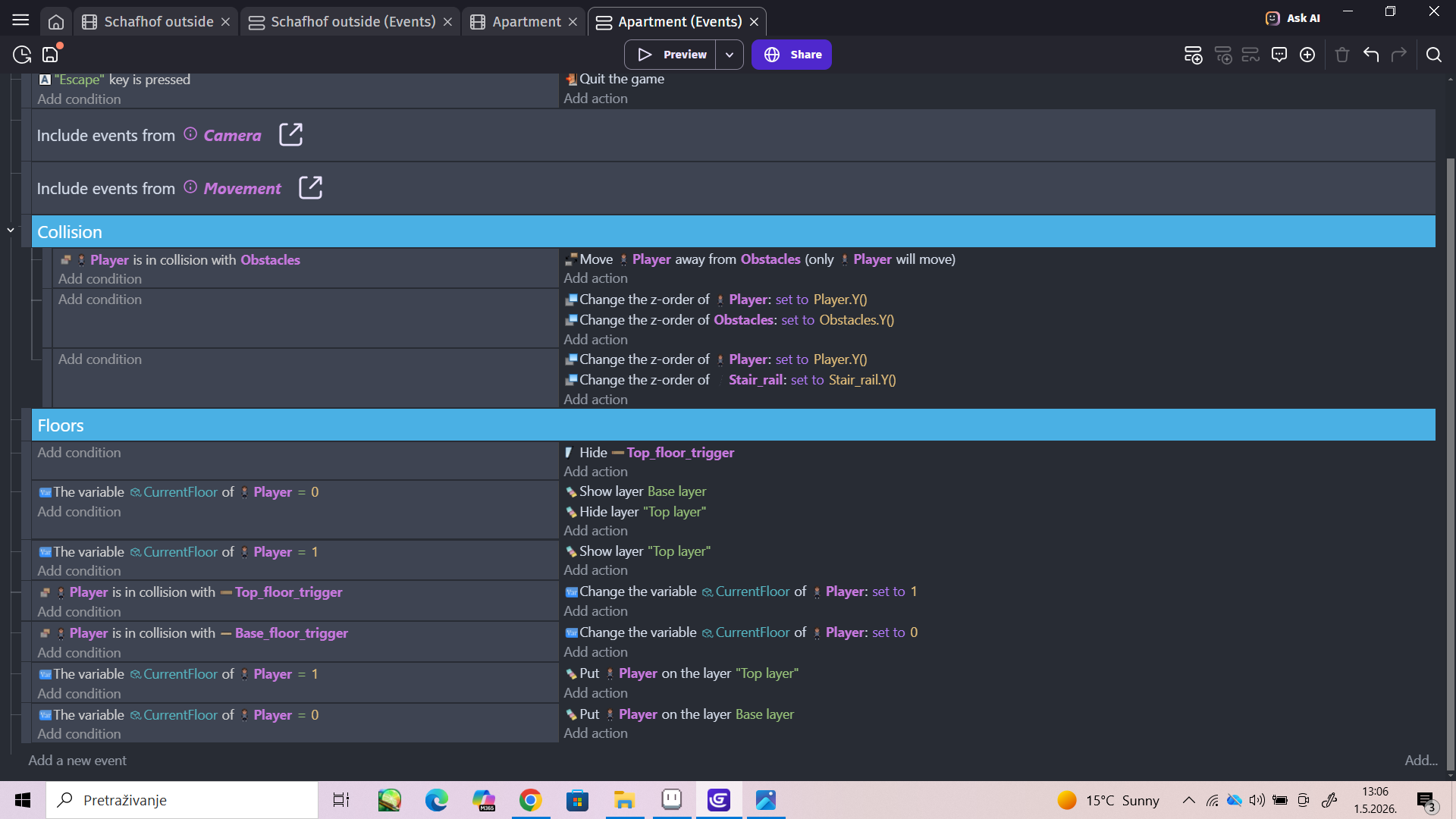
I’m trying to make a scene in which the Player can move from bottom floor to top floor. I’ve figured out everything except how to turn off collision on lower floor while the Player is on top floor, so it does’t mess whith his movement while on top floor.
I’m new to GDevelop, and would appreciate if someone could help me out with detailed instructions if possible.
Thanks.
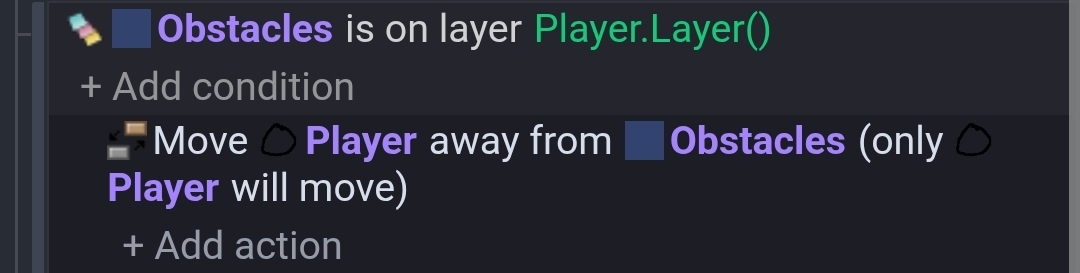
If you’re moving the player to the same layer as the obstacles then you can check the layer the obstacles are on before the seperate action. Choose the use an expression button instead of using the layer dropdown. Most conditions work like filters. Just filter the objects that you want before the seperate action.
When using the seperate action, you don’t need to check the collision because that’s built into the seperate action. So, it would be checking the collisions twice.
If there were shared objects, you could use a seperate event to seperate them without any conditions.
I’m not sure what you mean. Like I said, I’m new to GDevelop and I’ve mostly been copying what I saw in tutorials. If you could go into more detail, maybe that woul help.
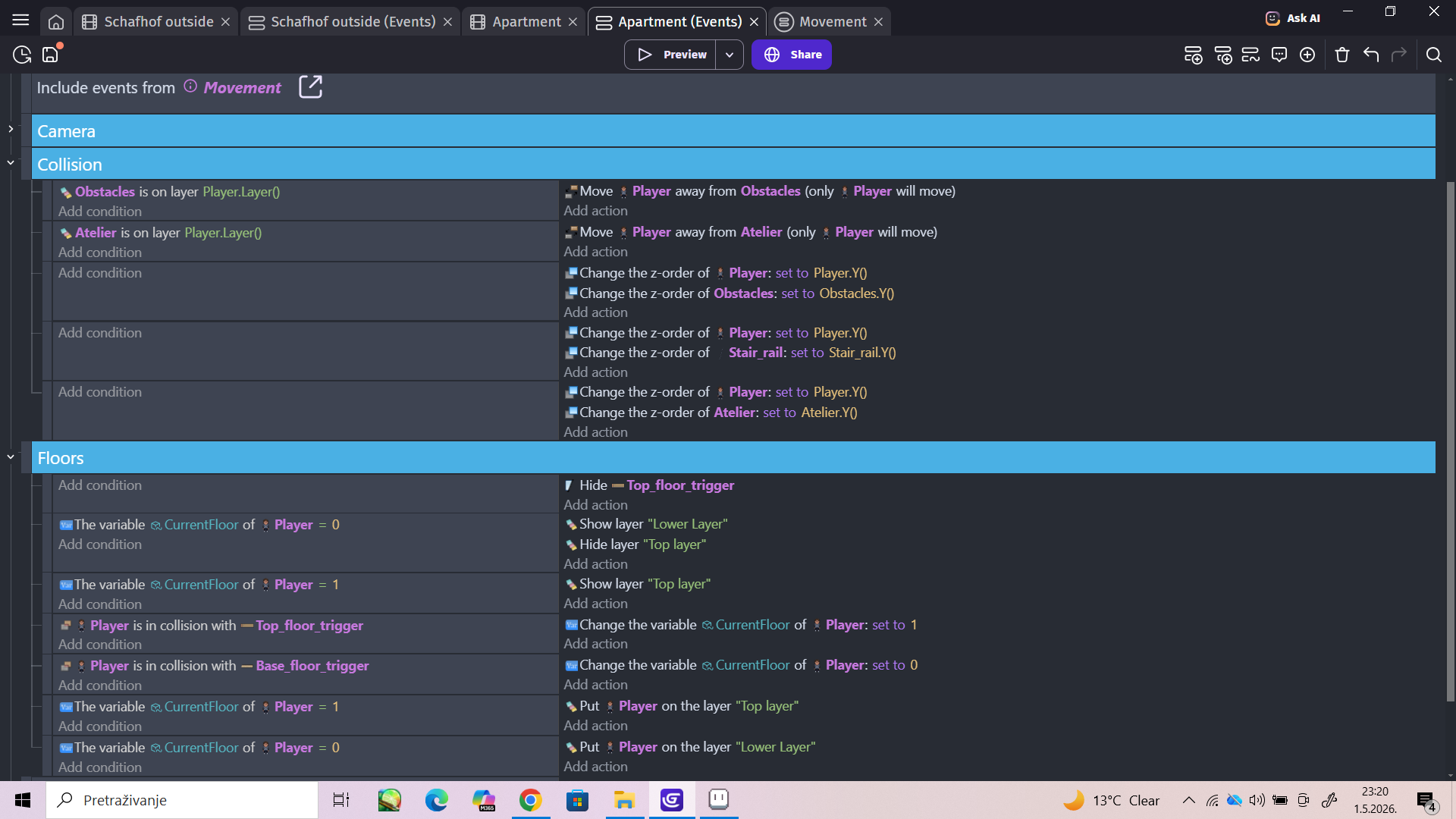
Player and obstacles are on base layer. And I seperated the top floor elements into a seperate scene group named “Atelier”.
When the player is in collision with the trigger at the top of the stairs it puts him on the top layer.
And I’m kind of lost about what you said near the end of your message, I’m not sure what most of those things mean.
So if you could maybe go through every step, I would appreciate it.
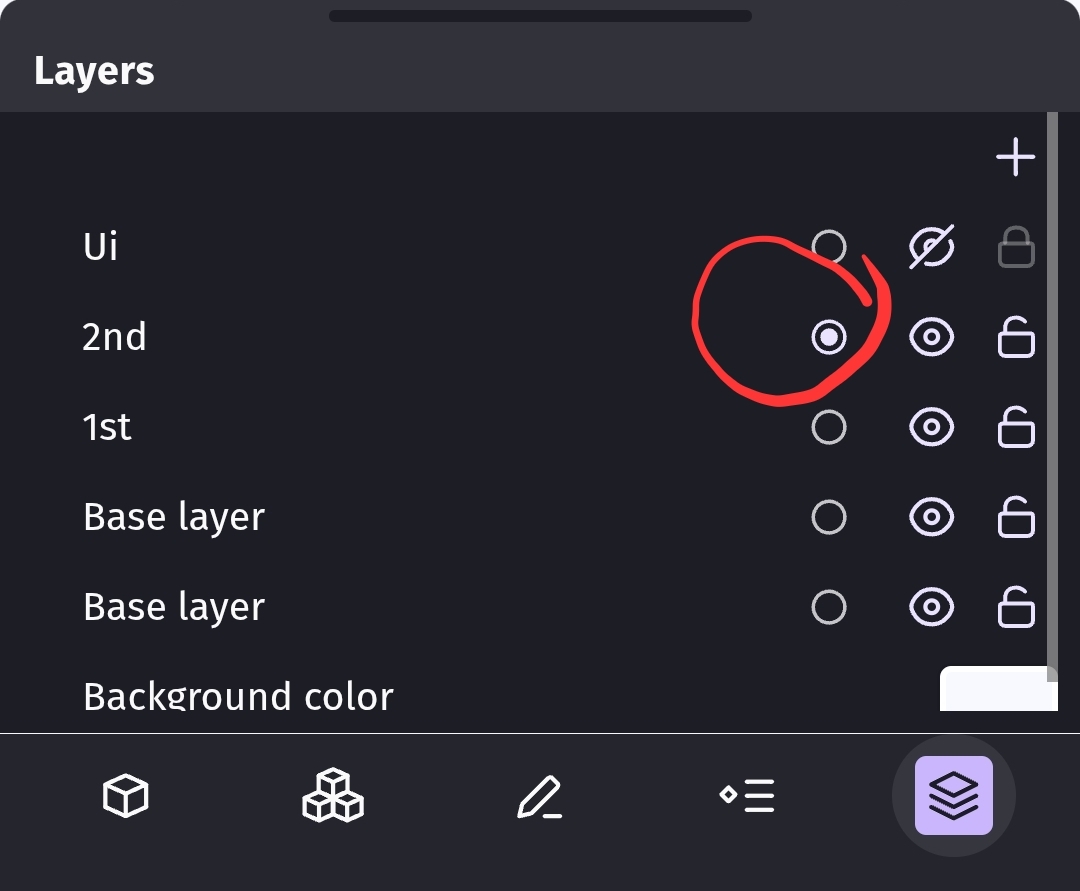
I played around with your concept by using multiple layers. I named them for the floors, 1st, and 2nd. I put objects onto each layer. I didn’t use the base because the bsae layer doesn’t seem to have an actual name. So, it didn’t work for my test.
If you open the layer panel then you can select the current layer. Any objects that you add will be assigned to that layer.
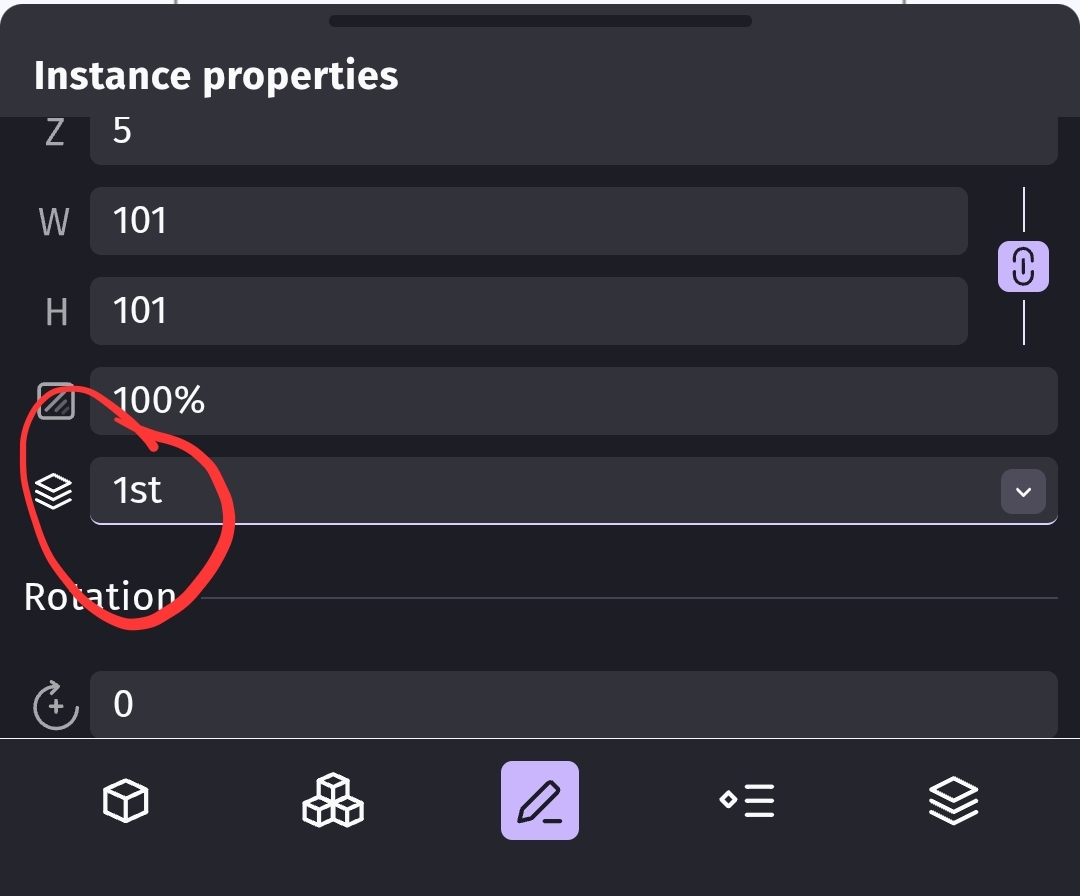
If the object’s are already in the scene then you can change the layer from the instance properties panel.
You then add the condition to check the layer of the obstacles and compare it to the player’s layer. That way it will only pick the objects that are on that layer. You then seperate the player from just those objects.
GDevelop events use picklists. You filter the list with most conditions. Otherwise, all of the instances are used. Each condition can filter the pick list creatin5a new list of instances. The next condition inherets that list along with any expression or action. Additional conditions can further modify the list. A new event will reset the pick list to include all of the instances and you can start the process all over again.
See also:
https://wiki.gdevelop.io/gdevelop5/interface/scene-editor/layers-and-cameras/
.
2 Likes
Halleluja! It finally worked. Thank you!
2 Likes