(SOLVED) Making a selection cursor using animations

SOLUTION: (SOLVED) Making a selection cursor using animations - #3 by Keith_1357

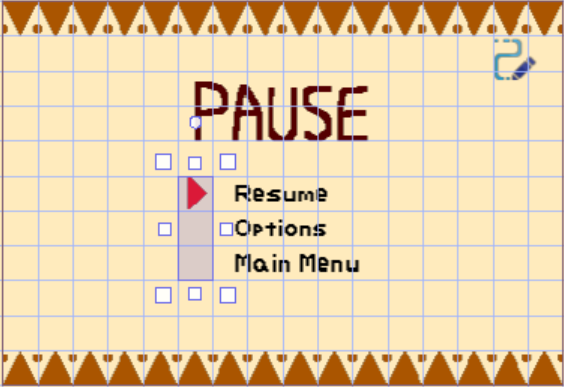
I’m making a pause screen for my game, and there is a cursor that consists of a large “sprite”.

When you press up or down, It’s supposed to change the animation to look like it pointing at a diffrent selection.

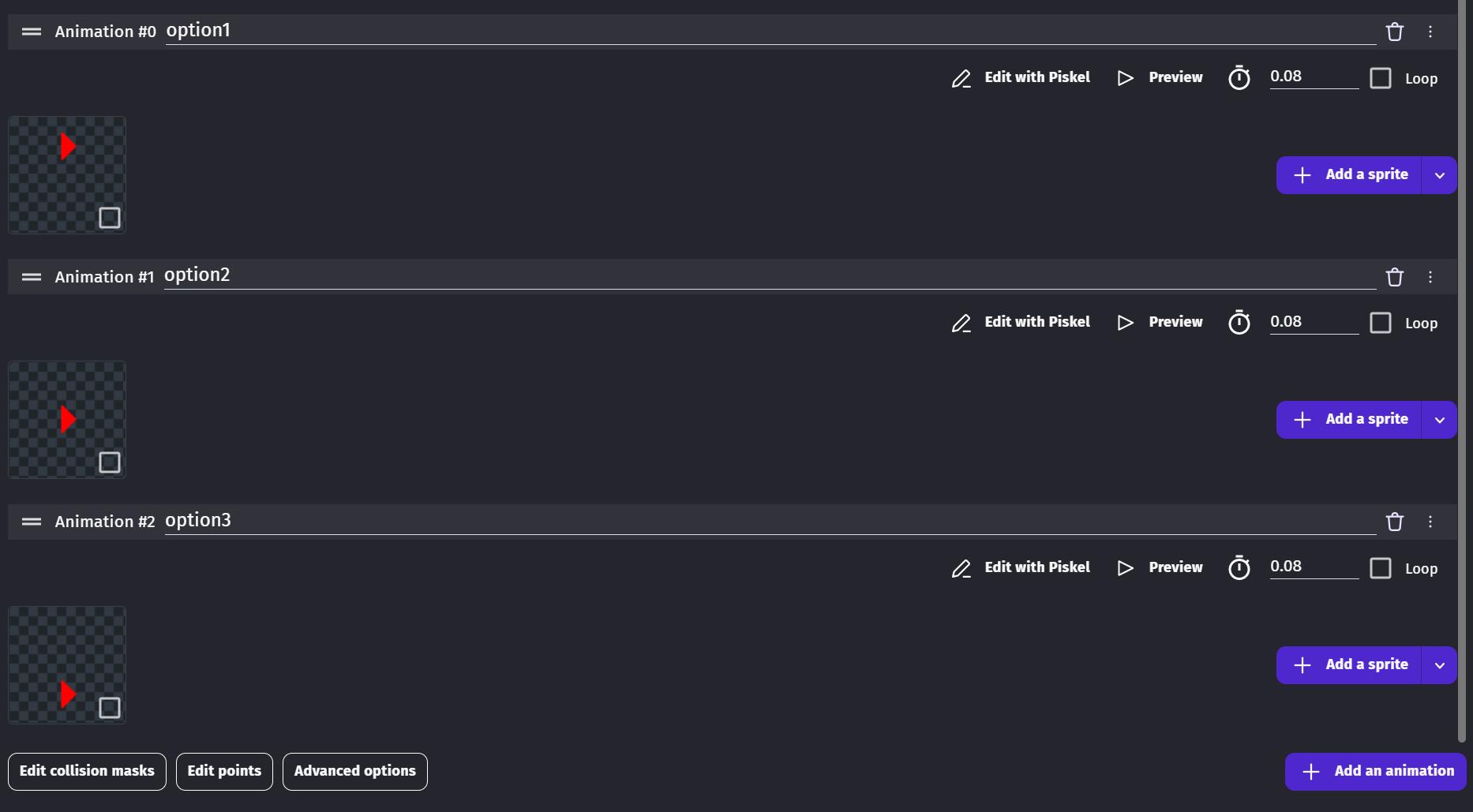
It has 3 animations. One where the arrow is position at the top of the sprite, one where it’s in the middle, and one where its on the bottom.

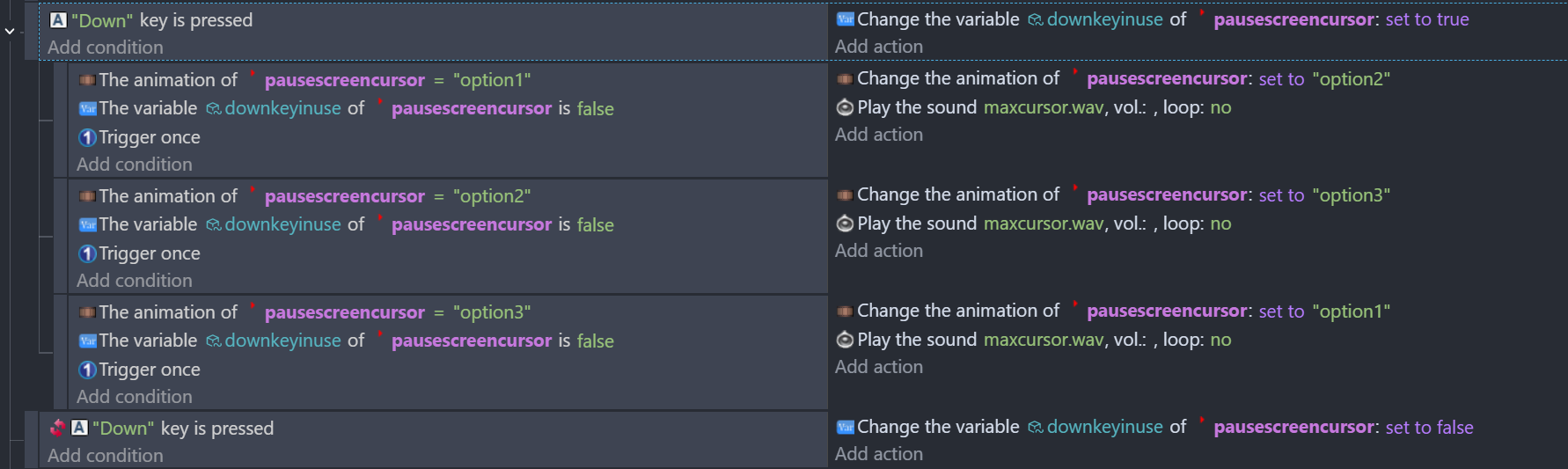
I set up 2 boolean variables that detect when the up key or down key is pressed. To try to prevent it from rapidly switching between the selections. (Like a turbo button.)

I only currently have events for pressing down.

However, the animations aren’t playing out! Either that or they’re moving super fast (since the sound rapidly plays)

How do I fix this?

Hey! I don’t really understand your code, but I do see 2 things that are wrong that might be the issue.

1: Down key is pressed runs every frame. This is why they are moving super fast. Swap it to “Down Key Just Pressed” and it will work way better.

2: You set downkeyinuse to true, and then check if it’s false in all your sub events. This is why the animations aren’t playing.

Hope this helped!
– Snowy

I’d like to add to what SnowyRawrGamer said.

After those changes, it’s going to create a domino effect or chain reaction. Each event will make the next event true.

Animation = Option1, set to Option2
Animation = Option2, set to Option3
Animation = Option3, set to Option1

Another technique would be to set the animation by number.
(I’m on my phone. So, I used the mouse)

Screenshot_20251103_024851_Chrome

If you wanted the selection to loop back to the top then you could use mod()

Screenshot_20251103_024843_Chrome

These both assume that there are 3 animations. The animation index starts at 0. So, would be 0,1 and 2

See also, the last example “3.2.3” if you wanted to set the animation by name.

https://wiki.gdevelop.io/gdevelop5/tutorials/how-to-make-togglable-states-with-variables/how-to-make-togglable-states-with-variables/

It kind of looks like you might have been doing something like this. This uses a variable named Changed…

2 Likes

Remove these additional animations and leave only 1
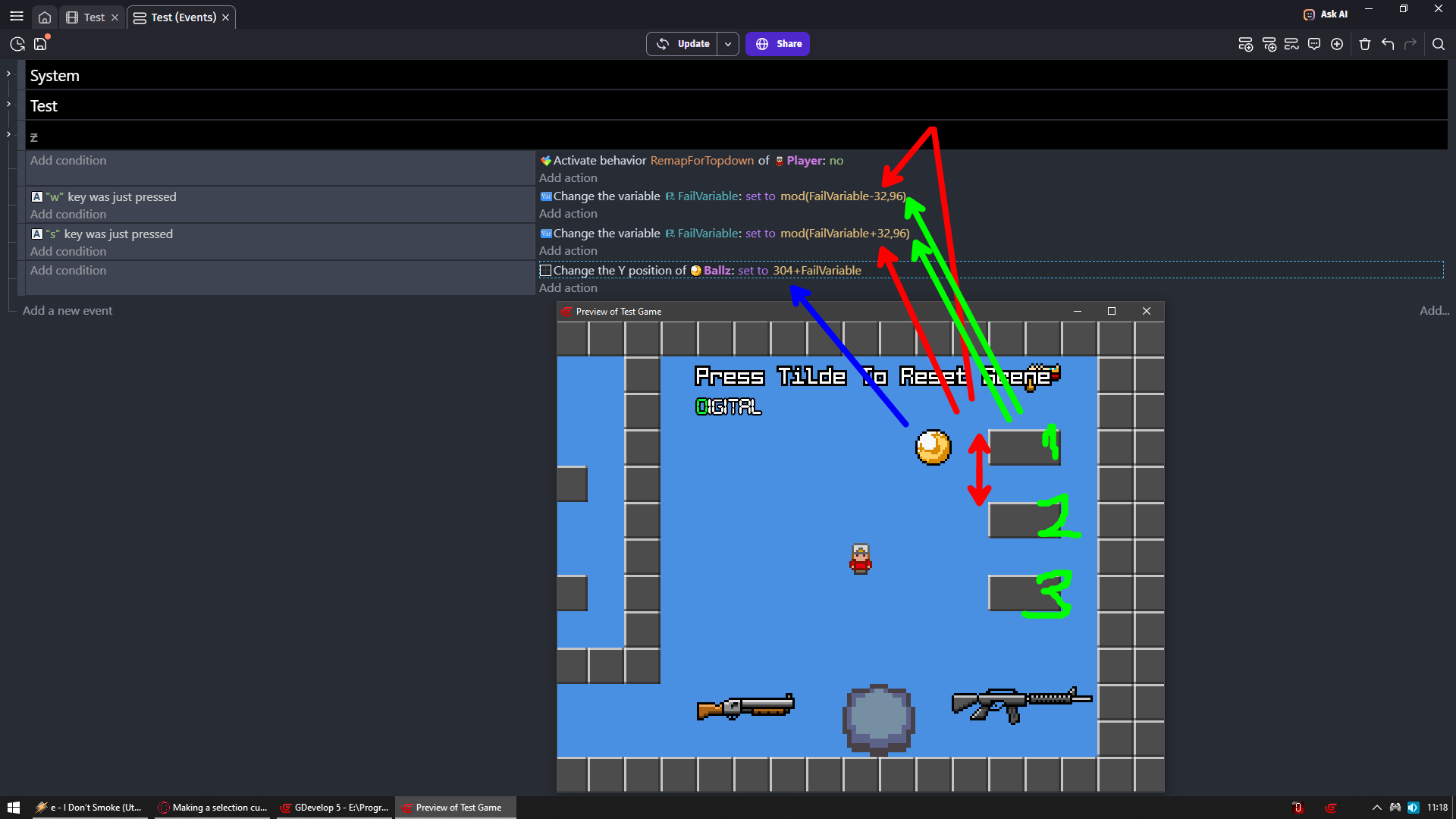
W and S to change position of ball

RED = distance from top of Y position of one text object to another
GREEN = RED * how many text objects (list options) you have
BLUE = starting position of top most list option

If distance between each text object would be 10 then
mod(FailVariable-10,30)
mod(FailVariable+10,30)

If distance would be 10 and you would have 5 list positions there then
mod(FailVariable-10,50)
mod(FailVariable+10,50)

If you want to block ball/cursor on top most and bottom most list position then
clamp(FailVariable-10,0,30)
clamp(FailVariable+10,0,30)
2 Likes

Zeros method is similar to what I would suggest - but if you want to stick with the animation method then the fixes above should sort it!

2 Likes

This fixed it! thank you!

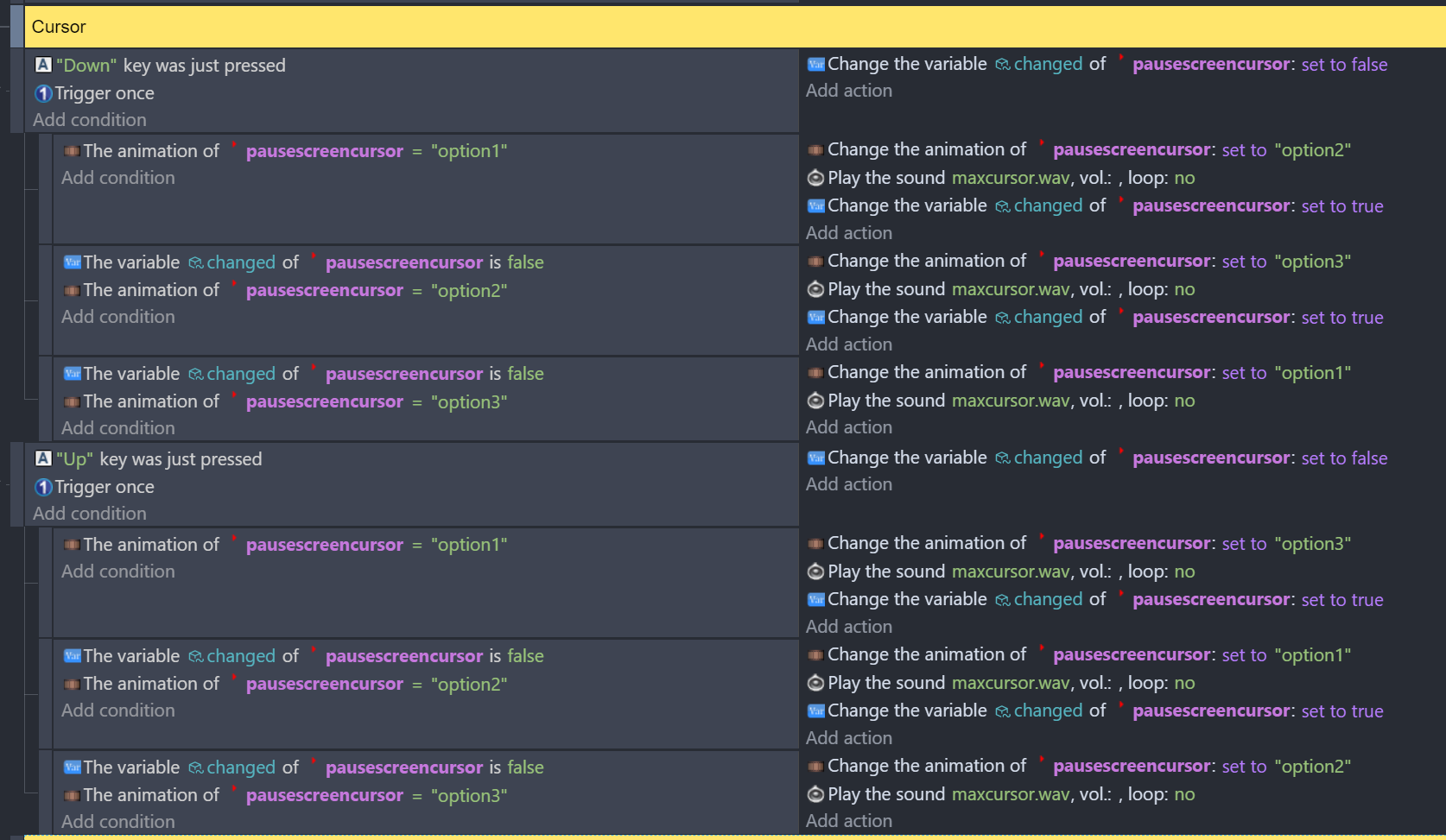
Here’s my events I made using your solution. (Both up and down)

1 Like