"I need to draw a raycast from inside a custom object/extension. I tried passing it as a parameter, adding it to the scene, adding it as a child… but nothing works. Is it possible to do this?
This the c.object.
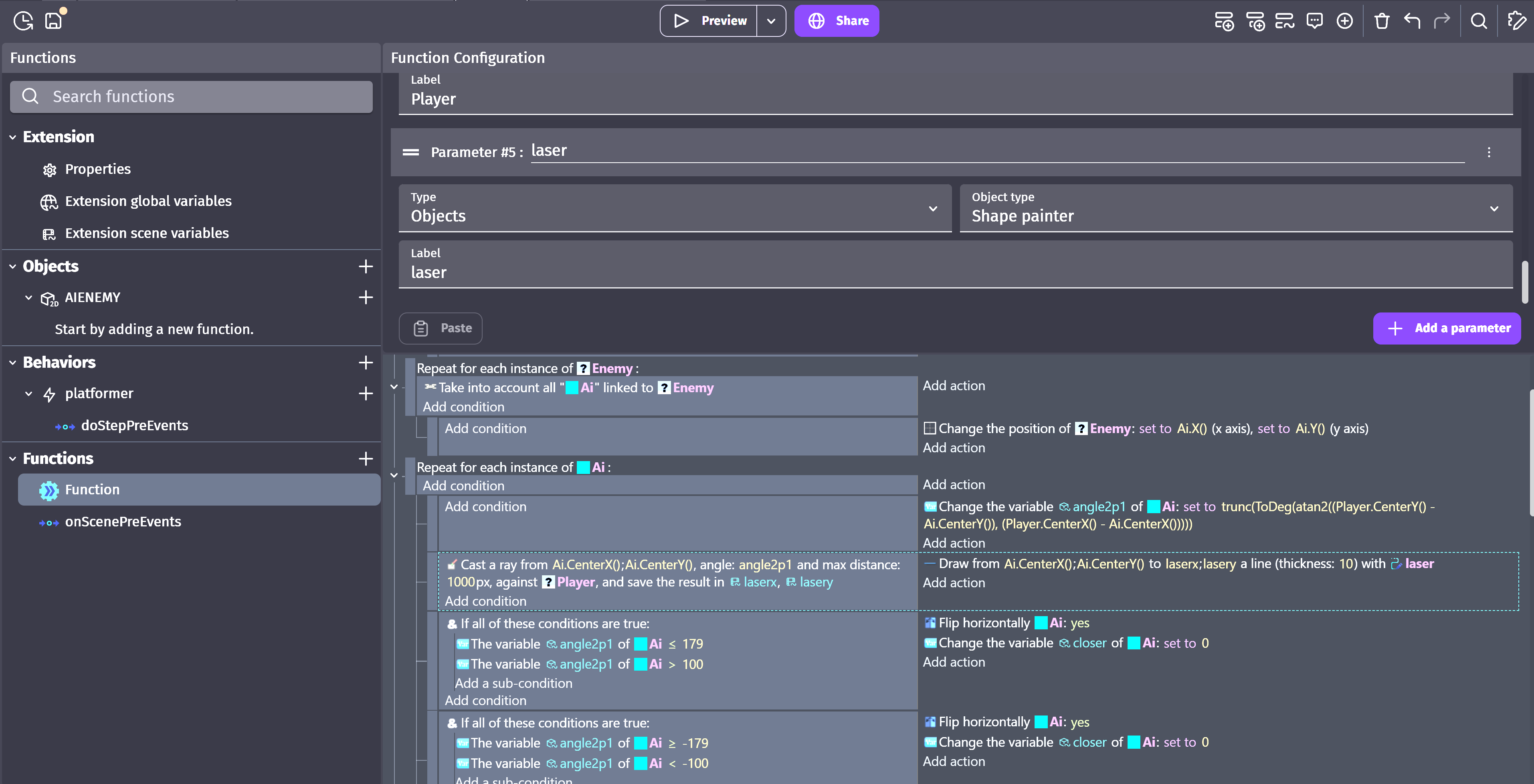
also ive the laser on the scene
"I need to draw a raycast from inside a custom object/extension. I tried passing it as a parameter, adding it to the scene, adding it as a child… but nothing works. Is it possible to do this?
This the c.object.
also ive the laser on the scene
The issue is that the objects within a custom object are basically on their own layer. So, they’re out of sync with the scene they’re inside. If the child object is at 50,50 and the custom object is at 100, 100 then in relation to the scene objects, the child is at 150,150
I think it should work if you cast a ray from the custom objects position. You can position the child object so the center is at 0,0 or you could add the center X, Y of the child object to the custom objects x, y
I would need to test it for sure
Hey Keith,
yes, I’m aware of the lack of synchronization between objects,… where one follows the other…
it also happens outside of custom objects.
Honestly, even if they weren’t perfectly in sync here, I could tolerate a bit of delay in the x,y coordinates.
The real problem is the draw action… it doesn’t work for me,
although it could very well be my fault, since my familiarity with extensions is limited.
Alternatively, if you can at least try casting a raycast from an extension/custom object, that would really put my mind at ease.
I’m trying to test it but I might be backwards. It’s a matter of aligning the coordinates. It depends on the perspective.
To be more visual, this is what I’m trying to do (even if on a larger scale)… I would need raycasts to make the AI more powerful.
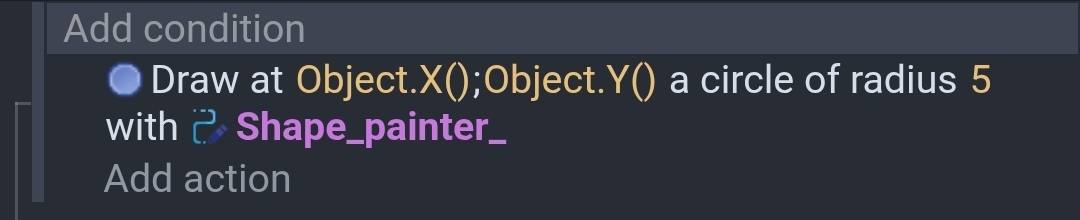
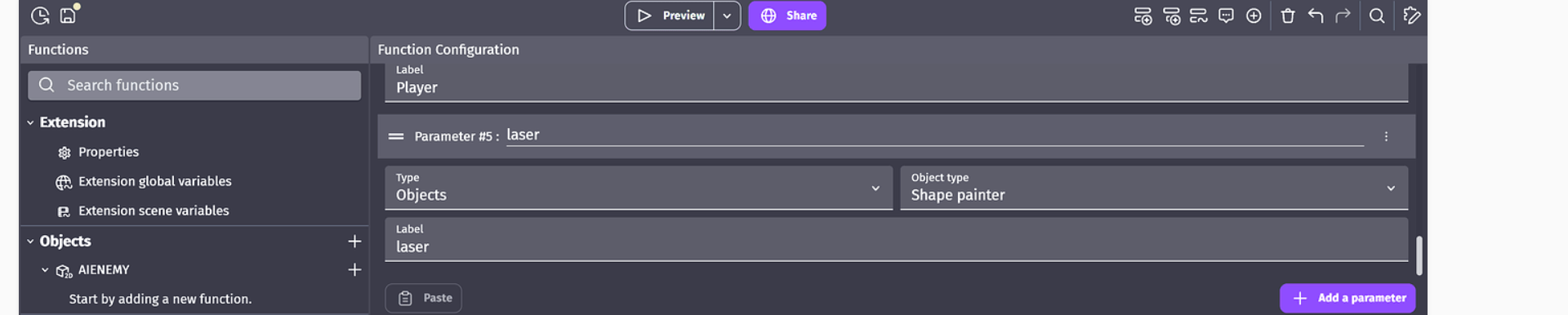
To test my idea, I added a function to the custom object with a parameter for a shape painter that I added to the scene.
This drew a circle where the object was.
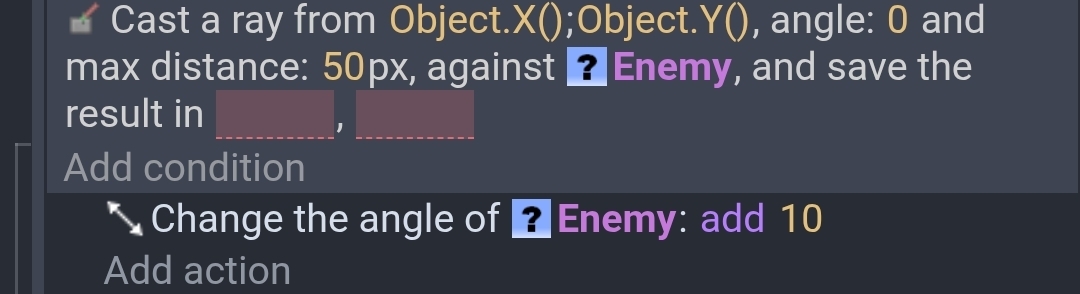
Then I added some enemy objects to the scene and passed the enemy to a function.
This function within the prefab causes the objects to rotate if they’re in front of it.
Just for clarity, when I said they’re out of sync I was referring to their coordinates. 0,0 inside a custom object is the objects position within the layer that it is on. It’s like layers or cameras that are out of sync.
like this…correct?
to the scene…you mean just created or visually placed on the scene…
bcs up to this point…it’s what i’ve done.
so create a laser object as child of a custom object i guess it doesnt work
Sorry if I misunderstood you. I didn’t realize the function was outside of the prefab. I was testing it from within the prefab. Let me test it from outside.
Actually, it would be fine for me even if it worked from inside… as long as it works.
here the mini project i’m doin
I don’t understand your formula for calcuting the angle. So, I have no idea if that’s an issue.
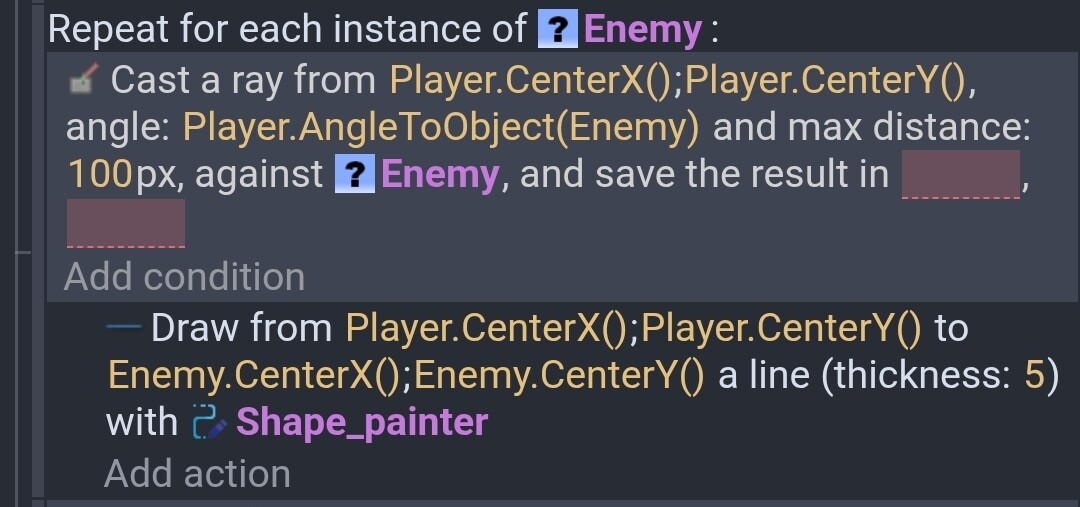
This works for me. I passed the function a player, enemy and shape painter object.
Depending on the shape of the objects a distance check might be quicker than a raycast.
have you created the shape painter as child…or created it on the scene…
or just called it as shape painter object inside the function?
For testing all of my objects were in the scene. If some objects are in the custom object then the coordinates would need to be synced.
I managed to make it appear… at least.
It’s offsetted, just like you said, because of the origin offsets, but at least now I can see it.
If it helps, I’ll explain the issue…
I had named the child of the custom object, the shape painter, ‘laser’, and I had also created another object in the scene with the same name.
After deleting the child inside the custom object, it started working.
So I’m guessing you can’t use a shape painter as a child of a custom object.
If someone already knew this… my apologies
thx Keith
I don’t know what your issue is, but this custom object draws a black rounded rectangle with a shape painter:
https://wiki.gdevelop.io/gdevelop5/extensions/screen-orientation-checker/
Thx Davy,
i would check if i can integrate the shape painter within the c.object from your example.
…i managed to make it work from inside the extension,but the shape painter is created on scene…gonna see if i can tune it.
Quoting myself here… I was wrong.
The raycast works both as a child and in the scene without any issues.
So I guess it really was a naming conflict between the child and the scene object having the same name.
Glad to hear.
I don’t believe there’s any issues with having child objects named the same as scene objects. Prefab child objects are self-contained. The naming could cause confusion because you might confuse which object that you’re referencing.
If the function was outside of the prefab than you wouldn’t have direct access to the child objects inside the prefab. You could create a function inside the prefab and use that either in the scene or from another function.
If the function is inside the prefab then you can access the child objects but not the scene objects unless they’re a parameter.
As for the shape painter it’s just like the other objects. You can draw on a shape painter either via the scene coordinates or in reference to the shape painter location. Again, you would need to sync the coordinates. The shape painter adds another offset into the mix.
If the shape painter is inside the custom object than it would either draw based on the shape painters position or the position relative to 0,0.
That party can be confusing bc if the shape painter is in the scene then 0,0 is in the upper left corner of the scene. But if the shape painter is inside the prefab then 0,0 is in the upper left corner of the prefab.
yes i believe it was idd the issue.