[Edit: this post concerns continuous ambient sounds that have no gaps or moments of silence. Things like water running or electrical buzzing from a freezer. I found that MP3, played as sound, eliminates the pop/click noise when the sound loops. Also note that my game is not browser-based. It’s a download game. I can’t confirm that MP3 played as sound is pop-free in browser games as I haven’t tested that]
Hello. I’m trying to get audio to loop seamlessly, but there is always a small pop sound at the loop point. The sound is pop-free and seamless in Audacity.
The sound I’ve been working on today is 55 seconds long and I play it as a sound, but I have the same issue with any looping sound. I use ogg format and the game is for download only, for PC, and not for browser play. I set all my sounds to preload as sound.
I have tried playing as music, but the pop is even worse.
Before I pull the rest of my hair out: has anyone managed a seamless looping sound with other file formats and/or techniques? Thanks.
Yes, exactly. I don’t have a solution but I’m writing to say it’s not just you. And it’s really annoying. I hear it for mp3 music played as a sound on a loop. It does the pop sound in the browser preview and also in a APK export. I thought it was just a me thing, but no. So maybe this could be a bug report?
Edit: I am having good results with MP3 played as sound. No pop/click now, even on short loops. If I use ‘play the music’ the pop/click sound is much worse than in my original post (OGG played as sound).
It’s not music: it’s ambient sound. So things like wind, a river, an electrical hum, a fan - anything that is continuous (no gaps or moments of silence). The sound I am using is 55 seconds long and is seamless when played outside of GDevelop. The pop/click sound is quiet, but it’s there in all looping sounds I’ve worked with.
Reading your post Jason, i remember i had this problem with an ancient game for test.
Effectively, under other tools than GD, the music or sound (Mp3, Ogg, etc.) emits no pop when at the end of music, restarts to play the tune. Under GD, the pop is strangely emitted.
I remember that i couldn’t resolve this issue and forget to signal it.
Perhaps, it would be useful to post in Bug category, no!
I tested it with MP3 and it eliminates the pop/click. I play it as a sound (not as music). I get a click when the sound loops when I use OGG or ACC.
So my advice for anyone who is trying to use sounds that are a continuous loop, such as wind, rain, electrical buzzing, water running etc. is to use MP3 played as sound to avoid a pop or click sound at the loop point. When I try playing the MP3 as music, there is a loud pop-click at the loop point.
Play as music has a horrible pop-click when the sound loops. It’s playing it as sound that works for me, and using MP3. MP3 seems to be the key for seamlessly looping ambient sounds.
That’s an interesting idea, but it can be quite tricky designing seamlessly looping sounds - lots of zooming in and cropping in Audacity - and I can’t imagine trying to hit a loop point with timer checks. That might drive me a bit nuts
MP3 seems to have done the trick when played as sound (MP3 played as music has an even worse pop-click than in my original OGG played as sound).
I have noticed a pop on some looped sounds before
This may sound over elaborate and i know its working now but…
What if… in the interests of science! you use two channels and a boolean scene var “switch”
and
if timer greater than sample length
…“switch” is false play sample on channel 100
…“switch” is true" play sample on channel 101
…restart timer and toggle “switch”
You can see many ppl ask why they have music in preview but not in browser
Or for some friend there is no audio
Where truth is there is no audio on some browsers cause they used MP3
Anyway
Your audio is 55 sec long
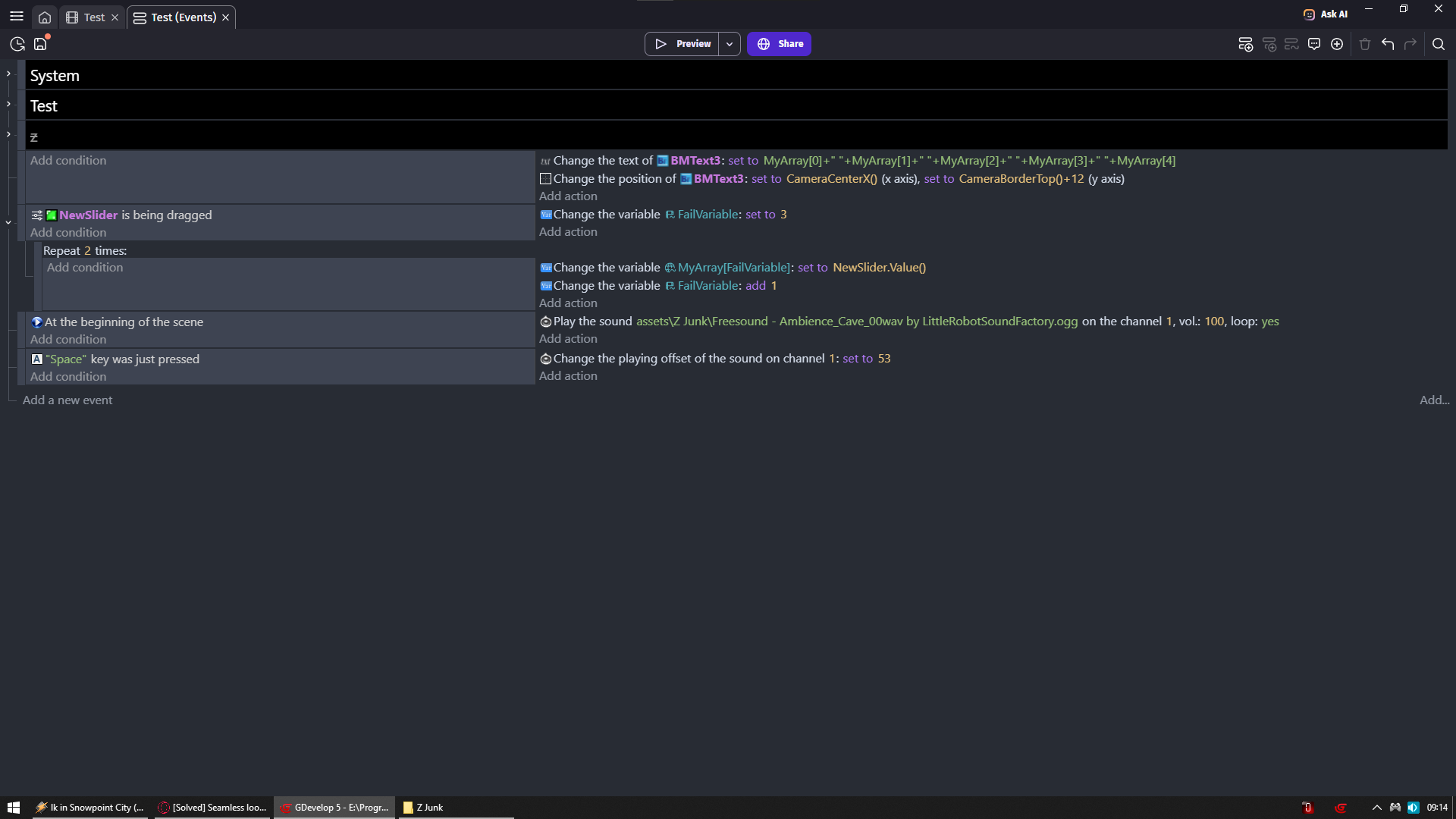
Press space to jump to 52 second
I used pazera audio extractor to convert it to ogg with default settings
I know AAC format is most widely supported but it generates that pop sound on loop on SOME audio since audio in my game above was AAC
So not all audio files are affected
Anyway went with OGG here and seems its pretty ok
Thanks for taking the time to do that, Zero, but I hear a pop when it loops. My original message was about playing OGG as a sound. Anyway, I’ll use MP3, played as sound. It’s pop-free. Thank you
Touché
I needed to put volume to 3x what i normally have to hear it
It is there
I guess its matter of codec used
Cause i tested some online converters and either pop sound is more intense/longer or less/shorter
If pop is on end then you could add extra silence on end and just restart sound from start to avoid it when after some time
So it seamlessly loop
But that would be if you need it to play in all browsers
I just tested with Mp3 format with “Play a sound” and it is worse!
However, i resolved the issue using “Play a music” with Ogg format and playing in loop.
I think Zero are right. It depends no doubt of codec used to make originally the sound or the music.
This does not clarify the problem encountered under GD unfortunately
Hmmm, it does seem a bit ‘hit or miss’. For me, MP3 exported from Audacity is perfect, when played as a sound. It’s seamless in GDevelop and there is no gap or pop/click sound when the MP3 loops. But perhaps it varies depending on the software used to export or convert formats.
One thing is for sure: it shouldn’t be this fiddly to get an ambient sound to loop without pops, clicks or moments of unwanted silence, assuming the sound file is indeed prepared as a seamless loop (sometimes a click or pop can be heard in Audacity if the loop isn’t perfect, but that’s another matter. I am talking about perfectly looped sounds that only have a pop or click when played in GDevelop).