I have created a RubiksCube and would like to be able to interact with it by touch/mouse (QB | Play on gd.games). I tried to use the Point inside object using the CursorX() and Y() as condition. But this does not seem to account for the Z-Axis. As i move the camera around the cube (as a gimbal) the true position relative to the mouse cursor of the objects changes. Raycast also only takes in account X and Y. I do not understand how I could implement cubelet selection with the mouse at this point and searching google got me confused because the old RayCast extension keeps popping up which is not in use anymore ofcourse. I would like to be able to rotate the cube by just interacting with it directly instead of using buttons/keyboard. Any help is greatly appreciated. Thank you.
Hello @AmonRay!
Oh, a RubiksCube! It’s not ordinary, particularly in GDevelop i think.
What you actually done is very good (specially the automatic moves of the cube, the selection with mouse of the cube, etc.)
Can you describe a little where you want help?
A+
Xierra
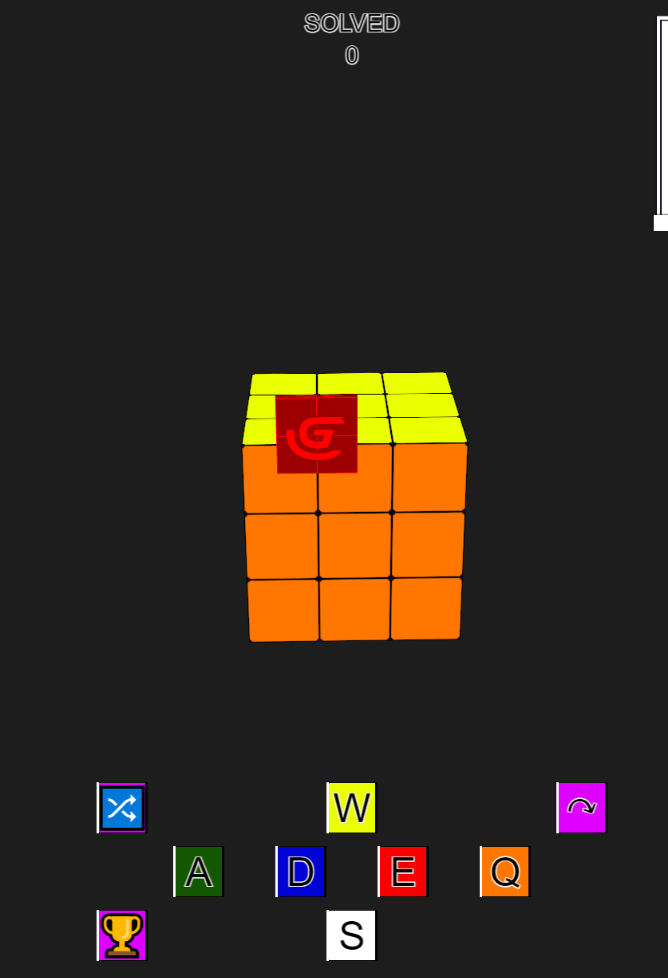
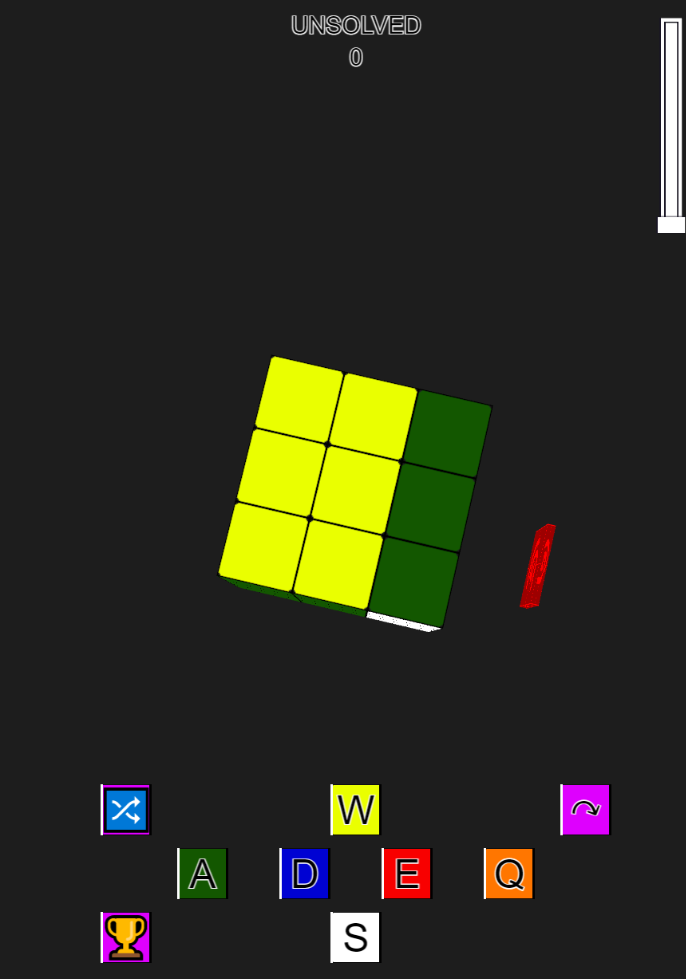
Thank you for your compliment. I have created a touch box to test the interaction with the mouse. The following code results that if i click next to the touch box from the top it registers that the object is in point and it turns the orange side of the cube (See picture where the orange side has turned one time). If I click on it from the front or back it does not register it at all. I would like to be able to manipulate the rotations of the cubes sides with the mouse instead of the buttons I have made. The rotation around the cube with the camera (The gimbal) works fine. But the regocnition wheter an object is in point of the mouse using RayCast does not work the way I expected it to work. 
Thank for all your explications on the processus.
In a first sight, you can use the function “Simulate keys…” with your events used for the mouse.
Say us if that helps you.
A+
Xierra
Hey!
Just a little feedback here, because I love the game 
You need to make it so they can also twist the middle layers, it will help a lot with solving!
Thank you for the feedbakc SnowyRawrGamer. I will make that option too no problem. The simulate keys will not do anything to help.

Take in account the following code. If I do not change the camera position the point inside object works perfectly. I.E. If the mouse is on the 3d object it will trigger true. But as soon as I change the camera angle the function does not behave the same anymore. It will for example only trigger on half of the object or sometimes only a very small part of the object. Does anyone know how I can accomadate so that the whole object triggers the condition again?
Did you work this one out? I was just experimenting dragging with the cursor objects in 3d - I found this thread How do I get a 2d cursor to interact with 3d objects from a third person view? - How do I…? - GDevelop Forum
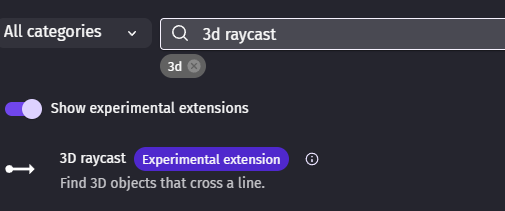
using 3d raycast extension
ps - i don’t have the answers yet - im still trying to fathom it!
Lol - this was frying my brain last night - I tried just about everything! I had initially dismissed ‘raycast from Cursor’ using the 3d raycast extension as i didnt seem to work and there’s only one parameter. Turns out - I wasn’t raycasting quite far enough!
The threads on this subject are either ambiguous or unanswered.
so what worked for me - in the end was - using raycast 3D extension

i’ll give some context too - Firstly - im not used to doing 3d and using z and doing this as an experiment. I’m looking down on the xy from above and able to move up and down and camera xy but not change the camera angle.
edit - this doesn’t work if you change the camera angle - i might return to this once my brain stopped farting - which might actually take quite a while!
If anyone does know the correct method to select objects no matter what the camera angle is that would be fabulous
Thank you for the feedback. No, unfortunately I have not solved it yet. The In Point or raycast will indeed not work.
What I have noticed through testing is that the hitbox of a 3D object seems to still be two-dimensional. For example, if a cube is 100×100×100 (L×W×H) and positioned at (0, 0, 0), the In Point or raycast—which uses only X and Y coordinates—will only trigger if the mouse position is between (0, 0) and (100, 100) on the specific layer.
Thus, if you want to select the cube from any viewpoint other than top-down, it is simply impossible because the Z-axis is not taken into account by the raycast. This is at least how I currently interpret it.
I find your 3D raycast extension very interesting. Could you please provide me with a link to it? I would like to experiment with this as well.
For now, it seems that the only way to circumvent this limitation in GDevelop is to give the 3D object (for example, a cube) variables such as ScreenX and ScreenY, and then calculate these values based on the camera position, angle, and field of view (FOV).
The mouse trigger condition would then look something like this:
CursorX() >= CubeFace.ScreenX - VisualWidth / 2
AND
CursorX() <= CubeFace.ScreenX + VisualWidth / 2
AND
CursorY() >= CubeFace.ScreenY - VisualHeight / 2
AND
CursorY() <= CubeFace.ScreenY + VisualHeight / 2
This effectively means recalculating what the 3D engine has already done internally—that is, determining where the object is visually drawn on the 2D screen. However, I have not yet had the chance to fully work this out…
its not my extension - its from a while back but to find it in the in engine extension search bar you need to tick include experimental
i made a jenga style game this morning - and dragging with cursor is perfect until you change the camera angle!
This seems to work for me now. I have the mouse gimble (changing camera angle and distance) on the base layer. I raycast from the input layer and it finds the correct object.

I will have to implement it fully but for now this seems to work. i.e. raycast from a static layer not from the layer on which you are changing the camer layer. You maybe have given me my golden ticket. I’ll let you know as soon as I have implemented it and it worked. FIngers crossed 
yep - that work’s for me!
I was able to solve it thanks to petlimpet’s input. The middle parts of the cubes are now also swipable and all can be done by either touch or mouse interaction. Thank you for all the help. This topic is solved.