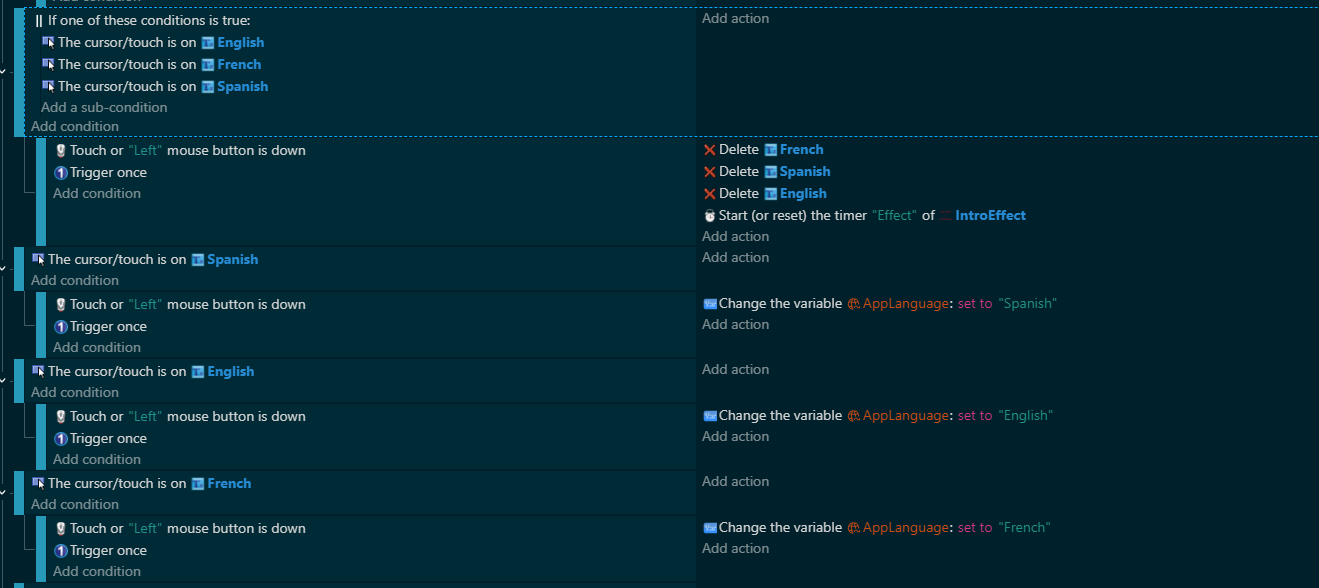
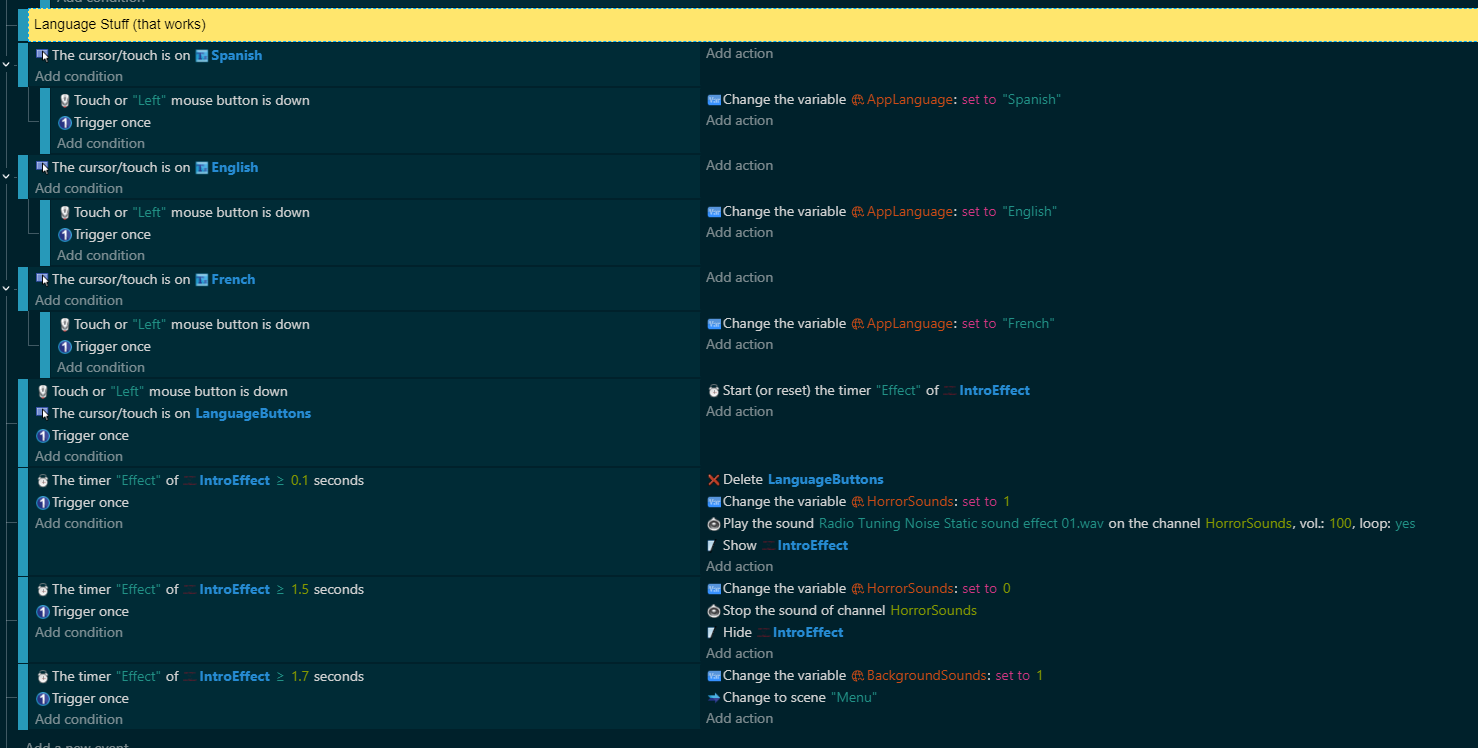
I’m trying a simple way to translate my game’s texts. Problem is it’s not working.
The idea is that, after the logo plays, text options for English, French, and Spanish appear. When the player clicks on one of them, the rest of the logo animation plays and then we’re taken to the main menu, which should have it’s title changed to the language selected. I’m using a Global Variable, so it should stay to its setting for all scenes.
What happens instead is that when one of the language buttons are clicked, only that button gets deleted (the other two buttons stay), the sound doesn’t play right, and the main menu title is still in English.
I’ve tried looking up tutorials on External events or custom extensions, but those haven’t worked out for me. This is my first time trying to localize, so I just want to make something simple for now
That’s because of the OR. It evaluates all of the subconditions and since only 1 is true only 1 object is picked. So, only 1 object gets deleted. You can add an action or condition afterwards to pick all of the objects before deleting them.
You could also put the objects into a group.
Mouse pressed or released
Cursor is on group
Trigger once
Pick all group
Delete group
The other events aren’t trigger because the object gets deleted in the previous event. You would need to handle the other events first before deleting the objects.
Mouse pressed or released
Cursor is on group
Trigger once
Set language to Group.Text::Value()
Pick all group
Delete group
It’s also best to make sure only 1 button can be pressed or touched. Either by using pick nearest object to CursorX and CursorY or use point is inside object with the CursorX, CursorY.
2 Likes
It works!
I took your advice and put them in a group. I also place the Delete action for the language buttons into one of the Start Effect conditions I got so I’m not confusing my code, anymore. Now the language changes in the next scene.
I’ll probably change things up as I make more games, but this simple setup right now works. Thankfully, it’s not a text-heavy game.
Thanks for your help, Keith.
2 Likes