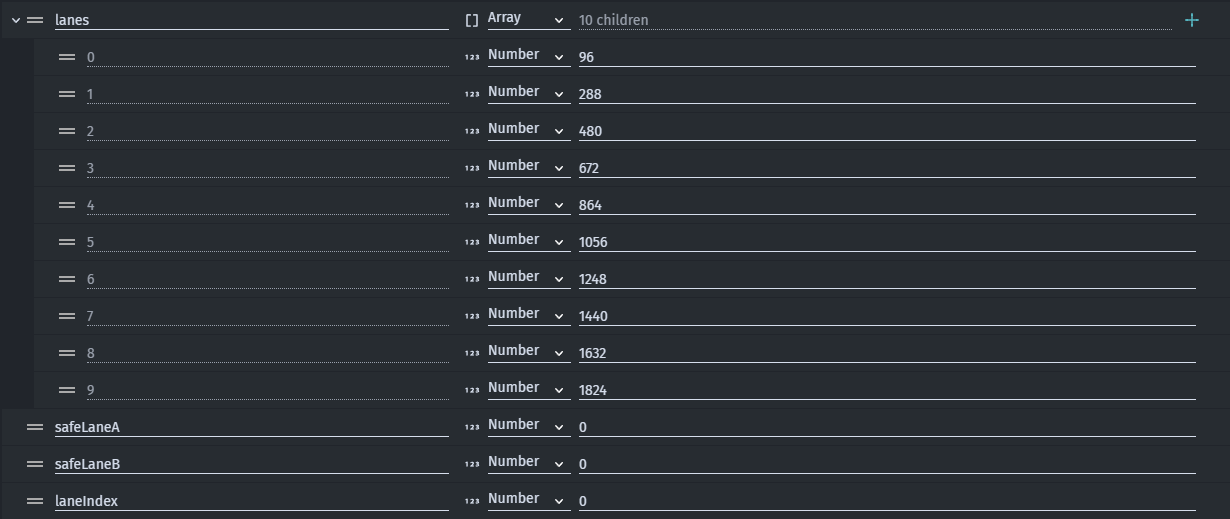
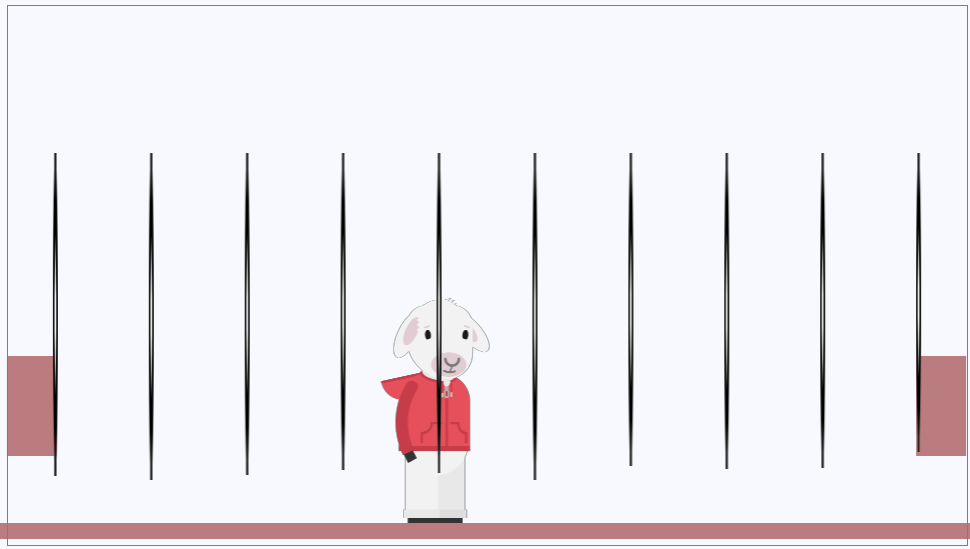
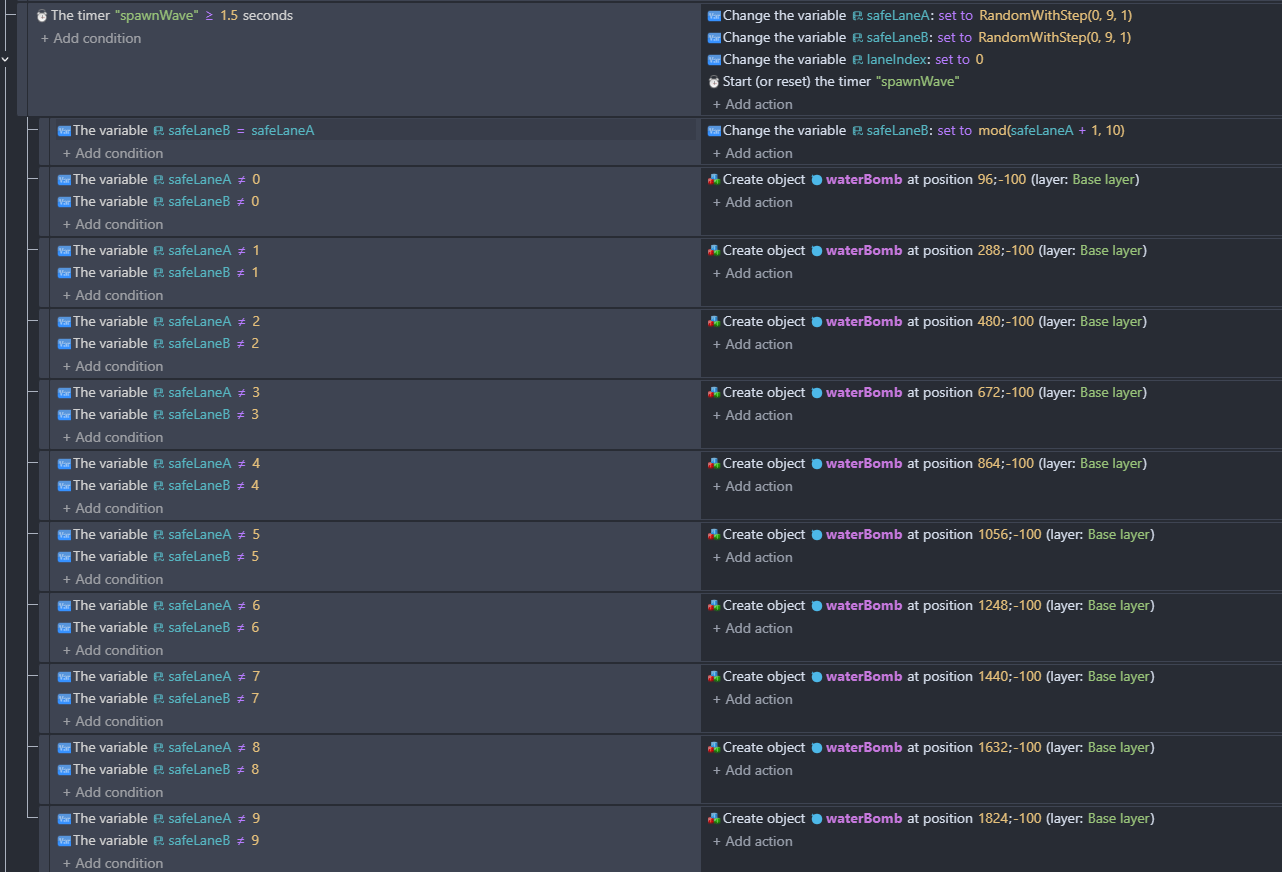
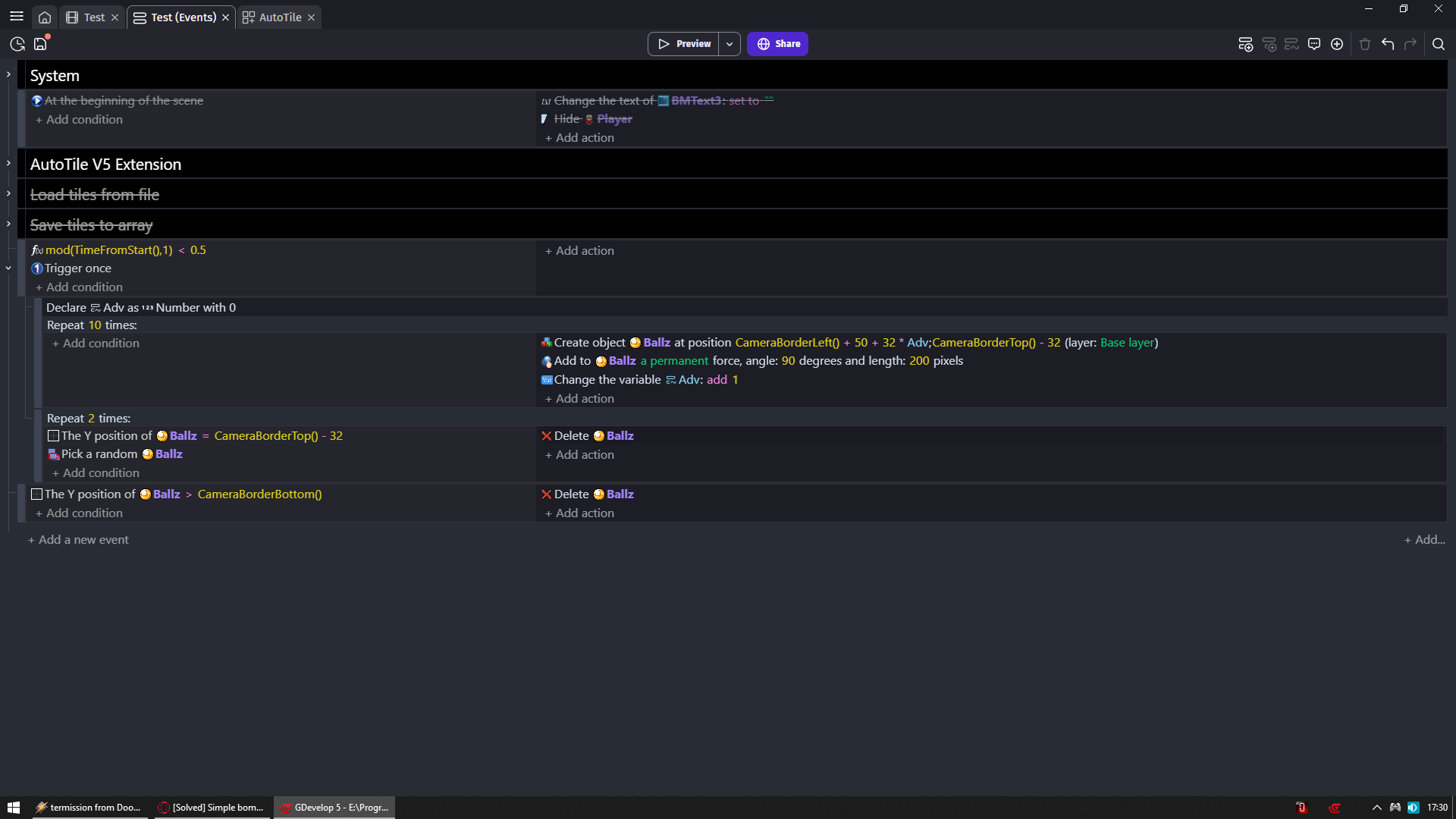
I’m trying to do a simple bomb drop game, where bombs are dropped every second in 8 out of 10 lanes from the top of the screen. I am using an array to hold the values for the drop points: 96, 288, 480 etc. This array has 10 values. In my events I randomise the 2 safe lanes, so there are always 2 lanes where the player can stand and not get hit. If the lanes are the same, a re-roll of safeLaneB happens.
This is where it all falls apart for me. How do I make bombs fall from the 8 non-safe lanes? The ‘repeat 10 times’ is unfinished, I know, and won’t do anything as it is. Perhaps it’s not even what I need. Any help is appreciated, thank you.
[I don’t need advice on making the bombs fall. My problem is with the spawn logic specifically]
This works, but it’s rather long-winded. I’ll leave this post open in case anyone wants to post a “You can do it more concisely, Jason!” reply. I’m sure there are cleaner ways of doing it. Still, if it works, it works!
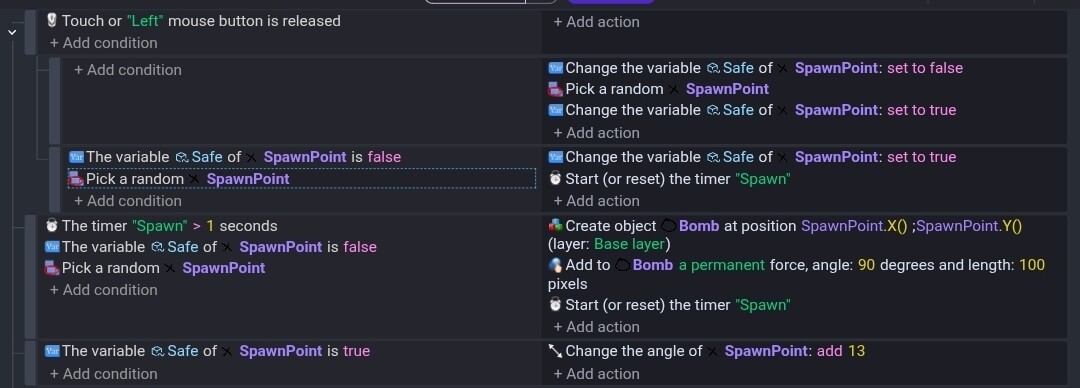
I would use an object as a spawn point. Place an instance on the top of each lane. Put them off screen.
Then to pick the safe lanes use an object boolean variable like Safe on the spawn object.
Then
Some event to trigger it
… Set Safe of SpawnPoint to false
… Pick random SpawnPoint
… Set Safe of SpawnPoint to true
… Safe of SpawnPoint to false (condition)
… Pick random SpawnPoint
… Set Safe of SpawnPoint to true
Then 2 of the objects are marked as true.
To spawn a bomb
SpawnPoint to false (condition)
Pick random SpawnPoint
Create bomb at SpawnPoint.X(), SpawnPoint.Y()
This way you don’t need to know the spawn coordinates or use an array.
The array approach would also work. I’d use the array tools shuffle function. Shuffle the array and then treat the last 2 indexes as safe. Pick a random index from 0 to 7 to drop the bombs from and use that index’s value. Arrays start at 0. So, the last 2 slots are 8 and 9. Reshuffle to pick new safe lanes.
Thank you for the suggestions.
You’re welcome. I just tested it. The mouse release gets it started. The last line was just for testing so I could tell which ones were the safe ones.
@worriedpixels Why so many variables?
@Keith_1357 Why additional object?
is modulo better than a timer that get resets everytime? (performance wise)

or is it just to make it clean?
I guess I wasn’t paying attention to the spawn at the same time part. I like the delete approach. You could also add all the bombs at once as a layout and randomly delete 2.
I still like spawn points. You don’t need to use math or check positions. You can change the locations or spacing without updating any events or variables.
My approach could be used with a for each object after filtering out the safe lanes with the variable check to add 8 bombs at the same time.
Mixed in with the bombs could be powerups like extra time or points or whatever.
@AldebaranStudio
For you showing someone something with time intervals work its better cause you don’t need to create timer each time
So consider it better for YOU showing SOMEONE something
But worse if you would create actual game
Cause now if you pause game time is still going
If you have timer then timer will pause with game
@Keith_1357 i was under impression either you two are trying to reinvent the wheel or i am missing the point here
My way would be worse if you would have more bombs and more safe zones
Cause now imagine you need 50 bombs out of 100
Then i would still create 100 anyway which is performance unfreindly
Then whole logic is performance unfriendly cause when bombs hit bottom i should just change their positions and not create/delete constantly but whatever
With few objects its perfectly fine